Eufy Video Doorbell E340 Battery Life & Charging Explained
The eufy Video Doorbell E340 uses a removable rechargeable battery, so you can charge it indoors without removing the entire doorbell. Its advertised runtime reaches up to six months, but motion activity, video settings, temperature, and camera use can shorten that time.
Under normal use, you can expect roughly six to eight weeks between charges, while lighter activity may extend battery life closer to several months. We’ll cover charging options, typical charging time, status indicators, and settings that help reduce battery drain.
Key Takeaways
- Battery life depends on activity, settings, and weather.
- USB-C charging takes about three to four hours.
- Lower power use can extend the time between charges.
Battery Capacity And Expected Runtime
The E340 uses a removable rechargeable battery rated at about 6,500 mAh. Runtime depends on activity, settings, temperature, and network conditions, so real use often falls below the advertised maximum of up to six months.
Typical Daily Usage Scenarios
With light activity, such as a few motion alerts and short live views each day, we can expect the battery to last several months. This use pattern places less demand on the cameras, motion sensors, speaker, and Wi-Fi connection.
Busy entrances drain the battery faster. Frequent deliveries, passing traffic, visitors, or repeated motion events can reduce runtime to roughly six to eight weeks, based on reported real-world use. Regular live viewing also uses more power than brief event recordings.
| Usage pattern | Likely battery experience |
|---|---|
| Low activity and few live views | Several months |
| Normal household activity | About 6–8 weeks in many reports |
| Heavy motion and frequent live viewing | Significantly shorter runtime |
We should treat these figures as estimates rather than fixed limits. The dual-camera system may also use more energy when it records or processes frequent events.
Factors That Affect Power Consumption
Motion activity has the largest effect for many homes. A doorbell facing a sidewalk, road, or busy shared entrance may wake repeatedly throughout the day. Longer recordings and frequent notifications increase the drain.
Video quality, live-view frequency, night vision, and audio use also affect runtime. Weak Wi-Fi can require the doorbell to use more power to maintain its connection. Cold or hot weather may reduce battery performance as well.
We can extend runtime by adjusting motion sensitivity, limiting activity zones, reducing unnecessary live views, and keeping the firmware updated. When charging becomes necessary, we can remove the battery and charge it through USB-C. A full charge commonly takes about 3.5 to 4 hours with a suitable 5V/2A charger.
Charging Methods And Equipment
We can charge the E340 by removing its rechargeable battery pack or by connecting the doorbell to existing low-voltage wiring. A compatible USB-C setup provides predictable charging, while wiring can keep the battery topped up during normal use.
USB-C Charging Requirements
We remove the battery pack from the doorbell and connect it to a USB-C cable. We should use the included cable with a compatible 5V/2A USB power adapter. The battery should charge on a dry, stable surface away from heat and moisture.
Charging commonly takes about 3.5 to 6 hours, depending on the adapter, battery level, and temperature. We should let the battery charge fully before reinstalling it. The status light indicates charging progress; we should check the Eufy instructions for the exact light pattern for our model and firmware.
We should not use damaged cables, loose connectors, or unsuitable high-voltage equipment. After charging, we insert the battery firmly and confirm that the doorbell powers on in the eufy Security app.
Using Existing Doorbell Wiring
The E340 can connect to existing doorbell wiring for continuous power support. Before touching the wires, we turn off power at the circuit breaker and confirm that the circuit is off. We then follow the installation guide for the correct terminals and mounting bracket.
We should verify that the wiring supplies the voltage listed in the E340 manual. Doorbell systems vary, and incorrect voltage or poor connections can damage the device or create a safety risk. If we cannot identify the transformer rating, we should have a qualified electrician inspect it.
Wired operation can reduce how often we remove the battery, but it may not eliminate charging in every installation. Heavy motion activity, frequent live viewing, cold weather, and other settings can increase power use beyond the available wired supply.
Solar Panel Compatibility
The E340 does not automatically support every solar panel designed for security cameras or other Eufy devices. We should use only a panel that Eufy identifies as compatible with the E340 and that provides the required connector, voltage, and current.
Before buying a panel, we should check the current Eufy product page or manual for supported accessories. A panel that produces too little power may not maintain the battery, while an incompatible output or connector can damage the doorbell.
Solar performance also depends on direct sunlight, panel angle, shade, dirt, and seasonal conditions. We should mount the panel where it receives strong daylight and keep its cable protected from water and physical damage.
Charging Time And Status Indicators
We can usually recharge the removable E340 battery in about 4–6 hours with a USB-C cable and a compatible 5V/2A power adapter. The eufy Security app, battery alerts, and the battery’s LED help us confirm whether charging is active or complete.
Estimated Recharge Duration
We should remove the battery from the doorbell before charging it, unless our installation uses a wired power connection. Connect the battery to the USB-C cable and a 5V/2A adapter. Charging may take about 4–6 hours, while a fully depleted battery or a weak adapter may take longer.
For the best results, we should use the included cable or a reliable replacement. We should also charge the battery indoors at a moderate temperature. Extreme heat or cold can slow charging or affect battery performance.
Battery life after charging depends on motion events, recording settings, Wi-Fi strength, temperature, and how often we use live view. A wired installation can help keep the doorbell powered, but the battery may still serve as backup power.
Interpreting Battery Alerts And LED Signals
We can check the eufy Security app for the current battery level and low-battery warnings. If the percentage does not rise after several hours, we should test another USB-C cable, power adapter, or outlet.
The battery LED provides a second check. A flashing or active light usually indicates that charging is in progress, while a steady green light generally indicates a full charge. LED behavior can vary by firmware or battery condition, so we should also confirm the level in the app.
If the LED does not turn on, we should firmly reconnect the cable and inspect the charging port for dirt or damage. A battery that remains stuck below full after a long charge may need support or replacement.
Power-Saving Settings And Feature Trade-Offs
We can extend battery life by limiting unnecessary motion triggers, lowering recording demands, and reducing alerts. These changes save power, but they may also reduce detection range, video detail, or notification speed.
Motion Detection Configuration
We should start with Optimal Battery Life mode in the eufy Security app. This setting reduces power use and can turn off features such as the status LED. It may also limit some active functions compared with a higher-performance mode.
Motion sensitivity has a direct effect on battery drain. We can lower sensitivity or adjust the detection area to exclude roads, sidewalks, trees, and other busy locations. Activity zones help the doorbell focus on the entry path instead of recording every movement within view.
We should also use human-only detection when it fits our security needs. This can reduce alerts caused by animals, vehicles, and changing light. However, filtering motion too heavily may cause us to miss activity that does not match the selected detection type.
Video Recording And Notification Settings
Higher video quality and frequent recordings require more power. We can select a lower recording resolution when maximum battery life matters, while keeping higher quality when clear face or package details matter more. The E340’s dual-camera design may also use more energy when both views remain active during frequent events.
We should limit unnecessary push notifications and avoid repeated alerts for the same activity. Recording length also affects battery use, so shorter clips can help when the doorway receives heavy traffic. We can keep important alerts enabled while reducing notifications for less useful events.
If the doorbell connects to existing 16–24 VAC wiring, hardwiring can provide continuous power. The rechargeable battery can then serve as backup during an outage, reducing the need for regular USB-C charging.
Installation Practices For Longer Runtime
We can extend battery runtime by giving the doorbell a strong Wi-Fi connection, limiting unnecessary motion triggers, and protecting it from harsh weather. Correct placement also makes charging and maintenance easier.
Placement And Wi-Fi Signal Strength
We should mount the E340 where it can clearly view the entry path without facing a busy street, moving trees, or bright lights. Frequent motion events make the camera and wireless connection work more often, which can reduce battery life.
A strong Wi-Fi signal helps the doorbell send video without repeated connection attempts. Before mounting it, we can check signal strength with the eufy Security app or a phone at the planned location. If the signal is weak, we should move the router, use a compatible mesh node, or improve coverage before completing the installation.
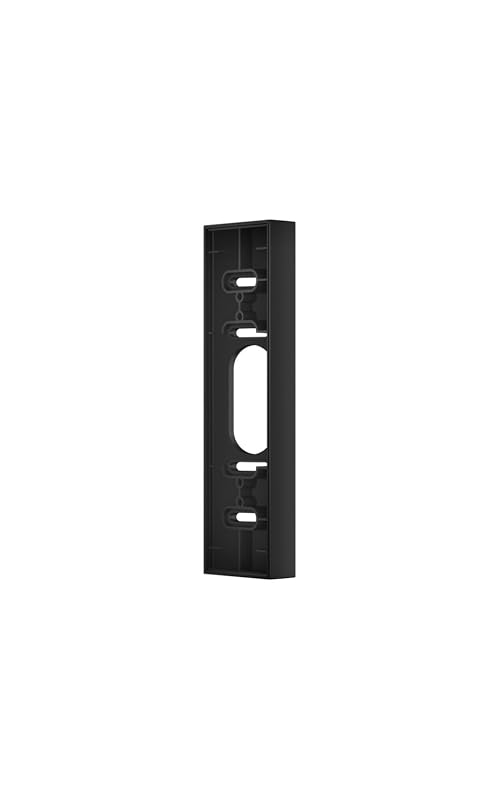
We should keep the doorbell within a practical range of the router and avoid placing it behind large metal objects or thick concrete. The included 15-degree mounting wedge can help aim the camera away from areas that cause unwanted alerts. We should also set activity zones and detection sensitivity to focus on the walkway, door, and nearby approach.
Cold Weather And Environmental Considerations
Cold temperatures can reduce rechargeable battery performance and may shorten the time between charges. We should install the E340 in a sheltered position, such as beneath an overhang, while keeping the camera’s view clear.
Before charging, we should bring a cold battery pack indoors and let it reach room temperature. We should then charge it with the supplied or suitable USB-C cable, following eufy’s charging guidance. We should not charge a frozen or wet battery.
Rain, snow, and direct sunlight can also increase wear and heat exposure. We should keep the charging port and battery compartment dry, make sure their covers seal correctly, and remove snow or water before opening them. In areas with severe winter weather, we should check the battery more often and plan extra charging time.
Frequently asked questions
How long does the E340 battery last?
We can expect battery life to vary with motion activity, video quality, detection settings, temperature, and Wi-Fi strength. Real-world use may last several weeks, while lighter use can last longer. Treat any stated duration as an estimate, not a guarantee.
How do we charge the battery?
We remove the rechargeable battery and charge it through its USB-C port. We should use a suitable 5V USB power adapter and allow about three to four hours for a full charge, depending on the charger and battery level.
Can we charge the doorbell without removing the battery?
Yes. We can connect the E340 to existing doorbell wiring for ongoing power. We should turn off power at the breaker and follow eufy’s wiring instructions or use a qualified installer.
Does wired operation eliminate battery use?
No. The battery may still support the doorbell and help maintain operation during power interruptions. We should check the battery level regularly, even when the doorbell uses wired power.
What reduces battery life?
Frequent motion alerts, live viewing, high detection sensitivity, cold weather, and weak wireless signals can increase power use. We can extend runtime by reducing unnecessary detection activity and adjusting recording settings.
Can we use a spare battery?
Yes. A second compatible battery lets us replace the depleted pack while charging the first one. We should use only batteries approved for the Video Doorbell E340.
Conclusion
We should treat the eufy Video Doorbell E340’s battery estimate as a best-case figure, not a fixed schedule. Eufy advertises up to six months, while real-world reports commonly range from several weeks to several months.
Battery life depends on motion alerts, recording frequency, Wi-Fi strength, temperature, night vision, and camera settings. Busy entrances can drain the 6,500 mAh battery much faster than quiet locations.
| Use pattern | Likely experience |
|---|---|
| Low activity and balanced settings | Several months |
| Regular visitors and motion events | About 6–8 weeks in some homes |
| Heavy activity or weak Wi-Fi | Much shorter intervals |
We can charge the removable battery through its USB-C port. A full charge may take about three to four hours with a suitable 5V/2A adapter, though charging time can vary.
For homes with frequent activity, we should keep a spare battery ready or use compatible hardwiring for continuous power. We should also reduce unnecessary motion zones, improve Wi-Fi coverage, and select practical detection settings to limit battery drain.




One Comment