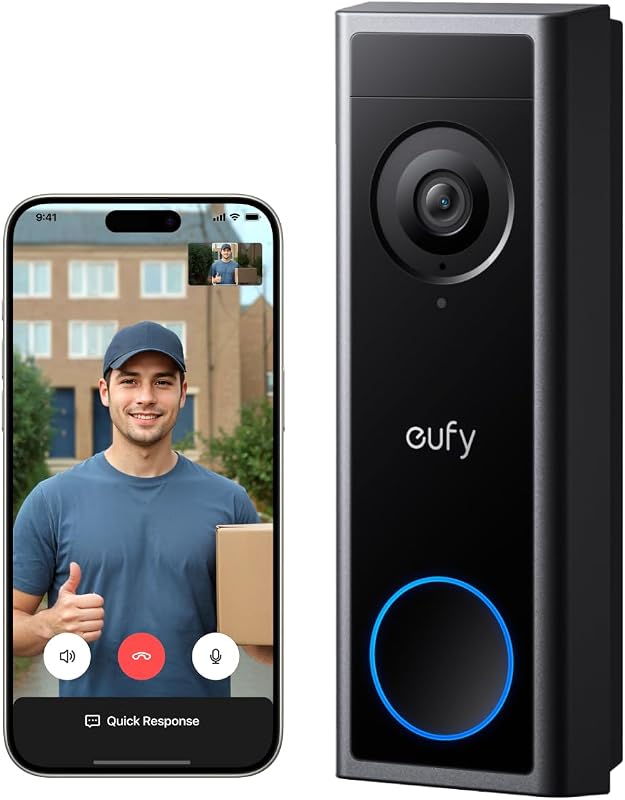
Is Eufy Video Doorbell E340 Compatible With HomeBase 3 / S380? Compatibility Guide
The eufy Video Doorbell E340 works with HomeBase 3, also called the S380 HomeBase. This setup lets us connect the doorbell to eufy’s local storage system and manage compatible security devices in one place.
Yes, the E340 is compatible with HomeBase 3/S380, but we need compatible firmware and proper setup for a reliable connection. We’ll cover pairing steps, local storage features, supported chimes, and limits you should know before buying or installing the system.
Key Takeaways
- The E340 works with HomeBase 3/S380.
- Local storage requires a connected HomeBase.
- Firmware and chime compatibility can affect setup.
Compatibility Status
The eufy Video Doorbell E340 works with the S380 HomeBase, also called HomeBase 3. We can use the doorbell on its own or connect it to HomeBase 3 for local video storage, HomeBase features, and indoor chime alerts.
Supported HomeBase 3 Functions
When we pair the E340 with HomeBase 3, the system can store doorbell video clips on the HomeBase’s built-in storage. HomeBase 3 also supports expandable local storage, which lets us keep more recordings without relying on a monthly cloud plan.
HomeBase 3 can act as the doorbell’s indoor chime when someone presses the button. The E340 also supports motion detection and remote answering through the eufy Security app. We should check eufy’s current device compatibility list for any firmware-specific feature limits.
The E340 supports HomeBase 3 firmware V3.3.2.6 or later, according to eufy’s compatibility information. HomeBase 3 may also provide cross-device features and enhanced AI functions within the eufy Security system.
Connection Requirements
We need to add the E340 to the eufy Security app and pair it with an S380 HomeBase. The doorbell and HomeBase should use compatible, updated firmware before pairing. Keeping both devices updated can prevent connection and feature problems.
HomeBase 3 is sold separately unless we buy a bundle that includes it. The E340 can operate without HomeBase 3, but connecting the devices provides local storage and lets HomeBase function as an indoor chime.
We should not use the original eufy Wi-Fi Chime T8020 or eufy Chime models T8740/T8742 with the E340. These chimes are not compatible.
How To Add the Doorbell to HomeBase 3
We can add the Eufy Video Doorbell E340 to HomeBase 3 through the eufy Security app. We should first update the app and HomeBase, then select the correct doorbell model and assign it to the S380 hub.
Pairing Through the eufy Security App
We should connect HomeBase 3 to the eufy Security app before adding the doorbell. Both devices need power, and the doorbell should remain near the HomeBase during setup.
- Open the eufy Security app.
- Tap Add Device or the + icon.
- Select Video Doorbell, then choose Video Doorbell E340.
- Follow the app’s instructions to scan the QR code shown during setup.
- When prompted, select the matching HomeBase S380 (HomeBase 3).
- Press the doorbell’s Sync button when the app requests it.
The app may ask us to connect the doorbell to Wi-Fi first. We should use the same network connected to HomeBase 3 and keep the devices close together until pairing finishes.
Confirming Device Assignment
After pairing, we should open the HomeBase device page in the eufy Security app and check that the E340 appears under the connected devices. The doorbell should show as Online rather than Offline.
We can also open the doorbell’s settings and verify that HomeBase 3 appears as its assigned hub. Test the live view, motion alerts, and doorbell press notification to confirm that the connection works.
If the E340 does not appear, we should check that HomeBase 3 runs supported firmware, the app has the latest version, and the doorbell is compatible with the selected HomeBase account. We can then restart both devices and repeat the pairing process.
Features Available With Local Storage
When we connect the eufy Video Doorbell E340 to HomeBase 3, also called S380, we can store recordings locally and use supported smart detection features without a monthly cloud plan. The doorbell can also keep events on its built-in storage when used without HomeBase.
Video Recording and Event Storage
The E340 records door events in up to 2K resolution, giving us a clear view of visitors, packages, and activity near the door. Its dual-camera design combines a front view with a lower view, which helps us see both a person’s face and packages near the ground.
Without HomeBase, the doorbell can save clips to its built-in 8GB storage. When we pair it with HomeBase 3, we can store recordings on the base station and expand capacity with a compatible hard drive, up to 16TB according to eufy’s listed specifications. This gives us more room for longer event history.
Local storage avoids required monthly cloud fees. We still need the eufy Security app and a network connection for remote viewing, alerts, and two-way communication.
AI Detection and Notifications
With HomeBase 3, the E340 can use supported eufy AI features to sort and identify motion events. Depending on the current firmware and account settings, we may receive alerts for people and other detected activity instead of notifications for every movement.
The doorbell’s dual-camera system helps track activity near the entrance, while features such as package monitoring can help us identify deliveries. We can review recorded events in the eufy Security app and use two-way audio to speak with visitors.
AI features can vary by region, firmware, and device configuration. We should check the app’s detection settings and keep the doorbell and HomeBase updated to access the features available for our setup.
Important Limitations
The E340 works with HomeBase 3, also called the S380, but it does not require a HomeBase. We should account for power setup, storage choices, chime compatibility, and network requirements before pairing the devices.
Wired and Battery Power Considerations
The E340 supports wired or battery operation. A wired installation can provide continuous power, but it still requires suitable doorbell wiring and the correct voltage. We should turn off power at the breaker before connecting the doorbell to existing wiring.
Battery operation removes the need for doorbell wiring, but we must recharge the battery periodically. Heavy activity, frequent live viewing, cold weather, and certain detection settings can reduce battery life. HomeBase 3 does not power the doorbell or recharge its battery.
When paired with the S380, recordings can use the HomeBase’s local storage instead of relying only on the doorbell’s internal storage. We should confirm that the E340 and S380 run compatible firmware before setup, especially after purchasing the devices at different times.
Chime and Network Dependencies
The E340 can connect directly to a wireless router, so HomeBase 3 is optional. If we use the S380, both devices still need a working network connection during setup and for remote access, notifications, and cloud-based features.
The doorbell supports several chime options, including the S380, S280, Minibase Chime T8023, Alexa devices, and Google Assistant devices. It does not support the original eufy Wi-Fi Chime T8020 or eufy Chime models T8740 and T8742.
We should place the doorbell where it receives a reliable Wi-Fi signal. HomeBase 3 can add local storage and ecosystem features, but it cannot correct weak wireless coverage or replace the need for internet access when we want alerts and remote viewing.
Troubleshooting Connection Issues
The E340 can connect to HomeBase 3, also called S380 HomeBase, when both devices use supported software and the correct setup process. We should first update the eufy Security app and device firmware, then reset and pair the doorbell again if the connection still fails.
Firmware and App Updates
We should update the eufy Security app, the E340, and the S380 HomeBase before trying to pair them. In the app, check each device’s settings for available firmware updates. Keep the doorbell powered during the update, and do not unplug the HomeBase until the process finishes.
We should also confirm that the HomeBase appears online in the app. Place the E340 near the S380 during setup to reduce wireless interference. If the HomeBase uses a wired network connection, check that its Ethernet cable connects securely to the router.
After updating, close and reopen the app. We should then select the E340 in the app and check whether a HomeBase connection option appears. The E340 may operate without HomeBase, so pairing must be completed through the device setup process rather than assumed from the doorbell’s standalone operation.
Reset and Re-Pairing Steps
We should remove the E340 from the eufy Security app before pairing it again. If the app does not show a removal option, press and hold the doorbell’s reset button according to the E340 manual until it announces or confirms the reset.
Next, we should restart the S380 HomeBase, wait until it reconnects to the network, and open the app. Add the E340 as a new device, scan the setup code, and follow the instructions to connect it to the HomeBase. Keep both devices close together during pairing.
If pairing still fails, we should check that the E340 is not already linked to another eufy account or HomeBase. A complete reset removes its current settings, so we should record important preferences before using it.
Frequently asked questions
Is the eufy Video Doorbell E340 compatible with HomeBase 3?
Yes. We can pair the E340 with the eufy Security HomeBase 3, also called the S380 HomeBase. The HomeBase connects to our router and can provide a more stable connection.
Does the E340 require HomeBase 3 to work?
No. We can use the E340 as a standalone doorbell. HomeBase 3 is optional, but pairing the devices can add local storage and HomeBase features.
Can we store doorbell recordings on HomeBase 3?
Yes. When paired with HomeBase 3, we can store compatible video clips on the hub’s built-in storage. We should check the current eufy app and firmware requirements before setup.
Does HomeBase 3 include a chime?
HomeBase 3 can notify people inside the home, but we may also use a traditional wired chime, a separate eufy chime, or a compatible Alexa Echo Show device. The available options depend on our installation and settings.
Can we add extra chimes?
Yes. With HomeBase 3, the E340 can support up to eight eufy MiniBase Chimes as additional chimes. Without HomeBase 3, the E340 can also support up to eight MiniBase Chimes, but only for ringtones.
Conclusion
Yes, we can use the eufy Video Doorbell E340 with HomeBase 3, also called the S380 HomeBase. The doorbell can connect to the S380 for local video storage and integration with other compatible eufy Security devices.
The E340 does not require a HomeBase to operate. We can use it with an existing compatible chime, the eufy MiniBase Chime, Alexa, or Google Assistant. However, HomeBase 3 adds central storage and other ecosystem features.
| Feature | E340 with S380 HomeBase |
|---|---|
| Compatibility | Yes |
| Local storage | Supported |
| Cloud subscription | Not required for local storage |
| Existing chime support | Supported if compatible |
We should check the chime model before pairing it with the doorbell. The E340 does not support the original eufy Wi-Fi Chime or certain older eufy chimes, including models T8020, T8740, and T8742.