Which Camera Is Best for Outside Top Picks and Tips
The best outside camera depends on where you need coverage and how you plan to power it. For most homes, choose the model that fits your entry point, Wi-Fi, privacy needs, and storage preference.
Which Camera Is Best for Outside depends on where you want coverage, how you power the camera, and whether you want local storage or a cloud plan.
For many homes, the best outside camera fits the entry point. It also stays connected and records the area you need.
A front door, driveway, backyard, side yard, or apartment entry can each need a different camera type. The best setup matches your layout, your Wi-Fi, and your privacy needs.
Which Camera Is Best for Outside? Start with the Use Case, Not the Spec Sheet
The best outdoor camera is not always the one with the highest resolution. It is the one that covers the right spot.
It also needs reliable power and alerts you can trust. Start with the place you want to watch, then narrow the camera type.
Front door, driveway, backyard, side yard, or apartment entry: why the answer changes
A front door often works best with a video doorbell or a narrow outdoor camera.
These spots need clear faces, package views, and short walking paths.
A driveway may need a wider field of view and better night vision. A backyard may need a camera that handles distance, pets, and changing light.
Apartment entries and rentals often need temporary mounting and minimal drilling.
In those cases, a battery camera or a doorbell with removable mounting can make more sense than a hardwired model.
For a deeper look at how placement affects coverage, see where to install rear view camera for a useful comparison of placement logic, even though the device type is different.
Outdoor camera basics in 2026: wired, battery, solar, and hybrid setups
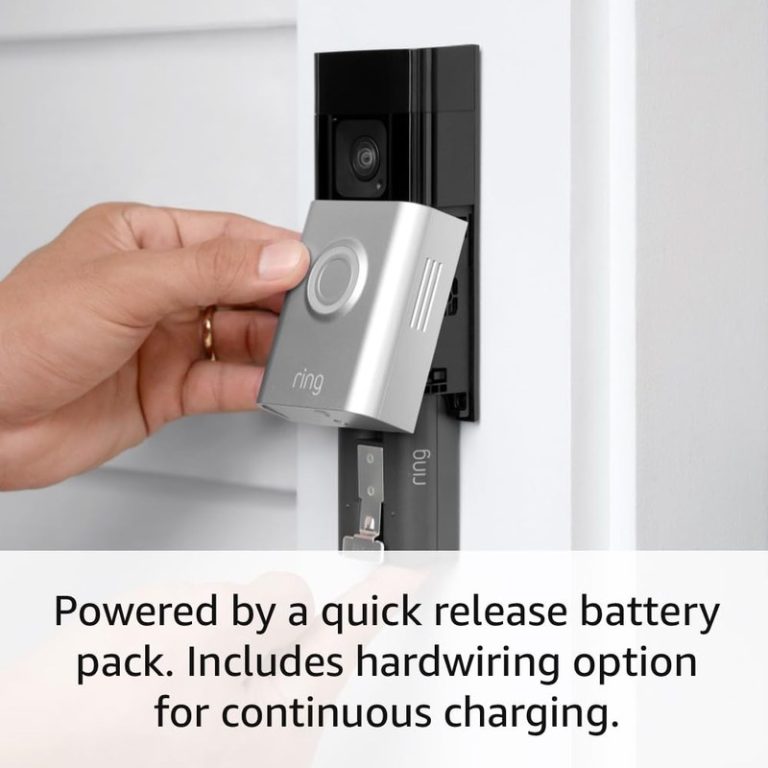
Wired cameras are usually the most stable because they do not depend on battery charging.
Battery cameras are easier to place, but they need regular charging.
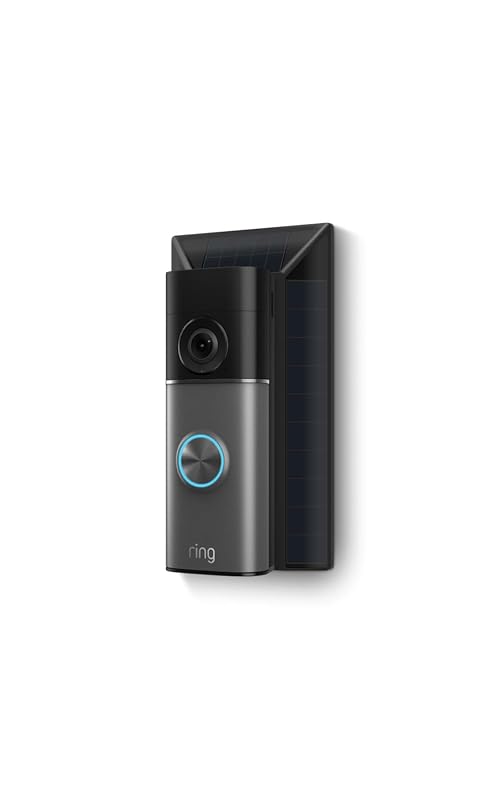
Solar add-ons can help in sunny spots, but they work best when the camera gets enough direct light.
Hybrid setups use more than one power source or backup method. That can help with reliability.
How to Choose an Outdoor Camera for Your Home Layout
Choose based on what the camera must see and what might block it.
Look at the angle, the distance to the target area, the height of the mount, and the amount of sunlight or shade.
The right setup reduces blind spots and false alerts.
Field of view, mounting height, and blind spots
Field of view means how much the camera can see from side to side.
A wider view covers more space, but it can make faces look smaller.
Mounting height matters too. Too low, and the camera is easy to reach. Too high, and it may miss faces.
For most homes, the goal is to cover the approach path, not the whole yard.
Aim the camera toward the area where someone enters the frame.
Avoid pointing it at a busy street unless that view is truly needed.
If you are comparing outdoor coverage with vehicle-style camera placement, how rear view camera works offers a simple way to think about angle and perspective.
Weather exposure, lighting conditions, and motion coverage
Outdoor cameras face rain, dust, heat, cold, and glare.
A shaded porch may need better low-light performance.
A sunny driveway may need stronger dynamic range. That helps the image handle bright and dark areas at once.
Motion coverage should match where people actually walk.
When a video doorbell is better than a standard outdoor camera
A video doorbell is often better when the main goal is to see visitors at the front door.
It usually fits the entry point well and can help with package checks.
A standard outdoor camera is better when you want to watch a wider area, such as a driveway or side yard.
If you are deciding between a doorbell and a camera, think about who needs access.
Families and caregivers may want simple shared viewing. Renters may want a removable setup. Homeowners may want a hardwired option with steadier uptime.
Power, Wi-Fi, and Installation: What Actually Works Outside
Outdoor cameras fail most often because of power or network problems, not because of image quality.
Check the power source, Wi-Fi strength, and mounting method before you buy.
A camera that looks good on paper can still struggle outside if the connection is weak.
Battery life, solar charging, and hardwired power considerations
Battery life varies by motion activity, temperature, recording settings, and how often live view is used.
Solar charging can help reduce charging trips, but it is not a full fix in every yard.
Hardwired power is more dependable, though it may require more setup.
Wi-Fi range, 2.4 GHz vs. 5 GHz, and when a hub or extender helps
Many outdoor cameras use 2.4 GHz Wi-Fi because it travels farther through walls and outside air.
Some also support 5 GHz, which can be faster but usually has less range.
If the camera sits far from the router, a mesh node, extender, or hub may help.
Look at upload speed too. Cameras send video out of your home network, so weak upload can cause lag or missed clips.
For a related example of network-dependent camera behavior, best budget dash cam with app shows how app connection quality can affect daily use.
Renters vs. homeowners: drilling, adhesive mounts, and temporary installs
Renters should check lease rules before drilling or using permanent mounts.
Adhesive mounts, clamp mounts, and removable brackets can work well for temporary setups.
Homeowners have more options, but they still need to think about siding, trim, cable routing, and weather sealing.
Night Vision, Audio, and Alert Quality
Good outdoor cameras do more than record video.
They need usable night images, clear audio when you need it, and alerts that do not overwhelm you.
These features shape how useful the camera feels day to day.
Color night vision, infrared, and low-light performance tradeoffs
Infrared night vision shows a black-and-white image in the dark.
Color night vision can be easier to understand, but it often needs more light.
Low-light performance depends on the sensor, nearby lighting, and how the camera handles motion after sunset.
Do not assume color is always better.
A bright porch light may help one camera and create glare for another.
The best choice is the one that gives you clear detail in your actual lighting.
Two-way talk, sirens, and audio privacy concerns
Two-way talk lets you speak through the camera and hear replies.
That can help with deliveries or visitors.
A built-in siren may draw attention, but it should not be your only response plan.
Audio recording also raises privacy concerns, especially near shared spaces or neighbor property.
Motion detection zones, person alerts, and reducing false notifications
Motion zones let you tell the camera which parts of the image matter.
Person alerts can reduce alerts from cars, shadows, or tree movement.
These tools work best when the camera faces a simple scene with fewer moving branches, lights, or reflections.
If alerts feel noisy, narrow the detection area first.
Then adjust sensitivity.
This usually works better than turning alerts off completely.
Storage, Subscriptions, and Ownership Costs
The real cost of an outdoor camera includes the device, power accessories, storage, and any plan you need.
Some cameras work well without a subscription. Others lock useful features behind monthly fees.
Compare the total cost, not just the sticker price.
Local storage, cloud storage, and hybrid recording setups
Local storage means clips stay on a memory card, base station, or recorder in your home.
Cloud storage sends clips to the vendor’s servers.
Hybrid systems use both.
Local storage can lower ongoing cost, but it may be lost if the device is stolen.
Cloud storage adds internet and account dependence.
- Uses a card, hub, or recorder in the home.
- Can avoid monthly fees on some models.
- May be lost if the device is removed or damaged.
- Keeps clips in the vendor account.
- Often adds plan cost and internet dependence.
- May offer easier remote access and sharing.
What subscription plans usually unlock: smart alerts, clips, and retention
Many plans unlock person detection, longer clip history, richer alerts, and easier sharing.
Some also add package detection or activity summaries.
The exact features vary by brand and model, so check the current plan page before you buy.
For a broader look at how storage and app features can shape value, best budget dash cam parking mode is a helpful example of how recording features can affect ownership decisions.
Total cost of ownership over 1 to 3 years
Total cost includes the camera, mounts, batteries, solar parts, cards, or hubs.
Add any monthly plan, replacement batteries, and possible installation help.
Over one to three years, a cheaper camera with a required plan can cost more than a pricier camera with local storage.
Privacy, Cybersecurity, and Neighbor-Friendly Placement
Outdoor cameras should protect your home without creating avoidable privacy problems.
Good placement, strong account security, and careful sharing all matter.
These steps also help reduce risk from misuse or account trouble.
Using privacy zones and camera angles to avoid recording public space unnecessarily
Privacy zones hide parts of the view, such as a neighbor’s window or a public sidewalk.
Camera angle matters too.
Aim the lens at your entry path, not at areas you do not need to watch.
This is especially important in dense neighborhoods and apartment buildings.
Account security, app permissions, and shared-user access
Use a unique password and turn on multi-factor authentication, or MFA, if the app offers it.
Review who has access to the account, which devices are signed in, and what app permissions are active.
Shared-user access should match your household needs, not just the default settings.
Firmware updates, vendor support, and end-of-life risks
Firmware is the software inside the camera.
Updates can fix bugs and close security gaps.
Also check how long the vendor supports the model.
Older devices may lose app support or cloud features over time, which can shorten useful life.
Maintenance, Weatherproofing, and Long-Term Reliability
Outdoor cameras need light upkeep.
Dirt, rain, insects, and temperature swings can affect image quality and connection stability.
A few routine checks can keep the system useful longer.
Cleaning lenses, checking seals, and managing battery health
Wipe the lens with a soft cloth when needed.
Check weather seals, cable covers, and mount tightness after storms.
Battery cameras should be charged before they drain too far, and cold weather can reduce battery life.
Cold, heat, rain, and insect-related issues that affect outdoor cameras
Heat can shorten battery life and stress plastic parts.
Cold can slow charging and reduce runtime.
Rain and wind can loosen mounts over time.
Insects and spiders can also trigger motion alerts or block the lens.
When to troubleshoot signal loss, lag, or dropped recordings
Start with safe checks.
Confirm power, Wi-Fi signal, and app status.
Then check router placement, firmware updates, and storage space.
If the camera still drops clips, review whether the issue is distance, interference, or an account or plan limit.
How to Decide Between a Camera, Video Doorbell, Smart Lock, or Alarm Sensor
Sometimes the best answer is not another camera.
If the real problem is access, package handling, or intrusion detection, another device may fit better.
Think about the job first, then the product.
When a smart lock solves the access problem better than a camera
A smart lock can help when the main issue is key sharing, guest access, or lockout risk.
It does not replace a camera, but it may reduce the need to watch the door all day.
For doors with changing users, that can be a simpler fix.
When alarm sensors and professional monitoring add more value than video alone
Video shows what happened.
Alarm sensors can detect a door, window, or motion event sooner.
Some homes benefit more from alarms and monitoring than from video alone, especially when the goal is faster notice rather than later review.
- Your household gets alerts and decides what to do.
- Usually has lower ongoing cost.
- Does not guarantee emergency dispatch.
- A monitoring center may review eligible alarms.
- Dispatch depends on the plan and event.
- Fees, contracts, and permit rules may apply.
Simple next-step checklist for homeowners and renters
First, pick the area you need to cover.
Next, check power, Wi-Fi, and mounting rules.
Then compare local storage, cloud plans, and sharing features.
Finally, decide whether a camera, doorbell, lock, or alarm sensor solves the main problem best.
The best outside camera is the one that fits your layout, power source, and privacy needs.
For many homes, that means a wired or battery camera with strong placement and reliable alerts.
For the safest setup, verify the exact model, plan, and installation rules before you buy.
Frequently Asked Questions
Many outdoor cameras need Wi-Fi for live view, alerts, and cloud clips. Some models can still record locally during brief outages, but exact behavior varies by model and storage setup.
A wired camera is usually more stable because it does not rely on charging. A battery camera is easier to place, which helps renters or hard-to-reach spots.
Check power, Wi-Fi strength, mounting height, weather exposure, and privacy concerns. Renters should also review lease rules, and homeowners should think about siding, wiring, and cable routing.
Not always. Some cameras offer local storage or basic live view without a plan, while others require a subscription for smart alerts, clip history, or advanced features.
Use motion zones, lower sensitivity, and aim the camera away from trees, roads, and bright reflections. Person alerts can also help when the feature is supported by the model and plan.
Use a unique password, turn on multi-factor authentication if available, and review shared users and app permissions. Keep the camera, app, router, and hub updated.