Eufy Video Doorbell E340 Specs and Features Explained
The eufy Video Doorbell E340 combines two cameras to monitor visitors and packages from one device. Its main camera records in 2K resolution, while the second camera points downward to cover the area near your door.
You get 2K video, package-focused coverage, two-way talk, color night vision, and smart human and package detection without a required monthly subscription. We’ll examine its power options, storage, app controls, privacy features, smart home support, and included accessories.
Key Takeaways
- Dual cameras cover faces and packages.
- Smart alerts identify people and deliveries.
- Local storage and no required subscription support ongoing use.
Camera System And Video Quality
The eufy Video Doorbell E340 uses two cameras to monitor visitors and packages from different angles. It records in 2K resolution, supports color night vision, and uses HDR to help balance bright and dark areas.
Dual-Camera Coverage
The E340 combines a front-facing camera with a second camera aimed downward. The front camera shows visitors approaching the door, while the lower camera focuses on the doorstep and packages.
This design helps us see both a person’s face and items placed near the door in one view. It can also reduce blind spots below the doorbell, where a single forward-facing camera may miss deliveries.
The system supports human and package detection, which helps separate people from other motion. We should still position the doorbell carefully. The camera needs a clear view of the walkway and delivery area, and nearby walls or objects can limit its coverage.
Resolution And Night Vision
Both cameras provide 2K video, giving us more detail than standard 1080p footage. This resolution can make faces, clothing, and package labels easier to identify, especially when the subject stays near the door.
The E340 also provides color night vision. Its low-light performance depends on available lighting, so colors may appear less accurate in very dark areas. When the scene has little light, the camera may rely more on infrared imaging, which can produce a darker or less colorful image.
The doorbell includes two-way audio, allowing us to speak with visitors through the camera. Video and audio quality can also depend on Wi-Fi strength and the distance between the doorbell and router.
Field Of View And HDR
The two-camera layout gives us a wider view of the area around the entrance than a single lens aimed straight ahead. The lower camera adds visibility directly beneath the unit, which helps us check for packages left close to the door.
HDR helps the camera handle scenes with strong contrast, such as a shaded porch facing a bright driveway. It can preserve more detail in both darker and brighter parts of the image, though it cannot remove every effect caused by glare or direct sunlight.
We should mount the E340 at a suitable height and angle for the best results. Correct placement keeps faces within the front camera’s view while allowing the lower camera to cover the doorstep.
Detection And Smart Alerts
We can adjust motion monitoring, identify packages with the lower camera, and use AI-based recognition to reduce unwanted alerts. The E340 also supports activity zones and detection settings that help us focus notifications on the areas that matter.
Motion Detection Options
The E340 uses motion sensing to monitor activity near the entrance. Its dual-camera design combines a standard front view with a lower view aimed at the doorstep, helping us see both visitors and movement near packages.
We can adjust detection settings in the eufy Security app. These controls may include motion sensitivity, detection type, and activity zones. Activity zones let us limit monitoring to selected parts of the camera view, which can reduce alerts from roads, sidewalks, or nearby trees.
The doorbell can distinguish between people and general movement, depending on the selected settings and available app features. We can also choose how we receive alerts and review recorded clips through local storage or compatible eufy storage options.
Package Detection
The lower camera helps the E340 watch the area directly below the doorbell. This view supports package detection and can show whether an item remains on the doorstep after delivery.
When the system detects a delivery, it can send a notification through the eufy Security app. The dual-camera layout gives us a wider view than a single front-facing camera, while the lower angle provides more detail around the floor and entry area.
Package detection depends on camera placement, lighting, package size, and whether objects block the view. We should mount the doorbell so the lower camera has a clear view of the delivery area. The system does not replace careful review of alerts, especially in busy entrances.
AI Recognition Features
The E340 uses AI detection to help separate people from other motion. This can make alerts more useful by reducing notifications caused by vehicles, animals, or changing light, though detection accuracy can vary with weather, distance, and camera angle.
The system can also support familiar-face recognition in compatible configurations and regions. When enabled, this feature may identify known people and label alerts through the eufy Security app. We should review privacy settings and avoid relying on facial recognition as the only way to verify someone’s identity.
The doorbell supports local video storage, which can help us manage recordings without a required monthly subscription. AI features, storage behavior, and notification controls may depend on the app version, connected chime, and regional support.
Power, Installation, And Connectivity
We can run the eufy Video Doorbell E340 from its rechargeable battery or connect it to existing doorbell wiring. Its battery must remain installed in wired mode. A stable 2.4 GHz Wi-Fi connection supports setup, alerts, live video, and remote access.
Wired And Battery Power
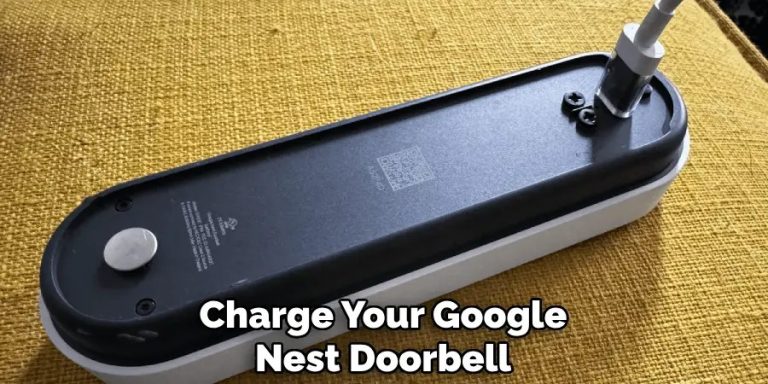
We can use the E340 as a battery-powered doorbell when no existing wiring is available. This option gives us more freedom to choose the mounting location, but we must remove and recharge the battery when its charge becomes low.
With wired installation, we connect the doorbell to compatible existing doorbell wiring for continuous power. The battery still needs to stay inside the doorbell, because the device uses the battery during operation even when wiring supplies power.
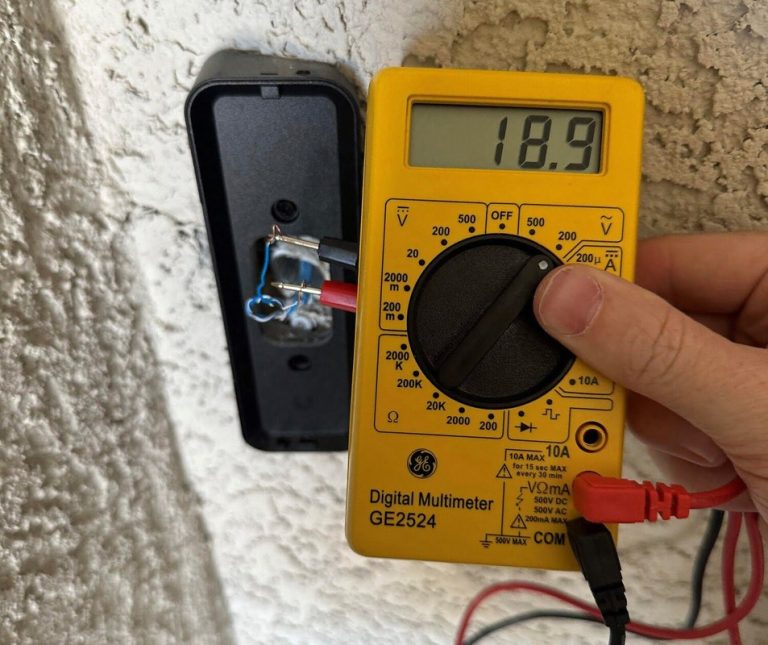
Before wiring the unit, we should turn off power at the circuit breaker. We also need to check that the existing transformer meets eufy’s required power specifications. We should follow the included wiring instructions rather than connect the doorbell to an unknown or unsuitable circuit.
Mounting Requirements
We can mount the E340 on a suitable wall or door frame with the included mounting hardware. The surface should be firm, level, and able to support the doorbell securely. We should place the camera at a height and angle that shows visitors’ faces and the area near the doorstep.
For wired use, we need to install the doorbell close enough to the existing wires. Battery use allows more placement flexibility, but we still need a strong Wi-Fi signal at the chosen location.
We should switch off electrical power before handling doorbell wires. After mounting, we can attach the doorbell to its bracket and confirm that it locks firmly in place. A clear view also helps the dual-camera system monitor visitors and packages.
Wi-Fi And Home Network Support
The E340 connects to our home network through 2.4 GHz Wi-Fi, which generally reaches farther than 5 GHz Wi-Fi and works better through walls. We should check signal strength at the installation point before completing the setup.
We use the eufy Security app on a compatible iOS or Android device to add the doorbell, connect it to Wi-Fi, and manage settings. The phone should connect to the same home network during setup, and we must enter the correct Wi-Fi password.
A weak signal can delay notifications, reduce live-view reliability, or interrupt video uploads. We can improve performance by moving the router closer, reducing obstructions, or adding a compatible network extender.
Storage, App Control, And Privacy
The E340 stores recordings locally, supports remote control through the eufy Security app, and provides settings for account security and data access. These features help us review events, manage alerts, and limit how the doorbell handles recorded video.
Local Video Storage
The E340 includes built-in 8GB local storage, so we can save recordings without paying for a monthly cloud plan. The doorbell stores event clips such as motion alerts, detected people, and packages.
Storage capacity depends on clip length, resolution, and event frequency. Busy entrances can fill the available space quickly. When storage reaches its limit, older recordings may be removed to make room for new events.
The E340 supports 2K video, which provides more detail but can use more storage than lower-resolution recording. We should check important clips regularly and export them through the app if we need to keep them longer. The doorbell can also work with a compatible eufy HomeBase, depending on the setup and model support.
eufy Security App Controls
The eufy Security app lets us set up the E340, view live video, and review saved events. We can switch between the front-facing camera and the lower camera, which helps us check both visitors and packages.
The app provides controls for motion detection, human detection, package detection, activity zones, and notification settings. We can adjust detection areas to reduce alerts from roads, sidewalks, or other locations outside our property.
The app also supports two-way audio, allowing us to speak with visitors through the doorbell. We can manage recording settings, update firmware, share device access, and download selected clips to a mobile device.
Encryption And Privacy Settings
The E340 uses encrypted connections to help protect video and account data while the device communicates with the app and eufy services. We should use a strong, unique account password and enable two-factor authentication when the account supports it.
Privacy controls can limit where the camera detects motion and what areas trigger alerts. By setting activity zones carefully, we can reduce unnecessary recording of public spaces or neighboring property.
We should keep the eufy Security app and doorbell firmware updated. We can also review shared-user access and remove accounts that no longer need control of the device. Local storage reduces reliance on cloud recording, but we should still protect the eufy account because it manages live views, recordings, and device settings.
Two-Way Communication And Visitor Access
The Eufy Video Doorbell E340 supports live two-way talk, quick replies, and flexible chime options. We can speak with visitors from the Eufy app, respond when we cannot answer directly, and connect the doorbell to compatible indoor chimes.
Audio Features
The E340 uses a built-in microphone and speaker for two-way voice communication. From the Eufy app, we can view the live camera feed and speak with someone at the door without opening it.
This setup helps us handle deliveries, give instructions, or ask an unexpected visitor to wait. The doorbell also supports voice-based visitor conversations through the app, although sound quality can depend on Wi-Fi strength, background noise, and the distance between the phone and the doorbell.
The E340 includes noise reduction to help make conversations easier to understand. We should still expect limits in busy areas, such as streets with traffic or homes with strong wind near the entrance.
Because the doorbell has front and downward-facing cameras, we can watch the visitor and check the package area while speaking. This gives us more information before deciding whether to open the door.
Quick Responses And Doorbell Chimes
Quick responses let us answer visitors with preset messages when we cannot speak live. We can use them to ask someone to leave a package, wait briefly, or return later. These replies save time and provide a clear response without requiring a full conversation.
The E340 can also use doorbell chimes to alert people inside the home. We can pair it with a compatible Eufy chime, depending on the system configuration. A chime helps household members hear a press even when their phones are silent or unavailable.
Key access features include:
- Two-way audio through the Eufy app
- Preset quick-reply messages
- Indoor chime support
- Live video during conversations
- Visitor and package views from two camera angles
We should check the selected chime and notification settings during setup so alerts reach the right devices.
Smart Home Compatibility And Included Accessories
The eufy Video Doorbell E340 supports common voice assistants, uses eufy’s HomeBase S380 for expanded storage, and includes the hardware needed for wired or battery installation. We should check compatibility and power requirements before choosing the setup that fits our home.
Voice Assistant Integration
We can connect the E340 to Amazon Alexa and Google Assistant for voice-controlled monitoring. Compatible smart displays can show the doorbell’s live video when we request it through the linked assistant.
The doorbell also supports Apple HomeKit, according to available product reviews. HomeKit users can view the camera through the Apple Home app and include it in supported smart-home routines. Features may vary by platform, so we should confirm the functions available on our specific device.
The E340 includes two-way audio, allowing us to speak with visitors through the eufy app or a compatible smart display. Voice assistant integration does not replace the eufy app, which remains important for setup, alerts, recordings, and camera settings.
HomeBase Compatibility
The E340 works with the eufy HomeBase S380, also known as HomeBase 3. The HomeBase is not included with the doorbell, so we must purchase it separately if we want its additional storage and central management features.
The doorbell includes 8GB of built-in storage for local video recording. With a compatible HomeBase S380, storage can expand to as much as 16TB, depending on the storage setup and supported drive. Local storage helps avoid a monthly cloud subscription.
The E340 does not work with the original eufy Wi-Fi Chime T8020 or the eufy Chime T8740/T8742. We should use a supported eufy chime or compatible HomeBase when we need an indoor alert.
What Comes In The Box
The package includes the eufy Video Doorbell E340, a rechargeable battery, and installation hardware. It also includes components for mounting the doorbell and connecting it to existing wired power when we choose wired operation.
Typical accessories include a mounting bracket, screw and anchor hardware, a wire connector, and a setup guide. The exact contents can vary by region or product bundle, so we should check the retailer’s listing before buying.
The box does not include HomeBase S380. We may also need a drill, screwdriver, and suitable doorbell wiring if our installation does not already have compatible power.
Frequently asked questions
Does the eufy Video Doorbell E340 need a subscription?
We can use the E340 without a monthly subscription. It supports local video storage through compatible eufy HomeBase devices, which may be sold separately.
What video quality does it offer?
The E340 uses a dual-camera system. Its main camera records at up to 2K resolution, while the second camera points downward to help monitor packages and the area near the doorstep.
Can we install it wirelessly?
Yes. We can use the E340 in battery-powered or wired mode. Battery installation offers more flexibility, while wired installation can reduce the need for recharging.
Does it support night vision?
The doorbell includes color night vision. Results depend on available light and the conditions around the entrance.
What smart detection features does it include?
The E340 can detect people and packages. These features help us receive more useful alerts than basic motion detection alone.
Can we speak with visitors through the doorbell?
Yes. Its two-way audio lets us talk with visitors through the eufy Security app.
Does it include a chime?
We should check the selected package before buying. Some bundles may include a chime, while others may require a compatible eufy chime or HomeBase device.
Conclusion
The eufy Video Doorbell E340 combines 2K video, dual cameras, color night vision, two-way audio, and smart detection in one device. Its second camera points downward to help monitor packages near the doorstep.
We also get flexible installation options, with battery or wired power support. Local storage and no required monthly subscription may reduce long-term costs, though storage capacity and battery life deserve attention before purchase.
| Best for | Consider first |
|---|---|
| Package monitoring | Available storage |
| Local video storage | Battery charging needs |
| Front-door visibility | Wi-Fi and installation setup |
We should choose the E340 if we want broad doorstep coverage and useful smart alerts without an ongoing fee. Users who need continuous recording, cloud backups, or deeper smart-home support should compare those requirements with the E340’s available features.