8 Best Smart Locks That Work with Alexa for Smart Home Security
Looking for the best smart locks that work with Alexa? Balance convenience, security, and compatibility.
This roundup compares eight popular smart locks using supplied product data. We focus on who each lock suits, what it costs to own, and what you must verify before buying.
The ULTRALOQ Bolt SE Wi-Fi Smart Lock is the strongest overall pick for homeowners who want flexible entry and Matter-ready integration. It combines fingerprint, passcode, app, and voice control. Its main limitation is that Matter remote access needs a compatible Thread border router.
Quick Product Comparison
| Product | Image | Best For | Current Price |
|---|---|---|---|
| 1. ULTRALOQ Bolt SE Wi-Fi Smart Lock | 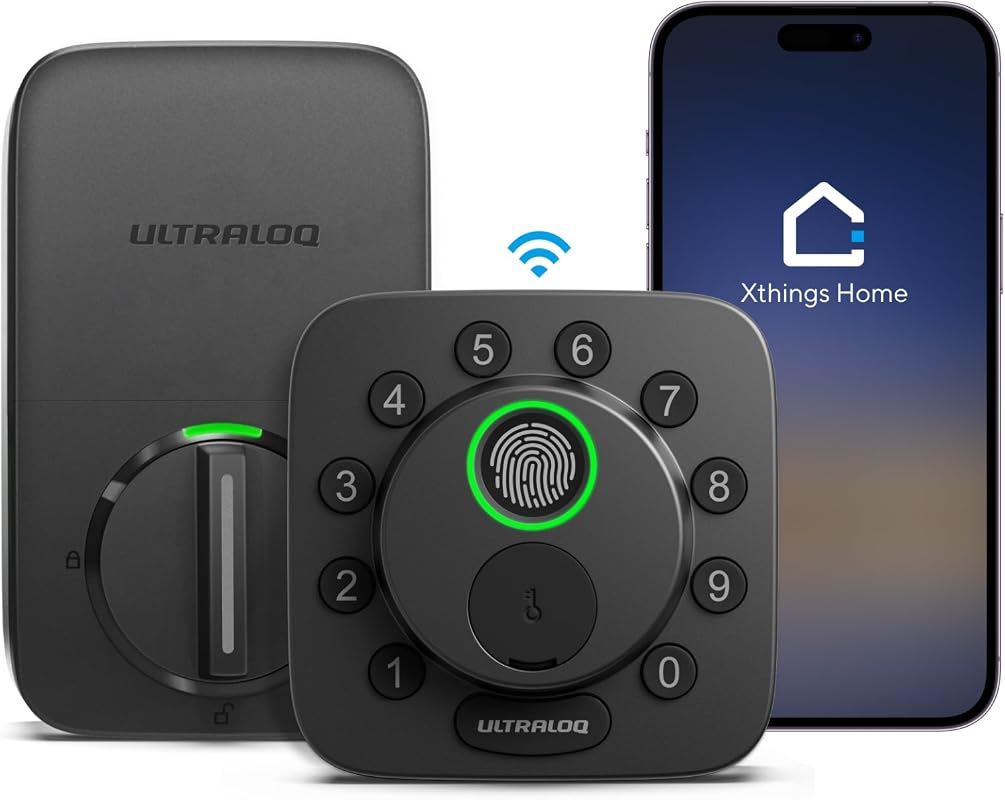 |
Best for flexible Matter-ready keyless entry | See Price → |
| 2. ULTRALOQ Bolt Fingerprint WiFi Smart Lock | 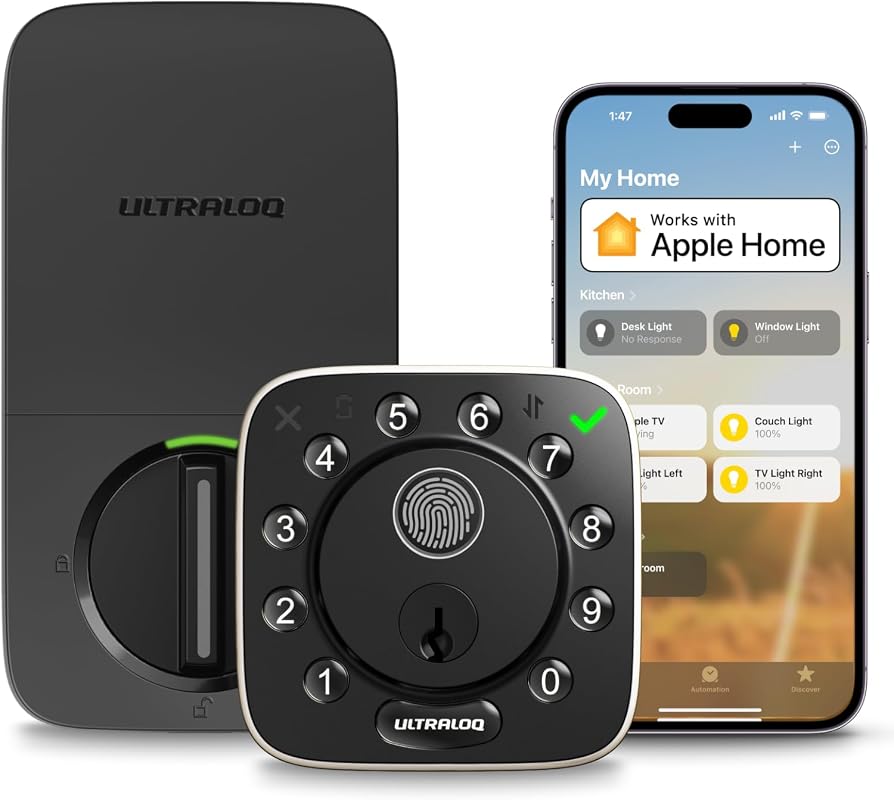 |
Best for hosts sharing scheduled access | See Price → |
| 3. ULTRALOQ Bolt Fingerprint WiFi Smart Lock | 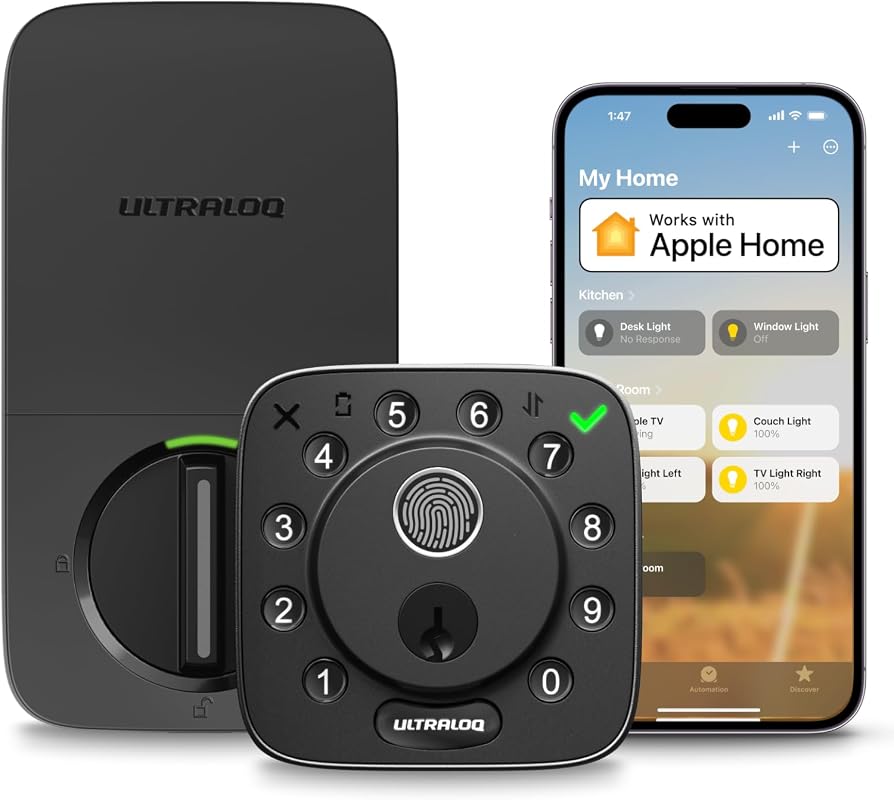 |
Best value for Apple Home users | See Price → |
| 4. eufy Security FamiLock C32 | 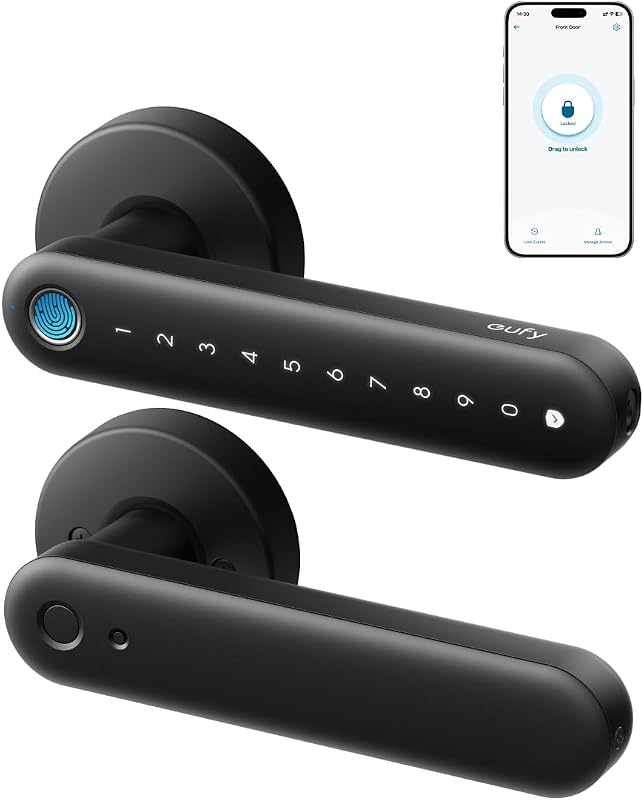 |
Best for interior doors and rooms | See Price → |
| 5. ULTRALOQ U-Bolt Pro WiFi Smart Lock | 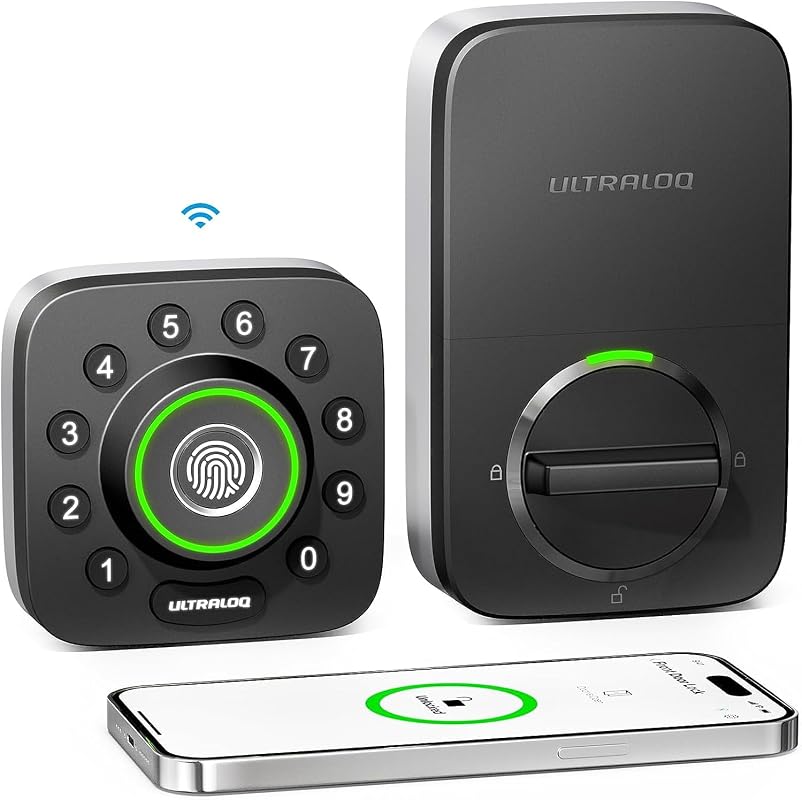 |
Best for weather-exposed entry doors | See Price → |
| 6. ULTRALOQ Bolt NFC WiFi Smart Lock |  |
Best for tap-to-unlock phone entry | See Price → |
| 7. ULTRALOQ Bolt Fingerprint WiFi Smart Lock with Handle | 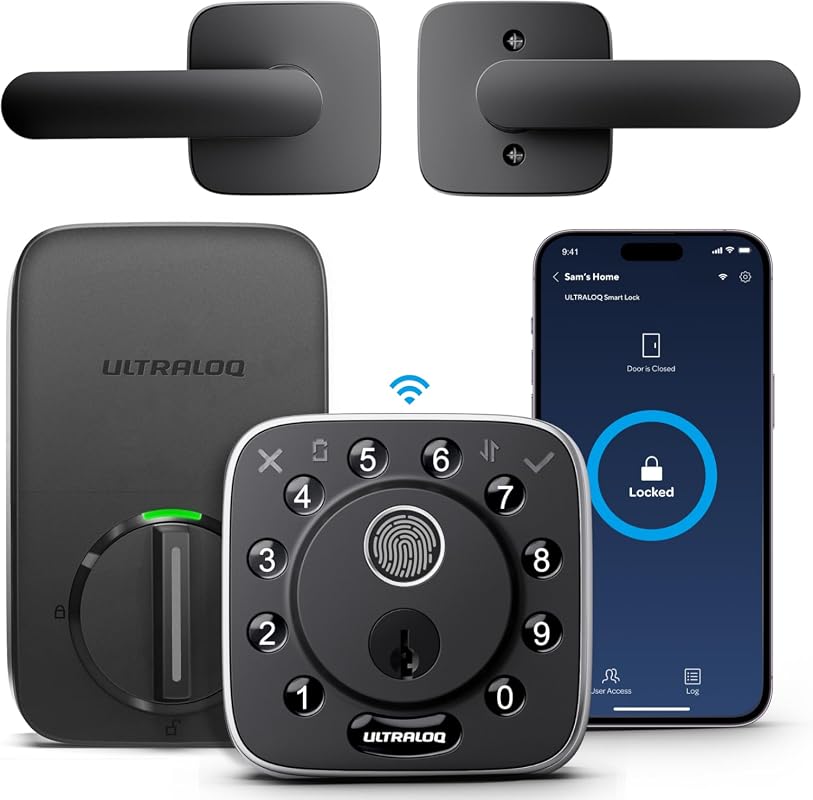 |
Best for handle-and-deadbolt convenience | See Price → |
| 8. Wyze Palm Lock | 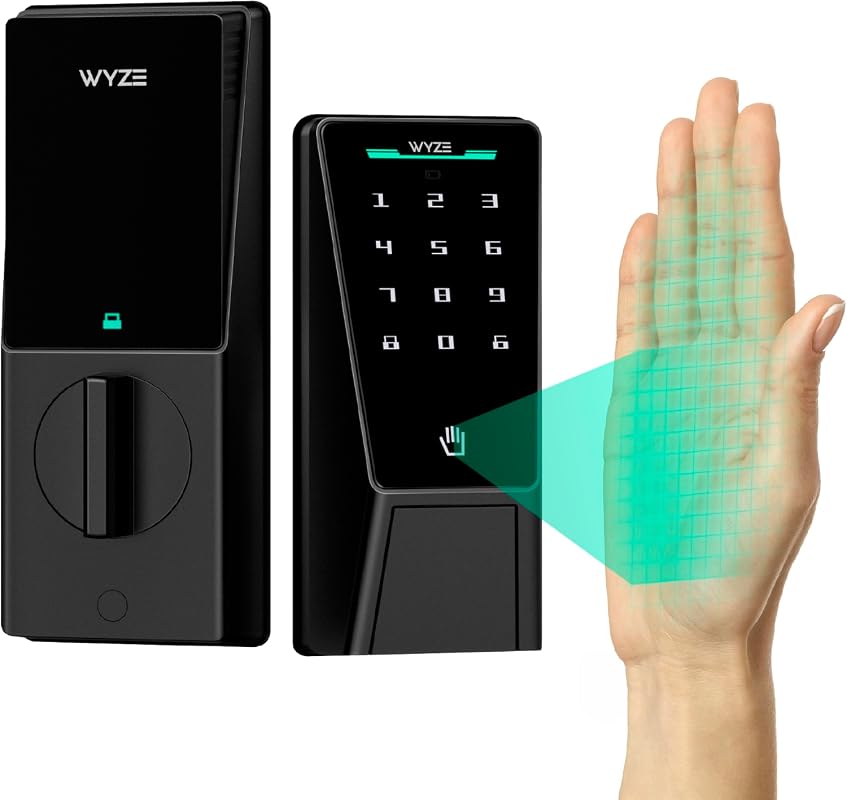 |
Best for contactless palm entry | See Price → |
What to Look For
Entry Methods
Look for at least two ways in: fingerprint, passcode, app, or key. More options help when your phone dies or your hands are full.
Alexa and Smart Home Compatibility
“Works with Alexa” can mean a skill, a routine, or a full Matter setup. Check the exact model, the app, and whether you need a hub or border router.
Wi-Fi and Hub Needs
Most locks here use 2.4 GHz Wi-Fi and do not need a hub for basic remote control. Matter over Thread models need a compatible Thread border router. Not sure if a smart lock needs a hub? Our guide on do smart locks need a hub explains the difference.
Power and Battery Backup
All of these locks are battery-powered. Look for low-battery alerts, USB-C backup, and at least one mechanical key.
Installation and Door Fit
Check door thickness, backset, and deadbolt alignment. Some locks are for interior doors only.
Security Alerts and Access Control
Auto-lock, door sensors, activity logs, and temporary codes reduce risk. A smart lock helps manage access; it does not replace 911.
8 Best Smart Locks That Work With Alexa
1. ULTRALOQ Bolt SE Wi-Fi Smart Lock with Matter Over Thread and App Remote Access for Keyless Entry
A 7-in-1 deadbolt with built-in Wi-Fi and Matter over Thread support. It suits owners who want fingerprint, passcode, app, and voice entry. No separate hub is needed for daily remote control. The catch: Matter features need a compatible Thread border router.
Key Features That Matter
- 7-in-1 entry: fingerprint, passcodes, app, web portal, eKey sharing, voice control, and two keys. More options reduce the chance of being locked out.
- Built-in Wi-Fi remote control: lock, unlock, share eKeys, view activity history, and get real-time alerts from anywhere. No hub is needed for basic Wi-Fi use.
- Matter over Thread: connects to Apple Home and other Matter apps, with self-healing mesh networking. Requires a compatible Thread border router.
- Voice control with Siri, Alexa, or Google Assistant for hands-free locking and unlocking.
- 2.4 GHz Wi-Fi with a recommended router distance of about 70 feet for stable performance.
- Most-reviewed lock in this roundup (10,340 reviews at time of data)
- Matter support plus built-in Wi-Fi
- Multiple backup entry methods
- Matter remote access needs a Thread border router
- 2.4 GHz Wi-Fi only
2. ULTRALOQ Bolt Fingerprint WiFi Smart Lock with Door Sensor, Remote Control, and BHMA Certification
An 8-in-1 deadbolt with built-in Wi-Fi, a door sensor, and a focus on sharing access. It suits Airbnb hosts and property managers who need scheduled guest codes. Confirm the BHMA certification claim on the exact U.S. listing.
Key Features That Matter
- 8-in-1 entry with up to 100 fingerprints and 50 passcodes. High capacity suits larger households and frequent guests.
- Built-in Wi-Fi remote control with no hub required. Share permanent, scheduled, recurring, or one-time codes.
- Auto lock and auto unlock with door sensor. Get alerts if the door is left open.
- Works with Alexa, Apple Home, Google Home, SmartThings, and IFTTT.
- Fast fingerprint recognition claimed at 0.3 seconds.
- 100-fingerprint capacity
- Door sensor included
- Good for short-term rentals
- Verify BHMA certification for the exact model
- 2.4 GHz Wi-Fi only
3. ULTRALOQ Bolt Fingerprint WiFi Smart Lock with Door Sensor and Remote Access for Keyless Entry
An Apple Home-certified deadbolt with seven entry methods and a door sensor. It adds geofence auto-unlock and voice control. Its supplied price is lower than several similar Bolt models. Confirm Apple Home certification on the current listing.
Key Features That Matter
- Apple Home certified. Unlock with iPhone or Apple Watch. Share access. Use a HomePod or Apple TV as a home hub.
- 7-in-1 entry: fingerprint, passcodes, app, auto unlock, voice, web portal, and two keys.
- Geofence auto unlock and auto lock. Door-left-open alerts are included.
- Works with Alexa, Apple Home, Google Home, SmartThings, and IFTTT.
- Built-in 2.4 GHz Wi-Fi remote control with activity history.
- Geofence auto-unlock
- Door sensor included
- Strong multi-ecosystem support
- Apple Home remote features need a home hub
- Verify exact model certification
4. eufy Security Smart Lock FamiLock C32 with Fingerprint Keyless Entry and Handle for Convenient Access
A fingerprint lock with an integrated handle, designed for standard interior doors. It unlocks in a claimed 0.3 seconds and uses four AA batteries with USB-C backup. The manufacturer does not recommend it for front doors.
Key Features That Matter
- 0.3-second fingerprint unlock with self-learning AI and 360-degree recognition. Good for children and seniors.
- Built-in 2.4 GHz Wi-Fi for remote authorization and lock management.
- Four AA batteries with a claimed five-month life and USB-C emergency backup.
- Works with Alexa and Google Assistant for voice control.
- Fits standard interior doors and installs in about 15 minutes with a screwdriver.
- Fast fingerprint entry
- USB-C emergency backup
- Simple interior installation
- Not recommended for front doors
- Battery life claim should be verified in daily use
5. ULTRALOQ U-Bolt Pro WiFi Smart Lock with 8-in-1 Keyless Entry, Fingerprint Slider, Door Sensor, and App Control
An 8-in-1 deadbolt with a fingerprint slider, door sensor, and app control. The listing cites commercial-level durability and IP65 weather resistance. Verify those claims for the exact U.S. model before relying on them outdoors.
Key Features That Matter
- 8-in-1 entry includes fingerprint slider, anti-peep keypad, app, auto unlock, web portal, eKey sharing, and Apple Watch. A mechanical key is also included.
- Built-in Wi-Fi remote control with an activity diary. No hub required.
- Auto lock with door sensor and auto unlock when your phone approaches.
- Listing cites ANSI/BHMA A156.36 commercial standard and IP65 weather resistance.
- Works with Alexa, Google Assistant, SmartThings, IFTTT, and Apple Watch.
- Weather-resistant build claim
- Apple Watch support
- Auto lock and unlock
- Confirm IP and certification claims for your model
- 2.4 GHz Wi-Fi only
6. ULTRALOQ Bolt NFC WiFi Smart Lock with Tap to Unlock for iPhone and Android Phones
An 8-in-1 deadbolt with Apple Home Key and Android NFC tap-to-unlock. It keeps passcode, app, fob, and key fallbacks for everyday use. Check that your phone and wallet setup support tap entry.
Key Features That Matter
- Tap to unlock with iPhone, Apple Watch, or Android NFC. Works even if the phone battery dies.
- 8-in-1 entry: NFC tap, voice, passcodes, app, auto unlock, web portal, eKey sharing, key fob, and two keys.
- Built-in 2.4 GHz Wi-Fi remote control with no hub required.
- Works with Alexa, Apple Home, Google Home, SmartThings, and IFTTT.
- Auto lock with door sensor and arrival-based auto unlock.
- Fast tap-to-unlock entry
- Key fob option included
- Wide ecosystem support
- Lower owner rating than other picks here
- NFC setup varies by phone and wallet
7. ULTRALOQ Bolt Fingerprint WiFi Smart Lock with Handle and App Remote Access for Keyless Entry
A fingerprint deadbolt with an integrated handle, Apple Home support, and a door sensor. It offers live door status monitoring and seven entry methods. The supplied price is higher than other Bolt models, so compare features first.
Key Features That Matter
- Apple Home support: unlock with iPhone or Apple Watch; use a HomePod or Apple TV as a home hub.
- 7-in-1 entry: fingerprint, passcodes, app, web portal, eKey sharing, voice, and two keys.
- Built-in Wi-Fi remote control with no hub required.
- Live door status monitoring with instant open or closed alerts.
- Works with Alexa, Apple Home, Google Home, SmartThings, and IFTTT.
- Integrated handle design
- Live door status monitoring
- Apple Home support
- Higher supplied price
- Verify exact model compatibility
8. Wyze Palm Lock Smart Door Lock with Palm Vein Recognition, Keypad, Auto Lock, Dual Battery, and Wi-Fi
A contactless lock that reads the vein pattern under your palm. It has a dual-battery system, gyroscope auto-lock, and up to 50 guest codes. This is the highest-rated lock in the roundup, but biometric performance depends on your door and habits.
Key Features That Matter
- Contactless palm vein recognition. Hover your hand to unlock without touching the lock.
- Dual-battery system: a 6-month main battery plus a 2-week secondary battery, with USB-C emergency charging.
- Auto lock uses a gyroscope to detect door close and lock automatically.
- Up to 50 unique or one-time guest codes with anti-peep keypad protection.
- Millimeter wave radar wakes the lock only when it detects a person.
- Contactless entry
- Anti-peep keypad
- Highest owner rating in this roundup
- Biometric enrollment varies by user
- Verify door fit and installation needs
Compatibility, Privacy, and Installation Notes
Alexa compatibility varies by model and region. Confirm the exact U.S. version, Wi-Fi band, app, and any hub or border router before ordering. Matter and Thread support do not replace Alexa skill setup, and not all locks work with every ecosystem.
Smart Lock Buying Guide for US Homeowners
Buyer Check
Check location, power, network, platform, included parts, and the exact manual. Door fit details are covered in our smart lock installation requirements guide.
Check coverage, privacy zones, weather, drilling, wiring, door alignment, and local restrictions.
Update firmware, enable MFA, review users, and test alerts, recording, battery, and outage behavior.
Maintenance is simple but important. Wipe the fingerprint sensor and keypad. Check battery levels monthly. Install firmware updates when the app prompts you. If the lock hesitates, replace batteries before they fully drain.
- ULTRALOQ Bolt SE: Best overall for flexible entry and Matter support, but needs a Thread border router for Matter features.
- ULTRALOQ Bolt Fingerprint (door sensor): Best alternative for hosts who share scheduled access; verify certification.
- ULTRALOQ Bolt Fingerprint (Apple Home): Best value for Apple users; needs a home hub for remote features.
- eufy FamiLock C32: Best for interior doors; not a front-door replacement.
- ULTRALOQ U-Bolt Pro: Best for tough conditions; verify IP rating and certification.
- ULTRALOQ Bolt NFC: Best for tap-to-unlock; check phone and wallet compatibility.
- ULTRALOQ Bolt with Handle: Best for handle convenience and live door status; higher price.
- Wyze Palm Lock: Best contactless option; verify biometric performance for your household.
- Compatibility: Verify the exact U.S. model, Wi-Fi band, hub, and installation needs before ordering.
- Security: Use strong account settings, enable MFA, and test alerts before relying on the device.
Frequently Asked Questions About Best Smart Locks That Work With Alexa
It depends on the model. Most locks in this roundup use built-in Wi-Fi for remote control and do not need a hub. Matter over Thread models need a compatible Thread border router for Matter features.
Usually yes, for local entry. Fingerprint, passcode, and key entry still work when the internet is down. Remote app control and voice commands need an active connection.
Some renters can, with landlord approval. Choose a lock that replaces the existing deadbolt and keep the original hardware for move-out. Check your lease and local rules before drilling.
Not for basic use. Most of these locks work without a monthly fee for core features. Verify whether the app charges for advanced alerts or cloud features.
Matter is a smart home standard that lets devices work across Alexa, Apple, and Google. Thread is a low-power mesh network. Matter over Thread needs a border router to connect to Wi-Fi.
Each adds a different layer. Fingerprints are fast and personal, passcodes are easy to share, and keys work in a power outage. Pick a lock with at least two methods and a backup key.
The Bottom Line
The best smart locks that work with Alexa in this roundup balance entry options, smart home support, and real-world usefulness. The ULTRALOQ Bolt SE is the strongest overall pick, while the Wyze Palm Lock offers the most contactless experience.
Before you buy, confirm the exact U.S. model, Wi-Fi band, and hub needs. Use strong account security, update firmware, and keep a backup key so a dead battery never locks you out.