Color Night Vision vs Infrared Night Vision Security Camera
Infrared night vision records sharp black-and-white video in total darkness, while color night vision gives richer detail but needs ambient light or a spotlight. Pick the mode that matches each area of your home and your need for identifying details.
Understanding the difference between color night vision vs infrared night vision security camera modes helps you choose a system that fits your home. Both modes let you see in the dark, but they capture different kinds of video. This guide explains how each works, where each performs best, and what to check before you buy.
What Is the Difference Between Color Night Vision and Infrared Night Vision?
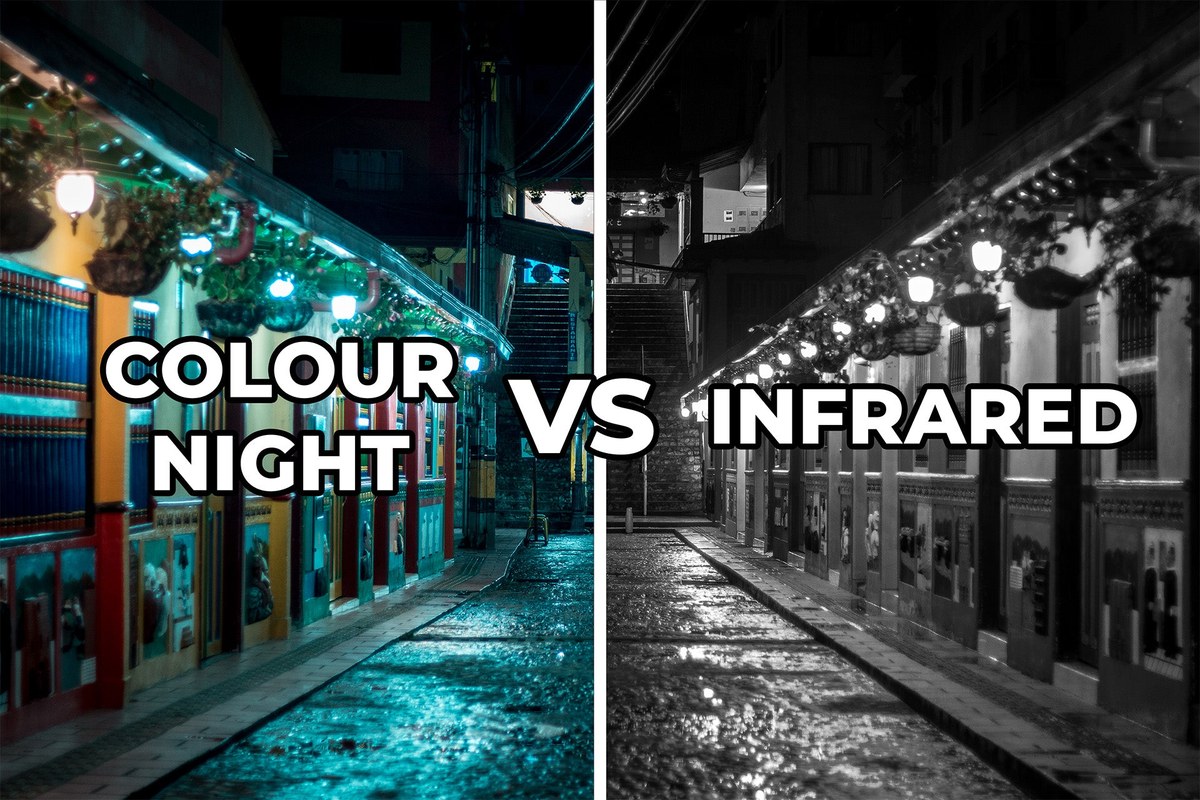
Infrared (IR) night vision records black-and-white video using invisible light from the camera itself. Color night vision records full-color video using light already in the scene or from a built-in spotlight. Each mode solves a different problem.
How Infrared Night Vision Works
IR cameras have small LEDs around the lens. These LEDs send out infrared light that human eyes cannot see. The sensor reads that light and turns it into a grayscale image. When light levels drop, the camera switches from color to IR mode automatically.
IR works in total darkness. That is its main advantage. The range depends on the model. Many cameras cover about 30 feet clearly. Larger units may reach over 100 feet.
How Color Night Vision Works
Color night vision needs visible light. Sensitive image sensors capture more of the light that is already there. Some cameras slow the shutter to gather more light, which can blur fast motion.
Many color cameras include a white spotlight. When motion is detected, the spotlight turns on and the camera records bright color video. Models without a spotlight produce dimmer, grainier images in low light.
Which One Identifies People More Reliably at Night?
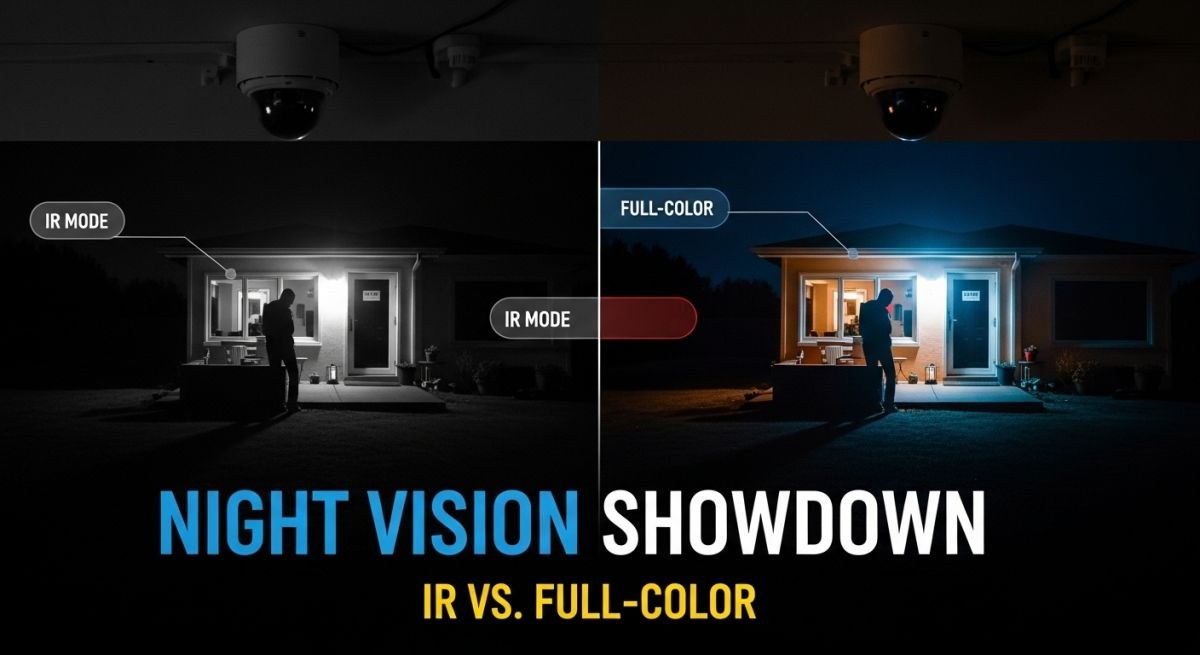
Color footage is usually more useful when enough light exists. It shows clothing colors, skin tone, and vehicle color. Those details help you describe a person to police or a neighbor. IR is more reliable in total darkness because it creates a clear, even image without needing outside light.
The strongest setup combines both modes. Many cameras record in IR and switch to color with a spotlight when motion is detected. This gives a sharp view of the approach and a colored view of the person up close.
Video doorbells face the same night-vision choices. Some use IR, while others add a small front light. See how night vision on video doorbells compares before you decide.
How Your Home’s Lighting Affects Night Vision Performance
Ambient Light: The Key to Color Night Vision
Color night vision depends on ambient light. Porch lights, streetlights, and lights from nearby homes all help. More light means a better color image. A camera on a lit porch usually records useful color video all night.
A camera pointed at a dark backyard may only show faint shapes in color mode. You can add a low-wattage light to the area. Or you can choose a camera with a built-in spotlight.
Pitch-Dark Corners: Where Infrared Dominates
IR is the best choice for spaces without light. Driveways, side yards, alleys, and garages often sit far from streetlights. IR keeps recording through those dark hours without needing a visible light source.
Remember that IR still needs objects in the scene to reflect light back. An open, empty yard may not give IR much to work with. Faces and fine details require the subject to be close to the lens.
Placement and Field of View: Adjusting for Night Conditions
Mounting Height and Infrared Range Limits
Mounting height changes what the camera sees at night. A high mount covers more area but captures less face detail. A lower mount gives clearer faces but a narrower view. A typical mounting height is 8 to 10 feet for a good balance.
IR also weakens with height. From a high mount, the IR beam spreads out and loses power at distance. Place cameras closer to the entry points that matter most. Avoid white walls and rooflines because IR can reflect back and wash out the image.
Backlight, Glare, and Motion Alert Zones
Backlight ruins night images. A bright porch light behind a person makes them look like a dark silhouette. Wide dynamic range (WDR) helps the camera show detail in bright and dark areas of the same scene.
Motion alert zones cut down false triggers. Aim the camera at walkways and doors. Avoid branches, streets, and neighbor yards that create needless alerts. With a spotlight camera, proper zones keep the light from flashing all night.
Privacy, Neighbor Relations, and Local Rules
Infrared Glow and Camera Visibility at Night
IR LEDs create a faint red or purple glow at night. That glow shows people that a camera is recording. Most people do not mind, but some neighbors do. Color cameras with spotlights are more obvious, and the light can also disturb others.
Point cameras at your own property whenever possible. Avoid recording into a neighbor’s windows or over a fence. Some states limit where cameras can aim and whether audio recording is allowed.
Privacy Zones and Spotlight Etiquette
Most cameras let you set privacy zones. These areas are blocked from recording and live view. Use them to stop capturing a neighbor’s door or window. Setting privacy zones early also makes the system easier to explain if questions come up.
Spotlight etiquette is simple: aim the light at your own walkway and doors. Do not point it at a neighbor’s windows or bedroom.
Storage, Bandwidth, and Subscription Implications
File Size Differences Between Color and Infrared Footage
Color footage creates larger files than IR footage. It holds more light and more detail, which means more data. Larger files use more bandwidth when you stream and more storage when you record. IR grayscale video is smaller and easier to keep.
A camera recording color video around the clock will fill a memory card much faster than one recording IR clips. Choose your storage plan based on the mode you use most.
Cloud Retention, Local Storage, and Account Security
Cloud storage usually costs a monthly or yearly fee. Footage stays on the vendor’s servers and is easy to view from the app. Local storage on an SD card or NVR keeps footage at home with no monthly fee on many models.
Both methods have risks. Cloud footage depends on your account security, so use a strong unique password and enable MFA. Local footage could be lost if the camera is stolen or damaged.
- Footage stays on an SD card or NVR at home.
- No monthly fee on many camera models.
- Device theft or damage can mean losing your recordings.
- Footage remains on the vendor’s servers.
- Easy app access from anywhere.
- Usually requires a paid monthly or yearly plan.
For more detail on keeping footage at home, see our guide to local storage for security cameras.
Installation, Power, and Wi-Fi Considerations
Wired vs Battery Power for Renters and Homeowners
Wired cameras receive constant power, so they can record around the clock and keep IR LEDs running all night. Battery cameras save power by recording only on motion. All-night color recording drains a battery quickly, especially with a spotlight.
Renters often prefer battery or plug-in cameras to avoid drilling. Homeowners may choose wired cameras for better reliability. Check your lease before drilling holes if you rent. A plug-in camera with a long cord is a simple no-drill option.
Wi-Fi Placement and Signal Strength for Night Streaming
Night video streaming needs a steady connection. A weak Wi-Fi signal causes buffering, delayed alerts, or missed clips. Keep cameras within range of the router or a mesh node. Fewer walls between camera and router means better performance.
Many cameras use the 2.4 GHz band for longer range. Some also support 5 GHz, which is faster but has a shorter range. Test each band if your camera allows it, and keep the one with fewer dropouts. Learn more about 2.4 GHz vs 5 GHz for security cameras.
Maintenance and Troubleshooting for Night Vision Cameras
Cleaning, Weatherproofing, and Firmware Updates
A dirty lens ruins night video. A smudge that is invisible in daylight scatters light at night and creates a blur. Wipe the lens with a dry microfiber cloth every few months. Check rubber seals and covers to keep moisture out.
Keep the firmware updated. Updates fix bugs in motion detection, IR switching, and spotlight timing. Many cameras update automatically through the app. If not, check manually each month.
Infrared LED Failure and Spotlight Burnout
IR LEDs can fail over time. A normal daytime image with a black screen at night often points to failing IR LEDs. Open the app and look for error messages. Follow the manufacturer’s manual for the correct next step.
White spotlight bulbs also burn out. If color mode looks darker than usual, the bulb or power driver may need service. Contact the manufacturer if the camera is under warranty. Do not open the housing unless the manual says it is safe.
How to Choose: A Practical Decision Guide for Your Home
Start with the area you need to watch. Does it have a porch light or streetlight? If yes, color night vision may work well. Is it completely dark? Choose IR or a camera with a built-in spotlight.
Ask how you will use the footage. Need clothing colors and vehicle details? Choose color with a spotlight. Just need to know if someone approached a doorway? IR is simpler and uses less storage.
| Factor | Color night vision | Infrared night vision |
|---|---|---|
| Works in total darkness | Needs light or spotlight | Yes |
| Shows clothing and vehicle color | Yes | No |
| Video file size | Larger | Smaller |
| Visible light at night | Spotlight may glow | Faint red LED glow |
| Best for | Porches, lit yards, entryways | Dark driveways, side yards, alleys |
A camera with both modes gives you the most flexibility. Use IR for background recording, then let a spotlight switch the camera to color when motion happens. Test the camera at night before you finish the installation.
Choose infrared night vision for pitch-dark areas and longer recording life on battery cameras. Choose color night vision when your home has usable light or a spotlight, especially if you need to identify clothing colors and vehicle details. A dual-mode camera covers both worlds, but always check your lighting, privacy, storage, and Wi-Fi before you buy.
Frequently Asked Questions
Color is usually better when enough light exists because it shows skin tone and clothing colors. In total darkness, infrared produces a reliable black-and-white image. A camera with both modes gives you the strongest coverage.
No. Some color cameras use a sensitive sensor and ambient light from porches or streetlights. Others have a built-in spotlight that turns on with motion. The spotlight gives the sharpest color footage in dark areas.
No. IR light reflects off glass and creates a white glare that blocks the view. Mount the camera outdoors, or turn off IR and rely on ambient light when shooting through glass.
Yes. IR LEDs use extra power, and a color spotlight drains batteries even faster. Battery cameras usually record motion clips only. If you need all-night recording, choose a wired or plug-in camera.
No. Night vision is a built-in camera function and works without a plan. Subscriptions cover cloud storage, longer video history, and extra smart alerts. Local recording works without a subscription on many models.
This usually happens when IR reflects off a nearby surface like a white wall, railing, or spider web. Move the camera away from the reflecting object, clean the lens, and check for firmware updates in the app.