Can Security Cameras See Through Windows at Night
Security cameras can see through windows at night, but built-in infrared reflection often washes out the picture. Place the lens flush against the glass, turn off the IR illuminator, and test after dark for the best result.
Can security cameras see through windows at night? The short answer is yes, but night vision reflects off glass and often produces a hazy image. This guide explains why that happens and how to get clearer footage.
The Short Answer: Can Security Cameras See Through Windows at Night?
Yes, most cameras can record through glass after dark, but the result will not match a camera mounted outdoors. The deciding factor is how well the camera handles infrared reflections.
Yes, but Night Vision Makes Glass a Problem
Almost every consumer security camera uses infrared (IR) LEDs for night vision. These LEDs sit on the camera body, close to the lens. When a camera faces a window, IR light bounces off the glass and returns to the sensor. That reflection appears as a bright white glow covering the scene.
The glow hides the driveway, yard, or walkway you wanted to see. The problem is worse when the camera sits several inches from the glass. Double-pane windows and low-E coatings reflect even more IR light, so modern homes often struggle the most.
What “Yes” Costs You in Image Quality and Reliability
Even when the camera sees through glass, the image loses contrast and fine detail. Faces look soft, and license plates are harder to read. Motion detection also becomes less reliable because headlights, reflections, and bugs on the glass can all trigger false alerts.
The honest answer is: yes, it works, but only under the right conditions. With careful placement and settings, you can get usable night footage through a window. Without them, you will see a glowing white mess.
Why Most Cameras Fail to See Through Glass After Dark
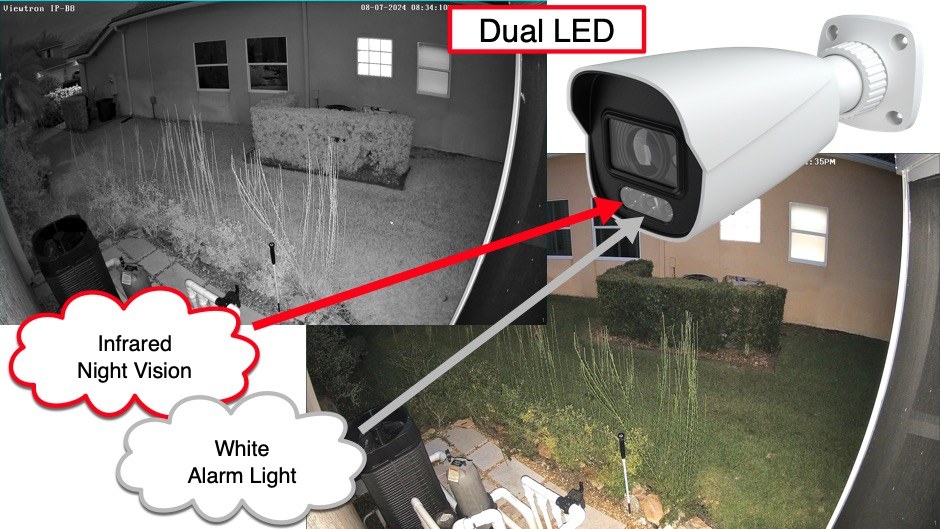
A camera fails to see through glass at night for one main reason: reflected infrared light. When the IR LEDs fire, the glass pushes some of that light back into the lens. Knowing that single cause explains nearly every washed-out night clip from a window camera.
Infrared LEDs Reflect Off Glass
Glass reflects a meaningful amount of light, including infrared light. When the IR LEDs and the lens sit on the same side of the pane, the reflected light can be stronger than the light that passes through. The camera exposes for the bright reflection, which darkens everything beyond the glass.
This explains why a camera works perfectly outdoors yet fails indoors. Outside, nothing sits between the IR LEDs and the scene. Behind a window, the glass becomes a mirror in the dark.
IR Cut Filters and Color Night Vision Differences
Many cameras contain a mechanical IR cut filter. During the day, the filter blocks IR light to keep colors natural. At night, the filter moves aside so the sensor can use IR light to see in darkness.
Cameras with full-color night vision take a different approach. They use a highly sensitive sensor and rely on ambient light instead of IR LEDs. These models do not create the same halo because there is no reflected IR. They still need to sit close to the glass to reduce glare and indoor reflections.
How to Aim a Camera Through a Window for Clear Night Footage
You can get clear night footage through a window with three practical steps. Close the gap between lens and glass, turn off the infrared illuminator, and add an external IR light when the scene stays dark.
Place the Lens Directly Against the Glass
The fastest fix is to remove the gap between the lens and the glass. When the lens is flush, IR light has almost no space to bounce back into the sensor. Use a small shelf, an adjustable mount, or a window-mount bracket to get there.
Clean both sides of the glass before you test. Dust and smudges scatter light and add a blurry haze. Also confirm the camera does not block the window from opening fully.
Turn Off the Camera’s Infrared Illuminator
Open the camera app and find the night vision or IR setting. Switch the infrared illuminator off. The camera will then rely on streetlights, porch lights, and moonlight to see the scene.
Some apps label this control “IR LED,” “night vision,” or “illuminator.” Turning it off removes the source of the reflection. Keep the low-light sensitivity boost enabled if the app offers one.
Use an External IR Light Source Outside the Window
An external IR illuminator mounted outdoors provides infrared light from a position that is not beside the lens. That light reflects off objects in the yard and returns through the window at a different angle. The halo disappears, and the background becomes clearer.
Choose an illuminator rated for outdoor use, and match its beam distance to the area you want to cover.
Window-Camera Placement Mistakes That Ruin Night Video
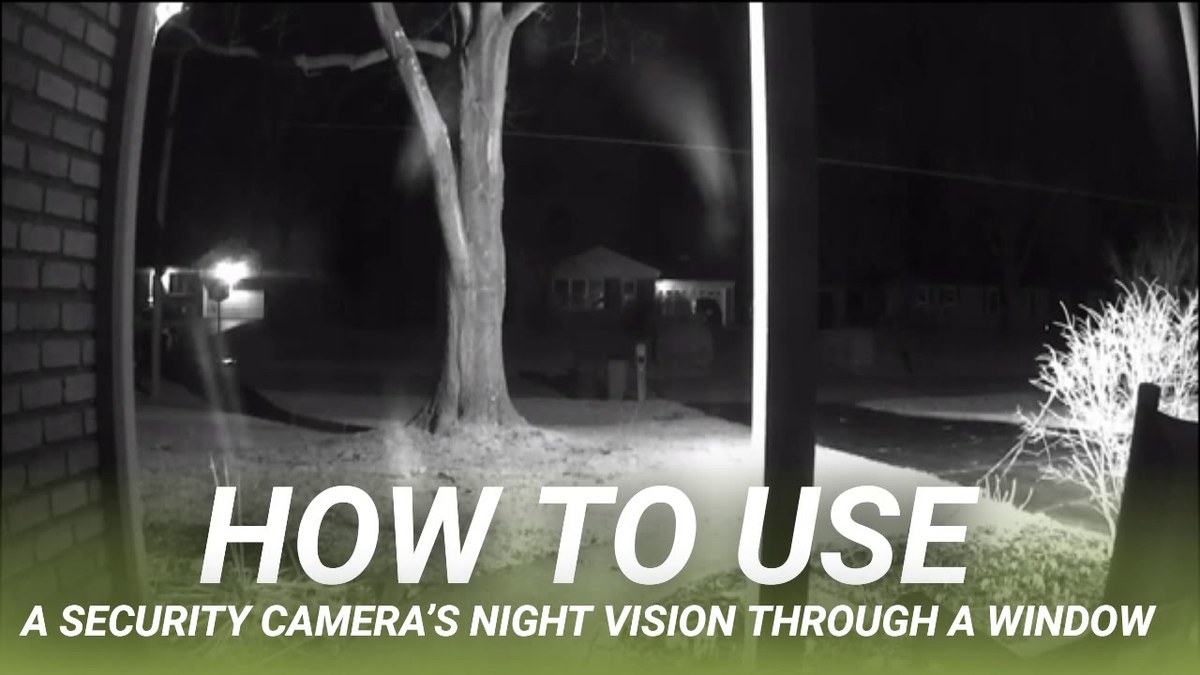
Most window-camera night failures are placement mistakes, not camera defects. Angled views, indoor lighting, and oversized motion zones ruin footage that a properly placed camera would capture clearly.
Angles, Refraction, and Wide Field of View Distortion
When a camera points through glass at an angle, the pane bends the light and distorts the image. Faces and objects look stretched or curved. A wide-angle lens makes the effect stronger because more of the frame crosses the glass at a steep angle.
The best approach is to shoot straight through the glass at 90 degrees. If you cannot get a straight angle, mount the camera outside instead.
Indoor Lights, Glare, and False Motion Alerts
A lamp inside the room creates a reflection on the window. That reflection lowers the contrast of the outdoor scene and can trigger motion alerts. Turn off the room light or place the camera in a dark room.
Car headlights, bugs on the glass, and shadows from people walking inside also cause false alerts. Set a smaller motion zone and lower the sensitivity. Many apps let you draw a motion mask over the glass reflection so those areas are ignored.
Power, Wi-Fi, and Storage Requirements for Indoor-Outdoor Camera Setups
A window camera needs power, a network connection, and storage for video. Each choice affects how dependable the camera becomes after dark.
Power Options for Cameras Mounted on a Windowsill
Plug-in cameras receive continuous power and can record around the clock. Battery cameras save power by sleeping between motion events, which means they may miss the first seconds of an incident. PoE cameras use one Ethernet cable for both power and data, making them a stable option near an outlet or router.
Check the cable length before buying. A short cable can force the camera to sit too far from the glass.
Getting a Stable Wi-Fi Signal Through Glass and Walls
Glass lets most Wi-Fi signals pass, but window frames and nearby walls reduce signal strength. Most security cameras connect on 2.4 GHz because it travels farther and penetrates walls better. The 5 GHz band supports higher speeds but has a shorter range.
If the camera drops offline at night, open the app and check the signal strength. Move the router closer, add a mesh node, or use a camera with an Ethernet port to stabilize the connection.
Cloud Subscriptions vs. Local MicroSD or NVR Storage
Many cameras include a microSD slot for local recording with no monthly fee. An NVR stores footage from multiple cameras on one hard drive. Cloud plans keep video on the vendor’s servers, which protects footage if the camera is stolen, but adds a recurring cost and depends on your internet connection.
- Keeps video on a memory card or NVR drive inside your home.
- Works without a monthly fee and records during internet outages.
- If the camera is stolen or damaged, the footage may be lost.
- Sends clips to the vendor’s servers for remote viewing.
- Often requires a paid plan, and retention lengths vary by brand.
- Needs a steady internet connection for reliable uploads.
For more detail on keeping footage with no monthly fee, see our local storage security camera explained guide.
Privacy Laws and Neighbor Considerations for Window Cameras
Recording through a window is legal in most US locations, but the rules change when audio is involved. Aim the camera at your own property, and confirm local rules before enabling the microphone.
State Video and Audio Recording Laws
Video recording of areas visible from a public viewpoint is generally allowed. Audio recording is treated differently from state to state. Some states, including California, require everyone in the conversation to consent. Local ordinances can add more limits, so verify the rules where the camera is installed.
Keeping Your View Within Legal and Neighborly Boundaries
Point the camera at your own yard, driveway, or doorway. Avoid directing it at a neighbor’s windows, pool, or patio. If part of a neighbor’s property appears in the frame, use the app’s privacy zones to block that area.
It is also good practice to tell nearby households a camera is in place. Known cameras often change behavior, and an open conversation reduces friction.
For more control over what the lens sees, read our security camera privacy settings explained guide.
Cybersecurity Steps Before Connecting a Window Camera to Your Network
A window camera is a network device, and an unsecured device can become a security risk. Secure the account and the firmware before you mount the hardware.
Use MFA, Strong Passwords, and Secure Account Recovery
Give the camera account a unique password that you do not use elsewhere. Enable multi-factor authentication (MFA) so a stolen password alone cannot expose your live feed. Review which family members or guests have access, and remove people who no longer need it.
Account recovery matters too. Confirm the email address and phone number on the account are current. An attacker who controls those can also take over the camera account.
Update Firmware and Track Vendor Support End-of-Life
Firmware updates patch security flaws and improve camera behavior. Enable automatic updates in the app where available. Check the manufacturer’s support page to see how long your model will receive updates. A camera past its end-of-life date may stop getting security patches and should be replaced.
For the full list of protections, see how to secure home security cameras from hackers.
Testing and Adjusting Your Window Camera at Night
Your setup is not finished until you test it in the dark. A simple walk test reveals what the camera can actually capture through the glass at night.
Nighttime Walk Test: Verify Identification Quality
After configuring the camera, walk outside and cross the yard or driveway at night. Have another person stand at the distances a real visitor would. Review the footage and ask whether you could identify the person’s face, clothing, and direction of travel.
If the image is too dark, add the external IR illuminator. If a white reflection appears, move the lens closer to the glass and confirm the IR setting is off.
Fine-Tune Motion Zones, Sensitivity, and Alerts
Set the motion zone to cover only the area where you want alerts. Keep it away from moving branches and public sidewalks. Lower the sensitivity if you receive too many false notifications.
Test the camera twice, once at dusk and once in full darkness. The switch from color to black-and-white can change how well the camera sees through the glass.
Security cameras can see through windows at night, but clear footage depends on setup. Place the lens flush against the glass, turn off the camera’s IR illuminator, and add an external IR light when the scene is too dark. Test your exact camera after dark before relying on it. If the image stays weak or blurry, mount the camera outside instead of fighting the glass.
Frequently Asked Questions
Yes, most cameras can record through glass at night, but built-in infrared night vision often reflects off the glass and creates a bright white glow. Pressing the lens against the glass and turning off the IR illuminator helps.
The white glow is infrared light bouncing off the glass and returning to the camera lens. The reflection is strongest when there is a gap between the lens and the window.
Yes. Turn off the infrared illuminator in the camera app, then use streetlights or an external IR light to illuminate the scene. Color night vision cameras work well without IR.
No. Cameras with a microSD card or NVR can record locally without internet. Wi-Fi is only needed for remote viewing and cloud uploads.
Video recording of areas visible from public viewpoints is generally allowed, but audio recording rules vary by state. Aim the camera at your own property and check local laws before enabling audio.
Reduce the motion zone size, lower sensitivity, and mask any glass reflections. Keep the camera lens flush with the glass so reflections do not trigger the sensor.