Can Security Cameras Record to SD Card A Complete Guide
can security cameras record to sd card is easier to understand when power, network, compatibility, privacy, storage, subscriptions, and maintenance are considered together.
Can security cameras record to sd card is what this guide covers, step by step.
What Is SD Card Recording?
An SD card is a small memory card. It stores video right inside the camera. Many security cameras support this feature.
SD card recording gives you a local copy of your footage. You do not need internet to view it.
How Does It Work?

The camera saves video to the card. It can record only when it detects motion. Or it can record all the time.
You choose the mode in the camera app. The app is the software that controls the camera.
Which SD Card Should You Use?
Check your camera manual first. It tells you the largest card size. Most cameras take cards from 32GB to 256GB.
Bigger cards store more video. They also cost more. A 64GB card is a good start for most homes.
What Happens When the Card Is Full?
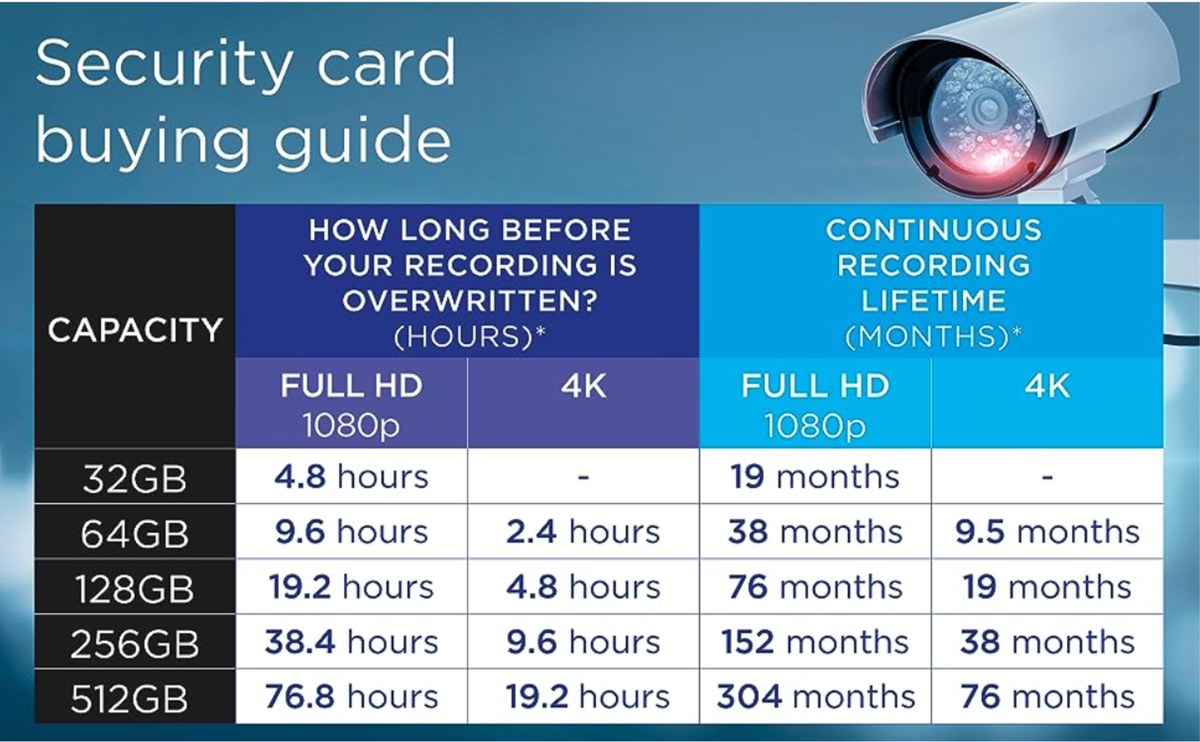
Most cameras use loop recording. That means they delete the oldest video first. Then they record new video in its place.
You do not need to empty the card by hand.
SD Card vs. Cloud Storage
Cloud storage sends video to a remote server. It needs an internet connection. SD cards work offline.
Cloud plans often have monthly fees. SD cards do not. But cloud video stays safe if the camera is stolen.
What Are the Limits?
A thief can take both the camera and the card. That removes the evidence.
Some cameras have a card lock. It helps keep the card inside.
SD cards also wear out over time. They are not built to last forever.
Which Cameras Support SD Cards?
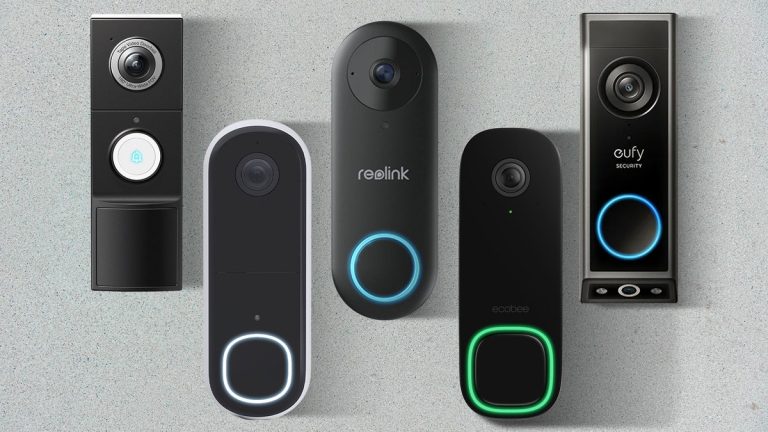
Most indoor and outdoor cameras do. The Eufy Indoor Cam S350 SD card setup is a good example. The Argus 4 Pro SD card guide shows the same for Reolink.
SD card recording still works during an internet outage. See how a security camera works during internet outage for more.
Final Thoughts
Yes, most security cameras can record to an SD card. It is a simple, low-cost way to store video. Check your camera’s manual to get started.
Frequently Asked Questions
Confirm the exact model, power, Wi-Fi or hub requirements, storage options, app support, and installation instructions before relying on it.
It depends on the device and feature. Verify what works without a plan, which features require payment, the current monthly or annual cost, and any device or retention limits.
Compatibility can depend on the exact model, firmware, Wi-Fi band, hub, protocol, voice assistant, mobile operating system, and whether a bridge or subscription is required.
Use privacy zones where available, review audio and video settings, limit shared users, enable MFA, understand retention and deletion controls, and check applicable state or local recording rules.
Behavior varies by device. Check battery backup, local recording, cellular backup, hub operation, delayed uploads, and whether alerts or remote access stop during the outage.
Simple battery or plug-in setups may be suitable for careful DIY installation. Wiring, transformers, ladders, drilling, alarm dispatch, or uncertain electrical conditions may require a qualified professional.