Local Storage Security Camera Explained in Simple Terms
A local storage security camera records footage directly to an on-site device like an SD card or network video recorder, giving you full control over your data without ongoing cloud fees. The key limitation is that you must ensure the camera and storage format are compatible, and you’re responsible for powering the device and maintaining the storage—if the camera loses power or the card fills up, you lose coverage unless you manually manage it.
Local storage security camera explained in plain language: a local storage security camera saves video to a physical device in your home—such as a microSD card, a hub, or a network video recorder—instead of uploading everything to a monthly cloud subscription. This guide covers how local storage works, how it compares with cloud storage, what it means for privacy and cybersecurity, and what US homeowners and renters should check before buying or installing one.
## What Does Local Storage Mean for a Security Camera?
Local storage means the recorded video stays on hardware you own and control. Instead of sending footage to the manufacturer’s servers, the camera writes video to one of three common locations:
– microSD card inside the camera. Many indoor cameras, outdoor cameras, and video doorbells accept a microSD card. The card stores clips or continuous footage, and you can review playback through the app or remove the card.
– Hub or base station with a hard drive. Some camera systems record to a central hub with a hard drive or solid-state drive. This is common with multi-camera kits and some video doorbells.
– Network video recorder (NVR). Wired systems, often using Power over Ethernet, send video to a dedicated recorder on your local network. These are common in larger home setups.
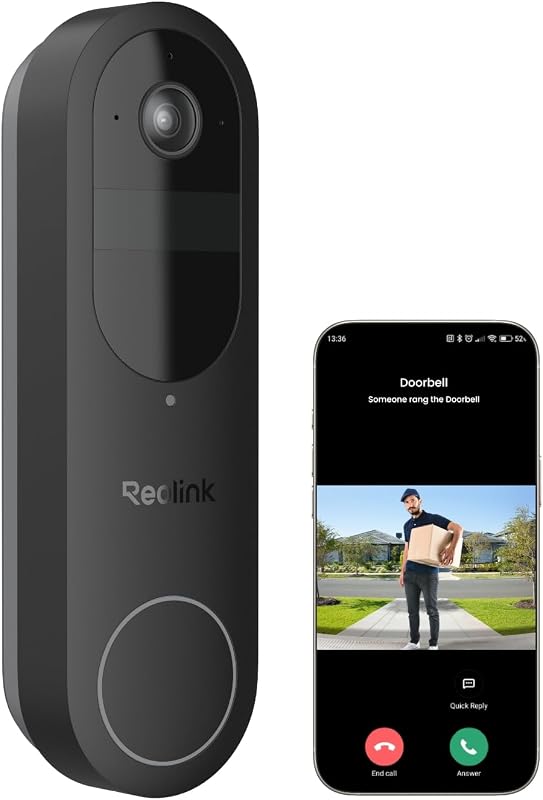
The key difference from cloud storage is where the footage lives. With local storage, the video is on your property. With cloud storage, it sits on the manufacturer’s servers. Many cameras offer both: they record locally and also upload selected clips to the cloud for easy remote access. If you are comparing options, our guide to the best video doorbells with local storage explains which models prioritize on-device recording and what limitations to expect.
## How Local Storage Works in Everyday Use
A local storage camera detects motion, records clips, and lets you review footage through the manufacturer’s app. The main differences from cloud cameras show up in three areas: recording modes, capacity, and access.
Recording modes. Some cameras record continuously, which fills storage quickly. Others record only when motion or sound is detected. Event-based recording is easier to search and manage, and many cameras let you choose.
Capacity and overwriting. When storage is full, most cameras automatically overwrite the oldest footage. You do not need to delete clips manually, but older events will eventually disappear. Retention depends on card size, resolution, recording mode, and compression. A 128 GB card in a 2K camera recording continuously holds far less than the same card in a 1080p camera recording only motion events. Check the manual for the exact retention math.
Access. You can usually view local footage through the app on your home network, and many apps also allow remote access through the internet. If the internet goes down, you may lose remote access even though the camera continues recording locally.
## Local Storage vs. Cloud Storage: What Actually Changes
The choice between local and cloud storage affects cost, privacy, access, and risk. Neither is objectively better; the right choice depends on your home, budget, and comfort with managing hardware.
- Footage stays on hardware in your home, so you keep the copy.
- No monthly fee is required for the storage itself, though optional cloud plans may still be offered.
- Recording can continue during an internet outage if the camera is powered, but remote viewing will not work.
- The main risks are theft, damage, card failure, and the need to manage capacity and backups.
- Footage is uploaded to the manufacturer’s servers, so you can view it from anywhere with an account.
- A monthly or annual plan is usually required, and retention is set by the plan.
- Cloud recording depends on a working internet connection and the provider’s service.
- The main risks are account security, provider access, and losing access if you cancel the plan.
For most households, the deciding factors are whether you want a monthly bill and whether you are comfortable managing a memory card or hub. If you want to avoid subscription fees and keep footage on your property, local storage is the stronger fit.
## Privacy and Data Considerations for US Users
Local storage reduces one privacy concern: the video is not automatically sitting on a company’s servers. But it does not eliminate privacy obligations. Cameras still record real people, and that carries legal and ethical responsibilities.
A few practical points worth remembering:
– Audio recording is a separate legal issue from video recording. A camera that records sound may be subject to state wiretapping laws. If you are unsure, disable audio or check your state’s rules.
– Footage can be requested by others. Police and other parties may ask for video. If you hand over the card or hub, the footage goes with it.
– Deletion matters. If you sell the camera or move out of a rental, remove the memory card and perform a factory reset so the next person cannot access your footage.
## Cybersecurity: Protecting Local Footage
Local storage does not make a camera “unhackable.” A camera connected to your home network is still a networked device that needs basic security hygiene. The same habits that protect any smart home device protect a local storage camera.
## Wi-Fi, Power, and Outage Behavior
Local storage cameras still depend on your network for most of their useful features. Alerts, live viewing, and remote playback all require a working internet connection. The camera records to local storage, but the app is the interface you use to see what it captured.
If you are choosing a camera for a location with weak or unreliable internet, our article on how a security camera works during an internet outage explains what still works and what stops when the connection drops.
## Placement, Rental Rules, and Neighbor Considerations
Where you place a local storage camera matters as much as how it stores footage. A camera pointed at a neighbor’s window creates friction even if the footage never leaves your home. Mounted too high, it may capture only the top of a visitor’s head. Mounted too low, it may be easy to steal or knock out of position.
Practical placement guidance:
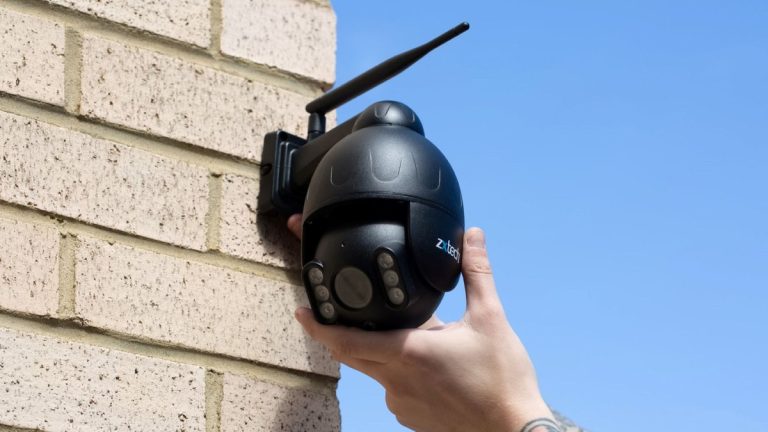
– Height. A common guideline is 7 to 9 feet above the ground. This is high enough to avoid easy tampering and low enough to capture faces clearly. Follow the manufacturer’s recommendation if the manual specifies a height.
– Field of view. Point the camera at the entrance or area you want to monitor, not at neighboring property. Use privacy zones to block out areas you do not want to record.
– Weather. Outdoor cameras should be rated for outdoor use. Check the manual for the operating temperature range and weather resistance before mounting a camera in extreme heat, cold, or humidity.
– Rental and HOA rules. If you rent, check your lease before drilling holes or mounting hardware. Many landlords allow cameras but restrict placement. HOAs and condo boards may also have rules about exterior cameras. Ask first, and keep the original mounting hardware so you can restore the property when you move.
## Maintenance and Troubleshooting
Local storage cameras require a small amount of ongoing maintenance. The most common issues are card failures, full storage, and stale firmware.
– Memory card health. SD cards have a limited number of write cycles. Over time, a card used for continuous recording may fail. If clips stop saving or playback becomes choppy, try reformatting the card in the camera. If the problem continues, replace the card.
– Storage capacity. When the card fills, most cameras overwrite the oldest footage. If you need to keep specific clips, export them before they are overwritten. Many apps let you download clips to your phone or computer.
– Firmware updates. Manufacturers release updates that fix bugs and security issues. Enable automatic updates if the app supports it, or check the app periodically.
– Testing. Test the camera once a month. Walk in front of it, confirm you receive an alert, and review the recorded clip. This takes two minutes and catches most problems before they matter.
## Cost Reality: What Local Storage Does and Doesn’t Save You
The biggest appeal of local storage is avoiding a monthly subscription. But “no monthly fee” does not mean “no cost.” You pay for the camera, and you may need to buy a memory card or hub. If you want remote viewing without a subscription, confirm the camera actually supports it. Some cameras with local storage still require a plan for cloud backup, and some require a plan for features like smart alerts or extended clip history.
Depending on the model and firmware version, some Ring Indoor Cam models support local storage through a microSD card. Our article on Ring Indoor Cam local storage explains what is included and what still requires a plan. The same principle applies to most brands: read the exact product page and manual before assuming local storage is truly free.
A reasonable budget for a basic local storage setup includes the camera, a quality microSD card (often $15 to $30 for a reputable 128 GB card), and possibly a hub if the system requires one. Cloud plans, when offered, add a monthly or annual cost for features like longer retention and cloud backup. Whether that is worth it depends on how much you value remote access.
## Final Takeaway
Local storage security camera explained in one sentence: the camera records to hardware you own, so you avoid a monthly storage fee and keep the footage on your property. The trade-offs are that you manage the card or hub yourself, you lose remote access during an internet outage, and the camera is still a networked device that needs good passwords, updates, and careful placement. For US homeowners and renters who want control and lower ongoing costs, local storage is a strong option — as long as you verify the exact storage, power, and subscription requirements for the specific model before you buy.
Frequently Asked Questions
Most local storage cameras still need Wi-Fi for initial setup, remote live viewing, and motion alerts, but they do not require a separate hub unless you are using an NVR system. Some models can operate fully offline, though you will lose remote access features. Always check the exact model’s specs for offline capabilities.
Local storage cameras typically stop recording during a power outage unless they have a built-in battery or are connected to a UPS backup. Once power is restored, the camera reboots and resumes recording automatically. Verify the power source and backup options before purchasing.
The main benefit of local storage is avoiding monthly cloud subscription fees, as footage is saved directly to a microSD card or NVR. However, some brands still charge for advanced features like person detection, cloud backup, or extended video history. Confirm whether the app’s smart alerts require a paid plan.
Common storage options include microSD cards, built-in hard drives, or a network video recorder (NVR). A 128GB microSD card holds roughly one to two weeks of continuous footage, depending on resolution and frame rate. Motion-only recording will extend capacity significantly, while 24/7 recording fills it much faster.
Local storage keeps video physically on your property, reducing the risk of cloud data breaches and giving you full control over your footage. However, cybersecurity is your responsibility: use strong passwords and keep firmware updated to prevent remote hacking. Physical theft of the camera or storage device is also a risk.
Key limitations include finite storage capacity, risk of theft or damage, and no remote playback if the camera goes offline. Before buying, verify the exact model’s maximum supported SD card size, whether local recording works without a subscription, and if the mobile app allows local export. Also check if the power source has a battery backup.



6 Comments