What Is Cellular Backup in Home Alarm System Guide
Cellular backup keeps your alarm connected to a mobile network when Wi-Fi or a landline fails. It works with professional monitoring or self-monitoring, but it requires a data plan and a panel with a good cellular signal.
Understanding what is cellular backup in home alarm system matters because a break-in does not wait for a good internet day. If your router fails or a cable is cut, your alarm should still work. This guide explains how cellular backup works, what it costs, and what to check before you buy or upgrade.
What Is Cellular Backup in a Home Alarm System?
Cellular backup is a secondary connection inside your alarm system. It uses a mobile network to send signals when your main internet or phone line fails. Think of it as a safety net for your security setup.
Your alarm panel normally talks to the outside world through Wi-Fi, Ethernet, or a landline. If that connection drops, the panel switches to a cellular modem. That modem sends the same signals over a mobile network, just like a cell phone.
Most professionally monitored systems sold in the US today include some form of cellular backup. It is not a separate device you carry around. It is built into the alarm panel or a small module that connects to it.
How Cellular Backup Works: From Sensor to Monitoring Center
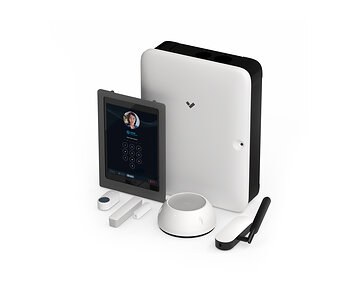
Cellular backup follows a simple path: a sensor triggers the panel, the panel sends a signal over a mobile network, and that signal reaches a monitoring center or your phone. Here is how it works step by step:
- A door or window sensor opens.
- The alarm panel detects the event.
- The panel sends a signal over its primary connection, such as Wi-Fi.
- If that connection is down, the panel uses its cellular modem.
- The signal travels to a mobile tower, then to the monitoring center or your phone.
The whole process usually takes seconds. The panel decides which path to use.
Automatic Failover from Wi-Fi and Landline Connections
Modern alarm panels check their primary connection constantly. When that connection fails, the panel automatically switches to cellular. Many panels finish the switch within a minute, and some do it in seconds.
This matters because an internet outage often happens at the worst time. A router can fail, a cable line can be cut, or a storm can knock out service. Cellular backup keeps the alarm path open.
Cellular-Primary vs. Cellular-Backup Configurations
Some systems use cellular as their main connection, not just a backup. These are called cellular-primary systems. They do not depend on your home internet at all. The panel always sends signals over the mobile network.
Other systems use cellular only when the primary connection fails. This is cellular backup. Both options work, but cellular-primary usually costs more because it uses more data and may require a dedicated plan.
Your choice depends on your home. If your internet is unreliable, cellular-primary may be worth the extra cost. If your internet is solid, cellular backup may be enough.
Why Cellular Backup Matters: Protection When the Internet Fails
An alarm is only useful if its signals can leave your home. Cellular backup keeps that path open when your internet fails, a cable is cut, or someone tries to jam your Wi-Fi.
Protection Against Wi-Fi Jamming and Cut Phone Lines
Wi-Fi jammers exist, and a burglar can use one to block signals between your sensors and your panel. Cutting a phone line is even easier. Cellular backup does not solve every problem, but it removes two common weak points: your internet connection and your landline.
Cellular signals are harder to jam because they use licensed mobile networks and stronger radios. That does not make them unbreakable, but it raises the bar for anyone trying to disable your alarm.
How Cellular Backup Supports Police and Fire Dispatch
With professional monitoring, the cellular signal reaches a monitoring center. Operators there can verify the alarm and call police or fire services. This works even when your home has no internet.
Keep in mind that dispatch is not guaranteed for every event. Some providers only dispatch for certain alarm types. Local permit rules and false-alarm fees may also apply.
Self-Monitoring vs. Professional Monitoring with Cellular Backup
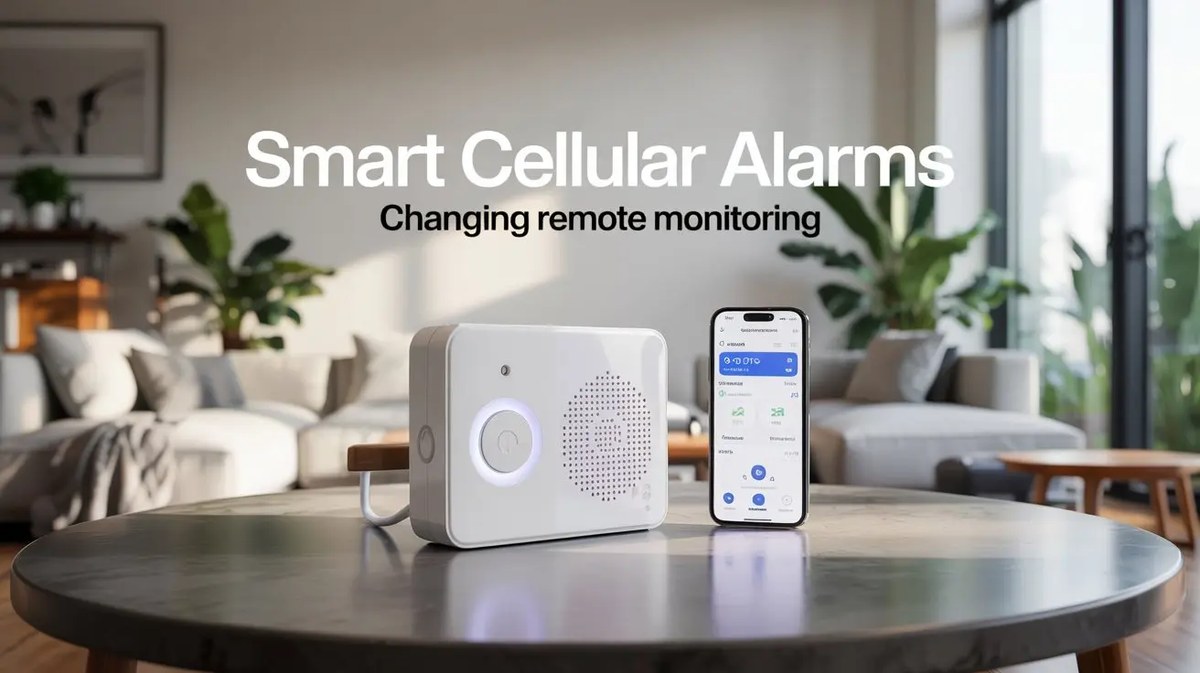
Cellular backup works with both self-monitoring and professional monitoring. The difference changes who receives the signal and who calls for help.
What Professional Monitoring Centers Do with Cellular Signals
A monitoring center receives the alarm signal, tries to confirm the event, and then contacts the right emergency service. This is the main reason people pay a monthly fee. The center works around the clock, even when you are asleep or away.
Can You Self-Monitor with Cellular Backup Alone?
Yes, in some cases. Self-monitoring means the alarm sends alerts to your phone instead of a monitoring center. You decide what to do next. Some panels support cellular backup without a professional monitoring plan, but many do not.
Check the panel’s plan requirements before you buy. A cellular connection often requires a paid data plan, even for self-monitoring. Self-monitoring works best when you can see what is happening. If you are adding cameras, check which camera is best for outside before you buy.
- The household receives alerts and decides what to do.
- Usually has lower ongoing cost.
- Does not guarantee emergency dispatch.
- A monitoring center may review eligible alarms.
- Dispatch availability depends on the plan and event.
- Fees, contracts, permits, and false-alarm rules may apply.
Cellular Backup Costs: Hardware, Subscriptions, and Contracts
Cellular backup is rarely free. You pay for the hardware, a data plan, or both. The exact cost depends on the provider, the panel, and whether you lease or own the equipment.
Monthly Monitoring Fees and Activation Costs
Most providers bundle cellular backup into their monthly monitoring plan. Some charge a separate fee for the cellular connection. Activation fees may appear on the first bill.
Prices vary widely by provider and region. Always ask for a written breakdown of the monthly fee, activation cost, and any contract terms before signing.
Leased vs. Owned Equipment: What You’re Actually Paying For
With a lease, you pay a monthly fee that includes the equipment and often the monitoring. You may not own the panel. If you cancel, you may need to return it.
With ownership, you pay more upfront but avoid a long equipment lease. You still pay for monitoring and data. Ownership also means you are responsible for repairs and replacements.
Installation and Placement: What to Know Before You Buy
Where you place the panel and how you install it affect how well cellular backup works. Signal strength, power, and rental rules all matter.
Professional vs. DIY Installation
Professional installation is common for cellular alarm systems. The installer mounts the panel, connects the sensors, and activates the cellular plan. This is useful if you do not want to handle wiring or signal testing yourself.
DIY installation is possible with many modern panels. You mount the panel, connect sensors, and follow the app instructions. The trade-off is that you handle troubleshooting yourself.
Antenna Placement and Signal Strength
Cellular backup only works where the panel gets a good mobile signal. Check the signal strength before you mount the panel in a closet or basement. A weak signal means delayed or failed alarms.
Some panels support an external antenna. If your panel sits in a poor signal area, an antenna can improve the connection. Test the signal in the exact spot you plan to use.
Renter Considerations and Power Requirements
Renters should check their lease before drilling or mounting anything. Many cellular panels can sit on a shelf or table, which avoids permanent changes. Ask your landlord before making holes. Renters often prefer non-destructive upgrades, such as a smart lock with a physical key backup.
Alarm panels usually plug into a standard outlet and include a backup battery. The battery keeps the panel running during a power outage. Battery life varies by model, so check the manual for the expected duration.
Troubleshooting Cellular Backup: Testing and Common Fixes
Cellular backup works best when you test it regularly. Most problems come from signal, SIM, or battery issues. You can check some of these safely at home.
How to Test Your Cellular Backup Connection
Most panels have a test mode in the app or on the keypad. Run the test monthly. The test confirms that the panel can reach the monitoring center over cellular.
To test the backup path specifically, turn off your router or unplug the internet connection, then run the test. The panel should switch to cellular and complete the test. Turn your router back on afterward.
Common Failures: SIM Issues, Dead Zones, and Panel Errors
Common problems include a missing or inactive SIM card, a dead zone in the panel’s location, and outdated panel firmware. If the panel shows a cellular error, first check the signal strength and the SIM card.
If the problem continues, contact the provider. Do not try to open the panel or replace the SIM yourself unless the manual says it is safe. Some panels are sealed or require a technician.
Privacy and Cybersecurity Risks of Cellular Backup
Cellular backup adds a mobile connection to your home. That means privacy and security depend on how the provider handles data and how you protect your account.
Encryption and Data Handling by Monitoring Providers
Cellular alarm signals are encrypted between the panel and the monitoring center. That is a real security feature, but it is not a promise that the system is unhackable. Ask your provider how they handle data and whether they share it with third parties.
Securing Your Alarm Account with MFA and Strong Credentials
The weakest part of a smart alarm is often the account, not the panel. If someone gains access to your alarm account, they can see your activity or disable alerts. Protect the account with a strong password and multi-factor authentication.
Limitations and the Future of Cellular Backup
Cellular backup is reliable, but it has limits. It depends on mobile coverage, battery power, and the provider’s network. Understand these limits before you rely on it.
The 3G/4G Sunset and the Transition to 5G
US carriers have shut down their 3G networks. Older alarm panels that used 3G no longer work. Most current panels use 4G LTE, which will remain active for years. Some newer panels support 5G.
Before you buy, confirm which network the panel uses. If you own an older panel, ask the provider whether it needs a hardware upgrade.
Battery Life During Extended Power Outages
Cellular backup needs power. If the panel’s backup battery dies during a long outage, the cellular connection stops too. Battery life varies by model and usage. Test the battery and replace it on the schedule in the manual.
The same idea applies to other battery-powered security devices. A smart lock with a dead battery can lock you out of your home. Learn what happens if a smart lock battery dies and how to plan for it.
Cellular backup is a practical safety net for any home alarm system. It keeps your alarm connected when Wi-Fi, Ethernet, or a landline fails. It supports both professional monitoring and self-monitoring. The main limits are cost, mobile coverage, and battery life. Before you buy, check the panel’s network type, signal strength, plan requirements, and battery backup. Then test the cellular path monthly so you know it works when you need it.
Frequently Asked Questions
Yes. Cellular backup uses a mobile network, so it works when Wi-Fi is down. The panel needs a data plan and a good cellular signal.
Not always. Some panels support self-monitoring over cellular, but many require a paid plan. Check the panel’s requirements before you buy.
Costs vary by provider. You may pay a monthly monitoring fee, a separate cellular fee, or an activation fee. Ask for a written breakdown before signing.
Use the test mode in the app or on the keypad. Turn off your router, run the test, and confirm the panel reaches the monitoring center over cellular.
The panel runs on its backup battery. If the battery dies, cellular backup stops. Battery life varies by model, so check the manual.
Older 3G panels no longer work in the US. Most current panels use 4G LTE. Confirm the network type and ask the provider about upgrades.