The Best Alarm System Without Monthly Fee for 2025
A no-monthly-fee alarm system uses a local hub, sensors, and your phone instead of a paid monitoring plan. You take on alerts and dispatch decisions, but you avoid recurring fees.
An alarm system without monthly fee gives you security hardware without a recurring contract. You pay upfront, install the devices, and manage alerts yourself. This guide covers real costs, trade-offs, setup, and maintenance. You can decide if self-monitoring fits your home.
What “No Monthly Fee” Really Means for a Home Alarm System
A no-monthly-fee alarm system has no required monitoring plan. You buy the hardware and handle alerts on your own. Some brands still offer optional paid plans. The core system works without one.
For another buying-focused perspective, Diggons also compares no-monthly-fee home security system options and the trade-offs buyers should check before choosing a setup.
Self-Monitoring vs. Professional Monitoring: The Core Difference
Self-monitoring means your phone receives the alerts. You decide whether to check a camera, call a neighbor, or contact the police. Professional monitoring means a center watches your signals. The center may call for help for you.
- Your household receives alerts and decides what action to take.
- Usually has lower ongoing cost and no contract.
- Does not guarantee emergency dispatch.
- A monitoring center may review eligible alarms.
- Dispatch availability depends on the plan and event.
- Fees, contracts, permits, and false-alarm rules may apply.
No Contract Doesn’t Mean No Cost: Understanding What You’re Buying
You still pay for the hub, sensors, cameras, and locks. “No monthly fee” usually means no required plan, not zero cost. Some features, like cloud video history, may still cost extra.
How a Subscription-Free Alarm System Actually Works
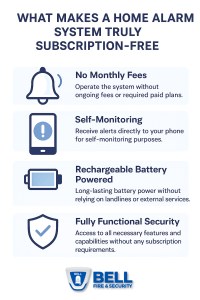
A subscription-free system works through a local hub or base station. Sensors talk to the hub over a short-range wireless link. The hub triggers a siren and sends push alerts to your phone.
Local Hub Processing vs. Cloud-Dependent Systems
A local hub processes signals on-site. It can still sound the siren if the internet drops. Cloud-dependent systems may lose app alerts during an outage. Check the manual to see which type you own.
On-Premise Sirens, Push Alerts, and Local Recording
The siren sounds inside the home to warn your household. Push alerts arrive through the brand’s app. Local recording saves video to an SD card or hub. There is no cloud fee.
The Real Cost of Ownership: Upfront Hardware vs. Long-Term Fees
The main saving comes from skipping a monthly plan. Hardware costs add up quickly. A full kit with sensors, cameras, and a lock can cost several hundred dollars.
Comparing One-Time Hardware Costs to Years of Monitoring Subscriptions
If a monitoring plan costs $20 per month, five years total $1,200. A one-time hardware purchase may cost less, depending on the kit. Over time, the no-fee option usually saves money.
Hidden Costs: Batteries, Storage, Replacement Sensors, and Wear
Sensor batteries need replacement every one to two years. Local storage cards can wear out. Sensors may fail or get lost. Plan for these small costs even without a subscription.
Self-Monitoring Trade-Offs: What You Gain and What You Lose

Self-monitoring saves money but puts responsibility on you. No one else watches your alerts. You decide whether to call the police or check a camera feed.
Police Dispatch, Permits, and the Reality of False Alarms
Without a monitoring center, no one calls the police for you. You must call 911 yourself if you see a real threat. Some cities require alarm permits. False alarms can bring fines.
Cellular Backup: When Your Internet Connection Isn’t Enough
Most no-fee systems rely on home Wi-Fi. If the internet goes down, app alerts may stop. Cellular backup is often a paid add-on. Some systems store events locally during an outage. They cannot push alerts.
Installation and Placement for Renters and Homeowners
Good placement matters more than the brand. Sensors need clean contact, cameras need a clear view, and locks need a proper fit. Renters should favor non-destructive mounting.
Door and Window Sensors: Placement, Gaps, and Avoiding False Triggers
Mount the sensor on the frame and the magnet on the moving part. Keep the gap small and the magnets aligned. Avoid spots where pets or vibration can trigger false alerts. Test each sensor after mounting.
Cameras and Video Doorbells: Field of View, Night Performance, and Neighbor Privacy
Aim cameras at entry points, not into neighbor windows. Check the field of view and night vision range in the manual. Some states restrict audio recording. Check your local law. Use privacy zones when the camera sees public areas. For entry-point coverage, a video doorbell without subscription can pair with your no-fee alarm system.
Smart Locks: Deadbolt Fit, Door Handing, Backup Keys, and Rental Use
Check the deadbolt size and door handing before buying. Keep a physical backup key in a safe place. Renters should keep the original lock and get landlord approval. Even without your phone, most smart locks still work with a keypad or key. Learn how to unlock a smart lock without a phone.
Power, Wi-Fi, and Hub Requirements for a Reliable Setup
Reliability starts with power and network. Place the hub near the router. Use a supported Wi-Fi band. Add battery backup where possible.
Wi-Fi Bands, Router Compatibility, and Hub Placement
Most hubs support 2.4 GHz Wi-Fi. Some also support 5 GHz. Check the manual for supported bands. Place the hub centrally, away from metal and thick walls. A mesh router can help larger homes.
Battery Backup and Power-Outage Behavior
Many hubs include a backup battery. Sensors run on coin or AA batteries. During a power outage, the router may also fail. A UPS (battery backup) can prevent that. Check how the system behaves when power returns.
Privacy, Cybersecurity, and Data Storage Without a Subscription
No monthly fee does not mean no data. Your footage and sensor history still need storage. Local storage keeps video on devices you own.
Local Storage vs. Cloud Retention: Where Your Footage Lives
- Video stays on an SD card or hub drive.
- No recurring fee, but theft or damage can remove evidence.
- You manage capacity and backups.
- Footage uploads to the vendor’s servers.
- Usually requires a paid plan or trial.
- Retention and deletion are controlled by the vendor.
MFA, Account Recovery, and Managing Shared Users
Enable multi-factor authentication, or MFA, on the app account. Use a unique, strong password. Review shared users and remove people who no longer live there. Set up account recovery with a trusted email or phone.
Firmware Updates and the Vendor Support Lifecycle
Check that the vendor still releases firmware updates. A device with no updates can become a security risk. Read the support page for end-of-life policy. Buy from brands with clear US support channels.
Maintenance, Troubleshooting, and Long-Term Reliability
A no-fee system needs regular checks. Replace batteries, test sensors, and review alerts. Small maintenance prevents most false alarms and missed events.
Battery Replacement Schedules and Sensor Health Checks
Check battery levels in the app monthly. Replace sensor batteries at the first low-battery warning. Test each sensor once a month. Keep spare batteries on hand.
Reducing Nuisance Alerts and Keeping Your System Accurate
Adjust sensor sensitivity for pets or vibration. Use entry delay for your own door. Turn off alerts that trigger often. Re-test after changing settings.
Choosing the Right Setup for Your Home, Layout, and Budget
Start with the essentials: a hub, entry sensors, and a siren. Add cameras and locks as your budget allows. Renters should choose portable, non-destructive hardware.
Renter-Friendly Options: Non-Destructive Mounting and Portability
Use adhesive strips instead of drilling. Keep the original door lock and deadbolt. Choose a system you can move to a new home. Check your lease before installing anything.
Scaling from a Basic Alarm to Full Camera and Lock Coverage
Start with a starter kit that includes a hub and entry sensors. Add a camera for the main entry. Add a video doorbell for package and visitor alerts. If your garage or shed has no Wi-Fi, a security camera without Wi-Fi can still record locally.
| Setup | Best suited to | Power and network | Storage or plan | Main limitation |
|---|---|---|---|---|
| Basic sensor kit | Renters and small homes | Battery sensors, hub on Wi-Fi | No plan required | No video verification |
| Kit plus camera | Homeowners who want video | Plug-in camera on Wi-Fi | Local SD card or hub storage | No cloud backup |
| Full system with locks | Families and larger homes | Multiple devices on one hub | Local storage plus optional plan | Higher upfront cost |
An alarm system without monthly fee can save money. It keeps your security data in your control. The trade-off is that you handle alerts, dispatch, and maintenance yourself. Start with a basic sensor kit and test it weekly. Add cameras or locks as your budget allows. Check local permit rules and keep your app account secure.
Frequently Asked Questions
Yes. Many brands sell hubs and sensors that work without any plan. You pay for the hardware and monitor alerts yourself through the app.
The hub may still sound the siren, but push alerts usually stop. Some systems store events locally until the connection returns. Check the manual for exact outage behavior.
Many do. Video can be saved to an SD card, a hub drive, or a local network device. Cloud storage, if offered, usually requires a paid plan.
No. Without professional monitoring, no one calls the police for you. You must call 911 yourself if you see a real threat.
Most kits are designed for DIY setup. You mount sensors with adhesive, plug in the hub, and follow the app. Renters can often install everything without drilling.
Most sensors run one to two years on coin or AA batteries. Check battery levels in the app monthly and replace them at the first low warning.



One Comment