Does a Home Alarm Work During Power Outage Explained
Most home alarms keep working during a power outage thanks to backup batteries and cellular communication. Cameras, smart locks, and Wi-Fi-only features have their own limits, so test your system before an outage hits.
Does a home alarm work during power outage? For most homeowners, yes, but with limits.
A backup battery and a cellular communicator usually keep the core system alive. Cameras, smart locks, and internet-dependent features may behave differently. This guide explains what keeps working, what stops, and how to prepare.
The Short Answer: Most Home Alarms Keep Working During a Power Outage
Most home alarm systems keep working during a power outage. They do not depend on the power grid alone.
A typical system has a backup battery inside the control panel. It may also switch to a cellular network when home internet goes down. The alarm can still detect door openings, motion, and broken glass while the battery lasts.
Wired vs. Wireless Systems and Their Backup Needs
Wired systems connect sensors to the control panel with low-voltage cables. The panel still needs power, so its backup battery matters most.
Wireless systems use battery-powered sensors that talk to a hub or panel over radio signals. The sensors usually keep working during an outage. The panel, router, and plugged-in cameras are the parts most likely to fail.
Why Battery and Cellular Backup Matter More Than the Grid
The grid supplies normal power, but it is not the true lifeline of a modern alarm. Battery backup keeps the panel and sensors running.
Cellular backup keeps the system connected to the monitoring center when Wi-Fi and landline service fail. Without both, an alarm may sound locally but cannot send a signal outside the home.
How Alarm Systems Stay Online When the Grid Goes Down
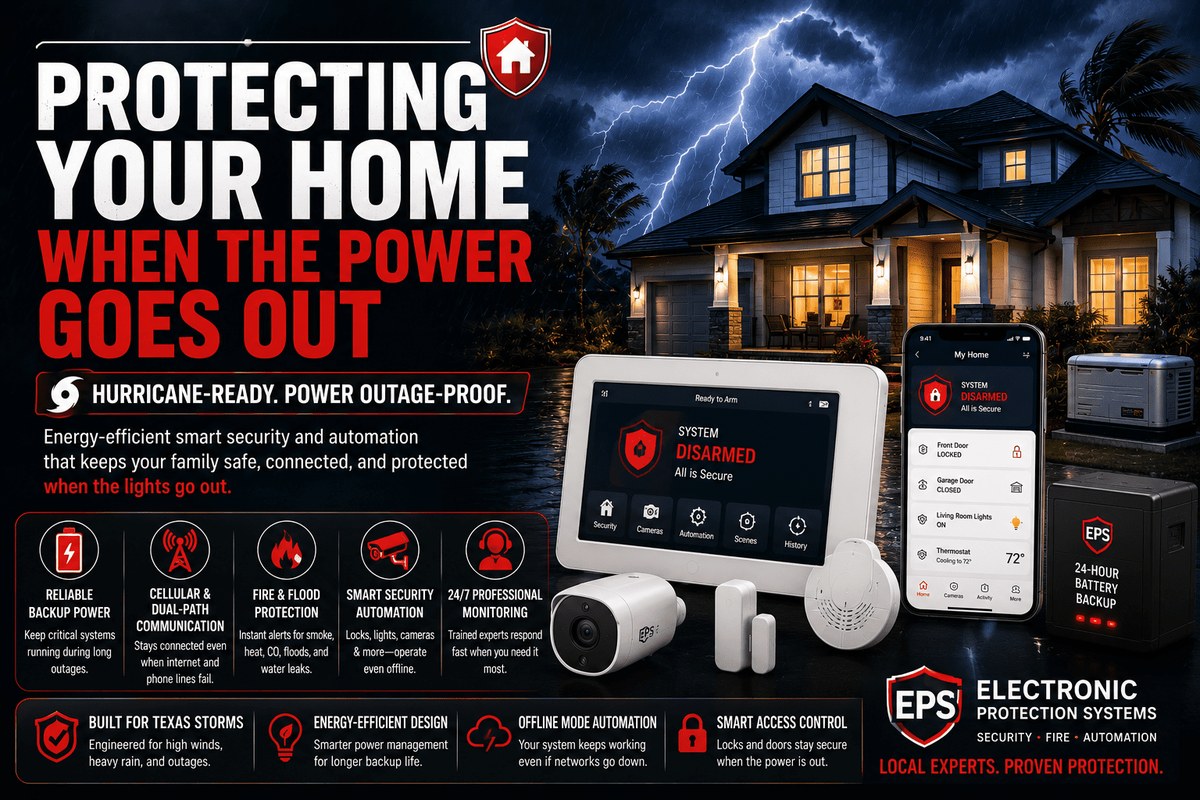
Alarm systems use several layers to stay online when the grid goes down.
The control panel is the brain of the system. It needs power, and it needs a way to communicate. Backup batteries and cellular modems provide those two lifelines.
Battery Backup: How Long Does It Actually Last?
Backup battery life varies by brand, model, and system age. Many alarm panels list a standby time (battery runtime) of 8 to 24 hours.
Some high-end panels last several days. Battery life also depends on how often the system sends signals and how old the battery is. A battery that is several years old may hold far less charge than its original rating.
Check the control panel display or app for a low-battery warning. Replace backup batteries on the schedule in the manual. Many installers recommend replacement every 3 to 5 years.
Cellular Backup vs. Wi-Fi vs. Landline Communication
An alarm needs a path to reach the monitoring center. Cellular backup uses a built-in modem and a SIM card, much like a cell phone.
It works even when your home Wi-Fi and internet are down. Wi-Fi-only systems stop communicating when the router loses power.
Landline systems may keep working if the phone line has its own power. Fewer homes have landlines today.
Not sure which type you have? Check the panel label or the installer’s notes. You can also read more about how cellular backup works in a home alarm system.
What Happens to DIY Systems That Rely on Home Internet
DIY systems from brands like Ring, SimpliSafe, and Abode often depend on your home Wi-Fi. They also use a hub that plugs into the wall.
If the hub loses power, the system may stop communicating. Battery-powered sensors may still trigger a local siren. Alerts and monitoring may not reach you.
Some DIY hubs have built-in battery backup and cellular options. These options are not standard. Check the exact model before assuming it will stay online.
What Happens to Cameras and Video Doorbells During an Outage
Most security cameras and video doorbells are not built to survive a long outage on their own. Battery-powered cameras may keep recording for weeks.
Plugged-in cameras stop the moment power drops. Even battery cameras lose remote access when your Wi-Fi and router are down.
For a deeper look, see our guide on whether a security camera works during an internet outage.
Local Storage vs. Cloud Storage: Which Keeps Recording?
Cloud storage requires internet to upload video. If the internet is down, clips may never reach the cloud.
Local storage on a microSD card or a base station keeps recording without internet. But a thief can take the camera or base station and the footage with it.
- Keeps recording without internet.
- No monthly fee for stored clips.
- Footage can be stolen with the device.
- Capacity is limited by the card or drive.
- Requires internet to upload clips.
- Usually needs a paid plan.
- Footage is stored on the vendor’s servers.
- Easier to view from anywhere.
Placement, Field of View, and Night Performance
Cameras that point at entryways and outdoor paths are most useful during an outage. Place them high enough to avoid tampering but low enough to capture faces.
Check the field of view so you know what the camera covers. Night performance matters because many outages happen during storms and darkness.
Look for infrared or color night vision in the product specs, and keep the lens clean.
Weather and Neighbor Privacy When Power and Wi-Fi Are Down
Outages often come with severe weather. Outdoor cameras should have a weather rating that matches your climate. Check the exact rating for your model.
Also respect neighbor privacy. Point cameras toward your own doors, walkways, and yard. Avoid recording private areas like bedrooms, bathrooms, and neighbors’ windows.
Some states have recording laws, so check local rules before capturing audio.
Smart Locks and Power Outages: What Homeowners and Renters Should Know
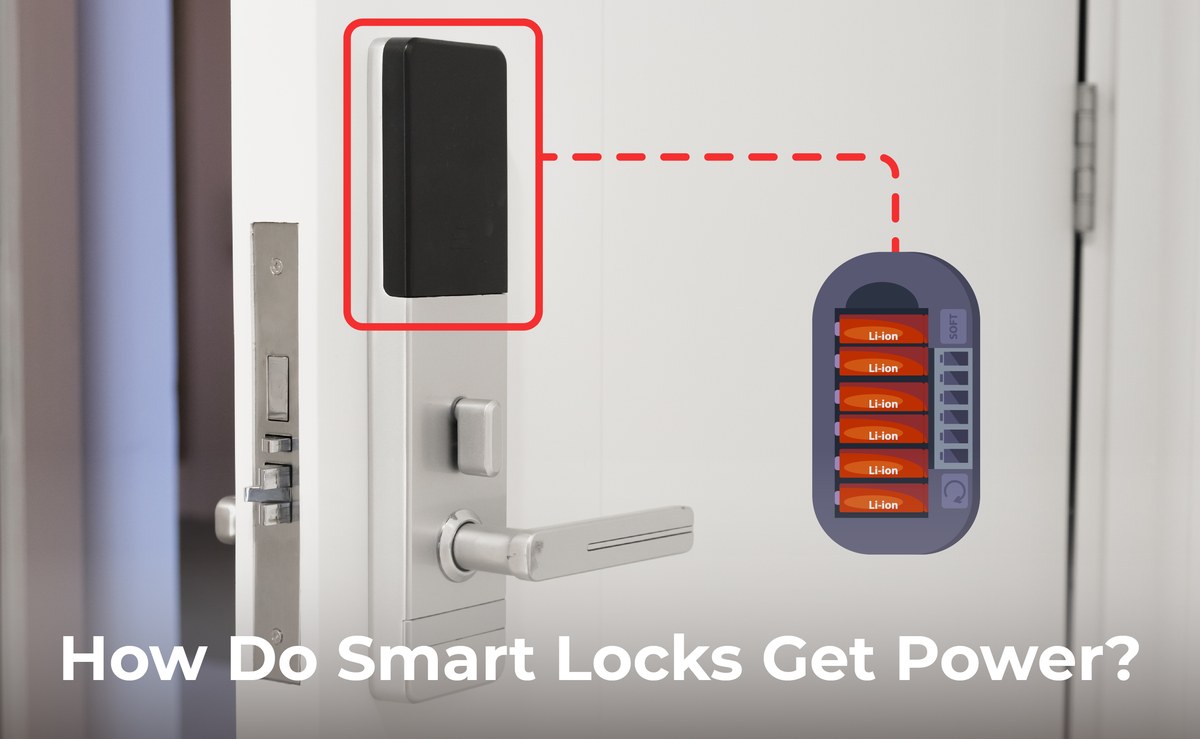
Most smart locks run on batteries, so they keep working when the power goes out. The lock body does not need grid power to turn the deadbolt.
The Wi-Fi or hub connection may drop. The lock still works at the door. The main risk is a drained battery, not a power outage.
You can read more about whether smart locks work without Wi-Fi.
Battery Life, Deadbolt Fit, and Door Handing
Battery life for smart locks usually ranges from several months to over a year. Cold weather and frequent use can shorten that. A low battery is the most common reason a smart lock fails during an outage.
Also check the deadbolt fit. A sticky or misaligned deadbolt can cause false “jammed” alerts.
Handing refers to whether your door opens left or right. It matters during installation. Confirm your door’s handing before buying.
Backup Entry Options: Physical Keys and Mechanical Overrides
Every smart lock owner should keep a physical backup. Many smart locks include a key cylinder that works even when batteries are dead.
Some models have a 9-volt backup terminal on the outside. Others rely on a key or a mechanical code. Test your backup method before you need it.
Rental Use, Shared Access, and Auto-Lock Behavior
Renters should check the lease before changing a door lock. Many landlords require permission or a lock that can be swapped back.
Shared access means codes for family, guests, and service providers. Review those codes regularly and remove old ones.
Auto-lock can be a problem during an outage if the lock re-locks after a failed network command. Test auto-lock behavior with the network off.
How to Extend Your Alarm’s Runtime When the Power Is Out
You can extend an alarm’s runtime with simple, low-cost planning. A UPS, spare batteries, and careful placement all help. Start with the devices that matter most to your system.
Add a UPS for Your Router, Hub, and Alarm Panel
A UPS, or uninterruptible power supply, is a battery box. It keeps plugged-in devices running during an outage.
Plug your router, cable modem, and alarm hub into one UPS. This keeps Wi-Fi up long enough for alerts and app access.
A UPS also protects equipment from surges when power returns. Choose a UPS sized for the total wattage of the devices you connect.
Spare Batteries, Generators, and Power Bank Planning
Keep spare batteries for sensors, locks, and cameras in a known place. Store them at room temperature.
A small generator or a large power bank can recharge phones and small devices during a long outage. Never run a generator indoors.
Place it outside, away from windows, doors, and vents.
Placement Tips for Keeping Sensors and Locks Within Range
Alarm sensors communicate over radio signals. If the hub loses power, some sensors may still work locally but cannot relay alerts.
Keep sensors within the range listed in the manual. Avoid placing them near metal appliances or thick walls that can block signals.
Test the system from every sensor location after you change the setup.
Monitoring, False Alarms, and Permits During an Outage
Will Professional Monitoring Still Dispatch During an Outage?
Professional monitoring centers are built to work through regional outages. They have their own backup power and backup communication lines.
Whether your alarm reaches them depends on your system’s backup, not the monitoring center. If your panel has cellular backup, the signal can still go through.
If it relies only on Wi-Fi and the router is down, the signal stops at your home.
- The household receives alerts and decides what action to take.
- Usually has lower ongoing cost.
- Does not guarantee emergency dispatch.
- A monitoring center may review eligible alarms.
- Dispatch availability depends on the plan and event.
- Fees, contracts, permits, and false-alarm rules may apply.
For more on the tradeoffs, see our guide on what self-monitoring means for a DIY alarm system.
How to Avoid False Alarms When Power Returns
When power returns, it can trigger false alarms. Sensors may send a burst of signals when they reboot.
Doors and windows may shift slightly as the house settles. To reduce false alarms, wait a few minutes after power returns before arming the system.
Clear any trouble messages on the panel. Test each sensor and reset the system according to the manual.
Permits, Sirens, and Dispatch Limits You Should Know
Some US cities and counties require an alarm permit. Others charge fees for repeated false alarms.
A loud siren may also be limited by local noise rules. Check the rules for your exact address.
Know what your monitoring plan covers, including whether dispatch is included or requires extra fees.
Cybersecurity and Privacy During Outage Mode
An outage is a stressful time. That is when attackers may try to break into your accounts.
Remote access to your alarm, cameras, and locks must stay protected. A few basic habits reduce the risk.
Secure Remote Access with MFA and Strong Account Recovery
An outage can push you to check your system from a phone while you are away. That remote access must be protected.
Use a strong, unique password for every security account. Turn on multi-factor authentication, or MFA, so a stolen password is not enough.
Review your account recovery options so you can regain access if you are locked out.
Review App Permissions, Shared Users, and Firmware Updates
Apps often share access with multiple household members. Review that list and remove people who no longer live there.
Check app permissions for third-party integrations. Keep the device, hub, router, and app firmware updated.
Updates often fix security flaws that an attacker could use during a chaotic outage.
Vendor Support and Cloud Retention Policies
Every connected device eventually stops getting updates. Check the manufacturer’s support page to see how long your model will receive firmware and app support.
Also review cloud retention policies. Some plans keep clips for 30 or 60 days. Others delete them when the plan ends.
Know how to export or delete your footage if you cancel.
Maintenance and Upgrade Checklist for Outage Readiness
Outage readiness is not a one-time task. It takes regular checks and occasional upgrades. A simple monthly routine keeps batteries fresh and connections working.
Monthly and Seasonal Checks for Batteries and Connections
Test your system once a month. Walk through every door and window sensor.
Trigger a motion detector and confirm the panel reports it. Check the backup battery status in the app or panel.
Before storm season, test the cellular backup by unplugging the panel and router for a short time. If you have professional monitoring, follow their testing procedure so you do not trigger a false dispatch.
When to Upgrade: Older Systems vs. Modern Backup Features
Older systems may lack cellular backup or have batteries that no longer hold a charge. Modern systems often include built-in battery backup, cellular communication, and local storage.
If your system cannot stay online for more than a few minutes without power, an upgrade may be worth it. A simple add-on like a cellular communicator may be enough.
Cost of Adding Backup vs. Replacing Your Entire System
Adding a backup battery or cellular communicator usually costs far less than a full system replacement. A UPS for your router and hub is also inexpensive compared to new cameras and sensors.
Compare the cost of upgrades against the age of your system. If the panel is old and parts are hard to find, replacement may make more sense.
Exact prices vary by brand, model, and installer, so get a written quote before deciding.
Most home alarms do keep working during a power outage. The backup battery and cellular connection decide how long and how well.
Cameras and smart locks have their own limits. Test your system with the power and internet off.
Check your exact model’s manual. Replace old batteries. Add a UPS if your system depends on home Wi-Fi.
That preparation makes the next outage far less stressful.
Frequently Asked Questions
No. Without a backup battery, a wired alarm panel stops working when the grid goes down. Battery-powered sensors may still trigger a local siren, but the panel cannot process or report the alarm.
Most alarm panels list a standby time between 8 and 24 hours. Some high-end models last several days. Battery age, system activity, and temperature all affect real-world runtime.
Only if the system has cellular backup or another communication path that does not depend on your home internet. Wi-Fi-only systems stop communicating when the router loses power.
Battery-powered cameras may keep recording for days or weeks, but remote viewing stops when Wi-Fi is down. Plugged-in cameras stop when power drops unless they have a battery backup or a UPS.
Most smart locks run on batteries and still lock and unlock at the door during an outage. Remote control and app alerts stop when the network is down. Keep a physical key as a backup.
Test the system monthly, replace old backup batteries, and add a UPS for your router and alarm hub. If your system supports cellular backup, confirm the plan is active before a storm.