What Causes a Home Alarm to Go Off Randomly Explained
Random alarm triggers almost always come from sensor misalignment, low batteries, pets, or network glitches, not from an intruder. Check the app’s event log first, inspect the zone, and test each sensor before calling for service.
If you are wondering what causes a home alarm to go off randomly, the short answer is simple. Most triggers come from the system itself, not from an intruder. Loose sensors, dead batteries, pets, and network glitches top the list.
The Short Answer: Why Your Home Alarm Goes Off Randomly
A false alarm is much more likely than a real break-in. Most random triggers have simple causes like sensor misalignment, low batteries, or strong drafts. These failures are easy to check once you know where to look.
To tell a false alarm from a real signal, check your security app first. If the app shows a sensor or zone name, you can often see which device triggered the alarm.
Next, listen for the difference. A single chime or trouble beep is a status warning. A full siren means an alarm state. If you are away, your monitoring provider may call.
Check doors and windows before you assume the worst. Look for one that is slightly open. If everything is closed, the trigger was likely environmental or technical.
False alarm vs. real signal: how to tell the difference quickly
Open your security app and look at the event history. It will usually show the exact sensor and time.
If the event shows a door sensor, visually inspect that door. If it is closed and the sensor looks aligned, the fault is likely the sensor itself.
Do not silence a real alarm without checking. If a door is forced open or glass is broken, leave the house and call 911 when safe.
The Most Common Causes of Random Alarm Triggers
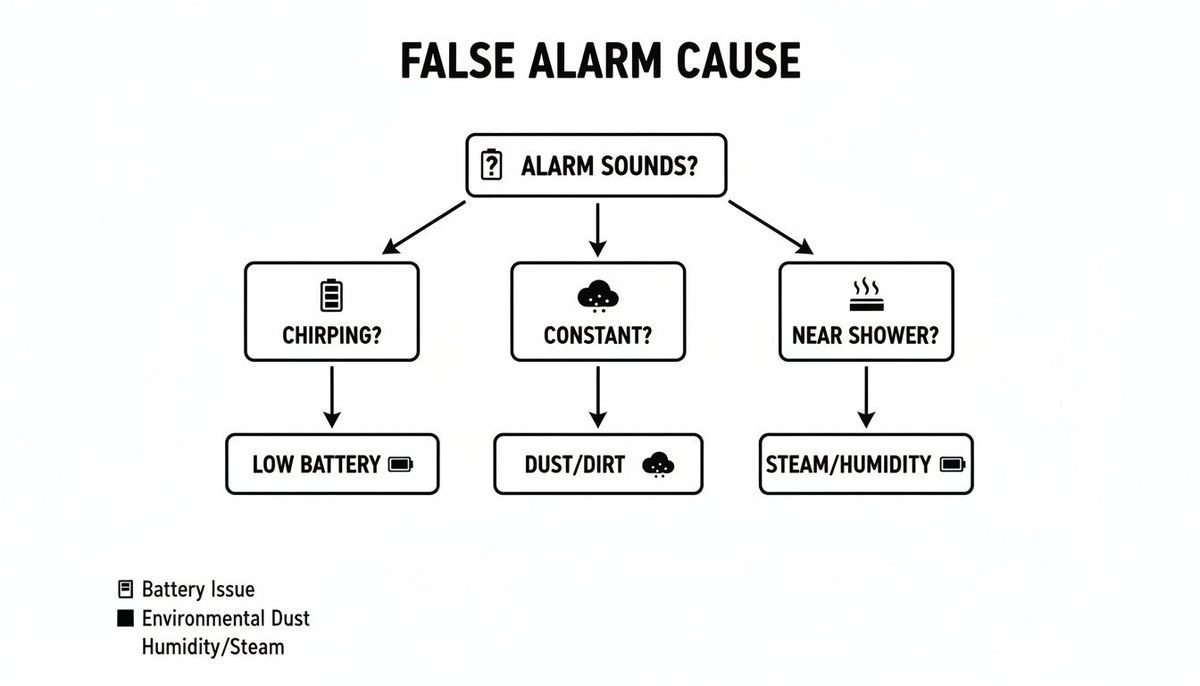
Most common causes fall into four groups. The groups are sensor misalignment, low batteries, pets or moving objects, and temperature changes.
Sensor misalignment and loose mounting
Door and window sensors rely on a magnet and a reed switch. When those two parts move apart, the system thinks the door opened.
Temperature changes make door frames swell and shrink. Over time, the magnet can shift out of range.
Vibration from a slamming door can also loosen a sensor. Check the mounting tape or screws on every sensor if the alarm triggers at odd hours.
Low batteries and power fluctuations
A dying battery causes erratic behavior in many sensors. Some send a low battery trouble signal. Others send a false open or close event.
Replace batteries on a schedule, not just when the app warns you. Most contact sensors use small coin cells that last one to three years depending on the model.
Pets, insects, and moving objects
Pets are a leading cause of motion detector false alarms. A 60-pound dog can easily trip a sensor set to ignore smaller animals.
Insects and spiders can crawl inside a sensor and block the lens or reed switch. A gentle cleaning with compressed air often fixes this.
Indoor objects also move. Curtains near an open window, helium balloons, or boxes placed in a sensor’s path can all trigger an alarm.
Temperature swings and HVAC airflow
Home alarms react to their environment. A cold draft from an air vent can change the air temperature fast enough to trip a motion sensor.
Sunlight heating a window creates moving heat patterns. The result looks like motion to a passive infrared (PIR) detector.
HVAC registers pointed directly at a motion sensor are a common mistake. Redirect the vent or move the sensor to a better spot.
Door and Window Sensors: Placement, Fit, and Failure Points
Contact sensors are simple devices, but they fail in predictable ways. Most issues come down to the gap between the magnet and the sensor body. Good placement solves most of these. For a full guide, see our advice on where to place door and window sensors.
Magnet gap and alignment for different door and window types
Many contact sensors perform best when the magnet sits within about 1/2 inch of the sensor body. Some are more forgiving. Others need a tighter gap.
Check the product manual for the exact spec. Most brands list a safe gap range in inches or millimeters.
Sliding doors and windows are a common failure point. The moving panel may wobble in its track. That changes the gap throughout the day.
Double-hung windows behave similarly. A partially closed sash lets the magnet drift out of range.
Renter-friendly installation and removal considerations
If you rent, adhesive-mounted sensors are the easiest route. They leave no holes and remove with mild heat or adhesive remover.
Some landlords allow screw-mounted sensors for a more secure fit. Ask before drilling into walls, frames, or sashes.
When you move out, remove sensors slowly to avoid peeling paint. Clean the surface with rubbing alcohol afterward.
Motion Detectors and Camera Alerts: Why They See Things That Aren’t There
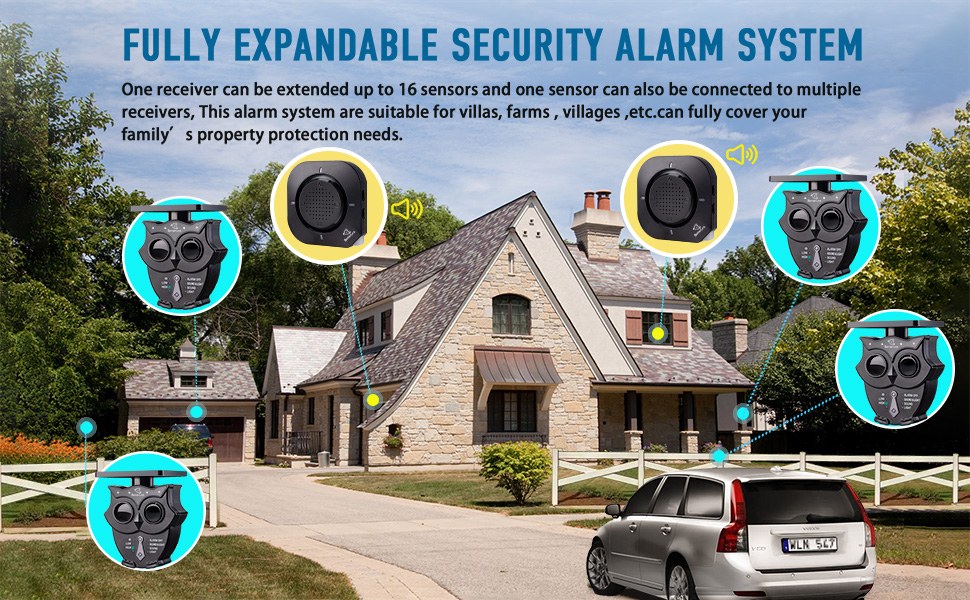
Motion detectors and cameras use different technology, but both can generate false alerts. Understanding the difference helps you fix the right device. Our guide on motion sensor false alarm causes covers this in more detail.
Coverage zones, placement mistakes, and your home’s layout
A PIR motion sensor sees a fan-shaped area. If it faces a window, passing cars or moving tree shadows can set it off.
Place motion sensors so they point across a room, not toward an opening. Avoid aiming them at staircases or hallways where heat patterns shift.
Your home’s layout matters. A sensor in an open floor plan may cover too much area. Consider splitting coverage with two sensors instead of one.
Heat sources, sunlight, and pet-immune sensitivity settings
PIR sensors detect changes in infrared heat. Radiators, space heaters, and sunny windows create false heat signals.
Many systems offer pet-immune settings. These ignore motion below a certain height or weight threshold. They work best when your pet stays on the floor.
If your pet jumps on furniture or climbs stairs, no pet-immune setting will work perfectly. You may need a sensor with a more precise detection lens.
Camera-based motion alerts: field of view and night performance
Camera motion alerts work differently. Many use pixel changes in the video frame rather than heat.
Night vision can turn fog, rain, or spider webs into ghostly moving shapes. Car headlights and passing shadows also cause alerts.
Set activity zones to hide sidewalks and neighbor’s property. This cuts notifications without blocking full recording.
Smart Home Interference: Wi-Fi, Hubs, and Firmware Glitches
Modern alarm systems are networked devices. A Wi-Fi drop or hub bug can cause a false alarm or a lost connection message. The network layer is often the last place people look.
Wi-Fi band congestion and weak signal strength
Most smart home devices need a steady signal. If your router is far away, a sensor may lose contact and report a trouble event.
2.4 GHz signals travel farther and pass through walls better. 5 GHz and 6 GHz bands are faster but have shorter range. Some cameras only work on 2.4 GHz.
Check your router’s app for signal strength per device. If a sensor shows a weak link, add a mesh node or move the router closer to the hub.
Hub issues, firmware updates, and app permission problems
A smart home hub coordinates all your sensors. If the hub restarts at night, it may send a flood of false open and close events.
Firmware updates can introduce new bugs. After an update, test each sensor zone before you rely on the system.
Check app permissions too. On iOS and Android, location, notification, and background refresh settings can affect how alerts reach you.
Account security: MFA, shared users, and cybersecurity basics
Sometimes the alarm goes off because someone in the household armed it incorrectly. Shared users often have different app settings and schedules.
Review who has access to your alarm app. Remove former roommates, guests, or old devices from the account.
Enable multi-factor authentication (MFA) on your alarm account. Use a unique password you do not reuse elsewhere. The basics of securing home security cameras from hackers apply to alarm systems too.
Power Problems: Surges, Outages, and Backup Limitations
Power problems are a frequent cause of random alarms. A brief drop in electricity can make a wired system send a trouble signal or trigger a false alarm. Backup batteries help, but they add their own failure point.
Wired vs. wireless systems and battery backup behavior
Wired systems rely on a continuous connection to your home’s electrical panel. They usually include a backup battery for outages.
Wireless systems run on batteries in each sensor. The hub may be plug-in with its own backup cell.
During an outage, the system may switch to battery and report a power loss. If the battery is old, the system could misinterpret the state and alarm.
Test your backup battery twice a year. Replace it on the schedule in the product manual.
Cellular backup, monitoring contracts, and dispatch limits
If your internet goes down, a system with cellular backup in your home alarm system can still reach the monitoring center. This matters because many false alarms happen right after an internet drop.
Professional monitoring is not the same as self-monitoring. With self-monitoring, you receive the alert and decide what to do. With professional monitoring, a central station may call you and dispatch emergency services if needed. Expect fees, contracts, and event limits that vary by provider.
Check your plan for dispatch limits. Some jurisdictions charge a fine for repeated false dispatches. Your provider may also drop service after too many.
When It’s Not a False Alarm: System Aging and Environmental Damage
Some random alarms come from hardware that is past its useful life. Age, weather, and pests can damage sensors in ways a quick reset cannot fix.
End-of-life sensors and vendor support lifecycle
Most alarm components have a planned lifespan. Contact sensors and motion detectors run for years, but battery contacts corrode and plastic housings crack.
Vendors also stop supporting older models. A hub that no longer receives firmware updates can become unreliable or insecure. If your system’s app is being retired, that is a strong sign the hardware is near its end.
Weather damage, tampering, and pest intrusion
Outdoor sensors face rain, heat, and freezing cold. A weatherproofed sensor still fails when its gasket wears out or when mounting screws rust.
Pests are a real problem. Rodents can gnaw through wires. Insects can build nests inside an outdoor camera housing. Inspect all exterior sensors after heavy storms.
Tampering is another cause. A sensor that is pried, struck, or knocked off its mount will often send a tamper signal. Treat that as a serious warning and investigate the area.
How to Troubleshoot a Randomly Triggering Alarm Step by Step
Follow these steps in order. Each one is safe, reversible, and takes only a few minutes.
Check the event log and notification history
Start with the app’s event history. It will list every sensor event with a timestamp. That tells you which zone triggers and at what time.
Look for a pattern. If the alarm only fires between 2 and 4 AM, temperature swings or HVAC cycles are likely. If it fires when you arm the system, a sensor may be left open or misaligned.
Inspect, clean, and test each sensor zone
Walk your home with the event log open. Visit each zone that has triggered and check its physical state.
Tighten loose screws. Clean dust from the lens. Remove spider webs. Test each door and window sensor by opening and closing it while watching the app.
Update firmware and verify Wi-Fi signal strength
Log into the app and check for firmware updates for the hub, sensors, and cameras. Install updates one at a time and test afterward.
Use your router app to check the signal strength of each device. If any device sits in a dead zone, move a mesh node closer or relocate the device.
Adjust sensitivity settings and test again
If the event log points to one motion sensor, reduce its sensitivity in the app. Some apps let you set pet immunity, wait periods, or zone masks.
Change one setting at a time. Wait a day, then review the log again. This makes it easy to see what helped.
When to call your monitoring provider or a licensed technician
If the alarm still fires randomly after these steps, call your monitoring provider. They can run diagnostics on their side and tell you if the problem is the panel, a sensor, or the network.
For wired systems or anything involving main wiring, stop and call a licensed installer. Do not open the control panel or touch transformer wiring without training. The exact manual is your best source for safety and voltage details.
Preventing Future False Alarms: Maintenance, Placement, and Permits
You can prevent most false alarms with regular maintenance and careful placement. A small calendar reminder goes a long way.
Optimizing sensor placement for your specific floor plan
Walk through your home and look at each sensor from the sensor’s perspective. What does it see? If it sees a heat vent, a window, or a pet path, move it or adjust the angle.
For motion sensors, position them to cover entry paths without covering windows or HVAC outlets. A few inches of adjustment can eliminate chronic false alarms.
Battery replacement schedules and seasonal maintenance
Create a simple calendar. Replace batteries in all sensors, locks, and cameras at the same time each year. Use the battery brand and type listed in each manual.
At each seasonal change, check weatherstripping, window seals, and door fit. Tighten sensors on doors that get heavy use. Clean camera lenses and check for water damage after storms.
False alarm permits, fees, and local regulations
Many US cities require an alarm permit and charge for responses to false alarms. The permit fee is often small. Repeated false dispatches can lead to fines that grow with each incident.
Check your city or county website for the current false alarm ordinance. Keep your permit number near the control panel and with your household members.
Random home alarm triggers are usually fixable without a service call. Start with the event log, inspect the zone, replace batteries, and check Wi-Fi signal strength. If the problem persists, your monitoring provider or a licensed technician can help you isolate the fault and prevent false dispatches.
Frequently Asked Questions
Temperature swings and HVAC airflow are the most likely cause. As a room cools overnight, the door frame can shrink just enough to separate the sensor magnet. Check the event log to confirm the exact time and zone.
Yes. Motion detectors often mistake a moving pet for an intruder. Pet-immune settings help for floor-level pets, but they do not work perfectly for pets that jump on furniture or climb stairs.
Most contact sensors use Z-Wave, Zigbee, or a proprietary radio link to the hub instead of Wi-Fi. The hub needs internet or cellular backup to send app alerts and monitoring signals.
Check the event log and live camera feeds before calling anyone. If the app shows a real event like an open door, call 911 and a trusted neighbor. For a sensor fault, you can often silence the alarm remotely and schedule a diagnostic.
Most contact sensors run one to three years on coin-cell batteries, depending on the model and usage. Replace them on a set schedule, such as once each year, rather than waiting for the low battery warning.
Usually not, but repeated false dispatches can. Many US cities require an alarm permit and escalate fines after several false alarms in a year. Check your local ordinance because rules vary by jurisdiction.