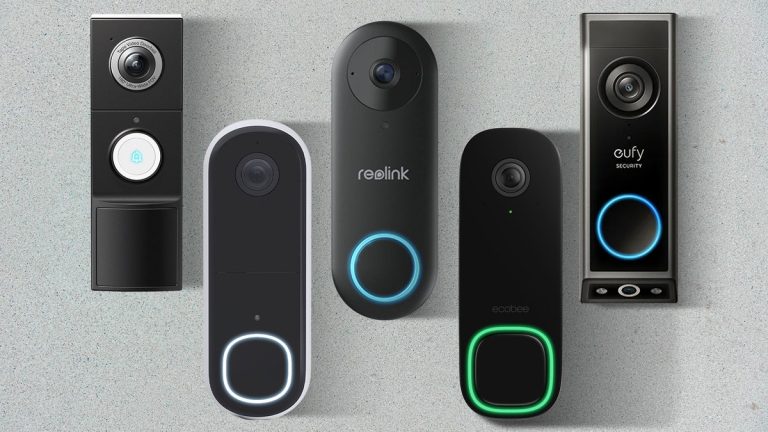
A reset can fix temporary Ring doorbell glitches, but it will not solve weak Wi-Fi, low power, or bad placement. Check power, network, and app access first, then use the lightest reset that matches your problem.
Ring video doorbell reset can clear small software glitches. It can also help you reconnect the device or prepare it for a new owner. The right reset depends on whether you need a quick fix or a full factory reset.
What a Ring Video Doorbell Reset Does and When You Should Use It
A reset is a troubleshooting step, not a cure-all. It can help the doorbell restart cleanly. It can also clear setup problems or remove the device from your account before you pass it on. It will not fix poor Wi-Fi, weak power, or a bad mount.
Soft reset vs. factory reset
A soft reset is a simple restart. It helps when the doorbell freezes, misses a ring, or acts slow after a firmware update.
A factory reset is more complete. It wipes device settings. It is the better choice before resale, a move-out, or ownership transfer.
A reset can help with temporary app pairing errors. It can also help with a stuck setup mode, delayed motion alerts, or a doorbell that seems offline after normal checks.
It may also help after an app update or router change. If the same issue returns, the cause is usually power, Wi-Fi, or hardware.
How to Reset a Ring Video Doorbell Step by Step
Step-by-step guide to resetting a Ring Video Doorbell.
The exact button location and reset behavior vary by model. Start with the device manual for your exact version. Then use the lightest reset that matches the problem. If you are unsure about wiring, stop and follow the manual or use a qualified installer.
Locating the reset button on different Ring models
On many Ring battery models, the reset button is a small button on the back or inside the faceplate area. On wired models, it is often on the front or rear panel.
Some models use a single button for setup and reset functions. So the press length matters.
Basic reset sequence for temporary glitches
For a temporary glitch, remove the doorbell from the app if needed. Then press and hold the reset button for the time listed in the model manual. Release it when the light pattern changes or the device restarts.
After that, open the Ring app and add the device again if the app asks for setup.
1
Check the model manual
Confirm the button location and press timing for your exact doorbell.
2
Use the reset button
Hold it only as long as the manual says.
3
Reconnect in the app
Follow the setup prompts and verify live video, motion alerts, and chime behavior.
4
Test daily use
Check ring alerts, motion detection, and power status over the next day or two.
Factory reset process before resale, move-out, or ownership transfer
Before you sell, return, or hand off the doorbell, remove it from your Ring account first. Then perform the factory reset using the exact button sequence for your model.
This helps clear device access. It also reduces the chance that old alerts or permissions remain tied to your account.
Before You Reset: Power, Wi-Fi, and App Checks
Many reset problems are really power or network problems. Check the basics first. That way, you do not erase settings that were not the real issue. This is especially important for renters, apartment residents, and homes with older wiring.
Confirming battery charge or wired power
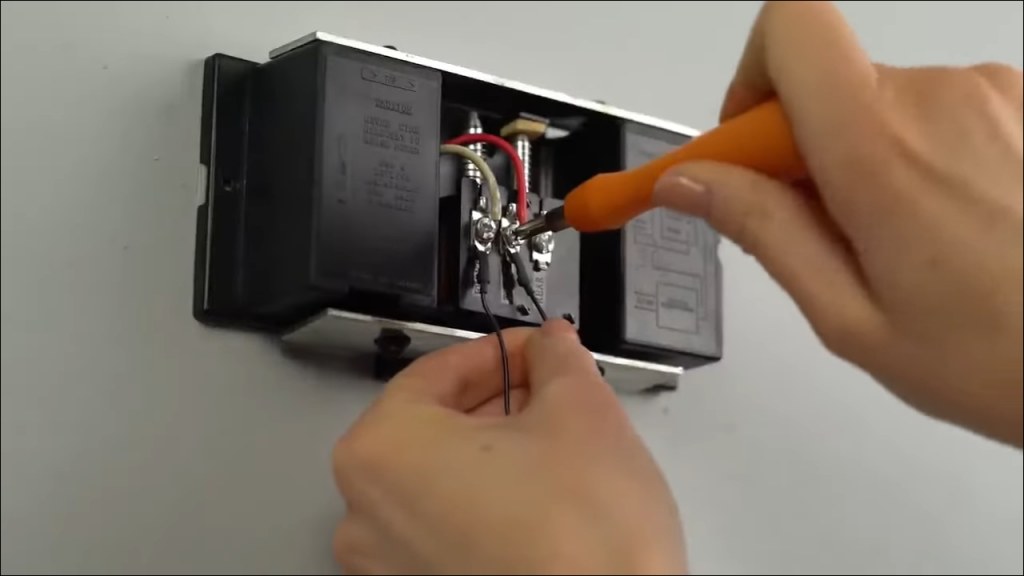
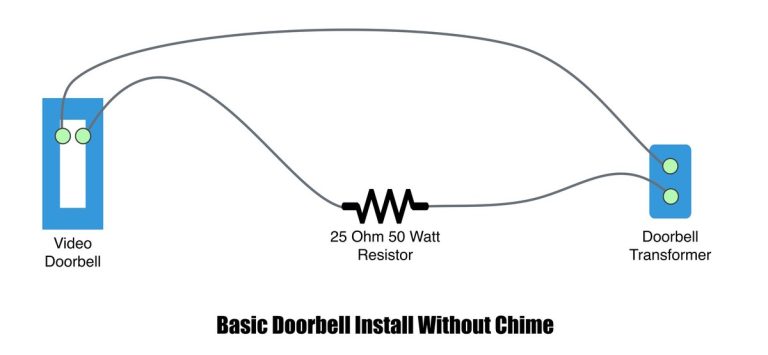
If the doorbell uses a battery, charge it fully before setup or reset troubleshooting. If it is wired, confirm that the transformer, chime setup, and low-voltage connection match the model requirements.
A weak power source can cause random restarts, offline status, or failed setup.
Checking 2.4 GHz Wi-Fi coverage at the front door
Most video doorbells depend on strong 2.4 GHz Wi-Fi near the entry. That band reaches farther than 5 GHz. But it can still struggle through brick, metal doors, stucco, or thick walls.
If the signal is weak at the porch, a reset will not solve missed alerts.
Verifying the Ring app, account access, and device status
Make sure you can sign in to the correct account and that the app is current. Check whether the device is already listed as online, offline, or shared.
If the app cannot see the doorbell, a reset may help. But stale account data can still block setup.
Placement, Mounting, and Home Layout Factors That Affect Performance<
Placement near the entrance can affect smart doorbell performance.
Even a successful reset will not fix poor placement. Door height, angle, porch cover, and nearby walls all affect motion alerts and video quality. A good reset should lead to a better setup, not just a fresh start.
Door height, angle, and field of view
A doorbell that sits too high or too low can miss faces or record too much ground. Use the mounting angle and wedge kit only if the manual supports it.
If the camera points at the street or a neighbor’s door, adjust the view to reduce privacy issues.
Weather exposure, porch lighting, and night visibility
Rain, direct sun, and glare can all affect performance. Strong porch lights may help night video, but they can also create glare if the camera faces the fixture.
A reset will not change poor lighting. So check the entryway at both day and night.
Apartment, townhouse, and single-family home constraints
Renters may need landlord approval before drilling or rewiring. Townhouse and apartment entries can also have shared hallways, which raises privacy and access questions.
Single-family homes usually have more mounting freedom. But they still need the right power and Wi-Fi setup.
Privacy, Cybersecurity, and Shared Access After a Reset
A reset can change device settings, but it does not automatically clean up every account risk. After any reset, review who can access the doorbell, what it records, and which apps or services are still linked. This matters for families, roommates, and caregiver setups.
Removing old users, shared devices, and stale permissions
Check shared users and remove anyone who no longer needs access. If a previous owner, tenant, or contractor still appears in the account, revoke that access.
Also review saved login sessions if the app or account page shows them.
Updating passwords, MFA, and account recovery settings
Use a unique password and turn on multi-factor authentication, often called MFA. MFA adds a second check when you sign in.
Also update recovery email and phone details so you can regain access if the account is locked.
Cybersecurity Checklist
Use a unique password and enable MFA.
Update device, hub, router, and app software.
Review shared users, sessions, permissions, and integrations.
Use modern Wi-Fi security and isolate unsupported devices when practical.
Confirm how recordings and account data can be exported or deleted.
Using privacy zones and managing neighbor-facing views
Privacy zones can block parts of the image that do not need to be recorded. Use them if your camera sees a sidewalk, street, or neighbor’s entry.
If your model does not support privacy zones, you may need to adjust the angle or move the mount.
Storage, Alerts, and Subscription Changes to Expect After Resetting
After a reset, your recordings, alert history, and saved settings may not look the same. Some features return only after you sign in again or restore a plan. Know what the doorbell keeps locally and what it sends to the cloud.
What happens to cloud recordings and event history
Cloud recordings usually stay tied to the account and plan status, not the reset button alone. Event history may be cleared from the device view, but retained clips depend on the service and account settings.
If you need old footage, save it before you reset.
Local Storage
Records to hardware you control, if the model supports it.
Can keep working without a cloud plan in some setups.
May still be lost if the device is removed or damaged.
Cloud Storage
Depends on the account, plan, and internet connection.
Often makes it easier to review clips from anywhere.
Can involve retention limits and recurring cost.
How Ring Protect affects video retention and notifications
Plan features can change after a reset if the app signs out or the device is re-added. That may affect clip storage, event review, and alert history.
Because plan terms can change, verify current details on the plan page before you rely on a specific feature.
Reconnecting Alexa, hubs, and other smart-home integrations
If you use voice assistants or smart-home routines, a reset may break those links. Reconnect them after the doorbell is back online.
If the reset fails, do not keep pressing buttons at random. Work from the safest checks first. Most repeat failures come from power, Wi-Fi, or a damaged device rather than the reset process itself.
When the doorbell will not enter setup mode
If the doorbell never enters setup mode, confirm the battery is charged or the wiring is live. Then restart the router and move closer to the front door during setup.
If the app still cannot detect the device, the model may need a different reset sequence.
Fixing repeated offline status, lag, or missed motion alerts
Repeated offline status often points to weak Wi-Fi, poor router placement, or mesh handoff issues. Lag and missed motion alerts can also come from power dips or a doorbell mounted where it sees too much traffic.
Adjust placement and network strength before repeating the reset.
Advantages
A reset can quickly clear temporary software problems.
It can help prepare the device for a new owner.
Limitations
It does not fix weak power or bad Wi-Fi.
It may not solve hardware failure or water damage.
Signs the issue is hardware-related rather than software-related
If the doorbell overheats, will not hold a charge, shows physical damage, or fails after repeated setup attempts, the problem may be hardware-related. Water intrusion, cracked housings, and worn batteries are common signs.
At that point, replacement is often more practical than repeated resets.
Maintenance, Ownership Costs, and Next Steps After a Successful Reset
Once the doorbell is working again, keep it stable with simple maintenance. Clean the lens, check the battery, and review alerts after app or router changes. A reset should lead to a more reliable setup, not a one-time fix.
Battery care, firmware updates, and seasonal upkeep
Charge batteries before they run too low. Keep firmware and the app updated so security fixes and bug fixes can install.
In cold or wet weather, check the device more often because outdoor conditions can affect battery life and motion detection.
Subscription, replacement, and long-term cost considerations
The real cost of ownership may include a cloud plan, a spare battery, a chime accessory, or a mounting kit. If you need to replace the unit, compare the full cost of the doorbell and any plan you want to keep.
When to reinstall, relocate, or replace the doorbell
Reinstall if the reset fixed the software issue and the placement still makes sense. Relocate if the camera sees too much glare, too much street traffic, or weak Wi-Fi.
Replace the doorbell if the battery, wiring, or camera hardware keeps failing after you rule out setup problems.
Final Takeaway
A ring video doorbell reset is most useful for app glitches, setup failures, and ownership transfers. If the doorbell still goes offline, the real fix is usually power, Wi-Fi, placement, or hardware service.
Use a soft reset for temporary glitches, freezes, or setup hiccups. Use a factory reset before resale, move-out, or ownership transfer.
A reset can change device settings, but cloud recording retention depends on the account and plan. Save any clips you need before you reset.
The most common causes are weak Wi-Fi, low battery, or power issues. A reset will not fix poor signal or wiring problems.
Many video doorbells rely on 2.4 GHz Wi-Fi for setup and stable use. Check the exact model requirements and make sure the front door has strong coverage.
Remove the device from your account first, then complete the factory reset. Also review shared users, saved passwords, and linked smart-home integrations.
Confirm the battery is charged or the wiring is live, then check the exact button sequence for your model. If the doorbell still will not respond, the issue may be hardware-related.
Hi, I'm Marcus Sterling, a smart home security expert with over 5 years
of hands-on experience testing and reviewing hundreds of security cameras, smart locks, and alarm systems. My mission is to make smart home security accessible, affordable, and easy to understand—and every review I publish is 100% independent, unbiased, and honest. I don't accept payments for positive reviews, just practical advice to help you secure your home with confidence.
The eufy Video Doorbell E340 supports several chime options, but compatibility depends on the setup you choose. You can use an existing wired chime, a compatible eufy add-on chime, supported HomeBase models, Alexa devices, or Google Assistant devices. For the simplest wireless setup, use the official eufy Add-On Chime, while wired installations require a 16–24…
Quick Security Answer Ring and Nest can coexist, but they usually do not act like one fully unified system. Expect limited integration through Google Home features, not full native Nest-style control. Does ring video doorbell work with nest is a common question for mixed smart homes. The short answer is sometimes, but not as a…
Quick Security Answer Night vision can make a battery video doorbell far more useful after dark, but only if the porch angle, lighting, and Wi-Fi are solid. For homeowners and renters, the best setup is the one that fits the entryway and the house rules. ring battery doorbell pro night vision helps people get clearer…
Quick Security Answer A ring battery doorbell chime setup can be a practical choice if you want flexible installation and indoor alerts. Check Wi-Fi, privacy, battery charging, and any subscription needs before you mount it. ring battery doorbell chime setup usually means pairing a battery-powered video doorbell with a compatible indoor alert device, app notifications,…
Quick Security Answer A wired video doorbell can be a practical upgrade if your transformer, chime, and Wi-Fi all match the model’s requirements. Renters and shared buildings should check rules first, because wiring access and mounting limits can change the best option. Wiring video doorbell usually means connecting a new smart doorbell to the low-voltage…
Quick Security Answer Choose the alternative that matches your power source, Wi-Fi strength, and privacy needs. For many homes, the best fit is the model that installs cleanly and stores video the way you prefer. Ring battery doorbell alternatives matter when you want video at the front door without Ring’s battery setup, app rules, or…