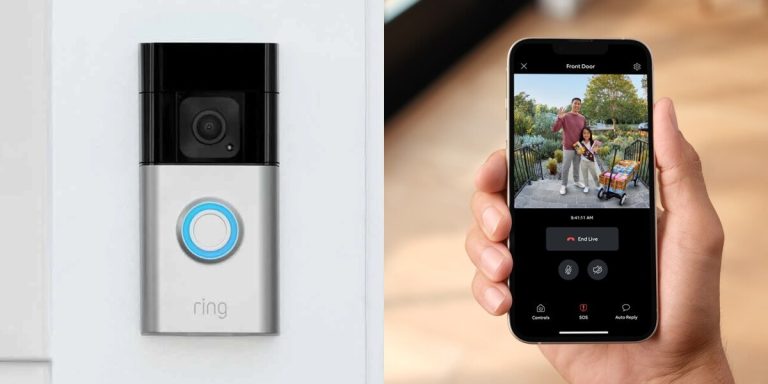
A Ring battery doorbell is a practical choice if you want front-door alerts without existing wiring. The best results come from careful placement, solid Wi‑Fi, and the right privacy and storage settings.
The ring battery doorbell guide below explains what to expect before you buy, mount, or set up a battery-powered video doorbell. It helps homeowners, renters, and shared-entry residents make a safer, cleaner choice.
What a Ring Battery Doorbell Does and Whether It Fits Your Home
A battery video doorbell gives you a camera, motion alerts, and two-way talk at the front door. It does not need existing doorbell wiring.
That makes it useful for many homes, apartments, and rentals. It works well when wiring is missing, old, or hard to reach.
It is a good fit when you want simpler installation and flexible placement. It is less ideal if you want nonstop power, a fixed chime setup, or the lowest possible upkeep.
How the Ring Battery Doorbell Works: Power, Wi‑Fi, Alerts, and Video Storage
Diagram shows how the Ring Battery Doorbell connects to power, Wi-Fi, alerts, and storage.
Most battery doorbells wake up when motion is detected or when someone presses the button.
They use Wi‑Fi to send alerts, stream video, and save events based on the plan and settings you choose.
The battery is the main power source, so runtime depends on motion activity, temperature, Wi‑Fi quality, and your settings. Stronger motion sensitivity and more frequent alerts usually mean more charging.
Video storage may be cloud-based, local, or limited without a plan, depending on the exact model and service tier. Before you buy, check what the specific Ring device includes and what needs a subscription.
Wi-Fi & Network Check
Place the doorbell where your router or mesh system gives a stable signal.
Weak upload speed, distance, or thick walls can cause delayed alerts, choppy live view, or missed motion clips.
Where to Mount It for the Best View, Motion Detection, and Neighbor Privacy
Mounting position affects video quality, motion accuracy, and how much of the street or neighbor space appears in view.
A centered, slightly angled view of the approach path usually works better than a side view.
That helps avoid too much sidewalk or traffic in the frame.
Good placement also helps reduce false alerts from cars, passing people, and moving trees.
If the camera sees too much public space, you may get more noise in your alerts and more privacy concerns.
Choosing the Right Height, Angle, and Doorway Position
Start with the height and angle recommended in the exact manual.
Many doorbells work best when they face visitors at chest-to-face level.
They should also see the walkway and doorstep clearly.
Do not point the camera too far outward. That can reduce detail at the door and increase capture of neighbors or passersby.
Using Privacy Zones and Motion Settings to Reduce Unwanted Capture
Privacy zones let you block parts of the image from recording.
Motion zones let you tell the app where to watch and where to ignore movement.
Use these tools to reduce capture of sidewalks, shared hallways, windows, or a neighbor’s doorway.
They do not replace good placement, but they can help refine it.
Before You Install: Checking Compatibility for Renters, Homeowners, and Shared Entryways<
Compatibility checks help determine if the doorbell suits your entryway setup.
/h2>
Before installation, confirm that the mounting surface, power approach, and access rules fit your home.
This step matters as much as the app setup.
A poor fit can lead to damage, complaints, or a weak camera view.
Renters should also check lease terms. Homeowners in shared spaces should think about where the camera points and who has permission to approve changes.
Doorframe, siding, and mounting-surface considerations
Check whether the surface is wood, vinyl, brick, stucco, or metal.
Each one may need different anchors, screws, or a different bracket.
If the area is uneven, cracked, or exposed to heavy weather, the mount may need extra care.
When drilling near wiring, trim, or sealed surfaces, stop and follow the manual or hire help.
Rental rules, HOA limits, and permission issues
Renters should ask before drilling or hard-mounting anything on the exterior.
Some landlords allow removable mounts, while others require written approval.
HOAs and shared-entry buildings may also limit camera angle, visible equipment, or recording of common areas.
If the doorbell faces a hallway, sidewalk, or neighbor door, confirm the rule first.
Step-by-Step Setup Basics for App Pairing, Charging, and Initial Configuration
Setup is usually simple, but it goes best when you plan the power, Wi‑Fi, and app settings first.
That reduces repeat trips up the ladder and helps you avoid weak alerts or poor placement.
Most battery doorbells follow the same basic path: charge, add the device in the app, connect to Wi‑Fi, and test motion and live view.
Battery charging and placement planning
Charge the battery fully before installation unless the manual says otherwise.
That helps you finish setup without stopping to recharge right away.
Before mounting, hold the doorbell at the planned height and check the view in the app if the model supports preview.
Make sure the camera sees the approach, not just the door trim.
1
Confirm requirements
Check the exact model, battery type, app version, Wi‑Fi band, and storage plan.
2
Plan safe placement
Choose a view that balances visitor coverage, weather exposure, and neighbor privacy.
3
Install and secure
Mount the device, pair it in the app, and set a unique password with MFA.
4
Test and maintain
Check alerts, motion zones, battery status, and shared access after setup.
Connecting to Wi‑Fi, naming devices, and setting alert preferences
Use the app to connect the doorbell to your home Wi‑Fi and give it a clear name, such as Front Door or Side Entry.
Clear naming helps when you have more than one camera or shared user.
Then set motion sensitivity, alert tone, and activity zones.
Start with moderate settings, then adjust after a few days if you get too many false alerts.
Subscription, Storage, and Monitoring: What Free Features Cover and What Costs More
Battery doorbells often work in a limited way without a plan, but the exact features vary by model.
The key question is whether you need recorded clips, longer history, or more advanced alert features.
Before you commit, compare what you get for free with what needs a monthly or annual fee.
That helps you avoid paying for features you will not use.
Cloud recording, event history, and video retention limits
Cloud recording usually means your clips are saved online in your account.
Event history is the list of alerts and recordings you can review later.
Retention limits matter because short history may be enough for package checks, but not for reviewing older incidents.
If you want longer access, check the current plan terms before buying.
Local Storage
Can reduce monthly fees if the model supports it.
May keep video closer to home.
Still needs secure access and backup planning.
Cloud Storage
Usually easier to review from anywhere.
Depends on the internet and your account security.
Often tied to a plan, retention rule, or device limit.
Shared users, notifications, and optional monitoring expectations
Shared access helps families, caregivers, and roommates get the same alerts.
Still, each person should have only the access they need.
If a service offers monitoring or emergency features, read the plan details carefully.
A doorbell camera is not the same as a full alarm system, and it does not promise dispatch in every situation.
Self-Monitoring
The household receives alerts and decides what to do.
Usually has lower ongoing cost.
Does not guarantee emergency dispatch.
Professional Monitoring
A monitoring center may review eligible alarms.
Dispatch availability depends on the plan and event.
Fees, contracts, permits, and false-alarm rules may apply.
Privacy and Cybersecurity Essentials for 2026
Connected doorbells need the same basic security habits as any smart device.
The goal is to protect your account, limit who can view footage, and keep the app and firmware current.
Privacy also means thinking about what the camera sees and hears.
That includes audio capture, shared spaces, and who can access recordings later.
Account security, MFA, and recovery setup
Use a strong, unique password for the account.
Turn on MFA, which means multi-factor authentication, so sign-in needs a second check besides the password.
Also set up recovery options before you need them.
If you lose access to your phone or email, account recovery can be the difference between a quick fix and a long lockout.
Sources & US Verification
Check the exact Ring model manual, current Ring support and plan pages, app help pages, and any relevant security advisories before purchase or setup.
Time-sensitive details should be verified close to publication.
Firmware updates, app permissions, and shared access controls
Firmware is the device software built into the doorbell.
Keep it updated, because updates can fix bugs, improve stability, and patch security issues.
Review app permissions too.
If a family member no longer needs access, remove them.
If you use voice assistants or other smart-home links, check what data those services can reach.
A battery doorbell is a strong fit when you want flexible placement, simple setup, and front-door alerts without existing wiring.
The main tradeoff is upkeep, plus possible subscription and privacy considerations, so verify the exact model, plan, and mounting rules before you install.
Usually no. Battery models are designed to work without existing wiring, but the exact setup steps and any optional wiring support vary by model.
It should be close enough to get a stable signal through your walls and exterior materials. Weak Wi‑Fi can cause delayed alerts, poor live view, or missed motion clips.
A battery-powered doorbell can keep working if your internet and router still have power. If your home network goes down, alerts and live video may stop until service returns.
Check motion zones, privacy zones, audio settings, shared users, and recording access. Also review whether clips are stored in the cloud and how long they stay available.
It depends on the exact Ring model and current plan terms. Some features may be limited without a subscription, so verify what is included before you buy.
Start with app settings, battery charge, and Wi‑Fi checks. If you face wiring uncertainty, ladders, or damage risk, stop and follow the manual or use a qualified professional.
Hi, I'm Marcus Sterling, a smart home security expert with over 5 years
of hands-on experience testing and reviewing hundreds of security cameras, smart locks, and alarm systems. My mission is to make smart home security accessible, affordable, and easy to understand—and every review I publish is 100% independent, unbiased, and honest. I don't accept payments for positive reviews, just practical advice to help you secure your home with confidence.
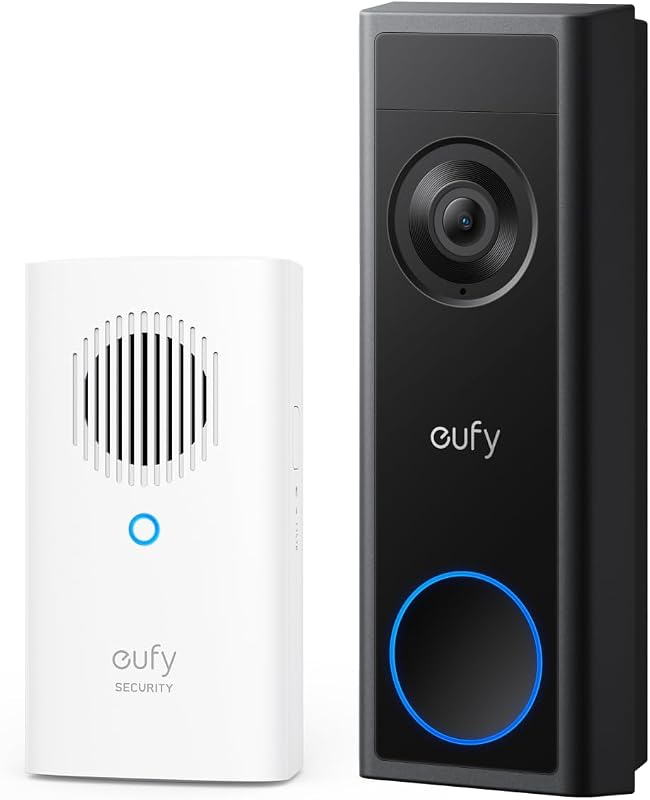
Compare eufy security video doorbell camera for home coverage, privacy, power, storage, subscriptions, and value. Read the guide before choosing a system.
Quick Security Answer Choose the alternative that matches your power source, Wi-Fi strength, and privacy needs. For many homes, the best fit is the model that installs cleanly and stores video the way you prefer. Ring battery doorbell alternatives matter when you want video at the front door without Ring’s battery setup, app rules, or…
Quick Security Answer Ring doorbell video quality is usually good when the camera has the right angle, enough light, and a stable Wi-Fi connection. If the image looks weak, start with placement, power, and network checks before replacing the device. Ring doorbell video quality depends on more than the camera label. In most homes, you…
View on Amazon Quick Security Answer Choose a door sensor first for simple, reliable entry-point alerts. Add a motion sensor when you need to detect movement inside a room. Smart Home Security Guide When you compare a door sensor vs motion sensor, you are comparing two jobs: knowing when a door opens and knowing when…
Compare lorex video doorbell for security, privacy, compatibility, setup, subscriptions, and value. Read the guide to choose the right option for your home.
Ring Battery Doorbell 2K Ring Battery Doorbell 4K Choosing between the Ring Battery Doorbell 2K and the Ring Battery Doorbell 4K comes down to a simple question: how much detail do you really need at your front door? Both are battery-powered Ring doorbells with smart alerts, live video, two-way talk, and easy installation. But the…




8 Comments