Ring Chime is usually the simpler choice if you want a dedicated doorbell sound, while Alexa works better when you already use Echo devices and want alerts in multiple rooms. The best fit depends on your layout, privacy comfort, and how much smart-home setup you want.
For ring battery doorbell chime vs alexa, the short answer is simple: use the Ring Chime if you want a dedicated doorbell sound in one or more spots, and use Alexa if you already have Echo devices and want broader smart-home alerts. The best choice depends on your home layout, privacy comfort, and how many rooms need to hear the alert.
Ring Battery Doorbell Chime vs Alexa: The Short Answer for Most Homes
The Ring Chime is usually the more direct option for doorbell alerts. It gives you a simple sound device that stays focused on one job.
Alexa can be better if your home already uses Echo speakers or displays. It can announce a doorbell press across several rooms and can fit into routines with lights or other smart devices.
For many households, the right answer is not either-or. A lot of people prefer a Chime for reliable, obvious alerts and Alexa for extra coverage in busy homes. If you are also comparing doorbell model features, this guide pairs well with our Ring Battery Doorbell 2K vs 4K overview.
How Each Alert Method Works: Chime, Echo Devices, and the Ring App
Ring alerts can sound on a chime, Echo devices, or the app.
Each alert path works a little differently. The Ring app sends phone notifications. The Chime makes a dedicated sound. Alexa uses Echo devices to speak or announce that someone pressed the doorbell.
That means your choice is really about where you want the alert to appear. It is also about how much setup you want, and how much dependence you want on the rest of your smart-home system.
What the Ring Chime Does and Where It Fits Best
The Ring Chime is a plug-in accessory that plays a sound when the doorbell rings. It is useful when you want a clear alert in a hallway, kitchen, office, or back room.
It is often the easiest option for people who do not want voice announcements. It also helps in homes where phones stay on silent or in another room.
For renters, the Chime can be attractive because it usually avoids drilling and hard wiring. For homeowners, it can fill gaps in larger homes where a single doorbell sound does not carry far enough.
How Alexa Announcements and Routines Handle Doorbell Alerts
Alexa can announce a Ring doorbell press through Echo speakers or displays. In some homes, that feels more useful than a chime because the alert can reach multiple rooms at once.
Alexa also fits into routines. For example, a doorbell press may trigger a spoken alert, a light, or another connected action if your setup supports it.
The tradeoff is complexity. Alexa depends on the Ring account link, the Echo device, the app settings, and the home network. If any part is misconfigured, alerts can become delayed or silent.
When the Ring App Alone Is Enough
For smaller homes, the Ring app may be enough. If you always keep your phone nearby and allow push alerts, you may not need another speaker or accessory.
This can work well for single-person households or people who only need occasional alerts. It is also the lowest-hardware option.
Still, the app alone has limits. Phones get muted, left in another room, or run out of battery. That is why many households still add a Chime or Alexa support.
Compatibility and Setup Requirements in 2026
Compatibility matters more than most buyers expect. A battery doorbell, a Ring Chime, and Alexa do not all have the same setup path. Exact support can vary by model, firmware, and account settings, so always check the current Ring and Amazon support pages for your exact device.
Supported Ring Battery Doorbell Models and Alexa Devices
Most current Ring battery doorbells are designed to work with the Ring app, Ring Chime accessories, and Alexa integration. But support can differ by generation and feature set.
Alexa support also depends on the Echo device and the feature you want. A speaker may handle announcements, while a display may show more context. If you are weighing doorbell options beyond alerts, our Ring Battery Doorbell Plus installation guide can help frame the setup side of the decision.
Before buying, confirm three things: the exact doorbell model, the exact Alexa device, and whether the feature is available in your region and account setup.
Wi-Fi, Account Linking, and Firmware Considerations
Both Chime and Alexa depend on a stable Wi-Fi network. The doorbell needs to reach your router, and the alerts need to move through the app and cloud services.
Account linking also matters. You usually need the Ring account connected to Amazon Alexa, and you may need permissions set correctly inside both apps.
Firmware updates can affect stability and features. Keep the doorbell, Chime, Echo devices, app, and router updated when possible. If your Wi-Fi setup is weak, read our notes on video doorbell Wi-Fi needs for a broader sense of what connected doorbells depend on.
Home Layout Factors: Apartments, Multi-Story Homes, and Larger Properties
Home layout often decides the winner. In a small apartment, the app or a single Chime may be enough.
In a two-story home, Alexa can help because announcements can reach upstairs rooms. In larger homes, one Chime may not cover every area, so multiple Echo devices can be more useful.
For a front door far from the main living area, a Chime placed near the center of the home may be simpler than relying on a phone alert alone.
Installation and Placement: Which Option Is Easier to Live With?<
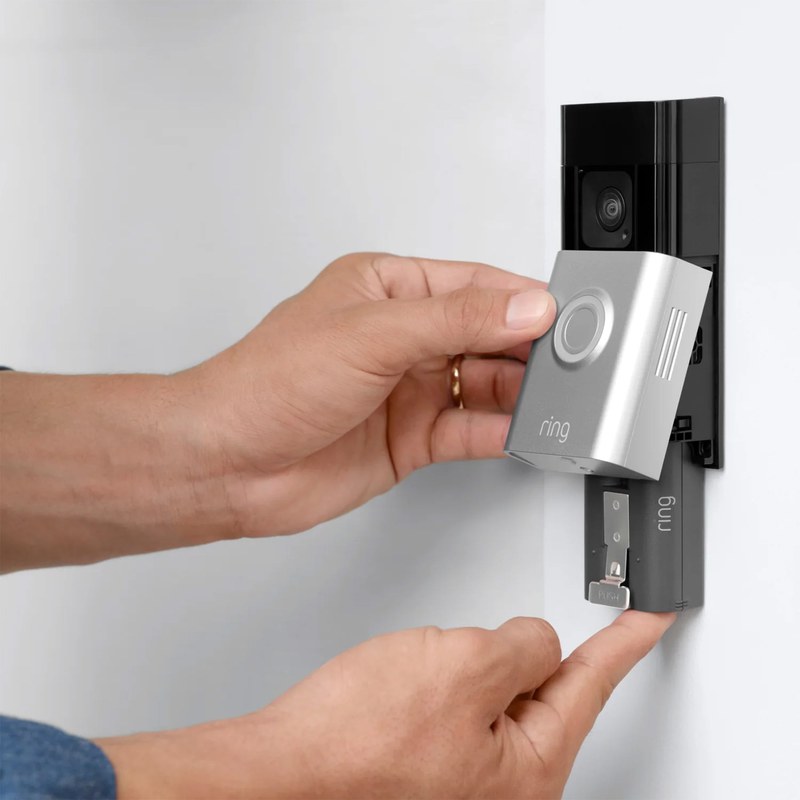
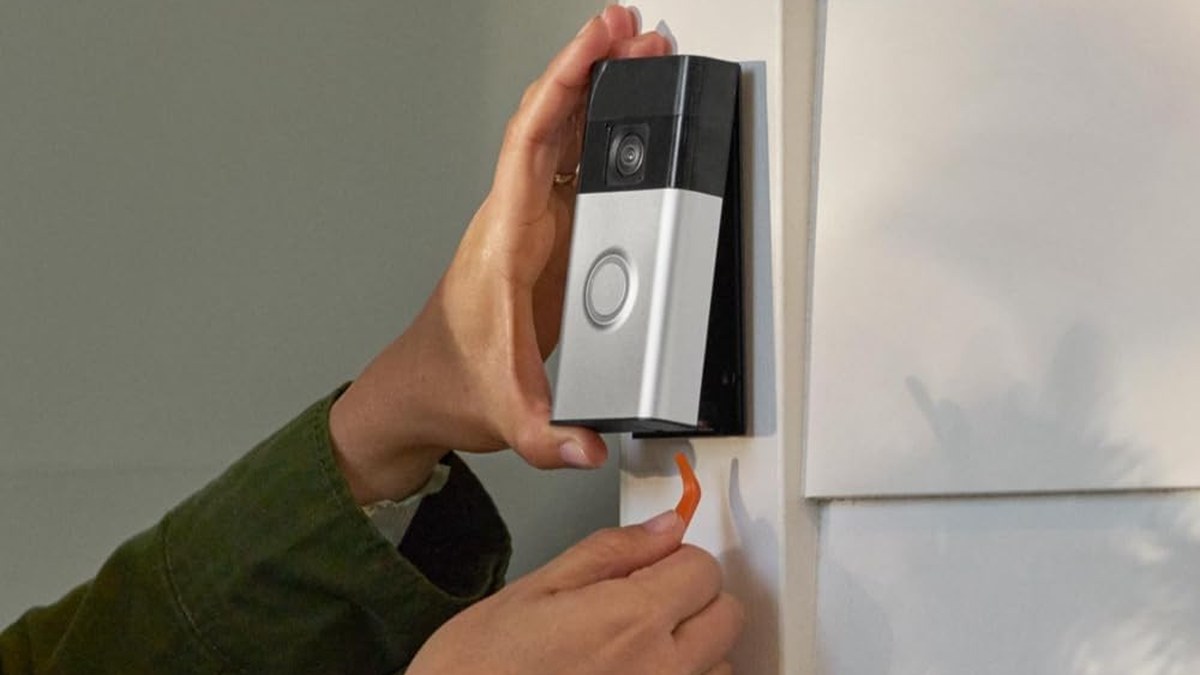
Doorbell and chime placement are shown in a typical home installation.
Both options are easy compared with wiring a traditional doorbell, but they solve different placement problems. The Chime is about sound coverage. Alexa is about smart-home reach. Your best choice depends on where people spend time and where they are likely to miss a phone alert.
Chime Placement for Coverage, Volume, and Convenience
The Chime works best when placed in a spot that people hear often. A kitchen outlet, hall outlet, or living room outlet usually makes sense.
Volume matters too. If the Chime is too far away, it becomes easy to miss. If it is too loud in a bedroom, it can become annoying.
Because it is plug-in hardware, the Chime is usually simple to move. That makes it useful for households that change room use often.
Alexa Device Placement for Whole-Home Alerting
Alexa devices are more flexible for whole-home alerting. You can place Echo speakers in several rooms and let the system speak where people are most likely to hear it.
This can help in homes with kids, caregivers, or people who work from different rooms. It can also help if the front door is hard to hear from the back of the house.
The downside is that Alexa alerts may feel less focused than a dedicated chime. Some people like the voice announcement. Others find it too chatty for daily use.
Renter vs. Homeowner Constraints for Wiring, Mounting, and Mobility
Renters usually want the least invasive setup. A battery doorbell, a plug-in Chime, and an Echo speaker can often meet that need without structural changes.
Homeowners may have more freedom to add wiring, extra accessories, or multiple alert points. Even then, it helps to follow the exact manual and avoid guessing about wiring or transformer limits.
Privacy, Cybersecurity, and Household Access
Alert choice affects privacy more than many buyers expect. Alexa adds another voice device to the home. The Chime is simpler, but it still depends on app access and account control.
App Permissions, Shared Users, and Account Recovery
Ring and Alexa both rely on account access. That means you should review shared users, recovery email addresses, and who can change settings.
This matters in families, shared homes, and rentals. If someone leaves the household, remove their access. If a device is lost, account recovery should be ready before you need it.
A good rule is to give each adult their own login where the platform allows it. Shared passwords make it harder to know who changed what.
Microphone Exposure, Voice Assistants, and Privacy Zones
Alexa devices include microphones by design. That is normal for voice control, but it may not suit every home.
If you prefer fewer always-listening devices, the Ring Chime may feel simpler. It does not add a voice assistant to the room.
For video doorbells, also check privacy settings in the Ring app. Features like motion zones and privacy zones can help limit what the camera sees. For broader privacy concerns around Ring devices, see someone watching your Ring camera for a practical look at account and access risks.
Neighbor Privacy, Audio Capture, and Notification Overload
Doorbell alerts can create noise issues in apartments or close-set homes. A loud Chime may bother neighbors if it is near shared walls.
Alexa can be quieter if you set volume carefully, but it can also create more spoken alerts than you want. Too many notifications can train people to ignore them.
Good placement and sensible alert settings matter as much as the device itself.
Storage, Subscriptions, and Ownership Costs
The alert method is only part of the cost picture. You also need to think about video history, cloud storage, device replacement, and whether your home already has Alexa hardware.
What You Get Without a Ring Protect Plan
Without a plan, you may still get live alerts and basic app use, but feature limits can apply. The exact limits vary by product and current plan terms.
That means the Chime or Alexa can still help you hear the doorbell. But they do not replace the need to check current Ring plan details if you want video history or extended event access.
Cloud Video History, Event Retention, and Subscription Tradeoffs
Video doorbells often depend on cloud services for event history. Cloud storage usually means you can review clips later, but it also means you depend on the internet and the vendor’s account system.
Local storage, when available on some systems, works differently. It can reduce subscription needs, but it may require extra hardware and careful backup habits.
If you are comparing storage approaches across doorbell ecosystems, our Ring Battery Doorbell alternatives article can help you compare the broader ownership tradeoffs.
Local Storage
May reduce monthly fees.
Can keep clips closer to the home network.
May need extra hardware or backup planning.
Cloud Storage
Usually easier to access from anywhere.
Depends on internet and account access.
May require an ongoing subscription.
Long-Term Cost Comparison: Chime Hardware vs. Alexa Ecosystem Dependence
The Ring Chime is usually a one-time accessory cost, though pricing changes by retailer and time. Alexa may seem free if you already own Echo devices, but it depends on the wider smart-home ecosystem.
If you need to buy Echo devices just for doorbell alerts, the cost can rise quickly. If you already use Alexa for other tasks, the doorbell alert feature may be a low-friction add-on.
Think about the full household, not just the front door. A cheaper accessory can be the better value if it does one job well.
Performance Limits: Power, Wi-Fi, Weather, and Reliability
Neither alert method is perfect. Power, Wi-Fi, weather, and device placement can all affect whether you hear the doorbell on time.
Battery Life Impact from Alert Frequency and Motion Settings
Battery doorbells use more power when they send more events. Frequent motion alerts, live view use, and repeated doorbell presses can all reduce battery life.
That means alert settings matter. If you trigger too many motion events, the battery may need charging more often.
Chime and Alexa alerts do not directly drain the battery the same way, but the overall event load can still affect how often the doorbell wakes and sends data.
Wi-Fi Band Stability, Range, and Interference
Reliable alerts depend on a stable connection. If the doorbell sits near the edge of Wi-Fi range, delays can happen.
Interference from walls, metal doors, mesh handoffs, or router placement can also affect performance. A stronger signal usually helps more than changing alert methods.
Audio Clarity, Night Visibility, and Missed-Alert Scenarios
Chime audio is usually easy to understand, but it can blend into background noise if volume is low. Alexa announcements can be clearer in some rooms because they are spoken, but they may be missed if the speaker volume is too low.
Night conditions also matter. If the home is quiet at night, a loud Chime may wake people. If the home is noisy during the day, Alexa may stand out more.
Missed alerts usually come from placement, volume, Wi-Fi, or user settings, not from the concept itself.
Maintenance, Troubleshooting, and Best Next Steps
Good alert performance is mostly about upkeep. Check settings, update firmware, and test the system after any router or app change.
Common Problems: Delayed Alerts, Silent Chimes, and Alexa Misfires
Start with safe checks. Confirm the doorbell is online, the Chime is plugged in, and Alexa announcements are enabled in the correct account.
If alerts are delayed, check Wi-Fi strength and app permissions. If the Chime is silent, verify volume, device pairing, and whether the accessory is assigned to the right doorbell.
If Alexa misfires, review routines, shared accounts, and device groups. A simple settings conflict is often the cause.
Routine Maintenance: Charging, Updates, and Device Health Checks
Battery doorbells need charging on a regular schedule. The interval depends on use, motion settings, and home traffic.
Also check app updates, firmware updates, and router health. These small tasks can prevent many alert problems before they start.
It helps to test the doorbell from time to time. Press it, listen for the Chime, and confirm Alexa announcements still work.
1
Confirm requirements
Verify the exact Ring model, Alexa device, Wi-Fi band, and account link before setup.
2
Plan safe placement
Choose a spot that fits the home layout, sound needs, privacy goals, and renter rules.
3
Install and secure
Use the manual, update firmware, set a unique password, and enable MFA.
4
Test and maintain
Check alerts, volume, battery health, users, and outage behavior after setup.
How to Choose Based on Household Size, Budget, and Smart Home Setup
Choose the Ring Chime if you want a simple, dedicated sound alert with little setup. It is often the cleanest choice for renters, smaller homes, or people who want fewer voice devices.
Choose Alexa if you already use Echo devices and want alerts across several rooms. It fits best in smart homes where voice announcements and routines are already part of daily life.
If you want the safest practical path, start with the simplest option that covers your whole home. Then add the other method only if you still miss alerts.
Final Takeaway
For most homes, the Ring Chime is the simpler and more predictable alert option, while Alexa is better for households that already rely on Echo devices. The main limitation is that both still depend on Wi-Fi, account setup, and the exact model’s current support, so verify your device details before you buy or install.
No. The Ring app can send phone alerts without a Chime. A Chime just adds a dedicated sound inside the home.
Yes, if your Ring and Alexa accounts are linked and the feature is supported for your exact devices. Check the current app settings and device compatibility first.
Many renters prefer the Ring Chime because it is simple and usually does not require drilling. Alexa can still work well if the apartment already has Echo devices.
Alerts may be delayed or unavailable until the network comes back. Battery doorbells, Chimes, and Alexa all depend on a working home connection for full functionality.
Basic alert behavior may work without a plan, but video history and some advanced features often depend on the current Ring plan. Verify the exact feature list for your model and region.
Use a unique password, enable MFA, review shared users, and keep firmware updated. Also check motion zones, privacy settings, and third-party integrations in the app.
Hi, I'm Marcus Sterling, a smart home security expert with over 5 years
of hands-on experience testing and reviewing hundreds of security cameras, smart locks, and alarm systems. My mission is to make smart home security accessible, affordable, and easy to understand—and every review I publish is 100% independent, unbiased, and honest. I don't accept payments for positive reviews, just practical advice to help you secure your home with confidence.
Quick Security Answer Ring battery doorbells usually last from weeks to months per charge, depending on motion activity, settings, weather, and Wi-Fi. The best way to stretch runtime is to reduce unnecessary wakeups and keep the device well placed and well connected. how long do ring battery doorbells last depends on how often they wake…
Choosing between eufy, Ring, Arlo, and Nest depends on your budget, privacy needs, and smart home setup. Each brand offers useful cameras and doorbells, but they differ in video quality, storage, subscriptions, and security features. We recommend eufy for lower long-term costs, Ring for broad home security options, Arlo for strong video quality, and Nest…
Quick Security Answer Install the doorbell by charging the battery, choosing a clear and private mounting spot, securing the bracket, and finishing setup in the Ring app. The most important checks are Wi-Fi strength, permission to drill, and any model-specific wiring or chime requirements. Learning how to install ring battery doorbell is mostly about safe…
Installing the eufy Video Doorbell E340 takes only a few basic steps, whether we use its rechargeable battery or existing doorbell wiring. We can mount it near the entryway, connect it to the eufy Security app, and adjust its settings for reliable alerts. We can install the E340 with battery power or 16–24 VAC wiring,…
Outdoor security cameras help us monitor entrances, yards, and other areas around a home. Solar panels can make these cameras easier to place because they use sunlight to help maintain the battery, reducing the need for frequent charging. The Blink Outdoor 4 Solar Panel is designed for the fourth-generation Blink Outdoor camera. It can support…
Quick Security Answer Ring Battery Doorbell Plus installation is usually a manageable DIY project if your Wi-Fi is strong and the mounting spot is clear. Renters should check lease rules first, and anyone with uncertain wiring should stop and follow the manual or hire help. ring battery doorbell plus installation is usually a straightforward DIY…