How to Set Up Eufy Video Doorbell E340 in the App
Setting up the eufy Video Doorbell E340 gives us a clear view of our entryway and phone alerts when someone arrives. We can install it with battery power or connect it to compatible existing doorbell wiring.
We can complete the setup by charging the battery, choosing a suitable mounting spot, installing the hardware, and connecting the doorbell through the eufy Security app. The app also guides us through motion detection, recording, notifications, and other security settings.
We will cover the tools and power requirements, mounting steps, app connection, testing, and basic maintenance so our doorbell works reliably.
Key Takeaways
- We can use battery power or compatible wired power.
- The eufy Security app handles device setup and alerts.
- Testing and regular charging help maintain reliable operation.
What You Need Before Installation
We need the correct doorbell parts, a suitable power source, and a stable network connection before we begin. We should also prepare basic hand tools and confirm that the installation location has usable Wi-Fi.
Package Contents
Check the box before mounting anything. The Eufy Video Doorbell E340 package normally includes:
- Video Doorbell E340
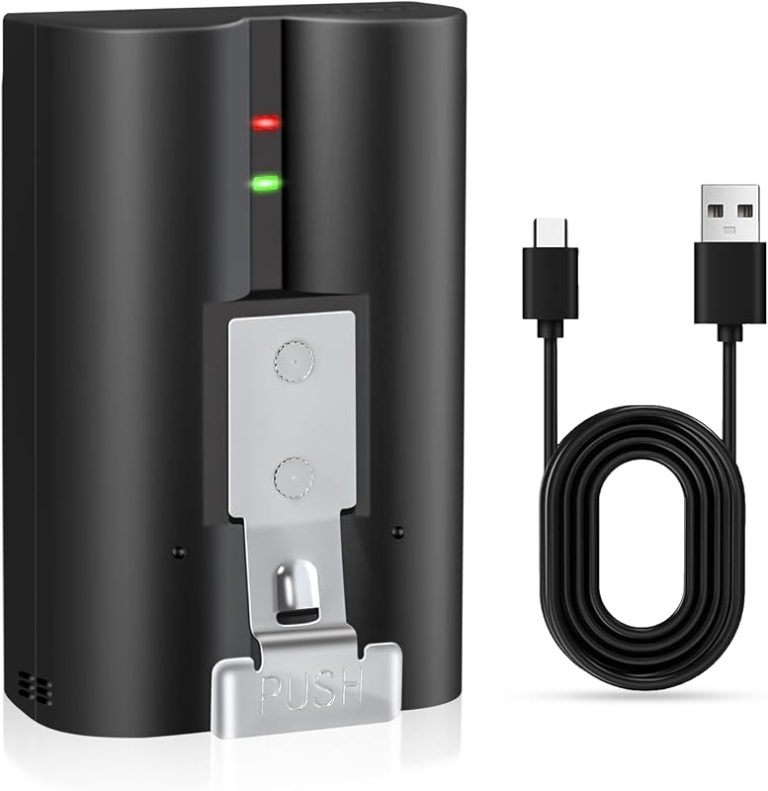
- Rechargeable battery pack
- Mounting bracket
- Screw pack and wall anchors
- 15-degree mounting wedge
- USB charging cable
- Wire connectors or terminal hardware for wired installation
- Quick-start documentation
The exact contents can vary by region or package version. We should compare the parts with the included manual and contact Eufy if anything important is missing.
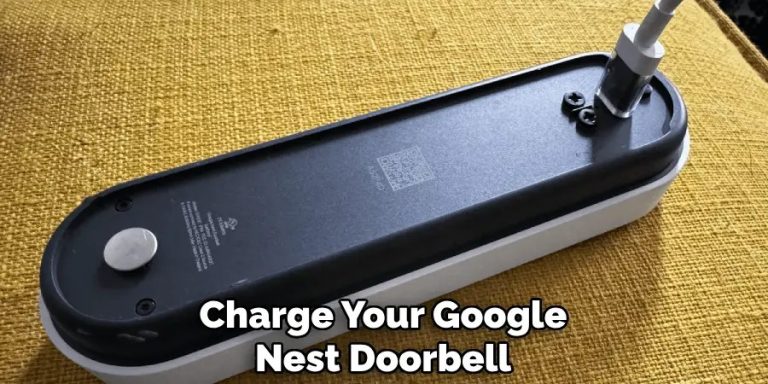
Charge the battery fully before a battery-powered installation. If we plan to use existing doorbell wiring, we should still charge the battery first because the app setup and testing may require the doorbell to operate before we connect it.
Compatible Doorbell Wiring And Power Options
The E340 supports battery power and wired power. Battery mode works when no doorbell wires exist at the installation point. We can place the doorbell where needed, but we must remove and recharge the battery when its charge becomes low.
Wired mode uses existing, working doorbell wires to provide continuous power. Before connecting them, we must switch off the circuit breaker that supplies the doorbell and confirm that the wires carry no power. We should not connect the E340 to an unknown or unsuitable power source.
Check the doorbell transformer rating in the E340 manual before installation. If the existing chime or transformer does not meet Eufy’s requirements, we may need a compatible replacement or battery mode. The included wedge can angle the camera toward the entry path when the mounting surface does not face the visitor directly.
Required Tools And Network Requirements
We should prepare a Phillips screwdriver, drill, drill bits suitable for the wall surface, pencil, tape measure, and a level. Wall anchors help secure the bracket in masonry, brick, or drywall. We should use the supplied screws and anchors when they fit the mounting surface.
For a wired setup, we also need a non-contact voltage tester and insulated tools. We should turn off the breaker before touching the doorbell wires, then verify that the wires have no voltage.
Install the eufy Security app on a compatible phone and create or sign in to our Eufy account. The doorbell needs a reliable 2.4 GHz or 5 GHz Wi-Fi connection, depending on Eufy’s current specifications for the model. We should know our Wi-Fi password and test the signal at the mounting location before securing the doorbell.
Choose The Best Mounting Location
We should select a spot with a strong Wi-Fi connection, a clear view of visitors and packages, and protection from direct rain. The mounting height and angle also affect motion detection, image quality, and access to the removable battery.
Assess Wi-Fi Signal Strength
We should test the Wi-Fi signal at the planned mounting spot before drilling holes. Stand near the door with a phone and check whether the home network loads pages or streams video without delays. A weak signal can cause slow alerts, dropped live views, or delayed recordings.
The E340 needs a reliable connection to communicate with the eufy Security app. If the signal is weak, move the router closer, reposition an existing mesh node, or consider a compatible Wi-Fi extender. Keep the doorbell away from large metal objects, thick concrete, and enclosed areas that can block wireless signals.
If we plan to use the doorbell with existing wiring, we should also confirm that the wire reaches the chosen position without tension. Turn off power at the circuit breaker before handling doorbell wiring.
Set The Camera Viewing Angle
We should choose a position that shows both a visitor’s face and the area directly below the doorbell. The E340 includes a front-facing view and a downward-facing view, so we should avoid placing it where a wall, porch roof, or decoration blocks either camera.
Use the included 15-degree mounting wedge when the door is set back, the wall faces an angle, or we need to adjust the view toward the walkway. Hold the doorbell and bracket in place temporarily, then check the live image in the eufy Security app.
The view should include the approach to the door without pointing mainly at the sky, a bright lamp, or a reflective surface. We should also keep nearby plants and moving objects out of the main detection area to reduce unwanted alerts.
Consider Height And Weather Exposure
We should mount the E340 where visitors appear clearly in the frame while keeping the controls and battery accessible. A position around 4 to 5 feet above the ground often provides a useful view, but we should adjust it for the height of the porch and the expected camera angle.
Choose a firm, flat surface that can support the mounting bracket. The doorbell should not rest against a storm door, swing path, railing, or other object that could block the camera or cause damage.
Place the unit under an overhang when possible. This helps limit direct rain and strong sunlight, which can reduce image clarity and expose the device to harsh weather. We should leave enough space to remove and recharge the battery pack without taking down the bracket.
Install The Doorbell Hardware
We can install the E340 with its rechargeable battery or connect it to existing doorbell wiring. We should choose the power method first, shut off electrical power before handling wires, and place the bracket on a solid, suitable surface.
Turn Off Power At The Breaker
If we are using existing doorbell wires, we first find the circuit breaker that powers the doorbell transformer. We switch it off, then press the existing doorbell button to confirm that it no longer operates. We should not rely only on the indoor chime being silent.
We use a non-contact voltage tester on the doorbell wires before touching them. Low-voltage doorbell wiring can still cause problems if another circuit or transformer feeds it. If we cannot identify the correct breaker or confirm that the wires are safe, we should ask a qualified electrician for help.
Battery-only installation does not require us to handle doorbell wires. However, we should leave unused wires safely capped and tucked into the wall box.
Attach The Mounting Bracket
We hold the mounting bracket against the wall and mark the two screw holes. The bracket should sit level and leave enough space for the E340 to slide onto it. We check that the camera will face the approach to the door without being blocked by a wall, trim, or nearby object.
We use the included 15-degree wedge when the doorbell needs to angle toward a walkway. The wedge can improve the view when the door sits close to a side wall. We mark the holes through the wedge and bracket, then drill pilot holes if the surface requires them.
For wood or a solid surface, we use suitable screws. For brick, concrete, or masonry, we use the supplied wall anchors and drill bit size listed in the Eufy instructions. We tighten the screws until the bracket sits firmly, but we avoid overtightening and damaging the wall or bracket.
Connect Existing Doorbell Wires
After confirming that the power is off, we loosen the two terminal screws on the rear of the E340. We place one doorbell wire under each terminal and tighten the screws securely. The two wires do not normally require a specific positive or negative order.
We make sure no loose copper strands touch the other terminal or the mounting bracket. If the existing wires are short, we gently pull out more slack without forcing them. We should not connect the E340 directly to household mains power.
The E340 must receive power within its supported doorbell voltage range. If our system uses an unusual transformer, a digital chime adapter, or an uncertain voltage, we check the Eufy specifications before connecting it. We keep the battery installed only as directed by Eufy for our chosen setup.
Secure The Video Doorbell E340
We route the connected wires into the wall space, or place the charged battery in the E340 when using battery power. We then align the doorbell with the mounting bracket and slide it into place until it locks securely.
We pull lightly on the unit to confirm that it will not lift away from the bracket. The doorbell should sit flat, with no pinched wires behind it. We also check that the lens, motion sensor, and doorbell button remain clear.
If the bracket includes a release hole or security screw, we use it as directed in the Eufy instructions. For a wired setup, we restore power at the breaker and watch for the doorbell to start. We then continue setup in the Eufy Security app and confirm that the live video, button, and motion alerts work.
Connect The Device In The eufy Security App
We use the eufy Security app to create an account, add the E340, connect it to Wi-Fi, and install available firmware updates. Before pairing, we keep the doorbell nearby, charge its battery if needed, and connect our phone to the Wi-Fi network we want the doorbell to use.
Create Or Sign In To Your Account
We download and install the eufy Security app from the Apple App Store or Google Play. We open the app and either create a new eufy account or sign in to an existing one.
When creating an account, we enter the requested details and verify the account if eufy sends a confirmation message. We allow the app to use the permissions it needs for setup, such as access to the local network, Bluetooth, and notifications.
We also select the correct region when the app requests it. The region should match our location because it can affect account access, device setup, and available services.
Add The Doorbell To Your Home
We open the app and select Add Device from the device screen. We choose Doorbell, then select the Video Doorbell E340 if the app displays a model list.
The app may ask us to scan the QR code on the back of the doorbell. If scanning does not work, we can enter the code manually. We keep the phone close to the doorbell and follow each on-screen instruction.
If we use a HomeBase 2 or S380 HomeBase, we add or select the HomeBase as directed by the app. The E340 can store video clips on compatible HomeBase storage, which we purchase separately if needed.
Pair With Wi-Fi And Complete Firmware Updates
We select our home Wi-Fi network and enter its password when prompted. We use the network supported by the E340 and keep the phone, doorbell, and router close together during pairing.
The app displays the connection progress and confirms when the doorbell joins the network. If pairing fails, we check the password, move closer to the router, and repeat the setup process. We avoid closing the app or disconnecting power during pairing.
After the connection succeeds, the app may check for a firmware update. We install the update and keep the doorbell powered on with a stable Wi-Fi connection until the process finishes. We then give the doorbell a name and test live view, motion alerts, and the doorbell button.
Configure Security And Recording Settings
We adjust motion areas to reduce unwanted alerts, test both cameras for complete coverage, and choose notification and storage settings that match our needs. We should confirm each change in the eufy Security app and test the doorbell afterward.
Set Motion Detection Zones
Open the eufy Security app, select the E340, and open its motion or detection settings. We can define the parts of the camera view that should trigger alerts. Exclude roads, sidewalks, trees, and other areas that create frequent movement if they do not matter to us.
We should include the walkway, porch, entry path, and the area directly in front of the door. Keep the zone large enough to capture a person approaching, but avoid pointing it at nearby homes or public areas when possible.
Set the detection type and sensitivity based on our location. Higher sensitivity may catch more activity but can create more alerts. After saving the zone, walk through the monitored area and check whether the app records the movement correctly.
Enable Dual-Camera Features
The E340 uses a front camera and a package-facing camera. In the device settings, we can review options for using both views and confirm that each camera shows the area we need to monitor.
Adjust the camera angle during live view before we finish mounting the doorbell. The main view should cover faces and the entry area, while the second view should cover packages or the lower area near the door. We should check the image in daylight and at night.
Use live view to test the coverage from several approach points. If a camera shows too much sky, wall, or empty ground, adjust the mounting position or angle and test again.
Choose Notification And Storage Preferences
Open the E340’s notification settings and select the alerts we want to receive. We can usually choose which activity types matter, such as people or general motion, and adjust alert behavior through the app. If alerts arrive too often, narrow the detection zones or lower the types of activity selected.
Choose where recordings should remain available. The E340 can store clips in its built-in storage, and compatible HomeBase devices may provide additional local storage. We should review storage capacity and recording options in the app before relying on them.
Use the app’s notification controls to set alert sounds, previews, and schedules where available. We should also check that phone permissions allow eufy Security to send notifications. After saving the settings, trigger a test motion event and confirm that the alert and recording work as expected.
Test Operation And Maintain The System
We should confirm the camera view, audio, alerts, and chime before relying on the doorbell. Regular cleaning and connection checks help keep the E340 working correctly.
Verify Live View And Two-Way Audio
Open the eufy Security app and select the E340. Check the live view from several positions near the doorway. Make sure the camera shows the area we want to monitor and that the image does not include too much of a wall or another obstruction.
Tap the microphone or talk button to test two-way audio. Speak through the app while standing near the doorbell, then listen for clear sound from the doorbell speaker. Ask someone to speak near the doorbell so we can check the microphone. Move the phone farther away if we hear echo or feedback.
Test the live view during both daylight and low-light conditions. If the image looks blocked, adjust the mounting position before finishing setup.
Test Chime And Doorbell Press Alerts
Press the physical button on the E340 once. Confirm that the doorbell plays its selected sound and that the eufy Security app sends a doorbell-press notification. Open the notification to verify that it leads to the correct device and event.
If we use an indoor chime, confirm that it rings at a suitable volume. For an existing mechanical chime, check that the included chime controller module connects correctly and that the transformer supplies 16–24 VAC, as required by the setup instructions.
Test the doorbell from outside while another person checks the chime and phone. If alerts do not appear, review the app’s notification permissions, Wi-Fi connection, and device settings. We should also check whether the doorbell has enough battery power.
Clean The Lenses And Check Connections
Turn off or pause the doorbell before cleaning it. Wipe both camera lenses with a soft, dry microfiber cloth. Do not use abrasive cleaners, paper towels, or sprays directly on the lenses. Remove fingerprints, dust, and water spots that could reduce image clarity.
Inspect the mounting bracket and confirm that the doorbell clicks fully into place. If we installed a wired connection, check that the wires remain firmly secured and that no bare wire touches another terminal. Turn off power at the circuit breaker before touching wired connections.
Check the doorbell’s battery level in the app and inspect the mounting area after heavy rain or cold weather. Keep the lenses clear and make connection checks part of routine maintenance.
Frequently asked questions
Can we use the E340 without existing doorbell wiring?
Yes. We can install it in battery mode with the included rechargeable battery. This option gives us more freedom to choose the mounting location, but we must recharge the battery when its level drops.
Can we connect it to existing doorbell wires?
Yes, if the wiring meets eufy’s power requirements. We should turn off power at the circuit breaker before connecting any wires and follow the E340 manual for the correct terminals.
Do we need a HomeBase?
The E340 can connect through the eufy Security app. We should check the product instructions for supported storage and network options because features may vary by setup.
How do we set up the doorbell in the app?
We first charge and insert the battery, or connect the wiring. Then we open the eufy Security app, add the Video Doorbell E340, and follow the on-screen pairing steps.
Where should we mount the doorbell?
We should choose a position that gives the camera a clear view of visitors and packages. If the wall or doorway angle needs adjustment, we can use the included 15-degree mounting wedge.
What should we do if the doorbell will not power on?
We should confirm that the battery has a charge or that the circuit breaker is on. For a wired setup, we should also check the connections and consult the manual before restoring power.
Conclusion
We can now use the eufy Video Doorbell E340 to monitor the entrance, speak with visitors, and receive motion alerts through the eufy Security app. The doorbell supports battery-powered or wired installation, so we can choose the option that suits our home.
Before finishing, we should confirm that the doorbell has a stable connection, the camera shows the correct view, and motion alerts work as expected. If we use existing wiring, we should turn off power at the breaker before connecting the wires.
Regular checks help keep the system reliable. We should recharge the battery when needed, clean the camera lenses, and install firmware updates through the app. Video storage may use the doorbell’s built-in storage or a compatible eufy HomeBase, depending on our setup.


One Comment