Ring video doorbell recording usually saves motion or press events for later review, but the exact clip history depends on power, Wi-Fi, and plan settings. Homeowners and renters should verify placement, privacy zones, and subscription details before relying on it.
Ring video doorbell recording helps homeowners and renters save short video clips of front-door activity for later review. It can also support live viewing, motion alerts, and two-way talk. Those features do different jobs.
What Ring Video Doorbell Recording Actually Means for Homeowners in 2026
Recording means the doorbell captures video, and sometimes audio, when it detects motion or a press. The clip is then saved for later viewing. You usually see it in the app or cloud account tied to the device.
For many households, that means you can check who came by. You can also review package activity or confirm a delivery time. The exact save behavior depends on the model, settings, power source, and plan.
Quick answer: when the doorbell records, what gets saved, and what you can view later
When Ring records, it usually saves an event clip, not a continuous stream. That clip may include the motion trigger, the person at the door, and the end of the event if the settings allow it.
You can usually view recent events in the app. You can also share clips with household members and review alerts later. If storage or subscription features are limited, the clip history may be shorter or unavailable.
How recording differs from live view, motion alerts, and two-way talk
Live view is a real-time stream. Motion alerts are notifications that tell you something happened. Two-way talk lets you speak through the doorbell. Recording is the part that saves the event for later.
These features often work together, but they are not the same. A homeowner may get an alert without a saved clip. They may also open live view after the event already ended.
How Ring Video Doorbell Recording Works: Power, Wi‑Fi, and Storage Basics
Ring recording relies on power, Wi‑Fi, and storage to save video clips.
Recording depends on three basics: enough power, a stable internet connection, and a storage method. If one of those weakens, clips can stop saving or arrive late.
That is why setup matters as much as the app. A good mount and solid Wi-Fi can improve recording reliability more than most settings changes.
Battery-powered vs. hardwired models and how power affects recording behavior
Battery-powered models are easier to place, but they depend on charge level. If the battery runs low, the doorbell may miss events, delay alerts, or reduce some features.
Hardwired models can keep power more consistent. But the home’s transformer and wiring must match the model’s needs. If you are unsure, check the exact manual before wiring anything.
Wi‑Fi requirements, 2.4 GHz vs. 5 GHz support, and why signal strength matters
Doorbells need steady Wi-Fi to upload clips and send alerts. Weak signal can cause missed recordings, slow loading, or failed live view sessions.
Some models support 2.4 GHz, some support 5 GHz, and some support both. The best band depends on distance, walls, interference, and the exact model. If you need a broader setup view, see our Ring battery doorbell guide for related setup context.
Cloud storage, event clips, and the role of a Ring subscription plan
Many video doorbells rely on cloud storage for saved clips. In plain terms, that means the recording is stored on the provider’s servers instead of only on the device.
Ring plan details can change, so verify the current plan page before buying. For a deeper cost-focused breakdown, DecatHome also covers the Ring battery doorbell subscription guide.
Local Storage
Store clips on a device or hub you control.
May reduce ongoing cloud cost.
Can still be lost if the hardware is stolen or damaged.
Cloud Storage
Stores clips online for remote access.
Often depends on an active plan and internet.
Provider retention and access rules can change.
Where to Install the Doorbell for Reliable Recording and Better Coverage
Placement shapes what the camera sees and what it misses. A doorbell can only record the area inside its field of view, so the mount position matters a lot.
Before drilling, think about the door swing, steps, package drop zone, and nearby public space. A few inches can change the whole view.
Ideal mounting height, angle, and field of view for front-door activity
A doorbell should usually face the approach path, not just the door frame. The goal is to capture faces, hands, packages, and movement at the entrance.
If the camera points too high, it may miss deliveries. If it points too low, it may only show feet and the doormat.
Entry layouts, porches, steps, and package-drop zones that change what gets captured
Deep porches, narrow stoops, and side-entry doors all change the best angle. Package theft risk often depends on whether the box sits in view long enough to record.
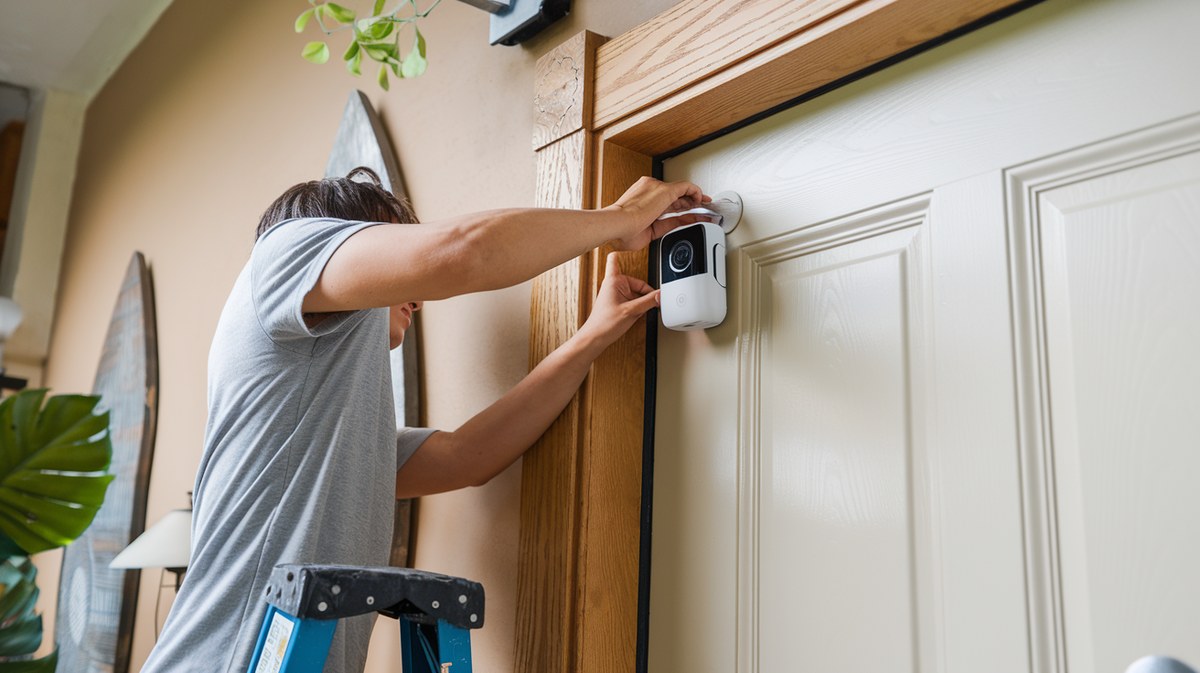
For homes with awkward layouts, a no-drill mount or wedge kit may help improve the angle. If that fits your setup, this no-drill mount guide can help you think through placement options.
Lighting, weather exposure, and night performance considerations
Good lighting helps the camera identify people sooner and can improve clip clarity. Strong backlight, glare, rain, and snow can all reduce what recording captures.
Night performance also depends on the model and the porch layout. A dark entry with reflective glass or a deep shadow can make recordings less useful.
Recording Settings Homeowners Should Configure First<
Recording settings homeowners should review before using a video doorbell.
The best settings reduce noise and keep useful events. Start with motion zones, privacy zones, and alert tuning before you fine-tune anything else.
That approach helps prevent alert fatigue and keeps the app easier to trust day to day.
Motion zones, privacy zones, and reducing unwanted street or neighbor capture
Motion zones tell the camera where to watch. Privacy zones block parts of the image from recording, such as a neighbor’s window or a public sidewalk edge.
These tools help you capture the front door without over-recording. They are especially useful in townhomes, apartments, and close-set neighborhoods.
Motion sensitivity, recording length, and alert tuning
Motion sensitivity controls how easily the camera starts recording. Too high, and you may get many false alerts. Too low, and you may miss a visitor.
Recording length and alert delay can also affect usefulness. A short clip may miss the full event, while a long one may fill your feed with extra movement.
Audio capture, shared users, and notification controls
Audio can help explain what happened at the door, but it also raises privacy concerns. Check local rules and household preferences before leaving audio on by default.
Shared users should only include people who truly need access. Review notification settings too, so the right people get alerts without creating constant noise.
Subscription, Storage, and Ownership Cost: What’s Included and What Isn’t
The real cost of recording is not just the sticker price. It also includes storage, accessories, possible installation help, and any subscription needed for clip history.
Before you buy, check what the doorbell can do without a plan. That avoids surprises after setup.
Local access vs. cloud retention and how long clips may remain available
Local access means you can view recordings on your own hardware or near the device. Cloud retention means the company stores clips for you online.
Retention length varies by model and plan. If that detail matters to you, verify it on the current plan page before purchase.
Subscription costs, device limits, and what happens without a plan
Some features may stay active without a subscription, but clip history and advanced review tools may not. The exact split depends on the model and current service terms.
If you want to compare plan behavior at a glance, our Ring battery doorbell price guide and subscription coverage can help you think through total ownership cost.
Without a Plan$0
May still send alerts and support live view on some setups.
Often limits saved event history.
Exact features vary by model and account.
Monthly PlanVerify current price
Often adds cloud clip storage and review tools.
May include device and household account limits.
Check current retention terms before subscribing.
Annual PlanVerify current price
May lower monthly cost compared with month-to-month billing.
Check renewal and cancellation terms.
Verify whether features match the monthly plan.
Long-term cost factors for homeowners and renters
Homeowners may need accessories, extra chimes, or professional wiring help. Renters may need removable mounts, landlord approval, or a plan that works with temporary placement.
Replacement batteries, mounting hardware, and internet service also affect long-term cost. Those small items add up over time.
Privacy and Cybersecurity Best Practices for Doorbell Recording
Recording is only useful if the account stays secure and the household understands access. A doorbell camera is a connected device, so basic account hygiene matters.
Most problems are preventable with a few simple checks.
Account security: strong passwords, MFA, and recovery settings
Use a unique password for the doorbell account. Turn on multifactor authentication, or MFA, if the service offers it.
Also check recovery email and phone settings. If you lose access, those details may be the fastest way back in.
App permissions, shared access, and household user management
Give app access only to people who need it. Remove old users when someone moves out or no longer needs access.
Review linked devices and integrations too. A forgotten smart display or shared login can widen access more than expected.
Neighbor privacy, visible signage, and minimizing over-recording
Try to record your entryway, not the street. Privacy zones and careful angle choice can help protect nearby homes and public areas.
In some neighborhoods, a simple visible notice can also help set expectations. It does not replace local law, but it can reduce confusion.
Installation and Compatibility: Homeowner, Renter, and Smart Home Constraints
Compatibility is about more than the app. It includes power, chime support, mounting rules, and whether the home setup fits the model.
That is why the exact product manual matters more than general advice.
Wired doorbell compatibility, transformer checks, and chime support
Wired models may need a specific transformer range and chime type. Some homes use mechanical chimes, while others use digital ones.
If the wiring is uncertain, stop and check the manual or hire a qualified installer. Low-voltage work can still be risky if the system is old or modified.
Rental-friendly installation options and lease considerations
Renters should check the lease before drilling or replacing a wired doorbell. Some landlords allow removable mounts, while others require approval for any exterior change.
If you need a reversible setup, look for non-permanent mounting options and keep the original hardware in a safe place.
Integration with hubs, smart displays, and voice assistants
Some households want alerts on a smart display or voice assistant. That can be convenient, but it also adds another layer of account and privacy management.
Before linking services, verify the exact compatibility for the model and the current firmware. For a related comparison, see Ring battery doorbell chime vs Alexa.
Troubleshooting Recording Problems and Keeping the System Reliable
If clips are missing, start with the safest checks first. Most recording issues come from power, Wi-Fi, or motion settings.
Work from the simplest cause to the more technical one.
Why clips may not save: Wi‑Fi drops, weak power, or motion settings
Weak Wi-Fi can stop uploads before a clip is saved. Low battery or unstable wiring can also interrupt recording.
If motion zones are too narrow or sensitivity is too low, the doorbell may not trigger at all. That is often mistaken for a storage problem.
Firmware updates, app refreshes, and connection resets
Keep the app and device firmware updated. Updates can fix recording bugs, improve stability, and close security gaps.
If the system still acts up, refresh the app, reboot the router, and reconnect the device carefully. Use the exact support steps for your model.
Routine maintenance for lenses, weather seals, batteries, and mounting hardware
Clean the lens gently so dirt does not blur recordings. Check weather seals and the mount after storms or temperature swings.
Battery users should also watch charge level and swap or recharge before it gets too low. Loose mounting hardware can shift the camera angle and change what gets recorded.
When Ring Video Doorbell Recording Is Enough—and When It Has Limits
Recording is useful for front-door awareness, but it is not complete coverage. Blind spots, side paths, and low light can all reduce what the camera sees.
Think of it as one layer of home security, not the whole system.
Common gaps: blind spots, package theft angles, and nighttime limitations
Packages can be stolen just outside the frame. A person can also approach from a side angle that never triggers the best view.
Night recordings may be usable, but they are not always clear enough to identify details. Porch lighting and placement help, but they do not solve every limitation.
How recording fits into broader home security planning
A doorbell camera works best with good locks, exterior lighting, and clear house rules about alerts. It can also pair well with other cameras when the entry layout is complex.
If you are comparing broader system options, our Ring battery doorbell alternatives page can help you think through different feature sets without changing your security goals.
Practical next steps for choosing settings, placement, and a subscription level
Start with placement, power, Wi-Fi, and motion zones. Then decide whether the clip history you need requires a subscription.
For most households, the best setup is the one that records the right area reliably, protects privacy, and stays easy to manage.
Final Takeaway
Ring video doorbell recording is most useful when the camera is placed well, powered correctly, and set up with smart motion and privacy controls. Verify the exact model requirements, then choose the storage and access setup that fits your home or rental.
Some basic features may work without a plan, but saved clip history often depends on current service terms. Verify the exact model and plan before you buy.
Power, Wi-Fi strength, motion settings, and account storage rules all matter. Weak signal or low battery can cause missed or delayed clips.
Often yes, but the lease and building rules matter. Removable mounts and non-permanent options may be better if drilling is not allowed.
Use motion zones, privacy zones, and careful camera angle. Aim the camera at your entry area instead of public space whenever possible.
Check Wi-Fi, battery or wiring, motion sensitivity, and app settings first. Then update firmware and review account access if the problem continues.
Use a unique password, enable MFA, and review shared users and app sessions. Remove old devices and integrations that no longer need access.
Hi, I'm Marcus Sterling, a smart home security expert with over 5 years
of hands-on experience testing and reviewing hundreds of security cameras, smart locks, and alarm systems. My mission is to make smart home security accessible, affordable, and easy to understand—and every review I publish is 100% independent, unbiased, and honest. I don't accept payments for positive reviews, just practical advice to help you secure your home with confidence.
Quick Security Answer Night vision can make a battery video doorbell far more useful after dark, but only if the porch angle, lighting, and Wi-Fi are solid. For homeowners and renters, the best setup is the one that fits the entryway and the house rules. ring battery doorbell pro night vision helps people get clearer…
View on Amazon Quick Security Answer Most motion sensor false alarms come from pets, temperature changes, poor placement, or low batteries. Fix the environment first, adjust sensitivity second, and replace the sensor only if problems continue. Smart Home Security Guide Motion sensor false alarm causes are easy to find once you know what to look…
A video doorbell can show us who is at the door, record activity outside, and send alerts to our phones. These devices can improve awareness around a home, but their usefulness depends on clear video, reliable motion detection, and an app that makes alerts easy to manage. The eufy Video Doorbell E340 is a battery-powered…
Compare wireless video doorbell with chime for home coverage, privacy, power, storage, subscriptions, and value. Read the guide before choosing a system.
Quick Security Answer Choose the alternative that matches your power source, Wi-Fi strength, and privacy needs. For many homes, the best fit is the model that installs cleanly and stores video the way you prefer. Ring battery doorbell alternatives matter when you want video at the front door without Ring’s battery setup, app rules, or…
Compare the 8 best wireless outdoor security cameras for home. Review power, storage, and subscription trade-offs, then check current prices on Amazon.