Ring cloud storage is the feature that saves doorbell events online so you can review them later. It is most useful if you want clip history, sharing, and remote access, but it usually adds an ongoing plan cost.
Ring video doorbell cloud storage is the part of Ring that saves motion clips and doorbell events online. It does not save them only on the device. For most buyers, the main question is simple: do you need extra history and sharing tools, or only alerts and live view?
What Ring Video Doorbell Cloud Storage Actually Is, and Whether You Need It
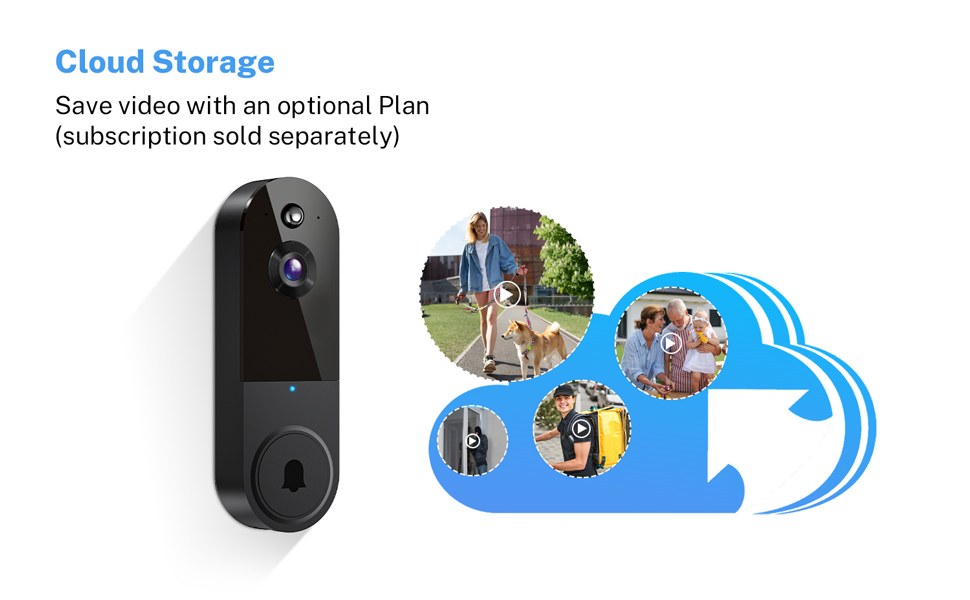
Cloud storage means your video clips are saved on Ring’s servers after an event. That gives you remote access, clip review, and easier sharing from the app. It also means you usually need an active plan for the full experience.
You may not need cloud storage if you only want live alerts and a basic view of the front door. But if you want to review missed events, save clips, or share footage with family, cloud storage matters much more.
How Ring Stores Video: Event Clips, Live View, and Cloud Retention Basics
Diagram showing how Ring saves event clips and Live View in the cloud.
Ring doorbells generally focus on event-based recording. That means the camera saves clips when motion or a doorbell press starts recording. It does not record nonstop. Live View is different because it lets you open the camera feed in real time.
Cloud retention is the time clips stay available in your account. That period can change by plan, region, or product policy. Buyers should verify the current plan page before they count on a specific storage window.
Local Storage
Video stays on hardware you control.
Access can work without a cloud plan.
Physical theft or damage can affect recordings.
Cloud Storage
Clips are saved in the account.
Remote access and sharing are easier.
Internet and subscription access may be required.
Which Ring Features Depend on a Subscription, and Which Still Work Without One
Some Ring features can work without cloud storage, but the useful parts are limited. Without a plan, you may still get alerts and live access, depending on the model and current app rules. With a plan, you usually get recorded history and more review tools.
Motion Alerts, Live View, and Two-Way Talk Without Cloud Storage
Motion alerts tell you that something happened. Live View lets you check the door in the moment. Two-way talk lets you speak through the app. That can help with visitors, delivery drivers, or family members.
These features are useful even if you do not keep video clips. Still, they do not replace recorded history. If you miss a notification, you may have no clip to review later.
Video History, Snapshot Capture, and Download Access With Cloud Storage
Cloud storage adds the ability to review past events. That matters when a motion alert arrives late or not at all. It also helps when you need to send a clip to a landlord, neighbor, or insurance contact.
Some Ring plans and features may also include snapshot-style updates or other history tools. Availability can vary. Check the exact plan details for the model you are considering.
Home Layout, Power, and Wi-Fi: What Your Property Needs for Reliable Recording<
A home’s layout affects power access and Wi‑Fi strength for recording reliability
Ring cloud storage only helps if the doorbell can detect events and upload clips reliably. That depends on power, Wi-Fi strength, mounting height, and how much activity the camera can see. A weak setup can lead to missed clips or delayed alerts.
Wired vs. Battery Doorbells for Apartments, Rentals, and Single-Family Homes
Battery models are usually easier for renters and apartment residents because they avoid hardwiring in many cases. Wired models can fit better for homes with existing doorbell wiring and a compatible transformer. The right choice depends on your property rules and the power at the door.
For renters, check lease terms before drilling or changing wiring. For single-family homes, confirm whether the existing chime and transformer can support the exact model.
Placement, Field of View, Night Vision, and Neighbor Privacy Zones
Placement affects what the camera records. If the doorbell points too low, it may miss faces. If it points too wide, it may capture sidewalks, streets, or neighboring doors more than you want.
Night vision can help after dark, but it does not fix poor placement. Privacy zones can block parts of the image. That is useful when your door faces a shared hallway or a neighbor’s entry.
Installation and Setup Considerations for U.S. Buyers in 2026
Setup is usually straightforward, but the details matter. The app, power source, Wi-Fi band support, and doorbell chime setup can all affect whether recordings work as expected. U.S. buyers should also check voltage and transformer needs before mounting anything.
Doorbell Wiring, Transformer Compatibility, and Chime Kit Requirements
Wired Ring models may need compatible low-voltage doorbell wiring and the right transformer. Some setups also need a chime kit, power kit, bypass, or adapter. These requirements vary by model, so the manual is the best source.
Wi-Fi Band Support, App Setup, and Shared User Permissions
Cloud storage depends on a stable internet connection. If the signal is weak at the door, clips may upload slowly or fail. Mesh Wi-Fi can help in some homes, but the doorbell still needs a strong local link.
During setup, review which phone, tablet, or shared user accounts will access the device. Shared access is useful for families and caregivers, but permissions should be checked carefully.
Wi-Fi & Network Check
Verify supported Wi-Fi bands, router distance, mesh behavior, outage behavior, and any app or account requirements before you mount the doorbell.
Privacy and Cybersecurity: How to Protect Doorbell Footage and Account Access
A cloud-connected doorbell is only as safe as the account around it. Use strong passwords, turn on multi-factor authentication, and review who has access. This matters for both homeowners and renters, especially when several people share the same app.
Multi-Factor Authentication, Password Hygiene, and Account Recovery
Multi-factor authentication adds a second sign-in step. That helps protect your account if a password is stolen. A unique password also matters because reused passwords are a common weak point.
Keep account recovery details current. If you lose access to the email address or phone number tied to the account, regaining control can take time.
Cybersecurity Checklist
Use a unique password and enable MFA.
Update device, hub, router, and app software.
Review shared users, sessions, permissions, and integrations.
Use modern Wi-Fi security and isolate unsupported devices when practical.
Confirm how recordings and account data can be exported or deleted.
Privacy Zones, Audio Settings, and Managing Shared Access
Privacy zones can reduce unwanted recording of sidewalks, neighbor windows, or shared hallways. Audio settings also matter because some users want motion clips without broad audio capture.
Review shared users often. Remove old household members, former roommates, or anyone who no longer needs access. That is one of the easiest ways to reduce risk.
Ownership Cost Analysis: Device Price, Subscription Fees, and Long-Term Value
The true cost of a Ring doorbell is more than the sticker price. Buyers should budget for the device, possible accessories, installation help, and the cloud plan if they want full recording history. The best value depends on how often you will use the stored video.
Cloud Storage Plans, Retention Limits, and Household Budget Tradeoffs
Cloud plans can be worth it if you want event history, clip downloads, or easier sharing. They are less useful if you only check the live feed once in a while. Compare the monthly or annual cost against how often you actually review footage.
When Local-Only Expectations Do Not Match Ring’s Cloud-First Model
Some buyers want a local-only system with no subscription. Ring is generally a cloud-first platform, so that expectation may not match the product design. If local storage is your top priority, compare carefully before you buy.
That is especially important for privacy-focused households and for places with weak internet service. A cloud-first system can still work well, but only if you accept the online account model.
Troubleshooting Common Problems With Recording, Alerts, and Playback
When clips do not save or alerts arrive late, start with simple checks. Most problems come from power, Wi-Fi, app settings, or account issues. Safe, reversible steps should come before any hardware changes.
Missed Motion Events, Poor Signal, and Battery Drain
Missed motion can happen if the camera angle is wrong, the motion zone is too narrow, or the Wi-Fi signal is weak. Battery drain can also increase when the doorbell records too often or has a poor network connection.
Try lowering unnecessary motion activity, checking placement, and improving router distance first. If the problem continues, review the exact model settings and support pages.
Video Not Saving, Delayed Notifications, and App Sync Issues
If video is not saving, confirm that the account is active and the app is current. Delayed notifications can come from phone settings, network lag, or battery-saving settings on the mobile device.
Sign out and back in only if the app recommends it. If recordings still fail, check the subscription status and the device connection history.
Emergency Notice
A smart security device is not a substitute for emergency services. In an immediate US emergency, call 911 when it is safe to do so.
Maintenance, Limitations, and the Best Next Steps for Buyers
Ring cloud storage works best when you keep the system updated and review it from time to time. Firmware updates, weather exposure, and privacy checks all affect long-term use. A little maintenance can prevent many common problems.
Firmware Updates, Weather Exposure, and Periodic Privacy Reviews
Update the doorbell, app, and router when new software is available. This helps with reliability and security. Also check that the camera lens is clean and that weather exposure has not loosened the mount.
Review privacy settings every few months. Household access changes, and so do your needs.
How to Decide If Ring’s Cloud Storage Fits Your Home and Monitoring Needs
Ring cloud storage is a good fit if you want easy clip review, family sharing, and remote access from the app. It is less appealing if you want local-only storage or if you do not want an ongoing plan.
Before you buy, confirm the exact model, power needs, Wi-Fi strength, and subscription terms. That simple check will tell you whether the system fits your home better than the marketing summary does.
Final Takeaway
Ring video doorbell cloud storage is most useful for buyers who want recorded event history, easy sharing, and remote access. If you mainly want live alerts and no ongoing plan, verify the model’s no-subscription limits before you choose.
Some core features may still work, such as live view, alerts, and two-way talk, depending on the model and current app rules. But recorded history is usually limited without a plan.
It saves event-based video clips, such as motion alerts or button presses. Exact retention and access rules can vary by plan and model.
Some wired models need compatible low-voltage wiring, a transformer, or a chime kit. Check the exact manual before installation.
The doorbell needs a stable connection to upload clips reliably. Weak signal can cause delayed alerts or failed uploads.
Use a unique password, enable multi-factor authentication, and review shared users often. Also check privacy zones and app permissions.
Renters should check lease terms, drilling rules, and whether the doorbell can be installed without changing wiring. Battery models and no-drill mounting options may fit some rentals better.
Hi, I'm Marcus Sterling, a smart home security expert with over 5 years
of hands-on experience testing and reviewing hundreds of security cameras, smart locks, and alarm systems. My mission is to make smart home security accessible, affordable, and easy to understand—and every review I publish is 100% independent, unbiased, and honest. I don't accept payments for positive reviews, just practical advice to help you secure your home with confidence.
Compare commercial grade video doorbells for home coverage, privacy, power, storage, subscriptions, and value. Read the guide before choosing a system.
View on Amazon Quick Security Answer Map your yard first, then choose fixed camera angles that point inward toward your own doors and stored items. Block neighbor windows and patios with app-based privacy zones before enabling motion alerts. Smart Home Security Guide Smart security camera placement for backyard privacy comes down to one core idea:…
Quick Security Answer Ring and Nest can coexist, but they usually do not act like one fully unified system. Expect limited integration through Google Home features, not full native Nest-style control. Does ring video doorbell work with nest is a common question for mixed smart homes. The short answer is sometimes, but not as a…
Quick Security Answer Choose the alternative that matches your power source, Wi-Fi strength, and privacy needs. For many homes, the best fit is the model that installs cleanly and stores video the way you prefer. Ring battery doorbell alternatives matter when you want video at the front door without Ring’s battery setup, app rules, or…
Compare ring battery doorbell kit by security features, privacy, smart home fit, setup, fees, and value. Read the guide to find the right option for your home.