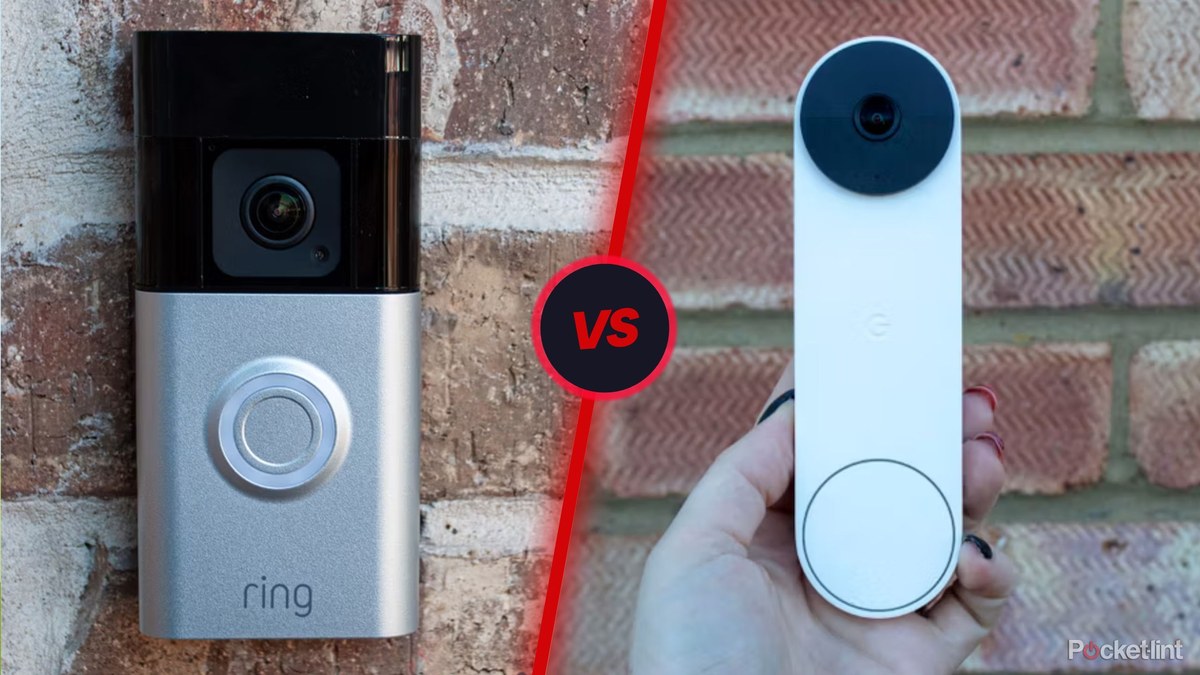
Choose the alternative that matches your power source, Wi-Fi strength, and privacy needs. For many homes, the best fit is the model that installs cleanly and stores video the way you prefer.
Ring battery doorbell alternatives matter when you want video at the front door without Ring’s battery setup, app rules, or subscription model. The right choice depends on your wiring, Wi-Fi, privacy needs, and whether you rent or own.
Best Ring Battery Doorbell Alternatives: What You Need to Know Up Front
The best alternative is the one that fits your door, your network, and your household. Some people need a battery model with no-drill mounting. Others want local storage, a wired chime, or fewer cloud ties.
If you are comparing options, start with the basics: power, Wi-Fi band support, storage, and privacy controls. Those four points usually matter more than brand names.
Why Homeowners and Renters Look Beyond Ring Battery Models
Homeowners and renters compare battery doorbells for flexible installation and monitoring
People often look beyond Ring battery models for practical reasons. The most common ones are rental rules, privacy concerns, and the wish to avoid recurring fees.
Lease rules, wiring limits, and no-drill installation needs
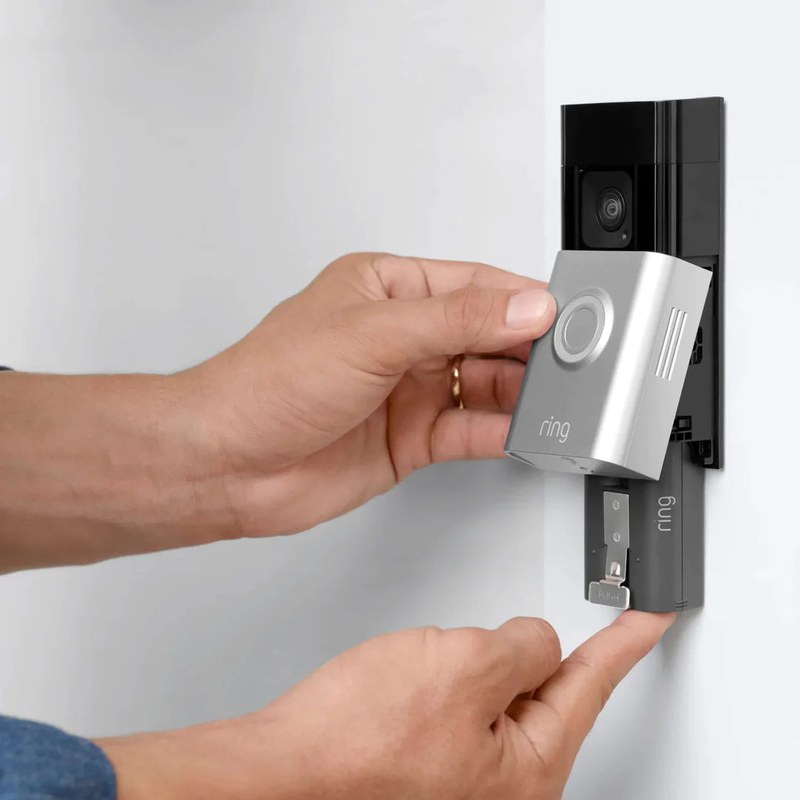
Renters often need a doorbell that installs with adhesive or a removable mount. That avoids damage to siding, trim, or a leased door frame.
Homeowners may still prefer battery power if the existing wiring is old, missing, or hard to reach. But if you plan to use existing wiring, check voltage and chime support first.
Privacy concerns, shared access, and cloud dependence
Some households want more control over who can view clips. Others want recordings stored locally instead of only in the cloud.
Cloud-based systems can be convenient, but they also depend on the vendor’s account system. If you share access with family, roommates, or caregivers, review user roles and permissions before you buy.
How to Choose the Right Video Doorbell for Your Home Layout
Home layout shapes image quality and motion alerts. A doorbell that works well on one porch may miss faces or trigger too often on another.
Front door distance, porch depth, and field of view
Field of view means how much the camera can see. A deep porch may need a wider view or a different mounting angle.
If the camera sits too high, it may catch heads but miss packages. If it sits too low, it may miss faces farther from the door.
Measure the distance from the mounting spot to the visitor’s standing area. That helps you avoid a camera that looks good on paper but frames the wrong scene.
Sun glare, night vision, and motion detection zones
Sun glare can wash out daytime video. If your door faces bright afternoon light, look for strong HDR or a shaded mounting spot.
At night, infrared night vision can help, but porch lights and reflective surfaces can still cause glare. Motion zones also matter because they limit alerts to the areas you care about.
Good motion settings reduce false alerts from sidewalks, cars, and passing pets.
Weather exposure, mounting height, and neighborhood sightlines
Outdoor cameras face rain, heat, cold, and direct sun. Check the exact weather rating for the model you want, not just the brand line.
Mounting height affects both video quality and neighbor privacy. Aim the camera toward your entry path, not across the street or into a neighbor’s window.
Power, Wi-Fi, and Storage: The Core Compatibility Checks<
Check power, Wi‑Fi, and storage before choosing a battery doorbell alternative.
Power, Wi-Fi, and storage decide whether a doorbell will be easy to live with. These checks can prevent most setup problems before you order.
Battery, wired, or hybrid power and what each setup changes
Battery models are flexible and easier to place. They can fit renters and homes without usable wiring.
Wired models often support longer uptime and may work with existing chimes. Hybrid models can use wiring when available and battery backup when needed.
US Electrical & Power Check
Verify the exact input voltage, transformer or adapter requirement, outlet, low-voltage wiring, battery backup, and professional-installation guidance.
2.4 GHz vs. 5 GHz Wi-Fi, signal strength, and hub requirements
Many video doorbells rely on 2.4 GHz Wi-Fi because it reaches farther through walls. Some newer models also support 5 GHz, but range may be shorter.
Signal strength matters more than the router label. A strong connection at the front door helps with live view, alerts, and uploads.
Some systems use a hub or bridge. That can improve range or add local features, but it also adds another device to manage.
Local storage, cloud recording, and subscription trade-offs
Local storage saves clips on a card, hub, or base station. Cloud storage sends clips to the vendor’s servers.
Local storage can reduce monthly costs, but it may limit remote access. Cloud storage is easier to review from anywhere, but it often depends on a paid plan.
Local Storage
Uses a card, hub, or base station.
Can lower ongoing cost.
May keep clips available during some internet issues.
Cloud Storage
Uses the vendor’s servers.
Often needs a subscription for full history.
Depends on account access and internet service.
Installation and Setup Considerations Before You Buy
Installation is where many buyers run into surprises. Check the chime, transformer, mount type, and app setup before you commit.
Existing chime compatibility, transformers, and voltage limits
If you want to use an existing indoor chime, confirm that the doorbell supports it. Wired systems often need a compatible transformer and a matching chime type.
Voltage limits matter because the wrong transformer can cause poor performance or damage. When wiring is uncertain, stop and use the exact manual or a qualified installer.
Doorbell Transformer & Chime Check
Confirm the exact voltage and VA requirement.
Verify mechanical or digital chime compatibility.
Check whether a connector, power kit, bypass, or adapter is required.
Turn off power and use a qualified installer when wiring is uncertain.
Drill-free mounting, adhesive options, and renter-friendly placement
Drill-free mounts help renters and anyone who wants a reversible install. Adhesive mounts can work well on smooth, clean surfaces.
Still, adhesive strength can vary with heat, cold, dust, and paint texture. If the doorbell is exposed to weather, follow the manufacturer’s surface prep steps closely.
App setup, firmware updates, and account recovery basics
Setup is not just pairing the camera. It also includes updating firmware, setting a strong password, and confirming account recovery options.
Use an email address you can keep long term. If you lose access to the account, recovery can be harder than the first setup.
1
Confirm requirements
Verify the exact model, power, network, storage, placement, household, rental, and platform requirements.
2
Plan safe placement
Consider privacy, field of view, weather, height, doors and windows, wiring, and emergency access.
3
Install and secure
Follow the exact manual, update firmware, use a unique password, and enable MFA.
4
Test and maintain
Test alerts, recording, outage behavior, batteries, users, permissions, and backup procedures.
Privacy, Cybersecurity, and Neighbor-Friendly Use
Smart doorbells can improve awareness, but they also collect video and audio. Good privacy habits protect your household and reduce conflict with neighbors.
Two-factor authentication, password hygiene, and shared-user controls
Two-factor authentication, or MFA, adds a second login check. It helps protect your account if a password is stolen.
Use a unique password for the doorbell account. Do not reuse the same password from email or shopping sites.
Review shared users often. Remove old roommates, former caregivers, or anyone who no longer needs access.
Privacy zones, motion masking, and audio recording settings
Privacy zones hide parts of the image you do not want recorded. Motion masking can reduce alerts from public sidewalks or a neighbor’s yard.
Check audio settings too. Some users prefer to disable audio recording unless they have a clear reason to keep it on.
These settings are useful for apartments, townhomes, and close-set homes where cameras can capture more than the front step.
Data retention, cloud access, and vendor support lifecycle
Retention means how long recordings stay available. Some plans keep clips briefly, while others keep them longer.
Also check what happens if the vendor changes support or ends a product line. A doorbell should still be usable after setup, even if features change later.
Ongoing Costs and Subscription Models Explained
The sticker price is only part of the cost. Batteries, storage, accessories, and subscriptions can change the real total over time.
What free plans usually include and where they fall short
Free plans often include live view and basic alerts. They may not include long video history, advanced smart alerts, or rich sharing options.
That means a free plan can work for simple monitoring. It may not be enough if you want to review many events later.
Cloud storage length, event history, and advanced alert features
Event history matters if you want to find a missed delivery or check a time window. Longer retention usually comes with a paid plan.
Advanced alerts can include person detection, package alerts, or activity zones. Those features can be helpful, but they vary by brand and plan.
Without a Plan$0
Often includes live view and basic app alerts.
May limit video history and sharing features.
Monthly PlanVaries by brand
May add cloud history and smart alerts.
Check retention length and device limits.
Annual PlanVaries by brand
May lower the monthly equivalent cost.
Review cancellation and renewal terms.
Total ownership cost over time, including batteries and accessories
Some battery doorbells need replacement packs, charging time, or a spare battery. Others may need a chime kit, wedge mount, or stronger Wi-Fi mesh node.
When comparing options, add those extras to the device price. That gives you a more realistic budget.
US Price & Subscription
Typical device priceVerify current USD price before purchase
Accessories or installationMay include mount kits, chime kits, or pro labor
Cloud planRequired or optional, depending on model
Professional monitoringNot usually offered for doorbells alone
ContractVerify current terms and renewal rules
Maintenance, Troubleshooting, and Common Limitations
Most doorbell problems are simple at first. Battery level, Wi-Fi strength, and placement cause many of the common issues.
Battery life, weather sealing, and seasonal performance issues
Battery life changes with temperature, motion activity, and live-view use. Cold weather can shorten runtime for many battery-powered devices.
Weather sealing also matters. Water resistance is not the same as full weatherproofing, so check the exact rating for the model.
Fixing missed motion alerts, lag, and connectivity dropouts
If alerts are missing, first check battery level and Wi-Fi signal. Then review motion zones, sensitivity, and notification permissions.
Lag can come from weak upload speed or a crowded network. Try moving the router, improving mesh coverage, or reducing other heavy internet use.
If the device still drops offline, check firmware updates and power settings before replacing hardware.
When a different doorbell style or security setup makes more sense
Some homes do better with a wired doorbell, a separate outdoor camera, or a full security system. That is especially true when the porch layout is unusual or the Wi-Fi is weak.
If you need broader coverage, a doorbell camera may not be enough by itself. It is one part of a larger home security plan.
How to Make a Confident Final Choice in 2026
The best choice is the one that fits your home, your budget, and your comfort level with apps and cloud accounts. Focus on compatibility first, then compare features.
Match the doorbell to your home type, budget, and privacy needs
Renters often do best with battery power, adhesive mounting, and simple setup. Homeowners may prefer wired power, chime support, or more flexible mounting.
If privacy matters most, look hard at local storage, motion masking, and shared-access controls. If budget matters most, compare the full cost, not just the device price.
Decide whether you need smart-home integration or simple monitoring
Some households want Alexa, Google Home, or another smart-home link. Others only want reliable alerts and easy playback.
Simple monitoring is often enough for many front doors. Smart-home integrations are useful, but they should not be the main reason you buy.
Final Takeaway
Ring battery doorbell alternatives make sense when you need a better fit for wiring, privacy, storage, or rental rules. Start with power, Wi-Fi, and placement, then verify the exact plan and privacy settings before you buy.
Check power, Wi-Fi band support, storage, and whether the mount fits your door area. Also confirm if you need a wired chime, a hub, or a subscription.
Battery models are often easier for renters because they can avoid hardwiring and drilling. Adhesive mounts or removable brackets can also help, but always check lease rules first.
No, but many cloud features do. Some models offer local storage or basic alerts without a plan, while video history and advanced alerts may require one.
A strong signal at the front door matters more than router speed alone. If the app shows weak signal, try a mesh node, a router move, or a different mounting spot.
Look for privacy zones, motion masking, shared-user controls, and audio recording settings. Also review retention and deletion options for recordings and account data.
Use a qualified installer if wiring, transformer voltage, or chime compatibility is unclear. A pro can also help when drilling, ladder work, or exterior mounting feels unsafe.
Hi, I'm Marcus Sterling, a smart home security expert with over 5 years
of hands-on experience testing and reviewing hundreds of security cameras, smart locks, and alarm systems. My mission is to make smart home security accessible, affordable, and easy to understand—and every review I publish is 100% independent, unbiased, and honest. I don't accept payments for positive reviews, just practical advice to help you secure your home with confidence.
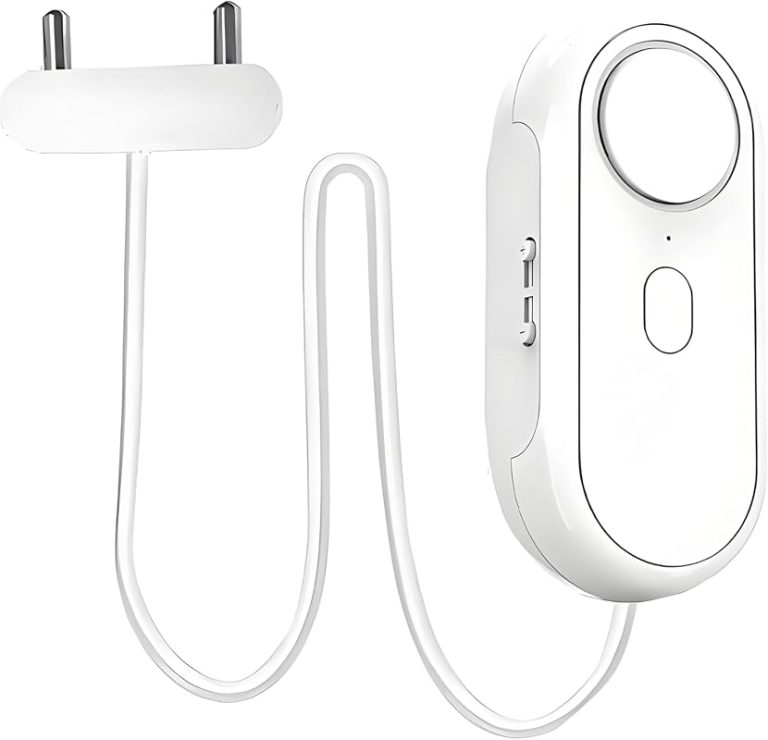
Discover the best water leak sensors for smart homes in our expert roundup. Compare app alerts, loud alarms, and easy setup to protect your home starting today.
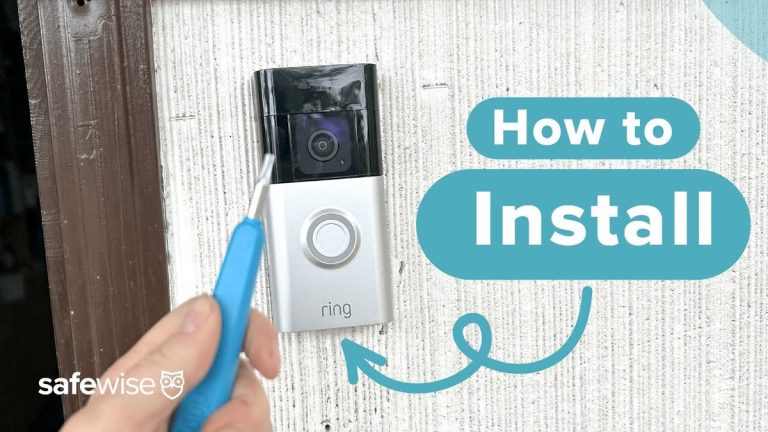
Quick Security Answer Install the doorbell by charging the battery, choosing a clear and private mounting spot, securing the bracket, and finishing setup in the Ring app. The most important checks are Wi-Fi strength, permission to drill, and any model-specific wiring or chime requirements. Learning how to install ring battery doorbell is mostly about safe…
Quick Security Answer A Blink video doorbell chime can work through an existing wired chime, app alerts, or a smart speaker, depending on the exact setup. The safest path is to confirm power, Wi-Fi, and compatibility before mounting or wiring anything. The blink video doorbell chime setup connects the doorbell, the app, and the alert…
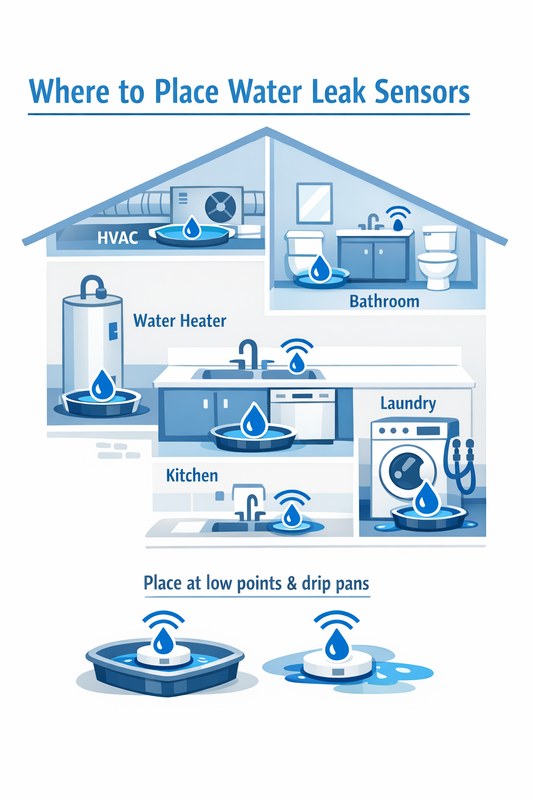
View on Amazon Quick Security Answer Place water leak sensors at the highest-risk spots: under sinks, behind toilets, near the washing machine, and around the water heater. Position them flat on the floor with clear access to water flow and test them monthly. Smart Home Security Guide Knowing where to place water leak sensors is…
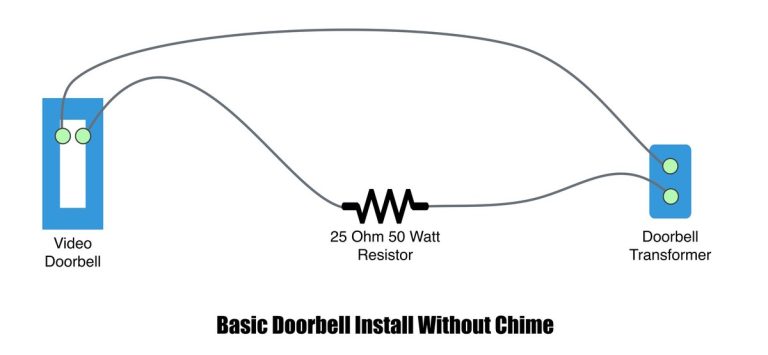
Quick Security Answer A wired video doorbell can be a practical upgrade if your transformer, chime, and Wi-Fi all match the model’s requirements. Renters and shared buildings should check rules first, because wiring access and mounting limits can change the best option. Wiring video doorbell usually means connecting a new smart doorbell to the low-voltage…
Compare buy ring battery doorbell by security features, privacy, smart home fit, setup, fees, and value. Read the guide to find the right option for your home.