A Ring Video Doorbell 2 faceplate is usually easy to replace when the cover is cracked, faded, or loose. The most important step is matching the exact model and checking fit, privacy, and app settings after installation.
Ring video doorbell 2 faceplate replacement is usually a simple maintenance task. The right fit still matters. The faceplate protects the front of the doorbell, shapes its look, and helps keep the device sealed and secure.
What a Ring Video Doorbell 2 Faceplate Does and Why It Matters
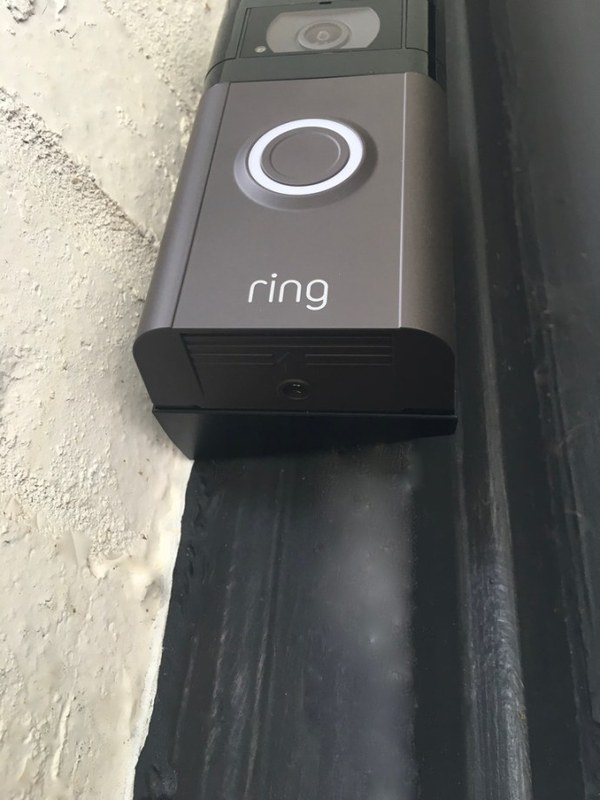
The faceplate is the outer cover on the front of the doorbell. It helps protect the camera, button area, and internal parts from dust, light bumps, and weather exposure.
It also affects how the doorbell looks at your entryway.
For many owners, the faceplate is the easiest part to replace. That is true when the finish gets scratched or the plastic cracks. It can also help restore a clean look after years of sun and rain.
How to Identify the Right Replacement Faceplate for Your Ring Video Doorbell 2
Faceplate details help identify the correct replacement for a Ring Video Doorbell 2.
The right replacement should match the exact doorbell model, mounting style, and finish. A cover that looks close may still sit unevenly or block the button ring.
Before buying, confirm the model name in the app or on the device label.
Checking model compatibility before you buy
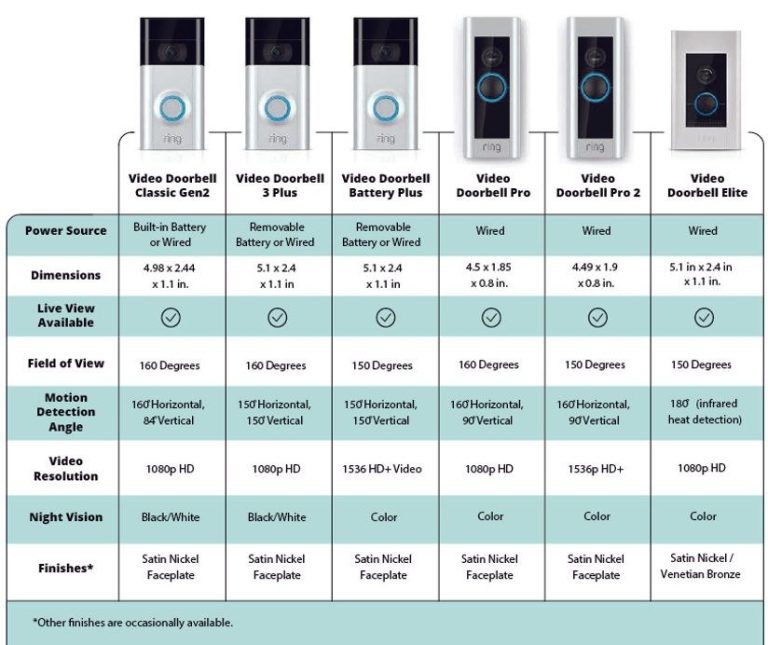
Start with the exact product version. Ring has released several doorbell models with similar names. Parts are not always interchangeable.
A faceplate made for one model may not clip onto another.
Check the user manual, support page, or device label for the model name. If you are unsure, compare the shape of the front cover, button opening, and clip points.
Finish matters if you want the replacement to blend with the door trim or siding. Common choices include neutral shades and darker tones, but availability varies by seller and revision.
Fit matters more than color. The cover must lock in without force.
Look for a faceplate that matches the original mounting style. Some covers snap on with tabs. Others may use a tool-assisted release.
When to Replace the Faceplate: Damage, Wear, or a New Look
Replace the faceplate when it is cracked, faded, warped, or no longer fits tightly. A new cover can also be useful if you want to refresh the entryway without replacing the whole doorbell.
The faceplate is a small part, but it can affect both appearance and protection.
Common signs the faceplate should be swapped
Watch for visible cracks, chips, loose edges, or tabs that no longer hold. If the cover rattles when the door closes, it may not be seating correctly.
Stains or discoloration can also signal aging plastic.
Another clue is reduced confidence in the seal. If the cover no longer sits flush, dust and moisture may enter more easily.
That does not mean the entire doorbell has failed. It does mean the cover deserves attention.
Weather exposure, fading, and cracked plastic
Sunlight can fade plastic over time. Heat and cold can also make the material brittle.
In exposed entryways, this wear can appear faster than expected.
Cracks often begin near the edges or clip points. Once that happens, the cover may break further during removal.
If the device is mounted outdoors in a harsh spot, a replacement faceplate can be a practical maintenance item rather than a cosmetic upgrade.
How to Remove and Install a Ring Video Doorbell 2 Faceplate Safely<
Removing the faceplate to access the Ring Video Doorbell 2 battery and mounting screws
Removal is usually straightforward, but you should still work carefully. Use the correct release method from the manual and avoid prying with sharp tools.
If the doorbell is wired, be cautious around any power-related parts and stop if something feels uncertain.
Tools and prep before removal
Most faceplate swaps only need the release tool that came with the doorbell, or the correct equivalent recommended by the manufacturer.
Keep the area clean so dirt does not get into the device while the cover is off. It also helps to work in daylight.
Before you begin, check that your hands are dry and the door area is stable.
If you need to step onto a ladder or reach near a hardwired mount, pause and review the full installation basics first. A broader Ring battery doorbell installation guide can also help you think through safe mounting and setup steps.
Step-by-step installation basics
First, release the old faceplate using the method listed in the manual. Do not force it if it resists.
If the cover is cracked, support the edges so it does not snap and scratch the housing.
Next, line up the new faceplate with the clips and button opening. Press it into place evenly until it sits flush.
After that, check the edges for gaps and make sure the button area moves freely.
Finally, test the doorbell in the app. Confirm that the button still works, the camera view looks normal, and the cover does not block motion or audio.
What to do if the faceplate will not seat properly
Stop if the cover will not snap in without force. The wrong part, a bent tab, or debris in the clip area can all cause poor fit.
Forcing it can crack the new piece or damage the doorbell housing.
Remove the cover again and inspect the edges. Make sure no old plastic is stuck in the frame.
If the part still does not fit, compare the model number again and check whether the replacement is meant for a different revision.
Placement, Power, and Wi-Fi Considerations After Replacement
A new faceplate should not change the doorbell’s main function. Still, it is smart to review placement and connectivity afterward.
Small changes in fit can affect camera angle, motion view, or button access. This is a good time to confirm that the device still works as expected.
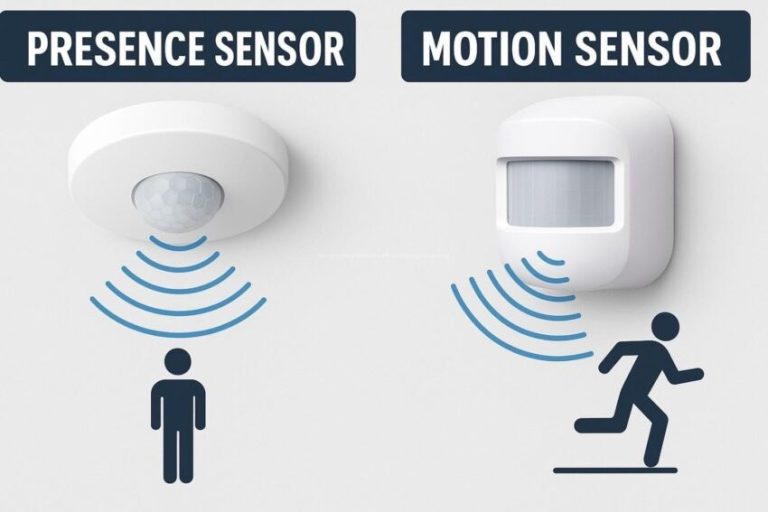
Making sure the doorbell still has clear motion coverage
Check the camera view after the replacement. The faceplate should not block the lens or shift the viewing angle.
Even a slight misalignment can change what the camera sees near the doorway.
Look at the motion alerts too. If the cover is seated differently, it should not change detection on its own, but the view may feel different.
If you are adjusting the whole device position, review the mounting height and field of view first.
Checking battery, wired power, and network stability
If your model uses a battery, confirm that it still charges and reports normally in the app.
If it is wired, make sure the chime and power status still look normal after the cover is back on. A faceplate should not disturb wiring, but it is worth checking.
Also confirm that Wi-Fi remains stable. A doorbell can work poorly if the router signal is weak or the home network is crowded.
If your setup includes a mesh system or a spotty entryway signal, review the app’s connection status and consider a stronger placement.
Privacy and Cybersecurity Settings to Review During Maintenance
Any time you handle a smart doorbell, it is smart to review privacy and account settings. A faceplate change is a small maintenance task, but it is a good reminder to check who can access the device and what it records.
That matters for families, renters, and shared households.
Motion zones, privacy zones, and neighbor-facing views
Review the motion settings after the replacement. Make sure the camera is still aimed where you want it and that it is not capturing more of a neighbor’s property than necessary.
Privacy zones can help block parts of the image that should not be recorded.
If the new faceplate changes the look or alignment slightly, recheck the view. Even a small shift can affect what appears in frame.
That is especially important in apartments, townhomes, and close-set houses.
Account security, MFA, and shared user access
Use a unique password for the account and turn on multi-factor authentication if available. MFA adds a second check during sign-in.
That helps protect the account if a password is exposed elsewhere.
Also review shared users and connected apps. Remove anyone who no longer needs access.
If you use voice assistants or other smart home links, confirm that only trusted services remain connected.
Storage, Alerts, and Subscription Basics for Ring Video Doorbell 2 Owners
Faceplate replacement does not usually change storage or alert features. Still, maintenance is a good time to review them.
Some owners depend on cloud history, while others only need live alerts. Know what your plan includes before you rely on it.
What changes without a Ring Protect plan
Without a subscription, some features may be limited depending on the current plan structure.
In many cases, live viewing and basic alerts can still work, while event history or cloud recording may be restricted.
Exact features can change, so check the current plan page before making assumptions.
If you are comparing plan needs, think about how often you review clips and how many users need access.
A family that checks events daily may value storage more than a household that only wants motion alerts.
Cloud retention, event history, and notification limits
Cloud retention means how long recordings stay available online. Event history is the list of past motion or ring events.
Notification limits can affect how often your phone alerts you.
These settings matter because they shape how useful the doorbell feels day to day.
If recordings disappear too soon, you may not have the clip you need. If alerts are too broad, you may get more noise than value.
Without a Plan$0
May still support live alerts, depending on current app features
Limited or no cloud event history, depending on current terms
Monthly PlanVerify current price
May add cloud recording and event history
Check device limits and retention terms
Annual PlanVerify current price
May lower monthly cost versus a monthly plan
Review cancellation and renewal terms
Renter and Homeowner Constraints: Lease Rules, HOA Rules, and Property Limits
Faceplate replacement is usually low impact, but the full doorbell setup may still be limited by lease, HOA, or property rules.
Renters should be careful about drilling, wiring, and any change that leaves marks. Homeowners should still check neighborhood rules if the device faces shared areas.
Temporary mounting and landlord approval issues
Renters often need permission before changing exterior fixtures. Even a simple faceplate swap can become part of a larger installation decision if it involves wiring or drilling.
Get approval before making permanent changes.
If you want a reversible setup, consider options that avoid new holes or complex wiring when allowed by the product and lease.
Keep the original parts so you can restore the unit later if needed.
When to choose reversible installation options
Choose reversible options when you expect to move soon, live in a rental, or share ownership with others. That lowers the chance of repair disputes and makes future removal easier.
It also helps if the entryway is exposed and you may want to replace parts again later.
If the installation is already fixed and wired, use the exact manual and avoid shortcuts.
For some homes, the safest choice is to have a qualified installer handle the power-related work.
Maintenance, Longevity, and Ownership-Cost Tradeoffs
Replacing a faceplate can extend the useful life of the doorbell’s exterior parts. It is often cheaper than replacing the entire device, especially when the camera, battery, and app functions still work.
The best choice depends on the condition of the housing and the rest of the unit.
Cleaning, weather checks, and periodic inspections
Clean the faceplate with a soft cloth and mild cleaner if the manual allows it. Avoid harsh chemicals that can cloud plastic or weaken finishes.
While you clean, check for cracks, loose clips, and moisture around the edges.
Do a quick inspection a few times a year. Look for sun fade, dirt buildup, and signs that the cover is no longer sitting flush.
Small checks can prevent bigger problems later.
Repair versus replacement cost considerations
A faceplate replacement usually makes sense when the rest of the doorbell still works well.
If the housing is damaged, the battery no longer holds a charge, or the camera has problems, a larger repair or replacement may be more practical.
Think about the total cost, not just the cover price.
Also consider support life and parts availability. If replacement parts are easy to get, maintenance is simpler.
If they are not, a full upgrade may be the better long-term move.
Final Takeaway
A ring video doorbell 2 faceplate is usually an easy replacement when the cover is cracked, faded, or loose. The key is matching the exact model, checking fit carefully, and reviewing privacy, power, and app settings after the swap.
Check the exact model name in the app, manual, or device label before buying. A similar-looking cover may not match the clip points or button opening.
Usually, yes. Most faceplate swaps only require the correct release method and careful alignment, but wired setups should still be handled safely.
The faceplate should not affect Wi-Fi on its own. If the cover does not seat correctly, it may change the camera view or button access.
A faceplate change does not usually change subscription needs. Check the current plan terms to see which recording or event-history features apply.
Review the lease, landlord rules, and any HOA limits before drilling or rewiring. A reversible setup is often better for rentals.
Inspect it a few times a year for cracks, fading, loose clips, or moisture. Regular checks help you catch wear before the cover stops fitting properly.
Hi, I'm Marcus Sterling, a smart home security expert with over 5 years
of hands-on experience testing and reviewing hundreds of security cameras, smart locks, and alarm systems. My mission is to make smart home security accessible, affordable, and easy to understand—and every review I publish is 100% independent, unbiased, and honest. I don't accept payments for positive reviews, just practical advice to help you secure your home with confidence.
Smart video doorbells let us see visitors, talk with them, and receive motion alerts from a phone. They can also record activity near an entrance, making them useful for homes that need more awareness than a basic doorbell provides. The eufy Video Doorbell E340 is a wired or battery-powered model with dual cameras, package monitoring,…
View on Amazon Quick Security Answer Privacy mode is a camera setting that blocks the lens or disables recording so the camera stops capturing video. Use it for guests, service visits, and private moments, but remember it does not delete old footage or secure your account. Smart Home Security Guide What does privacy mode mean…
View on Amazon Quick Security Answer Most homes need both sensor types. Contact sensors guard doors and windows, while motion sensors watch open spaces. Smart Home Security Guide The contact sensor vs motion sensor decision shapes how your security system detects trouble. Contact sensors guard doors and windows. Motion sensors watch rooms and hallways. Most…
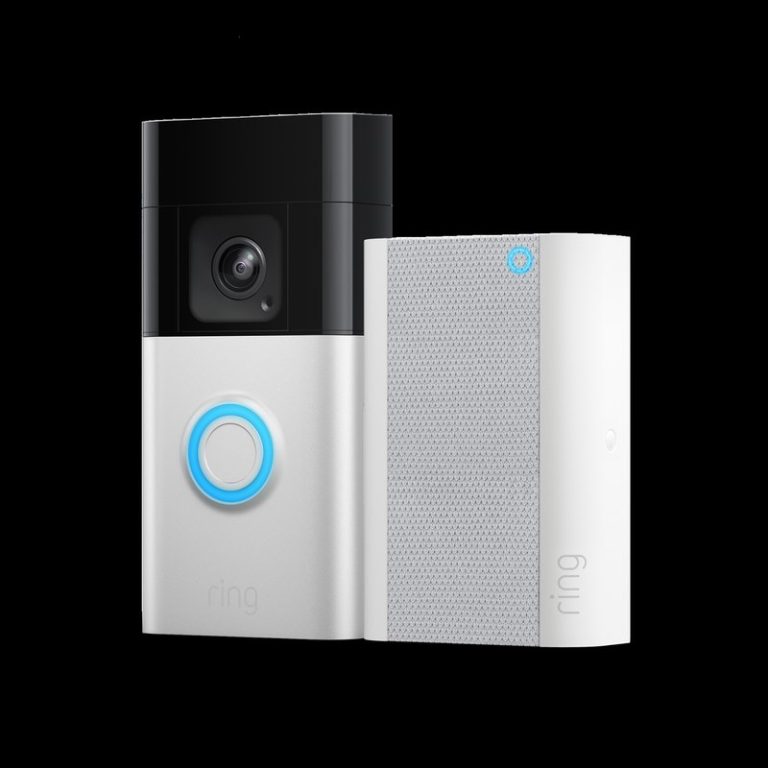
Quick Security Answer A ring battery doorbell chime setup can be a practical choice if you want flexible installation and indoor alerts. Check Wi-Fi, privacy, battery charging, and any subscription needs before you mount it. ring battery doorbell chime setup usually means pairing a battery-powered video doorbell with a compatible indoor alert device, app notifications,…
Quick Security Answer The best outside camera depends on where you need coverage and how you plan to power it. For most homes, choose the model that fits your entry point, Wi-Fi, privacy needs, and storage preference. Which Camera Is Best for Outside depends on where you want coverage, how you power the camera, and…
Quick Security Answer Ring video doorbell specs matter most when they match your entryway, Wi-Fi, and power setup. Check the exact model’s resolution, storage, and privacy settings before you buy. Ring video doorbell specs matter most when you want the right fit for your entryway, Wi-Fi, power source, and privacy needs. This guide explains the…