The add-on chime is useful when you want louder, room-based alerts beyond the phone app. It works best when your exact Eufy model, Wi-Fi setup, and placement all match the manual.
The eufy security video doorbell add-on chime is a simple way to hear doorbell alerts inside your home. It does not rely only on the phone app. It can help in larger homes, multi-floor layouts, and places where a phone may be muted or out of reach.
What the Eufy Security Video Doorbell Add-On Chime Does and When You Need It
The add-on chime gives you an extra alert point inside the home. Instead of depending only on app notifications, it can sound when someone presses the doorbell. That makes it easier to notice visitors in real time.
That matters when your phone is charging, in another room, or set to silent. It can also help if several people in the home need to hear the alert.
How the chime extends doorbell alerts beyond the app
Think of the chime as a local sounder. The doorbell sends the alert through your Eufy setup. The chime repeats that alert indoors.
That extra layer is useful because app notifications depend on your phone settings, network connection, and notification permissions. A chime can reduce the chance that a visitor goes unnoticed.
When a dedicated chime is useful in U.S. homes, apartments, and multi-level layouts
In a single-family home, a chime can cover bedrooms, basements, and garages better than one phone. In apartments or condos, it can also help when the entry door is far from the main living area.
For renters, a plug-in chime may be easier than changing wiring. For multi-level homes, placing one chime near the main floor and another near sleeping areas can improve awareness, if the model supports it.
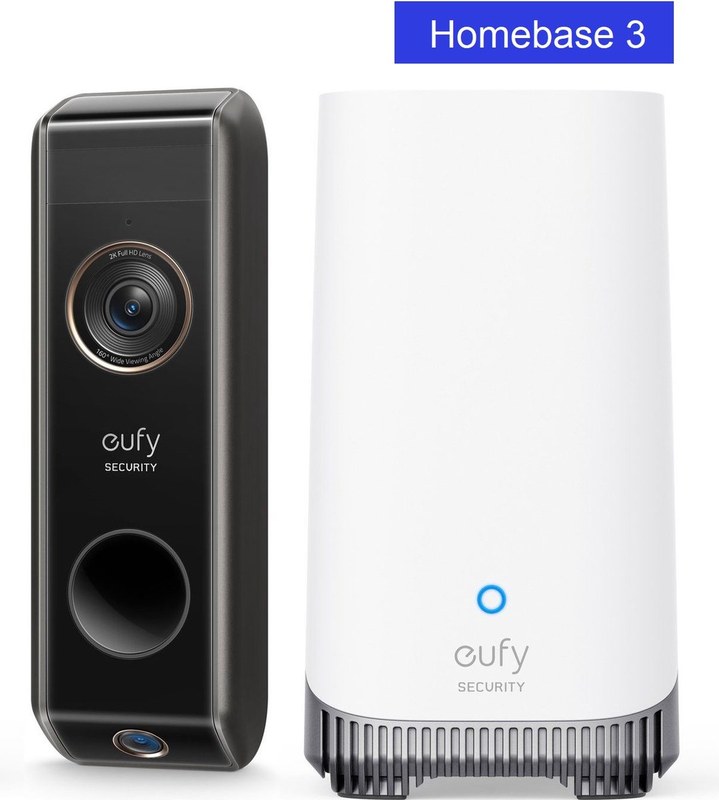
Compatibility Check: Which Eufy Doorbells, HomeBases, and Wi-Fi Setups Work
Chart shows which Eufy devices and networks support the add-on chime.
Compatibility is the first thing to check. The chime must match your exact Eufy doorbell model. It must also match the way that doorbell connects to your home network or HomeBase.
If the model, hub, or Wi-Fi setup does not line up, pairing may fail. Alerts may also not behave as expected.
Matching the add-on chime to your specific Eufy doorbell model
Start with the product manual or support page for your exact doorbell model. Eufy uses different connection methods across its lineup. A chime that works with one model may not work with another.
If you are comparing models, a guide like Eufy E340 chime compatibility can help you narrow down what to verify before setup.
HomeBase requirements, direct Wi-Fi limitations, and 2.4 GHz considerations
Some Eufy doorbells rely on a HomeBase. Others connect more directly through Wi-Fi. That difference affects whether the chime can pair through the hub or through the app.
Many smart doorbells use 2.4 GHz Wi-Fi for setup or day-to-day communication. If your router splits bands, make sure the doorbell and chime are on the supported band your manual lists.
Common compatibility issues with mesh networks, guest networks, and ISP routers
Mesh systems can work well. Still, roaming behavior sometimes causes setup trouble. Guest networks often block device-to-device communication. That can stop a chime from pairing properly.
ISP routers may also have security settings, band steering, or device isolation turned on. If pairing fails, check the router settings before replacing the hardware.
Where to Place the Chime for Reliable Alerts and Better Coverage
Placement matters because the chime has to be heard. In some setups, it also has to stay within a reliable connection range. The best spot is usually central, open, and close to the rooms where people spend time.
Try to avoid spots that are hidden behind thick walls, large appliances, or dense furniture. Those can weaken sound and, in some setups, signal reliability.
Best placement for single-family homes, condos, and renters
In a single-family home, place the chime near the main entry path or central hallway. In a condo, a spot near the living room or kitchen often works better than a hallway closet.
Renters should look for a plug-in location that does not block exits or violate lease rules. If you need to avoid drilling, choose a setup that stays fully removable.
Distance, wall materials, and interference that can reduce signal reliability
Drywall is usually less of a problem than brick, concrete, or metal. Mirrors, appliances, and Wi-Fi congestion can also affect performance.
If alerts are weak or delayed, move the chime closer to the router, HomeBase, or the main living area. Small placement changes often help more than a full reset.
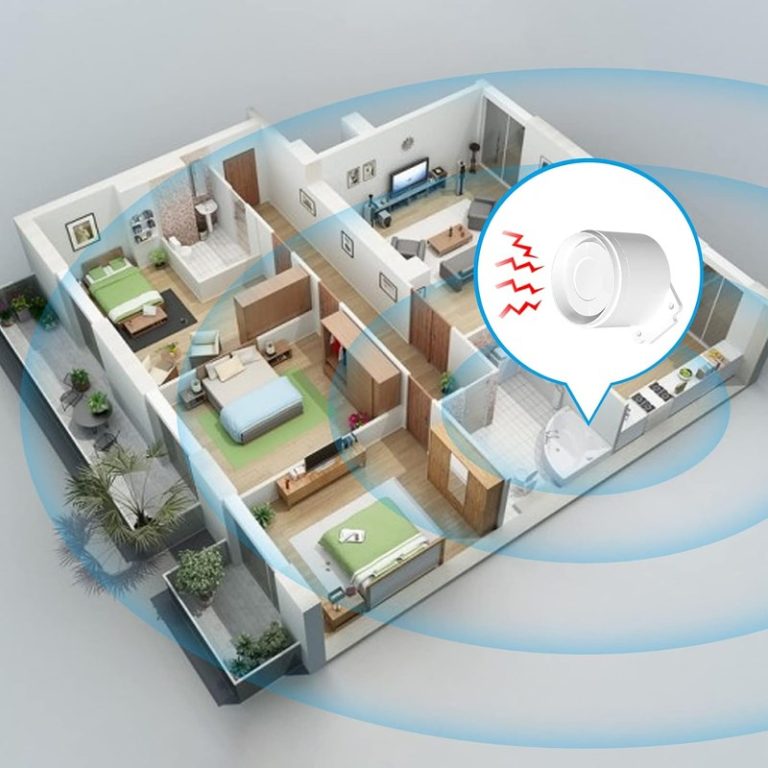
How placement affects hearing range on each floor and near outdoor spaces
For multi-level homes, sound fades as it moves through floors and closed doors. A chime near the stairway or landing can help more than one in a distant room.
If you spend time in a backyard or side yard, indoor placement near a patio door may make the alert easier to hear. That can be useful for families, caregivers, or anyone working around the house.
Setup and Installation Steps for a Smooth First-Time Pairing<
Setup steps for first-time pairing of the video doorbell add-on chime.
Setup is usually straightforward when the app, firmware, and network are ready first. The most common problems come from skipping one of those steps.
Before pairing, confirm the doorbell is already added to the app and working normally. That makes it easier to tell whether the chime or the doorbell is causing a problem.
Preparing the app, account, firmware, and power source before setup
Update the Eufy app and check for firmware updates for both the doorbell and any hub. A fresh update can fix pairing issues and alert bugs.
Make sure the chime has power from the correct source, whether that is USB or an outlet, depending on the model. If the device is portable, charge it fully before first use.
Pairing the chime with the doorbell and confirming alert behavior
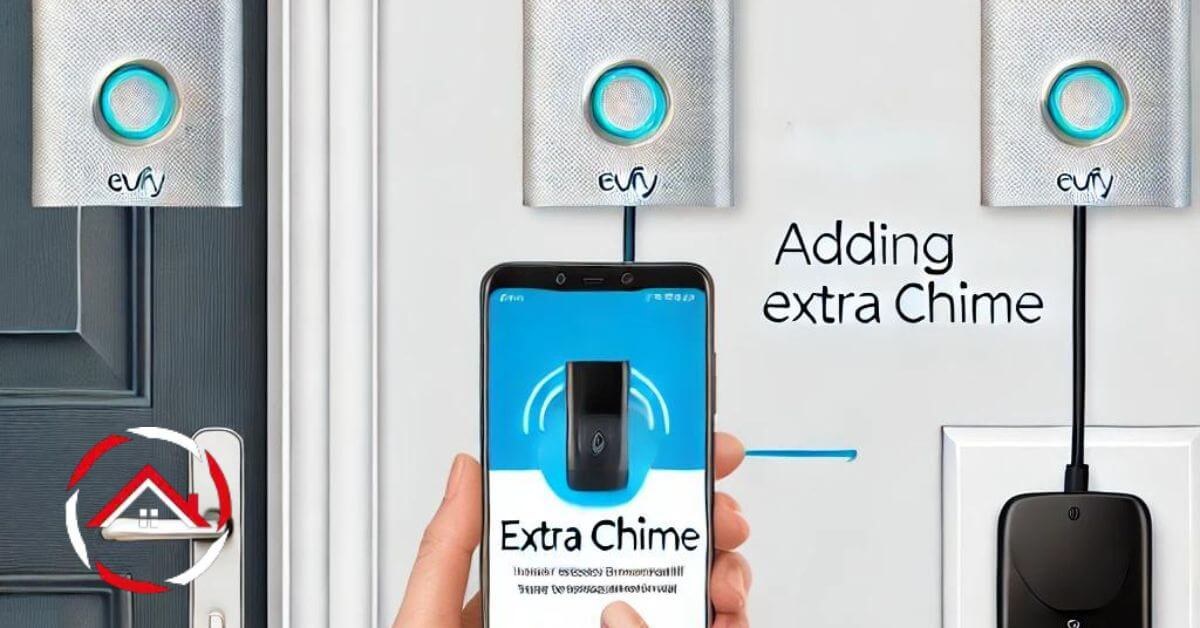
Use the app to add the chime and follow the exact model instructions. Pairing usually works best when the doorbell, chime, and router are all nearby during setup.
After pairing, press the doorbell button and confirm that the chime sounds, the app alerts, and any volume settings are correct. Test at least once with the phone on silent and once with sound on.
What to do if pairing fails, alerts lag, or the chime stays silent
First, check the obvious items. Confirm power, volume, app permissions, and Wi-Fi strength.
If the chime still stays silent, remove it from the app and pair it again. If alerts lag, move the chime and router closer together and test the doorbell again.
1
Confirm requirements
Verify the exact model, power, network, storage, placement, household, rental, and platform requirements.
2
Plan safe placement
Consider privacy, field of view, weather, height, doors and windows, wiring, and emergency access.
3
Install and secure
Follow the exact manual, update firmware, use a unique password, and enable MFA.
4
Test and maintain
Test alerts, recording, outage behavior, batteries, users, permissions, and backup procedures.
Power, Battery, and Maintenance Considerations
Long-term reliability depends on stable power and simple maintenance. A chime that loses power or drifts out of sync can create missed alerts.
Plan for the power source, cleaning, and updates the same way you would for the doorbell itself.
USB, outlet, and backup-power basics for continuous use
Some add-on chimes plug into a wall outlet. Others use USB charging or another power method. The exact option depends on the model, so check the manual before you buy or install.
If your home loses power often, ask whether the chime keeps settings after an outage. If it does not, you may need a backup plan for alerts during outages.
How weather, heat, and indoor placement affect long-term reliability
Indoor placement protects the chime from rain and sun, but heat still matters. Avoid spots near vents, radiators, or direct sunlight through windows.
For outdoor doorbells, the chime itself should still stay indoors unless the product is made for outdoor use. Indoor placement usually helps with durability and sound quality.
Routine maintenance: updates, resets, and cleaning the device safely
Check for firmware updates a few times a year, or sooner if the app notes a fix. Updates can improve pairing, stability, and alert behavior.
Clean the device with a dry or slightly damp cloth only, unless the manual says otherwise. Avoid sprays, harsh cleaners, and liquid near ports.
Privacy, Cybersecurity, and Shared-Access Settings
Any connected doorbell system deserves basic account protection. The chime may seem simple, but it still sits inside the same app and account ecosystem.
That means passwords, shared access, and notification settings all matter.
Using MFA, strong passwords, and secure account recovery
Use a unique password for the Eufy account and turn on multi-factor authentication if available. MFA adds a second check when someone tries to sign in.
Also review recovery email and phone details. If those are outdated, you may lose access when you need it most.
Managing shared users, app permissions, and notification access
Households often share access across phones. Give access only to people who need it, and review permissions after guests move out or roommates leave.
Check which users can change settings, view video, or manage devices. Fewer admin users usually means fewer accidental changes.
Privacy implications for neighbors, visitors, and shared living spaces
Doorbells can capture audio and video near shared walkways, mail areas, or neighboring doors. That makes placement and settings important, especially in apartments and townhomes.
Use privacy zones or similar tools if your exact model supports them. When in doubt, aim the camera to cover your entry area without recording more of a neighbor’s space than needed.
Storage, Alerts, and Subscription Costs: What Owners Should Expect
The chime itself usually does not decide storage, but the full doorbell system does. Your costs depend on whether recordings stay local, go to the cloud, or require a plan.
Before you buy, check what is included without a subscription and what changes after the trial or plan period.
Local storage versus cloud storage and how retention typically works
Local Storage
Explain hardware, capacity, access, backup, and theft risks.
Cloud Storage
Explain plan cost, retention, internet dependence, account access, and provider controls.
Local storage can keep clips on a device you control, but it may be lost if the hardware is stolen or damaged. Cloud storage is easier to access from anywhere, but it depends on the internet and an active account.
Which features may be included without a subscription and which may not
Feature access varies by model and plan. Some systems include live view, motion alerts, and local recording basics without a monthly fee, while advanced history or cloud features may require one.
Check the current plan page before you rely on a specific feature. That is especially important if you want event history, extended retention, or multi-device access.
Ownership-cost analysis for households comparing add-on chime use over time
The chime is usually a one-time accessory cost, but the full ownership picture includes the doorbell, storage plan, and any optional accessories. Over time, a small accessory can be worthwhile if it reduces missed alerts and makes the system more practical.
Accessories or installationVerify any extra accessories or labor
Cloud planVerify current plan requirement
Professional monitoringNot typically part of a doorbell chime setup
ContractVerify current terms
Troubleshooting Common Problems and Knowing the Limits
Most chime problems come from power, pairing, Wi-Fi, or settings. Start with safe checks before you reset or replace anything.
Also remember the limit of the device. It improves alerting, but it does not replace a reliable doorbell, good Wi-Fi, or household routines.
Weak alerts, delayed notifications, audio distortion, and connection drops
If the chime is too quiet, raise the volume in the app or on the device, if supported. If alerts are delayed, check Wi-Fi strength and router load.
Audio distortion can happen when the device is too far from the hub or when the network is crowded. Connection drops may point to router settings, not a broken chime.
When the issue is the chime, the doorbell, Wi-Fi, or account setup
Test the doorbell button, the app alert, and the chime separately. If the app alerts but the chime does not sound, the issue is likely pairing or device settings.
If nothing alerts, the problem may be the doorbell, network, or account permissions. A full app recheck often finds a missing permission or muted notification.
Situations where the add-on chime is not enough and another solution makes more sense
In very large homes, one chime may not cover every room. You may need more than one alert point or a different doorbell system with broader support.
If your Wi-Fi is weak at the entry door, a chime will not fix the root problem. In that case, improving the network or choosing a different setup may make more sense.
Final Takeaway
The Eufy add-on chime makes sense for households that want louder, room-based alerts beyond the phone app. It is most useful when your layout, Wi-Fi, and Eufy model are compatible. It also helps when you want a simple way to hear visitors without checking your phone every time.
Compatibility depends on the exact doorbell model, HomeBase setup, and firmware. Check the product manual or support page before pairing.
The chime usually depends on the same Eufy ecosystem as the doorbell or HomeBase, and the setup may still rely on Wi-Fi. Band support and router settings can affect pairing.
Place it where you will hear it often, such as a central hallway or main living area. Avoid thick walls, metal objects, and spots far from the entry path.
Check power, volume, app permissions, and pairing first. If needed, remove the chime from the app and add it again.
The chime itself does not usually require a plan, but storage and advanced app features may. Verify the current plan page for your exact doorbell model.
Use a unique password, enable MFA, and review shared users and permissions. Also check recording settings, privacy zones, and retention options for your model.
Hi, I'm Marcus Sterling, a smart home security expert with over 5 years
of hands-on experience testing and reviewing hundreds of security cameras, smart locks, and alarm systems. My mission is to make smart home security accessible, affordable, and easy to understand—and every review I publish is 100% independent, unbiased, and honest. I don't accept payments for positive reviews, just practical advice to help you secure your home with confidence.
Quick Security Answer A good starting height for a Ring video doorbell is usually around 48 inches from the ground. Adjust it for your porch height, steps, Wi-Fi strength, and privacy needs before drilling. Ring video doorbell installation height is usually best when the camera sits about chest level for most visitors, which often means…
View on Amazon Quick Security Answer Place carbon monoxide detectors on every level of your home, outside each sleeping area, and near attached garages. Mount them at the height in the manual, keep them away from fuel-burning appliances, and test them monthly. Smart Home Security Guide Knowing where to place carbon monoxide detectors is one…
The eufy Video Doorbell E340 can show connection, video, audio, motion, or chime problems. We can often fix these issues with basic checks before changing settings or resetting the device. We can troubleshoot the E340 by checking power, Wi-Fi, app settings, firmware, and connected devices in a clear order. This guide covers common faults, safe…
Quick Security Answer Ring battery doorbells usually last from weeks to months, depending on motion activity, Wi-Fi quality, weather, and how often you use live view. The best way to stretch battery life is to reduce false alerts and keep the connection steady. how long does ring battery doorbell last is the first question most…
View on Amazon Quick Security Answer Mount your siren in a central hallway, 8 to 10 feet high, where sound travels best. Keep it visible but out of reach, and test it monthly. Smart Home Security Guide Knowing where to place home alarm siren units is one of the most overlooked steps in a home…
Quick Security Answer Ring video doorbell specs matter most when they match your entryway, Wi-Fi, and power setup. Check the exact model’s resolution, storage, and privacy settings before you buy. Ring video doorbell specs matter most when you want the right fit for your entryway, Wi-Fi, power source, and privacy needs. This guide explains the…