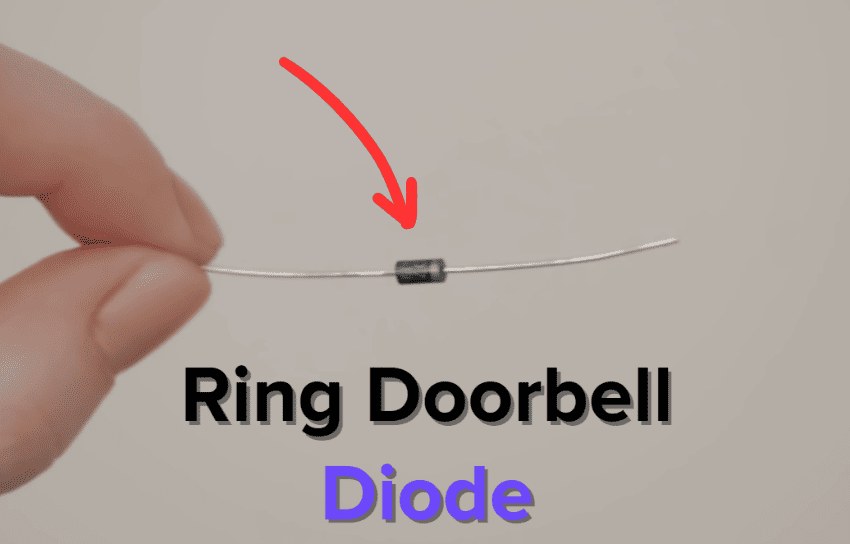
A ring video doorbell diode can help a wired Ring doorbell work correctly with some chime setups, especially older mechanical systems. Check the exact model manual first, because many issues come from the transformer, chime type, or loose wiring instead.
The ring video doorbell diode helps manage power flow. It lets a wired Ring doorbell and an existing chime work together more reliably. In plain terms, it can reduce chime problems. It helps only in certain setups.
If your home has an older mechanical chime, a mixed doorbell system, or a wiring issue, the diode may help. It is not a universal add-on. The exact Ring model and chime type still matter.
What a Ring Video Doorbell Diode Does and Why It Matters
A diode is a small electrical part. It lets current move mainly one way. In a doorbell circuit, that helps control power to the chime and the doorbell.
For some Ring installations, the diode helps avoid odd chime behavior. Without the right setup, a chime may buzz, click, or fail to ring.
The key point is simple. The diode supports compatibility, but it does not replace correct wiring. If the transformer is underpowered or the chime is wrong for the model, the diode alone will not solve it.
When You Need a Diode for a Ring Video Doorbell Installation
Diagram shows diode use in a Ring Video Doorbell installation.
You may need a diode when the doorbell connects to an existing chime. This is true when the manual calls for one. It is also common with a mechanical chime that needs help controlling current.
Not every Ring model uses the same parts. Some systems need a diode. Others use a power kit, transformer change, or chime bypass instead.
Mechanical chimes, digital chimes, and transformer compatibility
Mechanical chimes use moving parts. They can react differently from digital chimes. Digital chimes often need different power handling and may not use the same accessories.
Transformer compatibility matters too. A transformer that is too weak can cause low power warnings, delayed alerts, or a chime that does not finish its sound.
Common signs include buzzing, humming, or a chime that rings only sometimes. You may also see the doorbell restart, report low power, or miss presses.
If the chime works before the doorbell is attached, then fails after installation, check the accessory setup. That does not prove the diode is missing, but it is a useful clue.
How to Install a Ring Video Doorbell Diode Safely
Safe installation starts with power off, careful wire handling, and the exact model instructions. The diode is small, but the circuit around it still involves low-voltage electrical work.
If the wiring is old, cramped, or unclear, pause and check the manual first. When in doubt, a professional is safer than guessing.
Basic tools, power shutdown, and wire handling
Most installs need a screwdriver, the supplied parts, and a way to verify power is off. Keep the wires separated. Do not let bare ends touch.
Turn off the doorbell circuit at the breaker before touching any terminals. If the wiring box is damaged or corroded, do not force the parts into place.
Diode placement and polarity basics
A diode has polarity. That means direction matters. One end is meant to face the correct side of the circuit, so follow the exact manual for the model you own.
If the diode is reversed, the chime may not work right. That is why the installation sheet matters more than a generic diagram.
After the diode is installed, test the doorbell button several times. Listen for a clean chime sound. Check the app for power and event alerts.
If the chime buzzes or the button feels inconsistent, stop and recheck the terminals. A loose wire can look fine and still fail under load.
Common Wiring Problems That Can Cause Ring Doorbell Issues<
Common wiring issues may prevent a Ring doorbell from working properly.
Many doorbell problems come from wiring, not the camera itself. Weak power, loose screws, and old transformers are common causes of trouble.
That is why a diode should be seen as one piece of a larger system. It helps only when the rest of the circuit is sound.
Buzzing chimes, weak power, and intermittent alerts
A buzzing chime often points to current flow that the chime does not like. Weak power can also cause the doorbell to reboot or miss motion events.
Intermittent alerts may come from wiring, Wi-Fi, or app settings. Check each layer one at a time so you do not chase the wrong fix.
Loose connections, corroded terminals, and damaged transformers
Loose terminal screws can interrupt power even when the wire is in place. Corrosion can do the same, especially in humid or outdoor spots.
A damaged transformer may still send power, but not enough for stable operation. If the transformer is old or unknown, check it before replacing accessories.
Compatibility Checks for Homes, Rentals, and Older Doorbell Systems
Compatibility saves the most time and frustration. Before you add a diode, confirm the exact Ring model, the chime type, and the wiring path in the wall.
This matters even more in older homes and rentals. Their wiring may not match modern assumptions.
Homeowner considerations for rewiring and transformer upgrades
Homeowners usually have more freedom to replace a transformer or rework the chime box. Even then, the work should match the device manual and local code expectations.
If the system is old, upgrading the transformer may be smarter than stacking extra parts. That can improve reliability and reduce random chime issues.
Renter-friendly limits and what to confirm before drilling
Renters should check lease rules before drilling or changing wiring. Some setups allow a simple swap, while others need landlord approval.
Confirm whether the device can use existing holes, adhesive mounts, or a no-drill bracket. For a placement overview, DecatHome’s Ring Video Doorbell Installation Height Guide is a helpful companion read.
Weather, exterior placement, and doorbell transformer access
Exterior placement affects both performance and safety. The doorbell needs a spot that handles rain, sun, and daily use without stressing the wiring.
Transformer access also matters. If the transformer is buried in a hard-to-reach attic or basement location, plan the job before you start.
Wi-Fi, Power, and App Setup After the Diode Is Installed
Once the wiring is stable, the next step is network and app setup. A doorbell can still work poorly if Wi-Fi is weak or the app is not configured well.
Good power does not fix a bad signal, and a strong signal does not fix weak wiring. Both need attention.
2.4 GHz connectivity, signal strength, and router placement
Many video doorbells depend on 2.4 GHz Wi-Fi for range through walls and exterior barriers. Signal strength at the front door matters more than speed tests inside the living room.
If the router is far away, a mesh node or better placement may help. Do not assume the network is fine just because other devices work indoors.
Battery charging versus hardwired operation
Some Ring models run on battery power, while others can be hardwired. Hardwiring may keep the battery topped off, but it still depends on the transformer and circuit.
Battery models need periodic charging or swapping. That adds ownership effort. Hardwired models reduce that chore, but they do not remove all maintenance.
Alerts, motion zones, and audio settings
After setup, check motion zones and alert volume. A doorbell that sends too many alerts can become easy to ignore.
Audio settings also matter. If the microphone or speaker is too sensitive, neighbors may hear more than you expect.
Privacy, Cybersecurity, and Neighbor Considerations for Video Doorbells
A video doorbell records a public-facing area, so privacy planning is part of installation. That includes your account, your settings, and what the camera can see.
Think about porch angles, sidewalks, and shared spaces before you finalize placement. A small shift can reduce unwanted capture.
Account security, MFA, and shared-user permissions
Use a unique password and turn on multi-factor authentication if the app supports it. That helps protect live video, recordings, and account settings.
Review shared users often. Remove old household members, guests, or installers who no longer need access.
Privacy zones, audio awareness, and recording boundaries
Privacy zones can help block parts of the image you do not want recorded. They are useful when a neighbor’s walkway or window sits near your porch view.
Audio deserves the same care. Some states have strict recording rules, so check local law when audio capture is involved.
Cloud storage, retention settings, and subscription tradeoffs
Cloud storage can make it easier to review clips from anywhere. It also means the account, plan, and retention settings matter over time.
Local storage, when available, can reduce recurring cost. Cloud plans may add features, but the exact storage length and device limits vary by model and plan.
Local Storage
Hardware stays in your home.
No recurring cloud fee for basic saving.
Access and backup depend on your setup.
Cloud Storage
Recordings are saved online.
Usually depends on an active account or plan.
Internet and provider controls affect access.
Maintenance, Troubleshooting, and Long-Term Ownership Costs
Doorbell ownership does not end after installation. A few checks each season can prevent many common problems.
That includes wiring, app updates, and subscription review. Small upkeep now can prevent bigger issues later.
Seasonal checks for wiring, chime function, and firmware updates
Check terminal tightness, chime sound, and app alerts every few months. Outdoor temperature swings can loosen connections over time.
Also check for firmware and app updates. Those updates may improve stability, fix bugs, or change features.
Replacement parts, subscription costs, and support lifecycle
Over time, you may need a new battery, transformer, mount, or chime accessory. Those costs can add up, especially if the doorbell is part of a larger smart home setup.
Subscription costs also matter. Some features may work without a plan, while others depend on cloud storage or advanced alerts.
When to call an electrician or contact vendor support
Call an electrician if the transformer is unknown, wiring is damaged, or the chime circuit keeps failing. That is especially true if the breaker trips or the wiring looks unsafe.
Contact vendor support if the app reports power issues after the wiring checks are complete. Support can help confirm whether the model needs a diode, power kit, bypass, or another accessory.
Final Takeaway
A ring video doorbell diode can help a wired setup work with the right chime, but it is only one part of the system. Check the exact Ring model, transformer, and chime type first, then follow the manual or use a qualified pro if the wiring is unclear.
A diode may be needed when the manual calls for one in a wired chime setup. It is most common with certain mechanical chime installations, but the exact need depends on the model.
Many homeowners can handle the work if the wiring is simple and the manual is clear. Turn off power first, and stop if the wires are damaged, unclear, or tied to an unknown transformer.
Buzzing often points to wiring, chime compatibility, or transformer issues. A diode may help in some setups, but it will not fix every power problem.
Yes. Hardwiring can supply power, but the doorbell still needs Wi-Fi to send alerts, video, and app notifications.
That depends on the model and plan. Some features may work without a plan, while cloud recording and longer retention often depend on a subscription.
Renters should check lease rules, landlord approval, and whether drilling is allowed. It is also smart to confirm that the existing wiring and chime can support the model without major changes.
Hi, I'm Marcus Sterling, a smart home security expert with over 5 years
of hands-on experience testing and reviewing hundreds of security cameras, smart locks, and alarm systems. My mission is to make smart home security accessible, affordable, and easy to understand—and every review I publish is 100% independent, unbiased, and honest. I don't accept payments for positive reviews, just practical advice to help you secure your home with confidence.
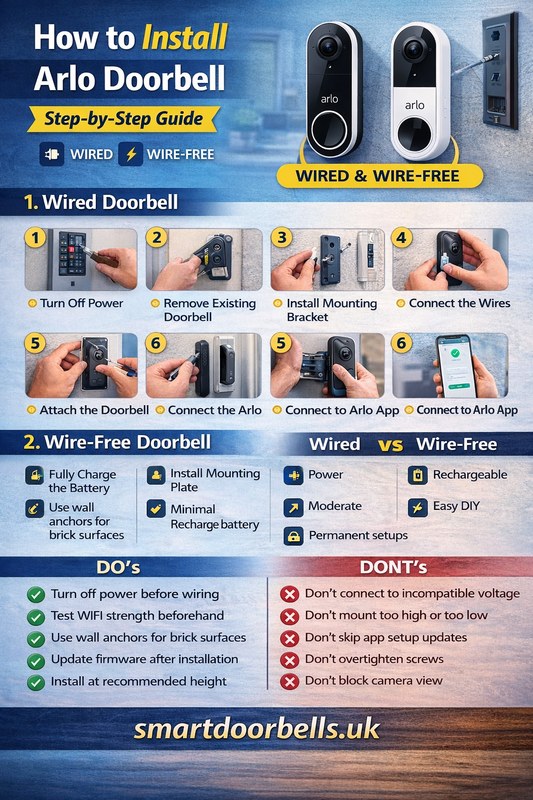
Quick Security Answer If you are checking arlo video doorbell installation, start with power, Wi-Fi, and mounting height. Most beginners can handle it, but uncertain wiring or rental rules are good reasons to choose a battery setup or call a pro. Arlo video doorbell installation is usually manageable for beginners when you check power, Wi-Fi,…
Compare the best security camera system with NVR for home in our 8-product roundup. See local storage, PoE setup, and subscription-free picks for U.S. buyers.
The eufy Video Doorbell E340 uses a removable rechargeable battery, so you can charge it indoors without removing the entire doorbell. Its advertised runtime reaches up to six months, but motion activity, video settings, temperature, and camera use can shorten that time. Under normal use, you can expect roughly six to eight weeks between charges,…
Quick Security Answer Yes, many Ring battery doorbells can be hardwired if the exact model and existing transformer are compatible. Hardwiring usually helps keep the battery charged, but it does not fix weak Wi-Fi or replace model-specific setup requirements. can you hardwire a ring battery doorbell? Yes, in many homes you can. But only if…
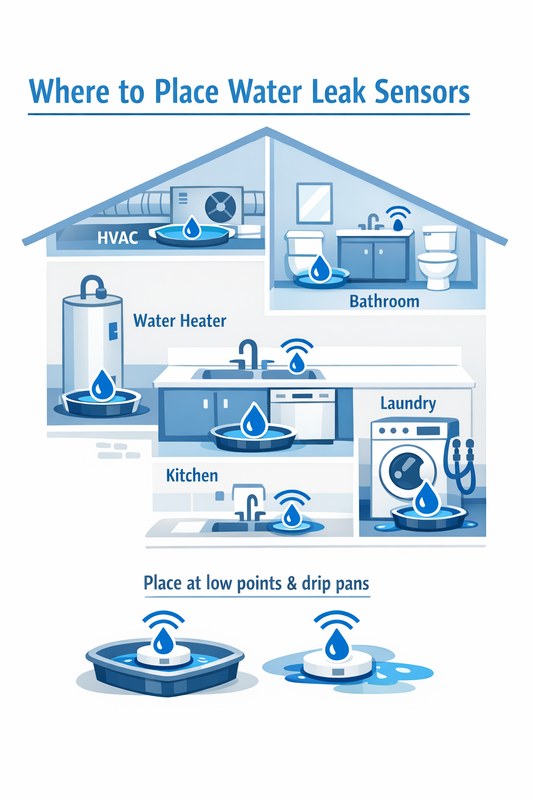
View on Amazon Quick Security Answer Place water leak sensors at the highest-risk spots: under sinks, behind toilets, near the washing machine, and around the water heater. Position them flat on the floor with clear access to water flow and test them monthly. Smart Home Security Guide Knowing where to place water leak sensors is…