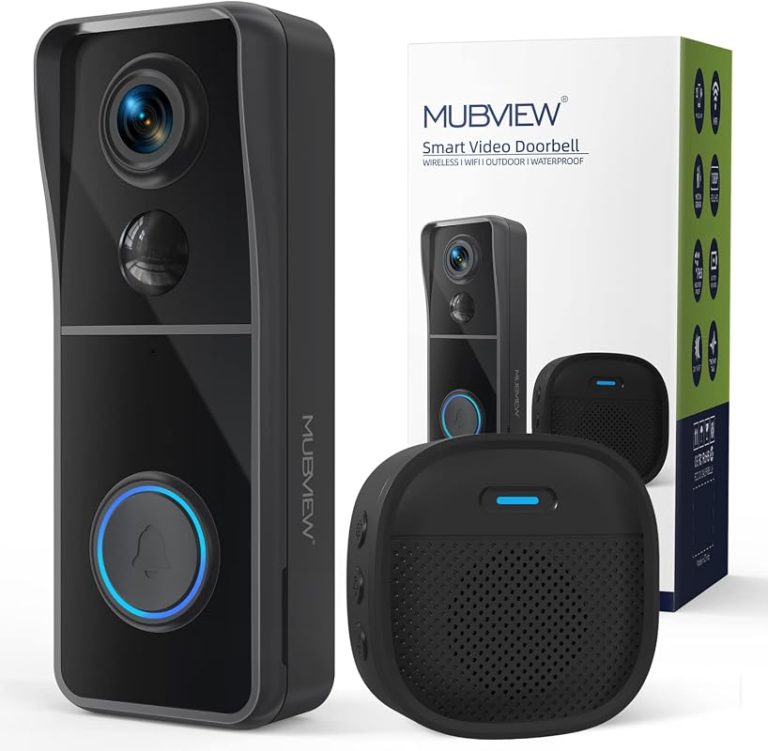
Ring video doorbell compatibility depends on power, Wi-Fi, and mounting fit first. Homeowners and renters should also check chime support, privacy settings, and ongoing subscription costs.
Ring video doorbell compatibility starts with three basics: power, Wi-Fi, and fit at the door. If those line up, most homeowners can move forward with setup. If they do not, the problem is usually wiring, signal strength, or mounting space.
What Ring Video Doorbell Compatibility Means in 2026
Compatibility is more than whether the doorbell turns on. It also means the device can connect to your home network.
It should also work with your existing chime. It must fit your entryway and meet your privacy and household-sharing needs.
For many homes, the real question is not “Will it work?” It is “What kind of setup will it need?” A battery model can fit more homes. A wired model may depend on existing low-voltage doorbell wiring and transformer support.
Why compatibility is about more than “will it power on?”
A doorbell can power up and still be a poor fit. Weak Wi-Fi can delay alerts.
A narrow porch can limit the view. A tricky chime setup can leave the indoor bell silent, even when the app works.
That is why Ring video doorbell compatibility should be checked in layers. Power, app access, and placement all matter at the same time.
The three checks homeowners should make first: wiring, Wi-Fi, and mounting space
Start with the existing doorbell wire, if you have one. Then check whether the front door gets a strong Wi-Fi signal.
Finally, measure the wall space around the door. The camera must mount securely and aim at visitors.
If any one of those is uncertain, installation may still be possible. It may just need an adapter, a mount, a mesh node, or a professional installer.
Power, Wiring, and Chime Compatibility
Compatibility depends on power source, wiring, and chime setup.
Power is the biggest compatibility checkpoint for wired setups. Battery-powered models are more flexible, but they still need proper charging habits and a strong network.
Wired models can be cleaner day to day. But they depend on the right transformer, wiring, and chime support.
Hardwired vs. battery-powered Ring setups
Hardwired models use existing doorbell wiring or a compatible adapter. That can provide continuous power.
The home must still meet the exact electrical requirements in the manual.
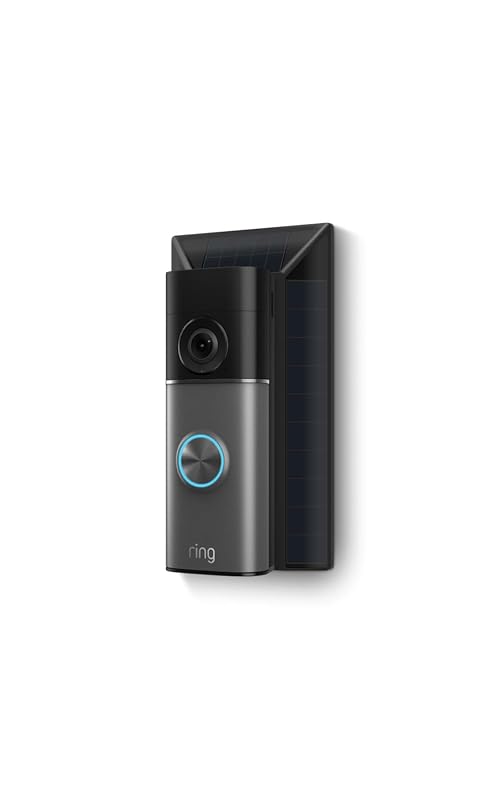
Battery-powered models are easier to place in more homes, including many rentals. They still need regular charging or another approved power solution, so they are not truly maintenance free.
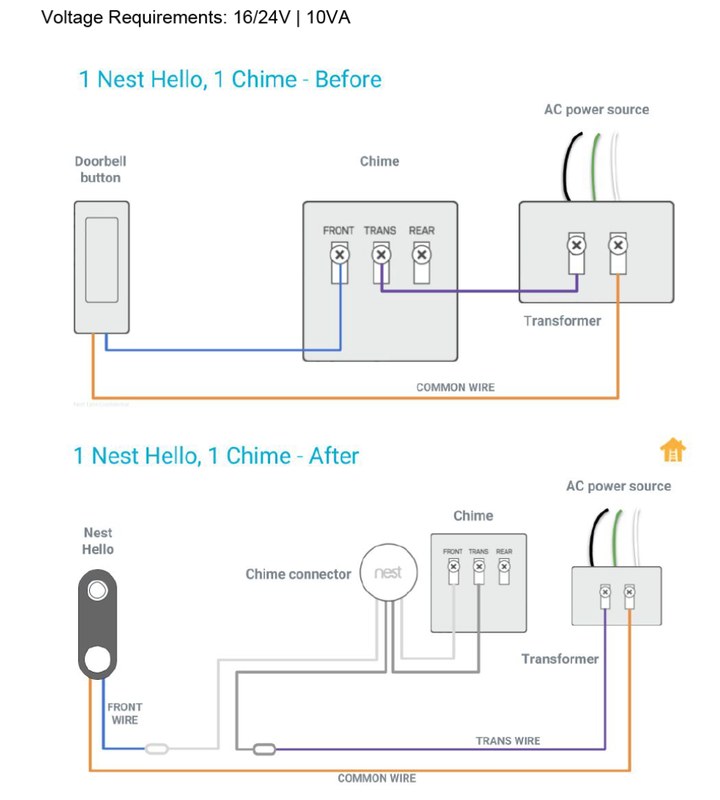
Transformer voltage, existing doorbell wiring, and chime box requirements
Many compatibility problems start at the transformer. A transformer is the device that lowers household power to a safe low-voltage level for a doorbell system.
The exact voltage and VA rating must match the model’s requirements.
You also need to know whether your home uses a mechanical chime or a digital chime. Some models need a power kit, connector, or bypass part for the chime box to work correctly.
When a home needs an adapter, bypass kit, or electrician
Use an adapter or bypass kit when the manual says one is required. Do not guess.
The wrong part can cause weak power, chime problems, or repeated disconnects.
Call a qualified electrician if the wiring is old, damaged, hidden, or hard to identify. That is especially important if you are unsure about the transformer location or the low-voltage circuit.
Home Layout and Placement Factors That Affect Performance
Even the right model can perform poorly if it is mounted in the wrong spot. Entry height, porch depth, stairs, and weather exposure all affect what the camera sees.
They also affect how well motion alerts work.
Door frame height, angle, and field of view
Field of view means the area the camera can see. A camera mounted too high may miss faces.
A camera mounted too low may miss packages or visitors standing back from the door.
Use the wall angle and any included wedge or corner mount to aim the lens toward the most common visitor path. If your doorway is narrow, a wider view may help.
If the porch is deep, angle matters even more.
Porch depth, stairs, siding, and weather exposure
Deep porches, steps, and side walls can block motion detection or create blind spots. Siding material can also affect drilling and mounting strength.
Weather matters too. Rain, sun, and freezing temperatures can affect battery use and long-term wear.
Check the exact model’s weather rating and operating range before mounting it outdoors. For general planning, the Ring Battery Doorbell no-drill mount guide can help renters think through placement limits.
Night performance, motion detection, and audio pickup considerations
Night performance depends on the camera sensor, porch lighting, and how much glare the lens faces.
A bright porch light can help. It can also create reflections if the camera points at glass or shiny surfaces.
Motion detection works best when the camera covers the approach path, not just the door. Audio pickup can also vary with traffic noise, wind, and how far visitors stand from the lens.
Wi-Fi, App, and Account Requirements<
Wi-Fi, app, and account setup are required for doorbell use.
Wi-Fi is part of compatibility, not an extra feature. A video doorbell needs a stable connection for live view, alerts, and cloud uploads.
The app and account setup also matter because they control access, sharing, and recovery.
2.4 GHz and 5 GHz support, signal strength, and router placement
Many smart doorbells use 2.4 GHz Wi-Fi because it reaches farther through walls. Some also support 5 GHz, which can be faster at shorter range.
The exact band support depends on the model.
Signal strength at the front door is more important than speed alone. If the router is far away, move it, add a mesh node, or use a proper extender.
Mesh systems often help because they spread Wi-Fi more evenly across the home. Extenders can help too, but placement matters.
A bad extender location can make the connection worse instead of better.
Some smart home setups also use a hub or bridge. If your model depends on one, verify that the hub is compatible and placed within range of both the router and the doorbell.
App permissions, shared users, and account recovery basics
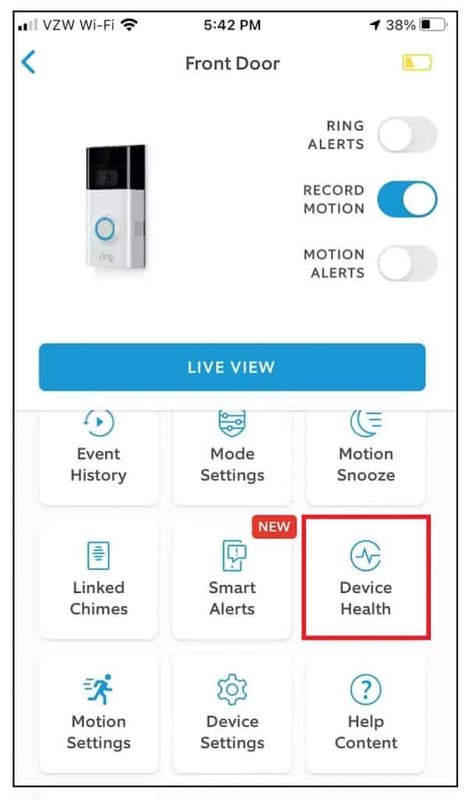
The app needs the right phone permissions for alerts, camera access, and notifications. If those are blocked, the doorbell may work but feel unreliable.
Shared users should be limited to people who truly need access. Keep account recovery options current, including your email and phone number, so you do not lose control of the device if you change phones.
Compatibility for Homeowners vs. Renters
Homeowners usually have more wiring and mounting freedom. Renters often need a less invasive approach.
They may also need written approval before drilling or changing exterior hardware.
Permanent installation limits, lease rules, and landlord approval
Before drilling, check the lease and ask for approval if needed. Some buildings allow a full replacement doorbell.
Others allow only removable mounts or battery models.
In condos, townhomes, and apartments, exterior changes may also be limited by HOA or building rules. That is especially true if the camera faces shared space.
Non-invasive mounting options and preserving the original doorbell
No-drill mounts, adhesive mounts, and bracket systems can help renters avoid permanent damage. Still, they may not work on every surface or in every weather condition.
Keep the original doorbell parts if you remove a wired unit. That makes it easier to restore the entry when you move out.
Renters, roommates, caregivers, and family members may all need access. Use shared users only when needed, and remove access when someone moves out or no longer needs it.
Temporary access is helpful for guests or property managers. Just make sure the account owner stays in control of the main login and recovery settings.
Storage, Subscriptions, and Monitoring Choices
Compatibility also includes what happens after the doorbell records an event. Some features work without a plan.
Others depend on cloud storage, clip history, or advanced alerts.
What works without a subscription and what does not
Without a plan, you may still get live view or basic alerts, depending on the model and current service terms.
But many video history features usually depend on a paid plan.
Always check the current plan page before buying. Features can change by model, region, or firmware update.
Cloud storage, retention periods, and event history limits
Cloud storage means recordings are saved on the vendor’s servers. That can make access easy.
It also means your clips depend on the account, the internet, and the plan terms.
Retention periods, clip length, and device limits vary. If you want to compare storage styles, the Ring Battery Doorbell subscription guide can help you understand what a plan usually changes.
Local Storage
Can keep clips on hardware you control.
May avoid recurring cloud fees.
Can still be lost if the device is stolen or damaged.
Cloud Storage
Lets you access clips from anywhere.
Depends on the account and internet service.
Usually follows the provider’s retention rules.
Self-monitoring expectations versus professional monitoring alternatives
Most video doorbells are self-monitored. That means your household gets the alert and decides what to do next.
A doorbell camera is not the same as a full alarm system.
If you want broader protection, compare the monitoring model carefully. Self-monitoring is cheaper, while professional monitoring may add service terms, fees, and dispatch limits.
It still does not guarantee emergency response.
Self-Monitoring
The household receives alerts and decides what action to take.
Usually has lower ongoing cost.
Does not guarantee emergency dispatch.
Professional Monitoring
A monitoring center may review eligible alarms.
Dispatch availability depends on the plan and event.
Fees, contracts, permits, and false-alarm rules may apply.
Privacy, Cybersecurity, and Neighbor Considerations
Video doorbells can capture more than the front step. That makes privacy settings, password security, and camera placement important parts of compatibility.
They are not afterthoughts.
Privacy zones, motion limits, and placement to reduce overcapture
Privacy zones let you block parts of the image, such as a neighbor’s walkway or a public sidewalk. Motion limits can also reduce alerts from passing cars or foot traffic.
Place the camera so it focuses on your own entry area. That lowers the chance of recording more shared space than needed.
Two-factor authentication, password hygiene, and firmware updates
Use a unique password for the account and turn on multi-factor authentication, also called MFA. MFA adds a second check when you sign in.
Keep the app, router, and doorbell firmware updated. Updates often fix bugs and security issues.
Audio recording, shared sidewalks, and neighbor-facing camera concerns
Audio can raise more privacy concerns than video alone. Be careful when a camera points toward shared sidewalks, driveways, or neighboring windows.
Rules can vary by state and local area. If you are unsure, check the manual and local guidance before mounting the device in a shared view.
Installation, Setup, and Troubleshooting Basics
Most compatibility issues show up during setup. The good news is that many of them are easy to isolate.
Check power, signal, and app settings in a careful order.
Pre-install checklist for tools, measurements, and network readiness
Before you begin, confirm the model, power source, Wi-Fi band, and mounting method. Measure the door frame and check whether the wall surface can support the bracket.
Have the right tools ready, including a screwdriver, drill bits if needed, and a level. If the doorbell is wired, turn off power first and verify the circuit before touching any conductors.
1
Confirm requirements
Verify the exact model, power, network, storage, placement, household, rental, and platform requirements.
2
Plan safe placement
Consider privacy, field of view, weather, height, doors and windows, wiring, and emergency access.
3
Install and secure
Follow the exact manual, update firmware, use a unique password, and enable MFA.
4
Test and maintain
Test alerts, recording, outage behavior, batteries, users, permissions, and backup procedures.
Common setup problems: offline devices, delayed alerts, and missed motion
If the device shows offline, check Wi-Fi first. Then confirm the router has internet access and the app still has permission to send notifications.
Delayed alerts often point to weak signal, network congestion, or power issues. Missed motion may mean the camera angle is wrong, the motion zone is too narrow, or the porch layout blocks the sensor.
When compatibility issues point to wiring, Wi-Fi, or app configuration
If the indoor chime does not sound, the wiring or chime kit is often the problem. If the app works on one phone but not another, the issue may be permissions or account access.
If the device disconnects at certain times, look at router placement, mesh handoff, or interference from nearby electronics.
Compatibility is not only about day-one setup. It also includes the time and money needed to keep the doorbell working well over months and years.
Battery charging, weather wear, and seasonal upkeep
Battery models need regular charging. How often depends on motion activity, temperature, and settings.
Cold weather can reduce battery performance faster than mild weather.
Wipe the lens, check the mount, and review motion settings after storms or seasonal changes. Dirt, spider webs, and loose screws can all affect performance.
Replacement parts, subscription fees, and electricity use
Some homes need replacement batteries, mounting wedges, or power accessories. Wired models may use a little electricity.
The larger long-term cost is often the plan fee, if one is required.
When comparing total cost, include accessories, possible installation help, and any subscription you may want for video history. If you are still choosing between models, the Ring Battery Doorbell price guide can help you think about ownership cost, not just the sticker price.
When upgrading your doorbell or network makes more sense than forcing compatibility
Sometimes the best fix is not another adapter. If the transformer is too weak, the Wi-Fi is unreliable, or the porch layout is too awkward, upgrading the network or choosing a different model may save time and frustration.
That is especially true in older homes, rentals with strict rules, and houses with deep porches or weak front-door signal.
Final Takeaway
Ring video doorbell compatibility comes down to power, Wi-Fi, and placement first, then chime support, privacy, and ongoing costs. If any of those are unclear, check the exact model manual before buying or wiring anything.
Not always. Battery-powered models can work without existing wiring, while wired models need compatible low-voltage power and the right transformer.
Many models support 2.4 GHz Wi-Fi, and some also support 5 GHz. Check the exact model requirements and make sure the signal is strong at the front door.
Often yes, but lease rules and landlord approval may apply. Non-invasive mounts and battery models are usually easier for rentals than wired replacements.
That depends on the model and current plan terms. Some basic features may work without a plan, but video history and extended storage often require a subscription.
Use privacy zones, limit motion areas, and aim the camera toward your own entry space. Also review shared users, passwords, and two-factor authentication.
Start with Wi-Fi signal strength, router placement, and app permissions. If the unit is wired, also check the transformer, chime kit, and power connection.
Hi, I'm Marcus Sterling, a smart home security expert with over 5 years
of hands-on experience testing and reviewing hundreds of security cameras, smart locks, and alarm systems. My mission is to make smart home security accessible, affordable, and easy to understand—and every review I publish is 100% independent, unbiased, and honest. I don't accept payments for positive reviews, just practical advice to help you secure your home with confidence.
Installing the eufy Video Doorbell E340 takes only a few basic steps, whether we use its rechargeable battery or existing doorbell wiring. We can mount it near the entryway, connect it to the eufy Security app, and adjust its settings for reliable alerts. We can install the E340 with battery power or 16–24 VAC wiring,…
ring battery doorbell 4k pro review: see what its 4K video, zoom, alerts, and battery design offer, and verify plan, compatibility, and privacy details.
The eufy Video Doorbell E340 uses a removable rechargeable battery, so you can charge it indoors without removing the entire doorbell. Its advertised runtime reaches up to six months, but motion activity, video settings, temperature, and camera use can shorten that time. Under normal use, you can expect roughly six to eight weeks between charges,…
Compare ring battery doorbell plus solar charger for home coverage, privacy, power, storage, subscriptions, and value. Read the guide before choosing a system.
Compare best video doorbell without subscription for home coverage, privacy, power, storage, subscriptions, and value. Read the guide before choosing a system.
Smart video doorbells let us see visitors, talk with them, and receive motion alerts from a phone. They can also record activity near an entrance, making them useful for homes that need more awareness than a basic doorbell provides. The eufy Video Doorbell E340 is a wired or battery-powered model with dual cameras, package monitoring,…