Ring video doorbell warranty coverage usually helps with factory defects, not setup mistakes or weather damage. Keep your receipt, check power and Wi-Fi first, and confirm the current model terms before filing a claim.
The ring video doorbell warranty usually covers defects in materials or workmanship. It does not cover weather damage, misuse, or poor setup. For most buyers and owners, the key is knowing what the warranty covers, when coverage starts, and how to prove the device problem is not an installation issue.
Ring Video Doorbell Warranty Explained: What Buyers and Owners Need to Know
A warranty is the maker’s promise that a product should work as designed for a set time. If a covered defect causes a failure, Ring may repair or replace the device under the stated terms. That is different from a return policy. It is also different from optional support features tied to a subscription.
What the Warranty Typically Covers in the United States
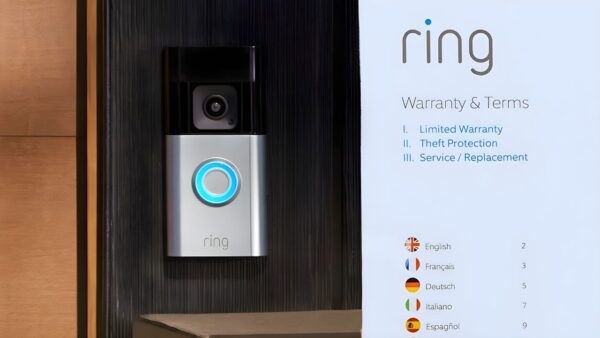
Typical U.S. warranty coverage for a Ring Video Doorbell is summarized here.
In the United States, a Ring warranty usually focuses on factory defects. That means problems that existed when the device left the factory. Examples include a faulty sensor, a dead battery that will not hold a charge as expected, or a button that fails under normal use. Exact coverage depends on the model and the current warranty terms.
Hardware defects, workmanship issues, and excluded damage
Most warranties cover defects in materials or workmanship. In plain terms, that means the device was built wrong or a part failed during normal use. Damage from drops, water intrusion caused by improper mounting, power surges, tampering, accidents, or unauthorized repairs is often excluded.
It also helps to separate a defect from wear. A weak Wi-Fi signal, a bad transformer, or a loose mount can look like a broken doorbell. But those are often setup or home-network problems instead. For placement and power concerns, see Ring Battery Doorbell Wired Vs Battery and Ring Battery Doorbell Chime Setup Guide.
How the warranty differs from returns, replacements, and subscription support
A return window is usually set by the retailer, not the manufacturer. A warranty claim comes later and is based on a covered problem. Subscription support can add cloud features, alerts, and video history. But it does not replace the warranty. It also does not guarantee a free replacement for every issue.
Warranty, Returns & US Support
Limited warrantyVerify the current model terms
Retailer return windowCheck the seller’s policy
US supportUse Ring’s current support channels
Replacement partsVaries by model and availability
How Long Coverage Lasts and When It Starts
Coverage usually starts on the purchase date. But the exact start point can depend on proof of purchase and product registration. Some buyers assume activation starts the warranty clock, but that is not always true. The safest move is to keep the receipt and any order confirmation.
Proof of purchase, activation timing, and secondhand devices
Most support teams want a receipt, invoice, or order number. If a device was bought from a retailer, that document usually matters more than the date you first connected it to the app. For secondhand devices, coverage can be limited or unavailable, especially if the original proof of purchase is missing.
If you are comparing models before buying, it can help to read a setup guide first, such as How To Setup Ring Battery Doorbell. That makes it easier to spot whether a problem is likely to be hardware, power, or network related.
What happens if you move, gift, or resell the doorbell
If you move, the device may still be covered if the original purchase and warranty terms remain valid. If you gift or resell it, the next owner may not get the same coverage. Account transfer, device removal, and proof of purchase can all matter. It is smart to clear the device from the old account before handing it off.
How to File a Warranty Claim Without Delays<
Warranty claim steps shown for filing without delays.
The fastest claim is the one with clear facts. Gather the model name, serial number, proof of purchase, and a short description of the issue before you contact support. Include when the problem started and what troubleshooting steps you already tried.
Information to gather before contacting support
Support usually works best when you can describe the symptom, not just the result. For example, say whether the device will not power on, will not connect to Wi-Fi, records with no audio, or shows repeated offline alerts. Screenshots, app error messages, and photos of the mount can also help.
Emergency Notice
A smart security device is not a substitute for emergency services. In an immediate US emergency, call 911 when it is safe to do so.
Common claim outcomes: repair, replacement, or denial
Warranty claims often end in one of three ways. Ring may replace the unit, offer a repair path if one exists, or deny the claim if the issue is outside warranty coverage. Denials are more likely when the damage looks physical, environmental, or caused by installation mistakes.
Installation Factors That Can Affect Warranty and Performance
Installation does not usually void a warranty by itself. But poor installation can create damage that is not covered. This matters for renters and homeowners alike. A device that is mounted too low, exposed to direct rain, or wired incorrectly can fail in ways that look like a product defect.
Wired vs. battery-powered setups and power stability
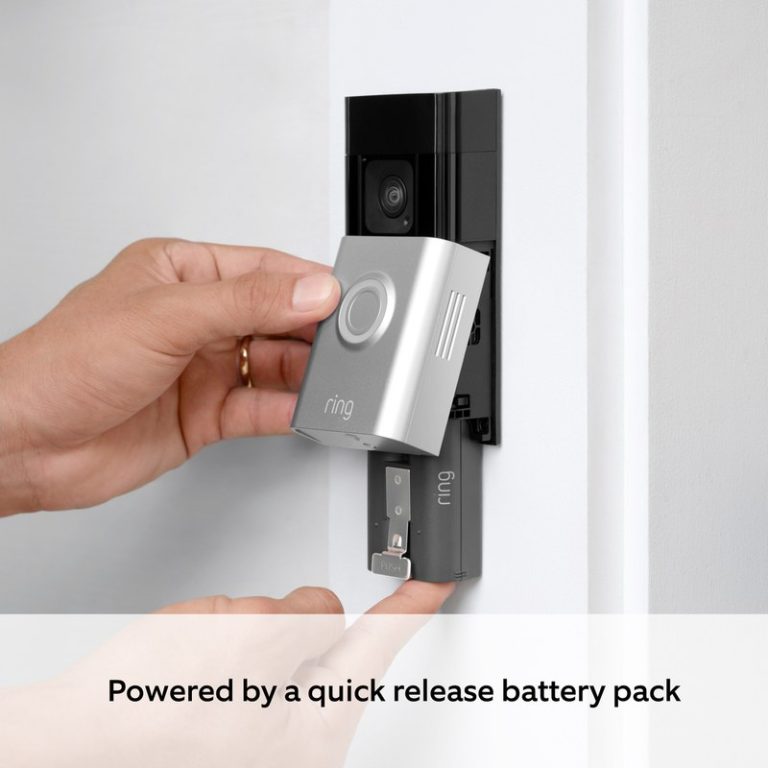
Battery models reduce wiring concerns, but they still depend on charging and stable app setup. Wired models can offer steadier power, yet they depend on a compatible transformer and chime setup. If the power supply is unstable, the device may reboot, miss alerts, or fail to charge correctly.
Mounting, weather exposure, and placement near doors, steps, or shared walkways
Placement affects both performance and privacy. A doorbell aimed at a sidewalk, shared porch, or neighbor’s entry can capture more than you expect. Weather exposure also matters, especially if the unit is installed where rain, sun, or snow hits it directly.
For renters, check lease rules, HOA limits, and landlord approval before drilling. If you need a no-drill option, review the mounting tradeoffs first, such as in Ring Battery Doorbell No Drill Mount Picks.
Compatibility, Wi-Fi, and App Setup Considerations
Many warranty complaints are really setup complaints. If the device keeps dropping offline, the issue may be the network, router distance, or app permissions rather than the doorbell itself. A stable setup helps you avoid repeat support calls and unnecessary replacements.
2.4 GHz versus dual-band networks, router distance, and signal reliability
Some video doorbells work best on 2.4 GHz Wi-Fi because it reaches farther through walls. Dual-band systems can still work well, but the exact setup matters. If the router is far away, behind metal, or buried in a basement, the doorbell may struggle even if the internet plan is fast.
Shared users, account recovery, and device handoff for households and renters
Households often share access through app users or linked accounts. That is useful, but it also creates support issues if the primary account holder leaves, changes phones, or forgets recovery details. Before a move or handoff, remove old users and confirm the new owner can log in safely.
Subscriptions, Cloud Storage, and Ownership Costs Beyond the Warranty
The warranty protects the device, but ownership costs continue after purchase. Many buyers also need to think about storage, alerts, and whether a subscription is required for the features they want. Those costs can matter more over time than the warranty itself.
What Ring Protect changes for video history, alerts, and event review
A subscription can change how long you can review recordings, how alerts work, and whether event history is saved in the cloud. Without a plan, you may still get live views or basic notifications, but the exact feature set depends on the model and current Ring terms. For a deeper look at plan tradeoffs, see Ring Battery Doorbell Subscription Guide.
Local Storage
Can reduce monthly fees.
Depends on the device or hub you choose.
Still needs secure access and backup planning.
Cloud Storage
Usually adds remote access and event history.
Depends on internet and account security.
May require an ongoing plan.
Free vs. paid features and how they affect long-term value
Free features can be enough for basic alerts and live checks. Paid features may be worth it if you want stored clips, easier review, or more household access. The better value depends on how often you use the doorbell and how much video history you need.
Privacy, Cybersecurity, and Neighbor-Aware Use
Connected doorbells handle video, audio, and account data, so basic security matters. Strong passwords, updated firmware, and careful sharing are just as important as the warranty. A device can be covered by warranty and still be poorly protected if the account is weak.
Two-factor authentication, firmware updates, and account security basics
Two-factor authentication, often called MFA, adds a second login step. That helps protect your account if your password is stolen. Firmware updates can also fix bugs and security issues, so it is worth checking that the app and device stay current.
Privacy zones, audio settings, and reducing capture of public or neighboring areas
Privacy zones let you block parts of the camera view. Audio settings can also matter if the device records voices near a porch or shared walkway. Good placement and careful settings reduce the chance of capturing areas you do not intend to monitor.
Maintenance, Troubleshooting, and When Warranty Is Not the Real Fix
Simple maintenance can prevent many false warranty worries. Clean the lens, check battery health, and review app alerts before assuming the device failed. Seasonal weather, weak Wi-Fi, and loose mounting hardware often cause symptoms that look like a bad unit.
Battery care, lens cleaning, seasonal weather checks, and app troubleshooting
Battery-powered models need regular charging and basic care. Keep the lens clean, check for moisture or debris, and confirm the app still has the right permissions. After storms or cold snaps, review power, signal strength, and notifications before opening a claim.
Signs of setup, network, or placement problems that look like hardware failure
If the device works when it is close to the router, the problem may be signal strength. If it only fails at certain times of day, interference or power fluctuation may be the cause. If motion alerts are missing, the issue may be placement, detection settings, or app configuration rather than warranty failure.
What to Do Before Buying or Keeping a Ring Video Doorbell
Before you buy or keep the device, check the warranty terms, power needs, Wi-Fi strength, and install limits at your address. Homeowners should confirm wiring and weather exposure. Renters should confirm permission, removable mounting options, and how the device will be removed later.
It usually covers defects in materials or workmanship. It does not usually cover accidental damage, weather damage from poor mounting, or misuse.
Check power, Wi-Fi, mounting, and app settings first. If the device still fails under normal use, the problem may be covered.
Not always. Coverage often starts from the purchase date, so keep your receipt or order confirmation.
Sometimes, but coverage can be limited or unavailable. Proof of purchase and the current warranty terms matter a lot.
No, a subscription is separate from the warranty. A plan may add cloud features, but it does not replace manufacturer coverage.
Have the model name, serial number, proof of purchase, and a short description of the problem. Screenshots or photos can also help support review the issue faster.
Hi, I'm Marcus Sterling, a smart home security expert with over 5 years
of hands-on experience testing and reviewing hundreds of security cameras, smart locks, and alarm systems. My mission is to make smart home security accessible, affordable, and easy to understand—and every review I publish is 100% independent, unbiased, and honest. I don't accept payments for positive reviews, just practical advice to help you secure your home with confidence.
View on Amazon Quick Security Answer Most false alarms come from humidity, placement, low battery, or short Wi-Fi gaps. Check the event log first, then fix the trigger in that order so your sensor stays reliable. Smart Home Security Guide Water leak sensor false alarm causes usually fit into a short list that is easy…
Quick Security Answer A Ring battery doorbell can still work without a plan, but paid storage is what makes it useful for reviewing past events. If you want saved clips, compare monthly and annual pricing, then check setup, Wi-Fi, and privacy needs before you buy. The ring battery doorbell subscription is the paid plan that…
View on Amazon Quick Security Answer Entry delay is the countdown that starts when a protected door opens and gives you time to disarm the system before the siren sounds. Choose a delay that covers your real walking time, and test every entry zone after adjusting it. Smart Home Security Guide The short answer to…
View on Amazon Quick Security Answer Do water leak sensors need a hub? Only hub-based models using Zigbee, Z-Wave, Thread, or a proprietary alarm system need one. Direct Wi-Fi sensors connect to your router and require no extra hardware. Smart Home Security Guide Do water leak sensors need a hub? The answer is no for…
View on Amazon Quick Security Answer Security cameras can see through windows at night, but built-in infrared reflection often washes out the picture. Place the lens flush against the glass, turn off the IR illuminator, and test after dark for the best result. Smart Home Security Guide Can security cameras see through windows at night?…
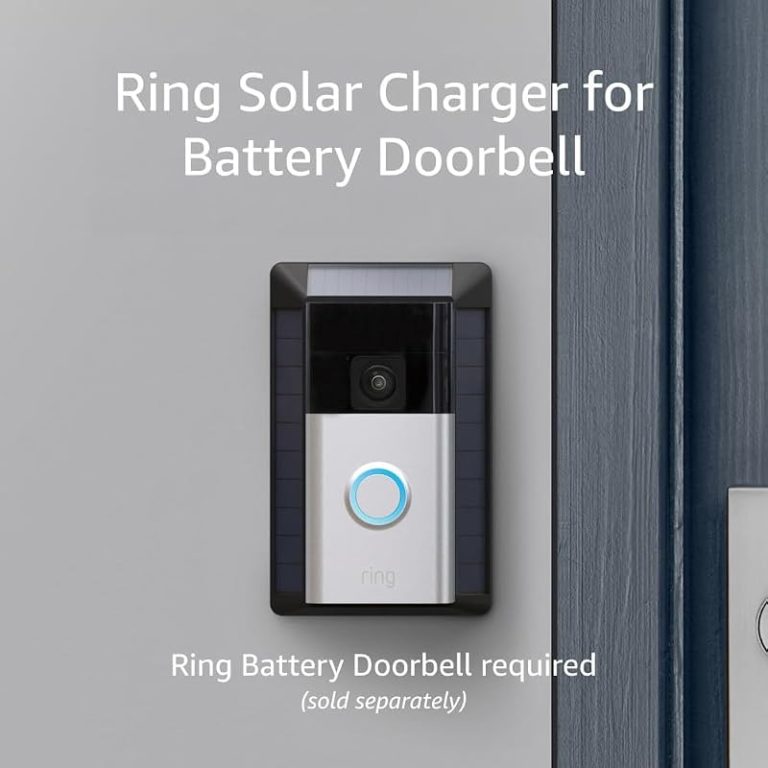
Compare 9 smart home security picks, including ring battery doorbell solar charger options, with compatibility notes, value tips, and a quick buyer guide.