Z-Wave vs Zigbee Security Sensors – Whats the Difference
Z-Wave and Zigbee both power wireless security sensors, but they use different radio bands and pairing rules. Choose the one your hub supports, and test a single sensor before building a full system.
Choosing between z-wave vs zigbee security sensors can feel confusing. Both promise wireless protection for doors, windows, and motion. Both are low-power mesh networks that talk to a central hub.
This guide explains how they differ. It covers range, hub compatibility, battery life, privacy, and cost. You will also learn which choice fits a US home best.
Z-Wave vs Zigbee for Security Sensors: The Core Difference, Answered
Z-Wave and Zigbee are wireless standards, not brands. Security sensors from many companies use one or the other to send alerts to a hub.
The core difference is radio frequency and control. Z-Wave uses a lower, less crowded band in the US. Zigbee uses 2.4 GHz, which shares space with Wi-Fi.
Both can secure a home. Your hub, home size, and nearby wireless clutter often decide the better fit.
Mesh Networking Explained: How Z-Wave and Zigbee Actually Move Data
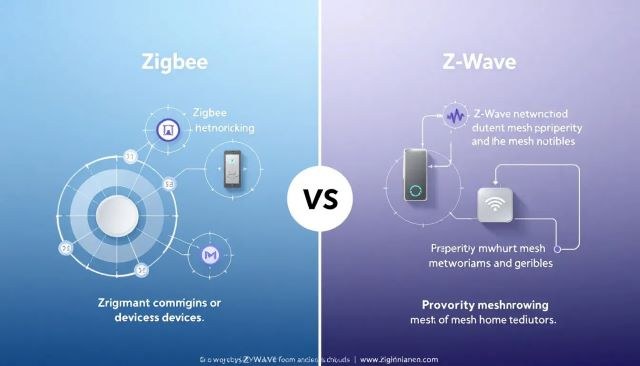
Both protocols use mesh networking. Each powered device, like a smart plug or switch, repeats signals for nearby devices. The network grows stronger as you add powered gear.
Battery sensors sit at the edge of the mesh. They wake, send a short message, and go back to sleep. They rarely repeat signals because that drains batteries.
The two protocols differ in frequency, range, and how well signals pass through walls.
Z-Wave’s 908 MHz Advantage for Multi-Floor Homes
In the US, Z-Wave uses the 908 MHz band. Lower frequencies travel farther through walls and floors than 2.4 GHz signals.
That makes Z-Wave a good fit for multi-story homes and basements. The data rate is low, but door and window sensors send tiny messages. Reach matters more than speed.
Zigbee’s 2.4 GHz Bandwidth and Its Wi-Fi Interference Problem
Zigbee moves data faster than Z-Wave. But it shares 2.4 GHz with Wi-Fi, Bluetooth, baby monitors, and microwave ovens.
When many radios compete, Zigbee messages may be delayed or repeated. Interference does not make it unsafe. It can cause missed alerts in crowded homes.
Some hubs and routers let you change channels to reduce overlap. That helps, but it cannot remove every source of congestion.
Hub Requirements and Compatibility: The Ecosystem Reality Check
Neither protocol works alone. You need a hub, an alarm panel, or a USB radio. It connects the sensors to an app.
Most people pick a hub first, then buy sensors that match it. That choice locks in your protocol family. Think before you fill a cart.
Z-Wave: One Standard, Cross-Brand Interoperability
Every Z-Wave device must pass certification before using the logo. That rule creates strong cross-brand compatibility.
A Z-Wave door sensor from one company usually pairs with a Z-Wave hub from another. SmartThings, Hubitat, and many alarm consoles support Z-Wave. This is the closest thing to plug-and-play in wireless sensors.
Zigbee: One Protocol, Many Flavors
Zigbee is a public standard, but brands can customize device behavior. Zigbee 3.0 improved compatibility. Older devices may act differently on third-party hubs.
Some brands build Zigbee ecosystems that work best with their own hub. Check the hub’s compatibility list before you buy.
Matter is a newer standard with different rules. If you are weighing it against Zigbee, our Matter vs Zigbee guide for home security explains the trade-offs.
Security Sensor Placement, Power, and Battery Life

Placement decides how well a sensor works. A perfect protocol cannot fix a sensor mounted in the wrong spot.
Door and window sensors need tight alignment between the magnet and sensor body. Motion sensors work best in a corner, 6 to 8 feet up, away from sun and heat vents. Water sensors sit near appliances. These rules apply on both protocols.
For the basics of sensor installs, our door and window sensor guide covers mounting and pairing steps.
Where Each Sensor Type Works Best
Use entry sensors on front doors, sliding doors, and first-floor windows. Put motion sensors in hallways, stairways, and entry points. Put water sensors under sinks and near appliances.
The protocol does not change placement. Range and repeater location do.
Battery Life: Z-Wave’s Quiet Advantage
Both protocols sip power. Typical entry sensors run for years on a small coin cell. Real life varies by brand, temperature, and door use.
Z-Wave sensors tend to send shorter, less frequent messages. Users often report very long battery life on Z-Wave entry sensors. Zigbee sensors may check in more often.
Replace batteries with the brand’s recommended type. Test the sensor afterward.
Cameras, Locks, and Alarms: Where the Protocol Choice Actually Bites
Entry sensors are easy. Cameras, locks, and alarms are where the protocol choice gets real.
Video Doorbells and Cameras: Placement, Storage, and Why Both Protocols Fall Short
Neither protocol has enough bandwidth for live video. Cameras and doorbells must use Wi-Fi or Ethernet for the stream.
Sensors can trigger a camera, but the video travels over your home network. Placement, upload speed, and storage matter more than the sensor protocol.
Video storage is a separate decision. Our local storage security camera explainer compares local recording with cloud plans.
Smart Locks: Deadbolt Fit, Batteries, and Z-Wave’s Lock Market Dominance
Z-Wave dominates the US connected-lock market. Many major lock brands offer Z-Wave models. Zigbee locks exist, but the selection is smaller.
Deadbolt fit comes first. The wireless protocol cannot fix a lock that does not align with the strike plate. Our smart lock vs keypad lock guide compares your entry options.
Alarm Systems and Monitoring: Self-Monitoring, Professional Dispatch, and Cellular Backup
An alarm system pairs sensors with a siren and a console. The console decides when an event is worth attention.
- The household receives alerts and decides what action to take.
- Usually has a lower ongoing cost.
- Does not guarantee emergency dispatch.
- A monitoring center may review eligible alarms.
- Dispatch availability depends on the plan and event.
- Fees, contracts, permits, and false-alarm rules may apply.
Some US cities require an alarm permit and charge for repeated false alarms. Check local rules before relying on dispatch.
Smart sensors are not a replacement for emergency services. In an immediate emergency, call 911 when it is safe.
Privacy and Cybersecurity: Local Mesh vs Cloud Exposure
Both protocols keep sensor traffic on your local mesh. The real exposure comes from the hub, app, and cloud account.
Encryption and Authentication: S2 vs Zigbee 3.0
Newer Z-Wave devices use S2 encryption. The hub and sensor verify each other during pairing. This blocks most fake-device attacks.
Zigbee 3.0 added mandatory security for certified devices. Older Zigbee gear may use weaker defaults. Prefer Zigbee 3.0 products when possible.
Both protocols are hardened for home use. The bigger risk is a weak hub account.
Securing Your Hub, Accounts, and Shared Users
Your hub account controls who arms, disarms, and sees sensor history. Protect it like a front-door key.
Use a unique password and turn on multi-factor authentication. Update the hub, sensors, router, and app regularly. Review shared users and delete anyone who no longer needs access.
Installation, Pairing, and Troubleshooting Without the Headaches
Pairing is usually simple. Exact steps depend on the hub and sensor brand. Read both manuals first.
Pairing: Z-Wave’s Inclusion vs Zigbee’s Permit Joins
Z-Wave pairing starts with the hub in add mode. Then press the sensor’s pairing button. Secure pairing may ask for a PIN from the sensor.
Zigbee uses permit join. Open the hub’s pairing screen, then wake the sensor.
Pair sensors close to the hub. After pairing, move them to their final spot and test.
Common Troubleshooting and Maintenance
If a sensor stops reporting, check the battery first. Then check distance to the nearest powered repeater.
Wi-Fi interference, heavy walls, and metal appliances can weaken Zigbee more than Z-Wave. Firmware updates fix many intermittent issues.
Test every sensor weekly. Clean dust off motion sensors and keep batteries fresh.
Ownership Costs and the Subscription Reality
Z-Wave and Zigbee have no monthly fee. The radio link is free after you buy the hardware.
Your real costs are the hub, sensors, and subscriptions for cloud video or monitoring. Those change often, so check current prices.
Upfront Costs, Professional Monitoring, and Hidden Fees
Entry sensors are the cheapest part of a system. Hubs and camera plans usually cost more over time.
Add spare batteries for every sensor. Buy a powered repeater if you need range in a far room.
Professional monitoring may require a contract, cellular backup, or a permit. Repeated false alarms can bring local fines.
Z-Wave or Zigbee for Your Home: A Decision Framework for Renters and Homeowners
There is no single best protocol. The right choice depends on your hub, home size, and long-term plans.
| Option | Best suited to | Network and power | Main limitation |
|---|---|---|---|
| Z-Wave | Multi-floor homes, US lock buyers, strong cross-brand pairing | 908 MHz mesh; low data rate; powered repeaters extend range | Smaller selection of non-security smart gadgets |
| Zigbee | Homes already using a Zigbee hub or Alexa, smart-lighting fans | 2.4 GHz mesh; faster data; shares spectrum with Wi-Fi | More brand quirks and possible Wi-Fi interference |
Choose Z-Wave If…
Choose Z-Wave for the widest US lock selection, certified sensors, and a cleaner radio band. It also suits two-story homes well.
Choose Zigbee If…
Choose Zigbee if you already own a Zigbee hub or want faster local automations and smart-lighting integration. Watch channel congestion and brand compatibility.
What to Do Next
Start with one hub and one sensor. Pair them and test range from the farthest corner. Then expand slowly.
Check rental or HOA rules before drilling. Keep the manual near the hub. If something looks dangerous, call 911 when it is safe.
Z-Wave suits US homes that want reliable pairing, lock choices, and a clean radio band. Zigbee suits homes already committed to a Zigbee hub and smart lighting. Match the protocol to your hub, test one sensor, then build from there.
Frequently Asked Questions
Sensors communicate with the hub over their own radio mesh, not Wi-Fi. The hub usually needs internet for remote app alerts and monitoring. During an internet outage, local automations may still work, but cloud alerts pause unless the hub has backup connectivity.
Z-Wave’s 908 MHz signal generally travels through more walls and floors than Zigbee’s 2.4 GHz signal. A two-story home can work with either protocol if you add powered repeaters, but Z-Wave often needs fewer of them.
Yes, if your hub supports both radios. Some hubs accept both protocols, so you can choose sensors per device. Keep each protocol on its own network and confirm your hub’s compatibility list.
No. The radio protocols are free. Subscription costs come from the hub’s cloud service, video storage, or professional monitoring plans. Many Z-Wave and Zigbee sensors work locally without a monthly fee, but features vary by hub.
Both are low power, with typical entry sensors lasting one to three years on a coin cell. Z-Wave sensors generally send smaller, less frequent messages, so users often report longer battery life. Temperature, door use, and brand matter too.
Confirm which protocol your hub supports, check the hub’s compatibility list, and verify your door or window alignment for placement. Pair one sensor first, test range from the farthest room, and check rental or HOA rules before drilling.