How Do Door and Window Sensors Work for Home Security
A door or window sensor uses a magnet and a reed switch to detect when a door or window opens. It sends an alert through a hub or Wi-Fi to your phone or a monitoring center.
This guide explains how do door and window sensors work and what they can realistically do for a home security setup. These small devices form the backbone of most smart alarm systems. This guide covers detection, placement, power, monitoring, privacy, and troubleshooting.
What Door and Window Sensors Detect and How the Magnetic Circuit Works
A door or window sensor detects one event: the separation of its two parts. When the door opens, the gap triggers an alert to your phone, a hub, or a monitoring center.
The reed switch and magnet: a simple two-part design
Every magnetic contact sensor has two parts. The sensor body contains a reed switch, a pair of thin metal contacts inside a sealed glass tube. The smaller part is a magnet.
Mount one part on the moving door and the other on the frame. When the door closes, the magnet pulls the contacts together. When the door opens, the magnet moves away, the circuit opens, and the sensor sends a signal.
Normally open vs. normally closed contacts and why it matters
Most consumer sensors use normally open (NO) contacts. The circuit is open at rest and closes only when the magnet is near. The sensor reports an alarm when the circuit opens.
Some sensors use normally closed (NC) contacts, which work in reverse. NC contacts are common in hardwired commercial systems because a cut wire triggers an alarm. For wireless home sensors, the NO design is simpler and battery-friendly.
Contact, Vibration, and Glass-Break Sensors: Which Type Covers Your Home?
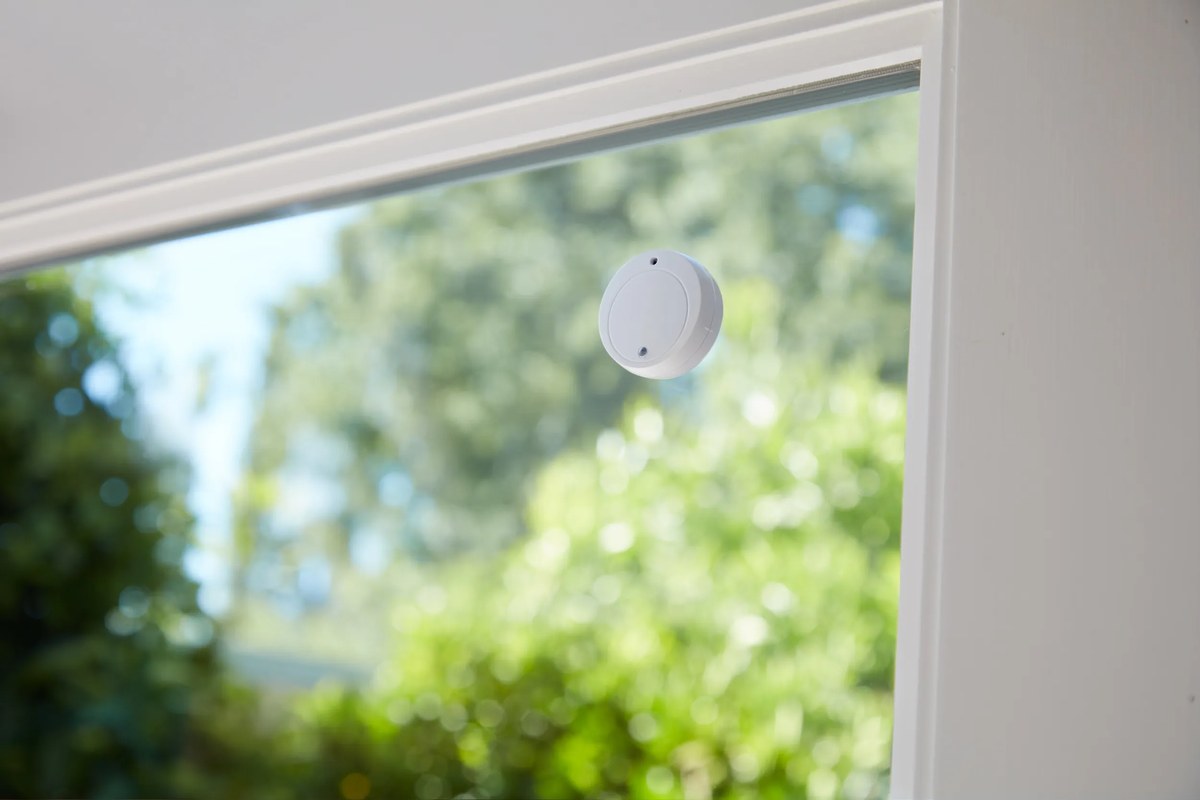
Contact sensors cover the door or window itself. Vibration and glass-break sensors cover the glass. A complete setup usually combines both types.
Contact sensors: the standard for entry doors and windows
Contact sensors are the standard for entry doors and windows. They are small, affordable, and easy to mount. They detect when the door or window opens, but not broken glass. A thief can break a window and reach through without opening it.
Vibration and glass-break sensors: closing the detection gaps
Vibration sensors attach to the glass and detect the shock of a break or cut. Glass-break sensors listen for the sound of shattering glass. Some models combine both. They are useful for large windows and sliding glass doors, but they are not replacements for contact sensors. Use them together.
How the Sensor Signal Reaches Your Phone or Monitoring Center
The sensor sends a short radio signal to a hub or directly to your Wi-Fi router. The hub or router then sends the alert to your phone or a monitoring center.
Direct-to-Wi-Fi vs. hub-based systems: Z-Wave, Zigbee, and proprietary radios
Some sensors connect directly to Wi-Fi. They are easy to set up but use more battery. Most sensors use a low-power radio like Z-Wave, Zigbee, or a proprietary protocol and need a hub to translate the signal. A hub-based system usually has better battery life and can keep working briefly during an outage.
Cellular backup and what happens when your internet goes down
Most sensors stop sending alerts if the internet goes down unless the hub has cellular backup. That backup uses a built-in modem and is usually part of a paid plan.
Without it, an outage can silence your system. Some hubs keep the local siren working, but remote alerts may not arrive. If you rely on remote alerts, check whether your hub supports cellular backup and whether your plan includes it. This is similar to how a video doorbell behaves when it loses Wi-Fi.
Placement, Mounting, and Installation for Renters and Homeowners
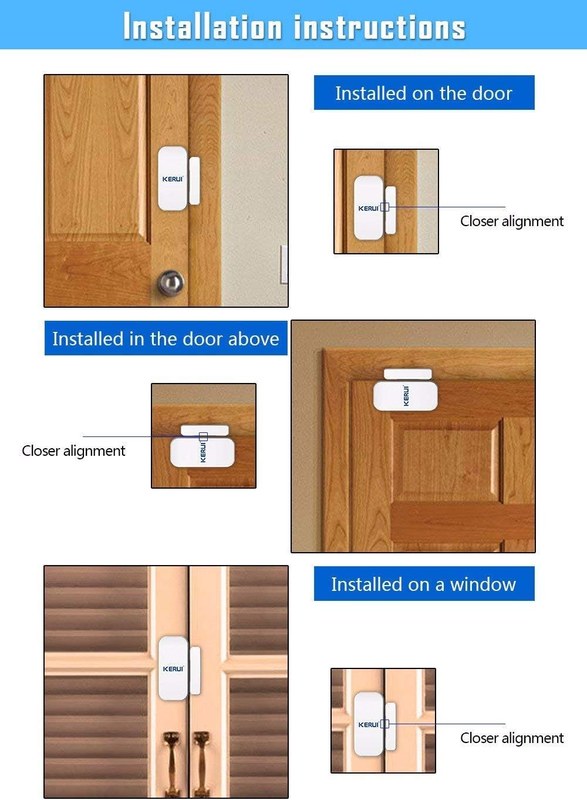
Mount the sensor body on the frame and the magnet on the moving part. Keep the gap between them under the distance listed in the manual, usually half an inch to an inch.
Where to place sensors for reliable detection on every door and window
Place a sensor on every exterior door and any window reachable from the ground. For a first-floor window, that usually means every window. For upper floors, focus on windows near a roof, balcony, or tree. Keep the two parts aligned and test the sensor after mounting.
Adhesive vs. screw mounting and rental-friendly installation options
Most contact sensors come with double-sided tape. Clean the surface with alcohol, let it dry, and press firmly. Adhesive works well on painted wood, vinyl, and glass. Screw mounting is more secure but leaves holes. Renters should check their lease before drilling.
Handling sliding doors, metal frames, and oversized gaps
Sliding doors need special placement. Mount the sensor on the fixed frame and the magnet on the sliding panel so they line up when closed. Metal frames can interfere with the magnetic field. Use a stronger magnet or mount a spacer. Oversized gaps can exceed the sensor’s range, so check the manual for the maximum gap, usually 0.5 to 1.5 inches.
Power, Battery Life, and Maintenance Requirements
Most contact sensors run on coin-cell or AA batteries. Expect one to three years of typical use, and check the app for low-battery alerts.
Typical battery life and how low-battery alerts work
Battery life varies by model, usage, and temperature. Most contact sensors last one to three years. The sensor sends a low-battery alert when power gets low, and some models also beep. Replace batteries as soon as you get the alert. A dead sensor is a silent gap in your security system.
Rechargeable vs. disposable batteries: what to expect over time
Most contact sensors use disposable coin-cell batteries like CR2032 or AA batteries. Some newer sensors have built-in rechargeable batteries you charge with a cable. They are convenient but need to be removed and charged. Disposable batteries are easy to replace. Check the manual for the exact battery type before buying spares.
Self-Monitoring vs. Professional Monitoring: Costs and Commitments
Self-monitoring sends alerts to your phone. Professional monitoring adds a call center that can verify an alarm and request dispatch. The right choice depends on your budget and how often you check your phone.
What subscriptions actually cover: cloud storage, cellular backup, and dispatch
Self-monitoring usually costs nothing beyond the equipment. You get push alerts when a sensor triggers. You decide whether to call 911 or check a camera.
Professional monitoring adds a center that watches your system. When an alarm triggers, the center can call you, verify the event, and contact emergency services. That service usually requires a monthly or yearly plan. Plans may also include cloud video storage, cellular backup, and extended warranties.
- The household receives alerts and decides what action to take.
- Usually has lower ongoing cost.
- Does not guarantee emergency dispatch.
- A monitoring center may review eligible alarms.
- Dispatch availability depends on the plan and event.
- Fees, contracts, permits, and false-alarm rules may apply.
Contracts, permits, and false-alarm fees to watch for
Some monitoring plans require a one-year or multi-year contract. Others are month-to-month with no cancellation fee. Check the terms before signing up. Some US cities and counties require an alarm permit, and false alarms can trigger fees. Verify the rules for your address.
Privacy and Cybersecurity: What Sensor Data Reveals About Your Habits
Door and window sensors collect more than open and close events. They reveal when you leave, return, and move through your home. That data is useful to you and valuable to others.
Entry and exit patterns: the privacy trade-off of connected sensors
Every sensor event is time-stamped. Over weeks, that data shows your daily routine: when you leave for work, when the kids get home, when you go to bed. This is a privacy trade-off.
A burglar with access to your account could learn your schedule. A company could also use the data for marketing. Read the privacy policy and use the app’s privacy settings.
Securing your system: MFA, firmware updates, and app permissions
Use a unique password and enable MFA if the app supports it. Update the app, the hub, and the sensors. Review shared users and remove people you no longer live with. Check app permissions and use modern Wi-Fi security, like WPA2 or WPA3.
Vendor support lifecycle and when to retire an aging product
Every smart home product eventually stops getting updates. When a vendor ends support, the app may stop working or security fixes may stop arriving. Check the product page for the support lifecycle before buying. Plan to replace aging systems before the app stops working. Retire products that no longer receive firmware updates, especially if they connect to your network.
Common Limitations, False Alarms, and Troubleshooting
Door and window sensors detect opening, not breaking, and they cannot see a person. False alarms usually come from loose magnets, weak batteries, or misaligned parts.
What door and window sensors can’t detect
A contact sensor does not detect a person, glass breaking, a hole cut in a screen, or a lock being picked. It also does not record video or audio. For those risks, you need cameras and glass-break sensors. A sensor does not stop a break-in. It only alerts you after the door opens.
Fixing false alarms, weak signals, and missed triggers
Start with the simplest checks. Make sure the magnet and sensor are aligned. Clean the surfaces and reattach the tape if the parts have moved. Replace weak batteries. Check the distance between the sensor and the hub. Walls, metal, and appliances can block the signal. Move the hub closer or add a range extender. If the app does not respond, the sensor may be out of range or the battery may be dead.
Next Steps: Matching a Sensor Setup to Your Home Layout and Budget
Decide what you want the system to do, measure your coverage needs, and choose a setup that fits your home, budget, and rental rules.
Complementary devices: smart locks, cameras, and sirens worth considering
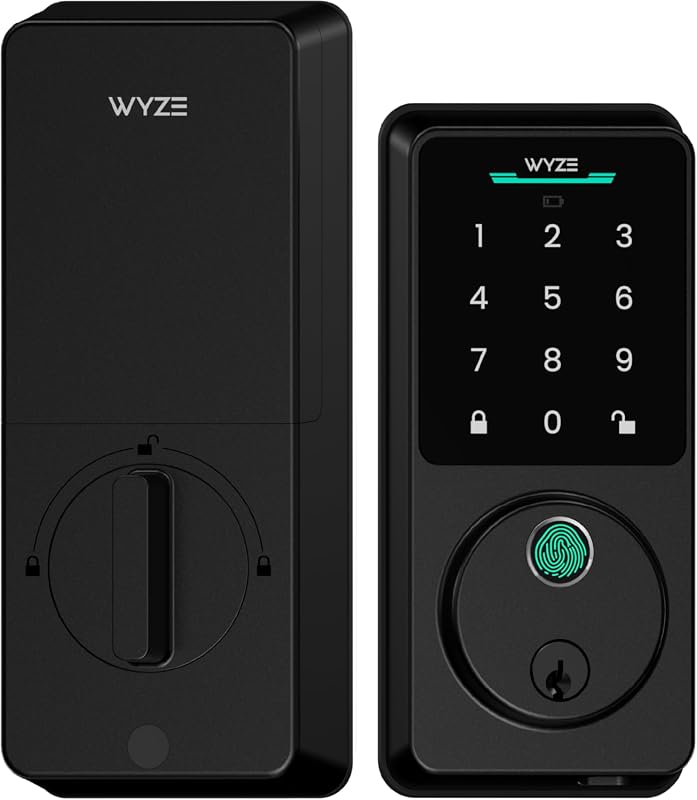
Door and window sensors work well with other devices. A smart lock can secure the entry and give you keyless access. Many smart locks still include a physical key backup, which matters if you want a smart lock with a key option. You can also compare keyed and keyless entry locks to see which fits your door. A camera can show what happened when a sensor triggers. Start with sensors, then add devices where you see gaps. If you add cameras, check whether security cameras need internet to record.
Building a practical setup that fits renter or homeowner constraints
Start with the basics: sensors on every exterior door and ground-level window. Add a hub if your sensors need one. Set up the app, test every sensor, and check low-battery alerts.
If you rent, use adhesive mounting and keep the original packaging. If you own, consider screw mounting. Add professional monitoring only if you want someone else to watch the system. Keep the system simple enough for everyone in the household.
Door and window sensors are simple, affordable, and effective when placed correctly. They detect opening, not breaking, and they depend on batteries, Wi-Fi, and a hub or app. Test them regularly and secure your account. That makes them a solid foundation for a US home security setup.
Frequently Asked Questions
Most sensors need a hub or Wi-Fi to send alerts to your phone. Some hubs have cellular backup, which keeps alerts flowing during an internet outage, but that feature usually requires a paid plan.
A contact sensor detects when a door or window opens. A glass-break sensor detects the sound or vibration of breaking glass. They cover different risks, so many homes use both.
Battery life varies by model, usage, and temperature. Most contact sensors last one to three years on a set of batteries. The app sends a low-battery alert when it is time to replace them.
Yes. Most contact sensors use double-sided adhesive tape that removes cleanly from painted wood, vinyl, and glass. Check your lease first, and avoid drilling holes unless the landlord approves.
They can, but metal frames may interfere with the magnetic field. Use a stronger magnet or a spacer. For sliding doors, mount the sensor so the two parts line up when closed.
Yes. In self-monitoring mode, the app sends alerts to your phone and you decide what to do. Professional monitoring adds a call center that can verify alarms and request dispatch, usually for a monthly fee.




3 Comments