Matter vs Zigbee for Home Security Devices Which Wins
Matter offers easier cross-brand setup for most US smart homes. Zigbee remains a budget-friendly, proven option if you already own a compatible hub.
Understanding matter vs zigbee for home security devices starts with one simple fact: both are wireless standards that help your security gear talk to your phone and each other. This guide explains how each one works, what they can and cannot do, and which choice fits a typical US home or apartment.
Direct Answer: What Matter vs Zigbee Means for a US Home
Matter is a newer smart home standard built to connect devices from different brands without extra bridges. Zigbee is a proven wireless mesh protocol that has powered security sensors for years.
For most US households, Matter offers easier setup and broader voice assistant support. Zigbee often costs less and works with a wider catalog of existing sensors. Matter also looks more future-proof, since major brands keep adding support. Zigbee remains a solid choice if you already own a compatible hub.
The right pick depends on your hub, your home size, and the devices you plan to add. Both can secure doors, windows, and rooms. Neither can guarantee your home stays safe.
How It Works and What It Can Actually Do

Matter is not a new kind of radio. It is a common language that lets certified devices work with Amazon Alexa, Google Home, Apple Home, and Samsung SmartThings. Matter can run over Wi-Fi, Thread, or Ethernet, depending on the device.
Thread is a low-power mesh network designed for smart home devices. A Matter device over Thread needs a Thread border router to reach the internet. Many newer hubs and speakers include one.
Zigbee is also a low-power mesh network. Each Zigbee device can pass data to nearby Zigbee devices, so signals hop from sensor to sensor. That helps cover larger homes without extra wiring. Zigbee still needs a hub or bridge to connect to your phone and the internet.
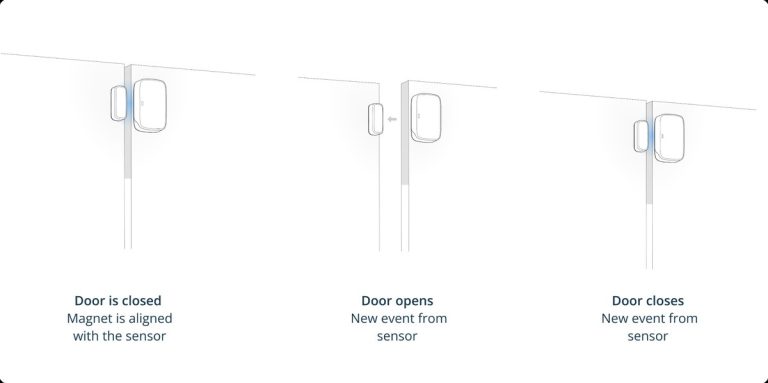
Both standards support common security gear. Door and window sensors, motion detectors, smart locks, sirens, and some cameras can use either protocol. They can send alerts, trigger automations, and record events when set up correctly.
In practice, Matter lets you control a lock from one app and a camera from another. You can build automations that cross brands. Zigbee can do the same, but only inside one hub ecosystem.
What they cannot do matters too. These devices do not prevent break-ins. They do not replace locks, fire alarms, or emergency services. They simply give you more awareness and control.
Compatibility, Power, Wi-Fi, and Platform Requirements
Compatibility is the biggest difference between the two standards. Matter devices are designed to work across major platforms, but you still need to check the label. Some Matter devices support Wi-Fi only. Others use Thread and need a border router.
Zigbee devices are not universal. A Zigbee sensor made for one brand may not join another brand’s hub. Match the device to a compatible hub. Good examples include a SmartThings hub, an Alexa device with a built-in Zigbee radio, or a brand-specific bridge.
Verification required: Check the exact model and firmware before buying. Matter support varies by device and platform version. Zigbee support depends on the hub, not the phone app.
A bridge is a small box that translates one protocol to another. Some Matter systems use a bridge to bring older Zigbee devices into the Matter world. That can protect your existing investment.
Power needs are similar for both standards. Most sensors run on batteries that last months or years. Smart locks and video doorbells may need wired power or frequent battery changes. Check the exact manual before mounting anything.
Most modern security devices support 2.4 GHz Wi-Fi. Some also work on 5 GHz or 6 GHz bands. The 2.4 GHz band travels farther and passes through walls better. Check which band your router uses for each device.
| Feature | Matter | Zigbee |
|---|---|---|
| Hub required | No hub for Wi-Fi models; Thread needs a border router | Yes, a compatible hub or bridge |
| Voice platforms | Alexa, Google, Apple, SmartThings | Depends on the hub brand |
| Network type | Wi-Fi, Thread, or Ethernet | Low-power mesh |
| Best for | New setups with mixed brands | Budget sensors and large homes |
If you are still deciding whether your setup needs a separate hub, Diggons has a practical guide on when a smart home hub makes sense for Wi-Fi, Zigbee, Thread, and mixed-device homes.
Placement, Installation, and Household Considerations

Placement matters more than the protocol. Door and window sensors work best on the moving edge and the frame. Motion sensors should face open areas, not heaters or windows. Cameras should cover entry points without pointing into a neighbor’s yard.
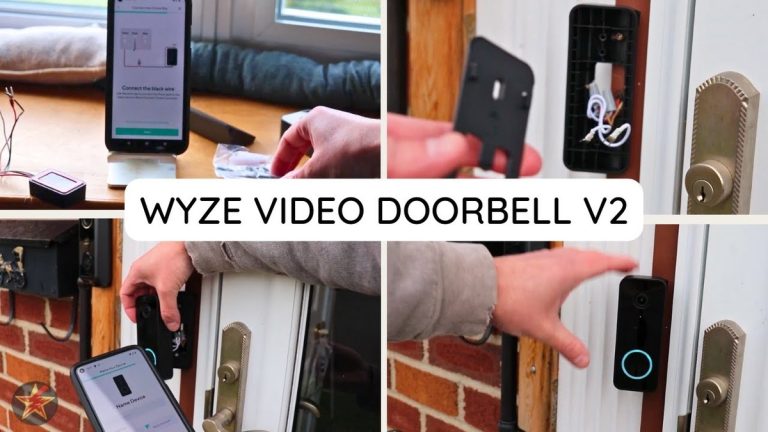
Installation is usually simple for sensors. Most stick or screw into place. Smart locks and wired doorbells can require more work. That includes drilling, low-voltage wiring, and careful door alignment.
Home size affects your choice. Zigbee mesh works well across multiple floors when you have enough devices. Matter over Wi-Fi depends on router placement. A mesh Wi-Fi system can help both standards.
Think about everyone in the home. Shared users need their own accounts with separate permissions. Caregivers and older adults may need simple apps with clear alerts. Renters should choose removable, low-damage mounting options.
Multi-user access works differently by brand. Some apps let you invite family members with limited permissions. Others require one main account. Check how account sharing works before you commit to a system.
Outdoor sensors and cameras need weather-rated gear. Check the IP rating for the exact model. Indoor devices should stay away from moisture and extreme heat.
Privacy, Cybersecurity, Storage, and Subscription Limits
Privacy starts with camera placement and recording rules. Some states restrict audio recording and camera views of neighbors or public areas. Check local rules before enabling audio or pointing cameras beyond your property.
Storage comes in two forms. Local storage keeps clips on a memory card or hub, with no monthly fee. Cloud storage uploads clips to the maker’s servers and usually requires a subscription. Cloud plans often add smart alerts, longer history, and easier sharing.
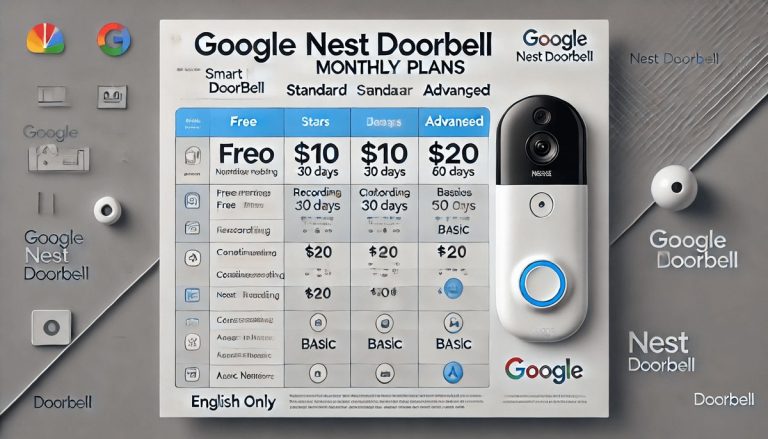
Matter and Zigbee do not set subscription prices. Each brand decides its own plan. Some devices work fully without a plan. Others hide key features behind a monthly fee. Read the plan page for the exact model before buying.
Professional monitoring is a separate choice. Self-monitoring sends alerts to your phone only. Professional monitoring adds a monitoring center that may dispatch help. Fees, contracts, and permits may apply.
Check what data the app collects. Many brands share usage data for product improvement. Some allow third-party integrations that add convenience. Review app permissions and revoke anything you do not need.
Troubleshooting and Ongoing Maintenance
Most problems come from power, range, or software. Start with the simplest fix. Restart the device, the hub, and the router. Then check the app for firmware updates.
If a Zigbee sensor goes offline, move it closer to the hub or another Zigbee device. Zigbee needs a strong mesh. If a Matter device drops off, check Wi-Fi coverage and the Thread border router.
Battery life varies by device and use. Replace batteries on a schedule, not only after an alert. Test sensors monthly by opening a door or walking past a motion detector.
Firmware updates fix bugs and close security holes. Set updates to run automatically when possible. If you must update manually, do it during a time when you can test the system afterward.
False alerts waste your time and can lead to fines with monitored systems. Adjust sensor sensitivity and placement. Test each device after any change.
Keep a record of your devices, passwords, and hub model. That makes future troubleshooting faster. It also helps when a family member needs access.
Common Mistakes and When to Get Professional Help
Common mistakes include buying devices without checking hub compatibility, skipping firmware updates, and ignoring Wi-Fi dead zones. Another mistake is placing sensors where pets or sunlight cause false alerts.
Some jobs need a professional. Wired doorbells, transformer upgrades, hardwired cameras, and smart locks with complex doors are good examples. If a product manual seems unclear, stop and ask for help.
For alarm systems, check local permit rules and false-alarm fees before connecting to professional monitoring. Some US cities require registration and charge for repeated false alarms. In an immediate emergency, call 911 when it is safe to do so.
Plan for the long term. A cheap device that stops receiving updates is a risk. Choose brands with a clear support history. Read warranty and return terms before you buy.
Final Takeaway
Matter wins on simplicity and cross-brand control. Zigbee wins on price and proven mesh reliability. For most US homes, start with Matter if you want fewer hubs and easier setup. Choose Zigbee if you already own a compatible hub or want budget sensors. Verify compatibility, secure your accounts, and test everything before you rely on it.
Frequently Asked Questions
Matter devices over Wi-Fi usually do not need a hub. Matter devices over Thread need a Thread border router. Zigbee devices always need a compatible hub or bridge.
Zigbee’s mesh network can cover large homes when sensors are spread out. Matter over Thread can also mesh, but Matter over Wi-Fi depends on your router’s range. Test coverage before mounting everything.
Not directly. They use different networks. Some hubs and apps can control both, but the devices do not talk to each other without a bridge.
No. Subscriptions depend on the brand and features, not the protocol. Cloud video storage and professional monitoring often cost extra, but many sensors work without a plan.
No device is unhackable. Use unique passwords, enable MFA, update firmware, and keep your router secure. Zigbee and Matter both need the same basic security habits.
Battery-powered sensors usually keep working. The hub may need battery or cellular backup. Cameras and routers may go offline without power. Check each device’s backup options.