why does a smoke detector chirp and how to stop it
A chirping smoke detector almost always means a low backup battery, dust in the sensor, or a unit past its 10-year life. Replace the battery and clean the vents first; if the chirp continues, check the wiring or replace the detector.
Why does a smoke detector chirp? It usually means the detector needs attention, not that a fire is nearby. A low backup battery causes most chirps. Dust, humidity, and a detector past its 10-year limit can also cause chirps. This guide explains each chirp pattern. It shows the safe fix and tells you when to call a professional.
The Short Answer: What That Chirp Means and How to Stop It Right Now
A chirping smoke detector is your warning system asking for help. The chirp pattern points to the cause. One chirp every 30 to 60 seconds almost always means a low battery. Chirps every few minutes often mean the detector has reached its end of life. Random chirps usually point to dust, humidity, or a loose connection.
Start with the simplest fix. Replace the battery with the exact type printed on the label. Test the detector with the test button. If it still chirps, check the manufacture date, clean the vents, and look for loose wiring. Most chirps stop within minutes after the right fix.
Decoding the Chirp: What the Pattern Tells You

Different chirp patterns mean different problems. Your unit’s manual is the best source for your exact model. Brands differ. These are the patterns found most often in US homes.
Single Chirp Every 30–60 Seconds: The Classic Low-Battery Signal
This is the most common reason for a chirp. A detector with a low battery chirps once per minute to save power while still warning you. The chirp can continue for days before the battery dies completely.
Replace the battery as soon as you hear this pattern. Do not wait. A detector with a dead battery may not sound during a real fire.
Chirps Every Few Minutes: End-of-Life Warning
Smoke detectors are built to last about 10 years. After that, the sensor wears out and may not detect smoke reliably. Many detectors chirp several times in a row to signal that they must be replaced.
Find the manufacture date printed on the back of the unit. If it is more than 10 years old, replacement is the fix, not a new battery.
Random or Intermittent Chirps: Dust, Humidity, or a Loose Connection
Random chirps are often environmental. Cooking smoke, steam, or dust buildup can confuse the sensor. A detector that was bumped can also chirp when the battery loses contact.
Clean the detector. Check that the battery sits firmly in place. Note when the chirps happen. If they come after showers or cooking, placement may be the problem.
Low Battery: The Most Common Fix and How to Do It Safely
A fresh battery stops the chirp in most homes. The process takes about five minutes and requires no tools for many models. Always use the exact battery type listed on the detector label.
Step-by-Step Battery Replacement for Battery-Only Detectors
Read the label on the detector or inside the battery compartment. Many units use a 9-volt battery or two AA or AAA cells. Some use a sealed 10-year lithium battery you cannot replace.
Twist the detector counterclockwise or press the release tab to separate it from the base. Use a sturdy step stool or ladder on flat ground.
Match the positive and negative symbols. Remove any pull tab. Press the test button briefly to confirm the new battery works.
Align the detector with the base. Twist it closed. Press the test button again. The alarm should sound briefly, then go quiet.
If the chirp returns within a few weeks, test the new battery. Check for a second battery compartment. Some detectors use a backup battery as well as the main one. If your unit has a sealed battery, replacing the whole detector is the only fix.
Why Hardwired Detectors Still Have a Backup Battery and How to Change It
Hardwired detectors run on your home’s 120-volt electrical system. They still include a backup battery so they can warn you during a power outage. When that backup battery runs low, the detector chirps just like a battery-only model.
The process is similar. Turn the detector counterclockwise to remove it. Replace the backup battery. Twist it back into place. Press the test button to confirm the system works on both house power and battery.
End-of-Life, Dust, and Humidity: Causes That Mimic a Low Battery
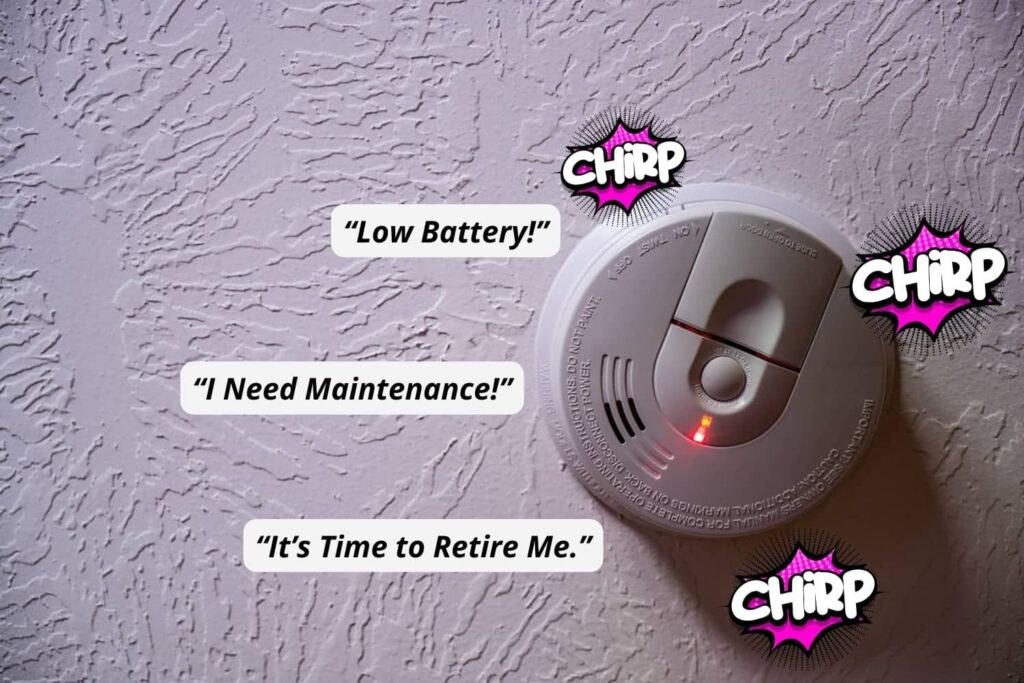
Sometimes a new battery does not stop the chirp. The detector itself may be expired, dirty, or affected by its surroundings. Rule out these causes before assuming a wiring problem.
How to Tell If Your Detector Has Reached Its 10-Year Limit
Most smoke detectors carry a printed manufacture date or a replace-by date on the back label. If you cannot find a date, treat any detector older than 10 years as expired.
Some newer detectors chirp automatically when they reach end of life. This chirp is usually more persistent. It comes as several quick chirps. Replacement, not battery swapping, is the only lasting fix.
Cleaning Your Detector to Stop False Chirps Without Damaging the Sensor
Dust and cobwebs can block the sensor chamber and cause random chirps. Clean the detector at least twice a year using a vacuum with a soft brush attachment. Gently run the brush over the vents around the unit.
Do not use water, spray cleaners, or compressed air inside the vents. These can damage the sensitive sensor. Keep the detector dry and wipe the outer case with a slightly damp cloth only when needed.
Managing Steam and Humidity in Kitchens, Bathrooms, and Hallways
Steam from a shower or cooking can reach the sensor and cause chirping. The chirp happens because the sensor detects moisture, not because a fire exists.
Run the exhaust fan during and after showers and cooking. Install detectors at least 10 feet from cooking appliances and bathrooms. If a detector near a bathroom chirps often, moving it a few feet can solve the problem.
Hardwired Smoke Detectors: Why They Chirp Even After You Replace the Battery
A hardwired detector that still chirps after a new battery often has a power problem. The detector may not be getting house current, or the wiring connection may have loosened over time.
Checking the Interconnect Wiring and the Circuit Breaker
Check your electrical panel for a tripped breaker labeled smoke alarm or similar. A power loss can make the detector chirp once when power returns, then again if power stays unstable.
If the breaker looks fine, the wiring inside the junction box may be the issue. Do not open the electrical box unless you are comfortable with household wiring.
When One Detector’s Chirp Triggers the Whole System and How to Isolate It
Many hardwired systems link together. When one detector sounds, all detectors sound. That link can also carry a chirp signal through the whole network.
To find the source, press and hold the test or silence button on each detector. Do this one at a time until the chirping stops. The unit that silences the chirp is the one causing it. Focus your repair on that detector.
Smart Smoke Detectors: Chirps, App Alerts, and What They Mean
Smart smoke detectors add app alerts that tell you why the device is chirping. Instead of guessing, you may see a notification that reads low battery, end of life, or sensor error. That makes finding the problem faster and more precise.
How Smart Detectors Send Push Notifications and What They Cover
Smart detectors connect to your home network and send alerts through the manufacturer’s app. Typical notifications cover low battery, end-of-life reminders, smoke and carbon monoxide alarms, and sensor faults. Some models also keep an event history in the app.
Not every smart detector needs a subscription. Many apps offer local alerts and basic controls without a monthly fee. Cloud history or extra features may be part of a paid plan. If you are comparing models, our guide to the best smart smoke and carbon monoxide detectors covers the choices. You can also see which features work in a smart smoke detector without a subscription.
Wi-Fi, Hubs, and Power Requirements for Connected Detectors
Most smart detectors connect over 2.4 GHz Wi-Fi. Some use Thread, Z-Wave, or Matter. These may require a hub or border router. Check the exact model requirements before you buy, because not every home network supports every protocol.
Power needs also vary. Some smart detectors use long-life sealed batteries built to last up to 10 years. Others need hardwired power with battery backup. Confirm the power source and your home’s compatibility before installation.
Privacy and Cybersecurity: What to Know Before You Connect a Detector to Your Network
A smart smoke detector is a connected device on your network. It deserves the same security attention as any other smart product. Use unique passwords and regular updates. Review shared access carefully.
Renter or Homeowner: Who Fixes the Chirp and When to Call a Pro
Who handles a chirping detector depends on your housing situation and the cause. Battery replacement is a simple task either side can handle. Wiring work belongs with a licensed professional.
Landlord and Tenant Responsibilities for Smoke Detector Maintenance
Landlords generally must provide working smoke detectors and keep the system in good repair. Tenants typically handle battery replacement and must report a faulty detector promptly. State and local laws vary, so check your lease and local housing rules.
If the detector keeps chirping after a fresh battery, tell your landlord in writing. Do not disable the detector or attempt electrical repairs in a rental without permission.
Signs You Need an Electrician, Not a New Battery
Call a licensed electrician if the detector still chirps after a new battery and a full cleaning. Also call if a breaker keeps tripping. Burnt or discolored wiring near the unit is another sign. A detector that will not respond to its test button also needs professional review.
Do not leave a faulty detector in place. Until the repair is done, add a temporary battery-operated detector nearby for protection.
Placement, Maintenance, and Next Steps: Keeping the Silence Permanent
Preventing future chirps is easier than fixing them. Good placement, a simple testing schedule, and timely replacement keep your system quiet and reliable for years.
Where to Install (and Not Install) Smoke Detectors in Your Home
Install smoke detectors on every level of your home, inside each bedroom, and outside each sleeping area. Place them on the ceiling or high on the wall, since smoke rises.
Avoid kitchens, bathrooms, garages, and other areas with steam, dust, or combustion particles that cause false alarms. Keep detectors at least 10 feet from cooking appliances. Keep them at least 3 feet from ceiling fans and air vents.
A Simple Testing and Cleaning Schedule That Prevents Future Chirps
Test every detector once a month by holding the test button until the alarm sounds. Replace batteries at least once a year, even if the detector has not chirped.
Vacuum the vents twice a year and keep the unit free of dust and cobwebs. Write the battery replacement date on the detector or set a phone reminder.
Replacing an Old Detector: What to Look For and How to Dispose of It Properly
When replacing a detector past its 10-year limit, choose a unit with a current UL or ETL listing. A sealed 10-year battery option removes the yearly battery chore. Mark the installation date on the new unit.
Dispose of old detectors according to your local rules. Remove and recycle batteries separately, since some smoke detectors contain small amounts of radioactive material in the sensor. Your local waste authority can confirm the accepted method.
A chirping smoke detector is a request for attention, not a sign of danger. Replace the battery first, clean the vents, and check the unit’s age. If the chirp continues, inspect the wiring or call a licensed electrician. Never disable the detector to silence it. For more guidance, browse our smoke and CO detector resources to keep your home protected.
Frequently Asked Questions
It usually means the backup battery is low. Replace the battery with the exact type printed on the label. Press the test button to confirm the detector works.
The battery may not be seated properly, or the detector may have reached its 10-year end of life. Check the polarity, clean the vents, and look for a manufacture date on the back label.
Most detectors chirp for several days to a few weeks before the battery fully dies. Replace it right away so the detector stays ready for an emergency.
Yes. Hardwired detectors use a backup battery for power outages, and they chirp the same low-battery warning when that backup runs low. Replace the backup battery the same way you would in a battery-only unit.
Yes. Dust, cobwebs, steam, and humidity can confuse the sensor and cause random chirps. Vacuum the vents with a soft brush, keep the unit dry, and move it at least 10 feet from kitchens and bathrooms if false chirps continue.
Replace any smoke detector that is 10 years old or older, or one that will not respond to its test button. Many units chirp automatically at end of life. Dispose of the old unit according to local waste rules.