Smart Lock Auto Unlock Security Risks You Should Know
Auto-unlock is convenient, but it can open your door at the wrong time or to the wrong signal. Secure the app account, keep a physical key, and test the feature before trusting it.
Smart lock auto unlock security risks are real, but they are manageable once you understand how the feature works. Auto-unlock opens your door when your phone gets close, using location and wireless signals instead of a key. That convenience can fail in specific ways. This guide explains the main risks and the practical steps you can take to reduce them.
How Does Smart Lock Auto-Unlock Actually Work?
Auto-unlock relies on three technologies working together: geofencing, Bluetooth Low Energy (BLE), and sometimes Ultra-Wideband (UWB).
Geofencing creates a virtual boundary around your home using GPS on your phone. When you cross that boundary, the lock app wakes up and starts checking for a closer signal.
BLE is a short-range wireless protocol. It lets the lock confirm that your phone is physically near the door. BLE is power-efficient, which is why many smart locks use it.
UWB is a newer, more precise radio technology. It measures distance and direction more accurately than BLE. Some newer locks use UWB to tell the difference between you standing at the door and you standing in the driveway.
When all signals line up, the lock retracts the deadbolt. If any signal is missing or uncertain, the lock should stay locked.
The Role of Geofencing, BLE, and UWB in Unlocking
Each technology has a job. Geofencing decides when to start the process. BLE confirms the phone is close. UWB confirms exactly how close. A lock that uses only GPS and BLE is less precise than one with UWB.
The order matters. If the phone never crosses the geofence, the lock never starts listening. If the BLE signal is weak, the lock may not respond. If UWB is present, it acts as a final check before the bolt moves.
The Core Security Risks of Auto-Unlock
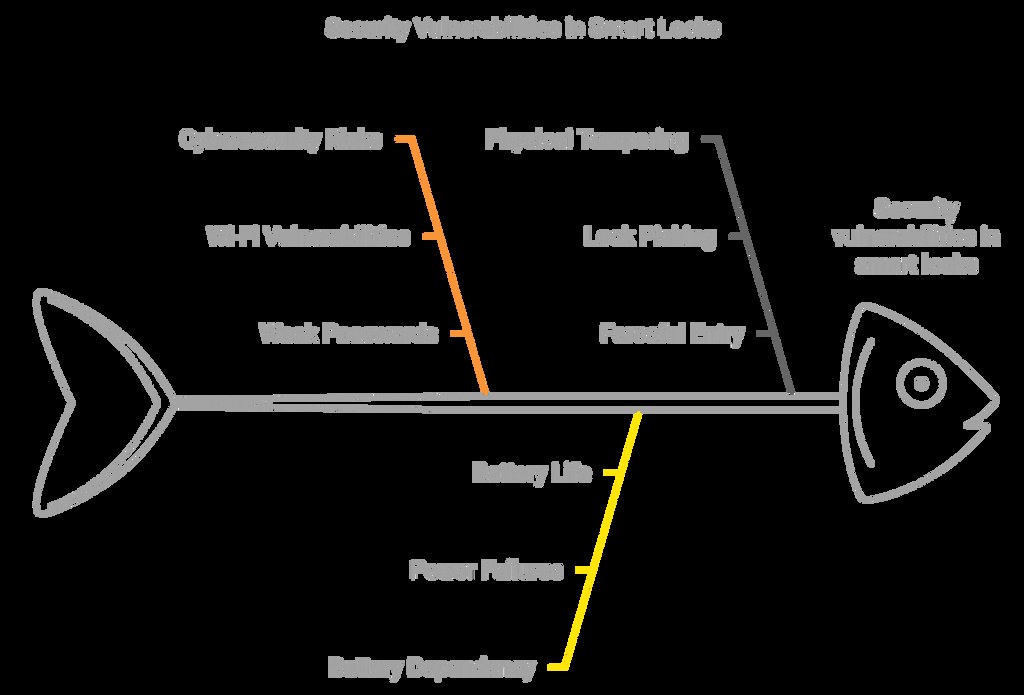
Auto-unlock creates new ways for a door to open without your intent. The main risks are relay attacks, device spoofing, and stolen or cloned digital credentials.
Relay Attacks and Device Spoofing
A relay attack is one of the most discussed risks for auto-unlock locks. Two attackers work as a team. One stands near you with a small device that captures your phone’s signal. The other stands at your door with another device. Together, they relay the signal so the lock thinks you are home.
The lock sees a valid signal. It cannot tell that your phone is actually miles away. The door unlocks, and the attackers walk in.
Device spoofing is a related risk. An attacker broadcasts a fake signal that mimics your phone or a trusted key fob. Older BLE locks may accept that fake signal without proper authentication.
Modern locks reduce this risk with encryption and UWB distance checks. But not every lock on the market uses them. Check the exact model’s security documentation before relying on auto-unlock.
The Real Danger of Stolen or Cloned Digital Credentials
Your phone is now your key. If it is stolen, the thief may have access to your lock app, your saved credentials, and your home.
Many lock apps require a passcode or biometric unlock before showing keys. But not all do. If your phone is unlocked, a thief can open the app and unlock the door.
Cloned credentials are another concern. Some locks store digital keys on the device or in the cloud. If the lock’s communication is not encrypted, an attacker with the right tools can copy the credential and replay it later.
The fix is to treat your lock app like a bank app. Use a strong phone passcode, enable biometrics, and never leave the app logged in on a shared device.
Geofencing Pitfalls: False Positives and Proximity Errors
Geofencing is imprecise. GPS accuracy can vary by tens of feet depending on buildings, trees, and weather. That means your phone may cross the geofence while you are still in your car or at a neighbor’s house.
If the lock unlocks at that moment, your door is open before you reach it. A person nearby could enter before you do.
Some locks let you adjust the geofence radius. A smaller radius is safer but less convenient. A larger radius unlocks earlier but leaves the door open longer.
Why “Near” Doesn’t Always Mean “At the Door”
UWB-equipped locks handle proximity better because they check precise distance at the door. If your lock only uses GPS and BLE, test the actual behavior before trusting it.
Walk toward the door slowly and watch when it unlocks. Note whether it opens while you are still on the sidewalk or in the driveway. Adjust the settings based on what you see.
Deadbolt Fit, Door Handing, and Backup Keys
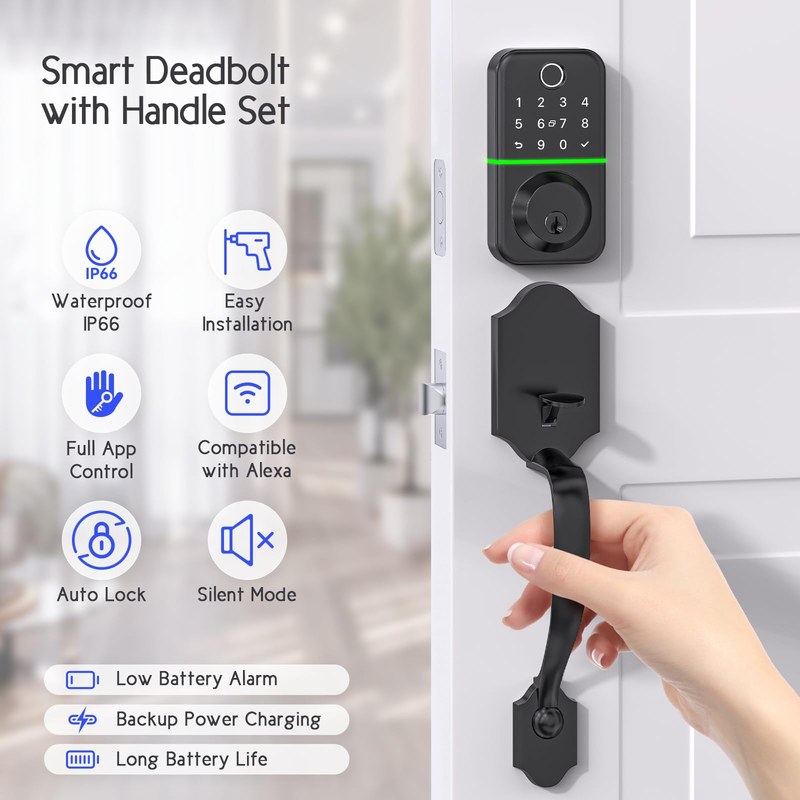
Auto-unlock is only useful if the deadbolt actually moves. Door fit, handing, and alignment all affect whether the lock works as expected.
Why Door Handing and Alignment Matter for Auto-Unlock
Door handing describes which side the hinges are on and whether the door swings inward or outward. A smart lock needs to know the correct handing to drive the deadbolt smoothly.
If the handing is wrong, the lock may think it unlocked the door when the bolt is still stuck. The auto-unlock feature then gives a false sense of security.
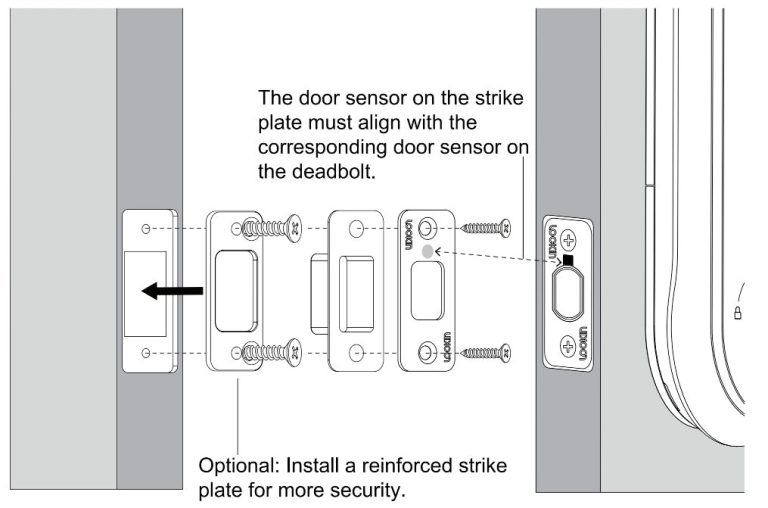
Alignment matters too. A door that sags or has a misaligned strike plate can cause the deadbolt to bind. The motor may fail to retract the bolt even when the electronics say “unlocked.”
Before installing a smart lock, check the door fit and the manufacturer’s handing requirements. Our guide on smart lock installation requirements covers the basics.
Keeping a Physical Key as a Fail-Safe
Auto-unlock can fail in many ways: dead battery, broken motor, lost phone, or a software bug. A physical key is the simplest backup.
Keep the key somewhere safe but accessible. A lockbox mounted near the door can be defeated, so weigh the risk. Give a spare key to a trusted neighbor or family member instead.
Test the key override before you need it. Some smart locks hide the key cylinder behind a removable cover. Make sure you know how to open it in the dark.
Power Outages, Battery Drain, and Connectivity Failures
Smart locks depend on power and connectivity. Both can fail at the worst time.
What Happens When the Lock Runs Out of Battery?
Most smart locks give a low-battery warning for weeks before they die. Ignoring that warning can leave you locked out.
Many locks have a backup power option, such as a 9V battery terminal on the outside. Others rely on the physical key. Know which backup your lock has.
If the battery dies while auto-unlock is on, the lock simply stops responding. It does not automatically unlock. That is a safety feature, not a bug.
For more detail, read our guide on what happens if a smart lock battery dies.
Wi-Fi Outages and Hub Dependence in Smart Locks
Auto-unlock usually works through Bluetooth, not Wi-Fi. That means a Wi-Fi outage may not stop the feature from working. But it can stop remote access, alerts, and app updates.
Some locks require a hub or bridge for full functionality. If the hub loses power or internet, features like remote unlock and notifications stop working.
The lock itself may still unlock via Bluetooth if the phone is close. But you lose the connected features that make a smart lock useful. Check whether your lock works without Wi-Fi before you rely on it.
Shared Access, App Permissions, and Account Recovery
Auto-unlock is not just about your phone. Most apps let you share virtual keys with family, friends, cleaners, or dog walkers.
Managing Virtual Keys for Family Members and Guests
Each shared key is a potential risk. A guest may keep access long after they leave. A former partner may still hold a virtual key. Review your shared user list regularly.
Use temporary keys with expiration dates for guests. Revoke access immediately when someone moves out or stops working for you.
Your lock app keeps an access log. Review it to spot entries you did not make. Our guide on smart lock access log privacy explains what to look for.
The Importance of MFA and Secure Account Recovery
The lock app account is the master key to your home. If an attacker takes over that account, they can unlock your door remotely or delete your access.
Enable multi-factor authentication (MFA) on the account. This adds a second check beyond your password, such as a code sent to your phone.
Account recovery is a weak point. Many services let you reset a password with just an email or phone number. If that inbox or number is compromised, your lock account could be too.
Use a unique password for the lock app. Do not reuse passwords from other sites. Review the app’s recovery options and keep your recovery email secure.
Renter Constraints: Installation, Liability, and Moving Out
Renters face extra hurdles with smart locks. Most leases require landlord approval for hardware changes. Drilling holes or replacing a deadbolt can violate the lease or cost you your security deposit.
Some landlords allow smart locks if the original hardware is kept and reinstalled when you move out. Others prohibit them entirely. Read your lease first.
Portable options exist, such as smart locks that replace only the interior thumb turn. These are easier to remove but may offer fewer features.
Navigating Landlord Policies and Permanent Modifications
Talk to your landlord before buying anything. Ask whether a smart lock is allowed and what must be restored at move-out. Get the answer in writing.
If you rent, check our guide to the best smart locks for apartments before buying.
How to Secure Your Smart Lock Auto-Unlock: A Practical Checklist
Auto-unlock is a convenience, not a security feature. Configure it with caution.
Firmware Updates and Vendor Support Lifecycle
Firmware updates fix security flaws. A lock that never gets updates becomes riskier over time.
Before buying, check the vendor’s update history. Some companies abandon older models after a few years. A lock with no support is a security liability.
Enable automatic updates in the app if available. Check the app store for update notes. If the vendor stops releasing updates, consider replacing the lock.
Best Practices for Configuring Auto-Unlock Safely
Start by disabling auto-unlock and testing it during the day when you are home. Watch how early the door opens. Adjust the geofence radius so the door does not open too soon.
Enable MFA, use a strong phone passcode, and review shared users monthly. Keep the physical key accessible. Update firmware and the app regularly.
If you live in a high-traffic area or near a shared wall, consider disabling auto-unlock entirely. A quick tap in the app is less convenient but safer.
Smart lock auto-unlock is convenient, but it introduces risks that a key does not have. Relay attacks, geofencing errors, battery failures, and weak account security can all compromise the feature. The safest approach is to treat auto-unlock as optional, secure the app account, keep a physical key, and review the lock’s settings regularly.
Frequently Asked Questions
Yes, in specific ways. Relay attacks let attackers extend your phone’s signal to the lock, and weak Bluetooth encryption can be spoofed. Locks with UWB and strong encryption reduce these risks.
Usually yes, because auto-unlock uses Bluetooth between your phone and the lock. Wi-Fi outages affect remote access, alerts, and app updates, but not necessarily the local unlock signal.
The lock stops responding and stays locked. Most locks give low-battery warnings, and many have a backup power option or a physical key override.
Yes, if the geofence is too large or your phone’s GPS drifts. The lock may unlock while you are still in the driveway or at a neighbor’s house. A smaller geofence radius reduces this risk.
No, auto-unlock is usually a built-in feature of the lock. Subscriptions typically add cloud video, extended access logs, or integration features. Check the exact model’s plan page.
It depends on the lease. Many landlords require approval for hardware changes. Portable smart locks that replace only the interior thumb turn are easier to remove but may have fewer features.