Are Fingerprint Smart Locks Safe What You Need To Know
Yes, for most households. Fingerprint smart locks are safe when the lock has a quality sensor, correct installation, a backup entry method, and regular firmware updates.
The biggest risks are weak account security, poor installation, dead batteries, and spoofing on low-quality sensors.
Are fingerprint smart locks safe enough to replace a keyed deadbolt? That is the top question from US homeowners and renters. For most households, the answer is yes, but with clear conditions. Safety depends on sensor quality, correct installation, backup options, and app management.
Fingerprint locks remove keys and codes from your daily routine. They also add batteries, software, and network features. This guide covers how they work, the real risks, and what to check before you buy.
What Is a Fingerprint Smart Lock and How Does It Work?
A fingerprint smart lock replaces the keyed cylinder on your deadbolt. You place a registered finger on the sensor. The lock compares the scan with stored fingerprint templates. When the scan matches, a small motor turns the deadbolt.
Most models also include a keypad, a physical key, or both. Many offer Bluetooth, Wi-Fi, or Z-Wave connections. The fingerprint sensor is the main unlock method. It is rarely the only one.
Capacitive vs. Optical Fingerprint Sensors
Two sensor types dominate the market: optical and capacitive.
Optical sensors photograph your fingerprint using light. They are older and cheaper. Fake prints made of putty, silicone, or printed material can fool them more easily.
Capacitive sensors read the ridges and valleys of your finger with small electrical charges. They work like phone sensors. They are usually faster and harder to spoof.
When you compare models, sensor type matters more than marketing. Capacitive sensors are the safer choice on paper. Even a good sensor depends on a well-built lock.
Where Your Fingerprint Data Is Stored
Most fingerprint locks do not upload your fingerprint image to the cloud. Instead, they turn the scan into a math template. They store it in the lock’s memory. Many models encrypt that template inside a secure element, a protected chip.
Storage practices vary by brand, model, and firmware. Some apps keep access logs, schedules, and user names in the cloud. Check the manual and privacy policy to confirm what is stored and where. For more detail, read our guide on whether smart locks work without Wi-Fi.
Are Fingerprint Smart Locks Safe? The Short Answer
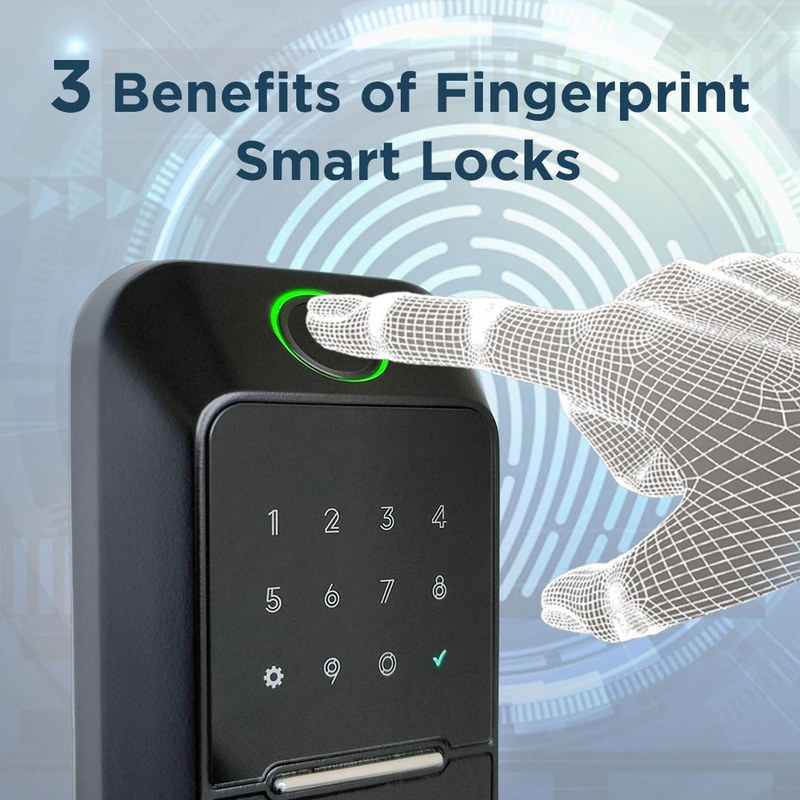
Yes, for most US households. A fingerprint smart lock can be safe. It needs a good sensor, correct installation, a backup entry, and updated firmware. No consumer lock is immune to attack. The bigger risks are user mistakes, weak account passwords, poor installation, and dead batteries.
What Security Research Says About Fingerprint Locks
Security researchers have shown that well-made fake fingerprints can fool some consumer sensors in lab tests. High-quality capacitive sensors are much harder to fool than optical ones. Those tests are real. But fake fingerprints are not the most common entry method in home burglaries.
In typical burglaries, forced entry, unlocked doors, and lockpicking appear far more often than fingerprint spoofing. That does not mean spoofing is impossible. It means the threat is smaller than the convenience gain for most families.
How They Compare to Keypad Locks and Traditional Deadbolts
A traditional deadbolt is simple and dependable. It has no battery, app, or sensor. But keys can be lost, copied, or picked.
Keypad locks avoid fingerprint concerns. But codes can be shared, observed, or forgotten. Fingerprint locks remove the need to carry keys or recall codes. That helps families with children, older adults, or frequent guests.
Fingerprint locks add more electronic parts that can fail. The safest setup includes a physical key backup, a keypad, or both. The table below compares the three styles.
| Feature | Fingerprint lock | Keypad lock | Keyed deadbolt |
|---|---|---|---|
| Main unlock method | Registered fingerprint | PIN code | Physical key |
| Main risk | Sensor spoofing or failed battery | Shared or observed codes | Lost, copied, or picked keys |
| Battery dependency | Yes | Yes | No |
| Backup entry | Key or keypad on most models | Key on most models | Spare key only |
| Best for | Households that lose keys often | Renters and shared homes | Simple, low-maintenance use |
For a deeper look at specific models, browse our complete fingerprint lock guides.
The Biggest Security Risks to Weigh Before Buying
Before buying, weigh three real risks: sensor spoofing, wireless and app flaws, and vendor lock-in. Vendor lock-in means relying on one maker for software and services. None should scare you away. Each deserves a quick check.
Spoofing, Fake Fingerprints, and Sensor Quality
Fake fingerprints are the most discussed risk. A well-made fake can fool a low-quality optical sensor. Capacitive sensors lower the risk but do not erase it. Some locks lock out further attempts after repeated failed scans. That slows brute-force tries.
Look for a manual that states the sensor type and false-acceptance or false-rejection rates. These rates show how often the lock accepts a wrong print or rejects a right one. If the maker does not publish this, treat the sensor as unknown quality. A fingerprint sensor is a convenience layer, not your only defense.
Wireless Attacks and App Permissions
A connected lock gains a wider attack surface. Your router security, Wi-Fi password, and phone security all become part of the lock’s safety.
Check app permissions before installing. A lock app should not need contacts, microphone, or photos unless a feature requires them. Review permissions on every phone or tablet that controls the lock.
Bluetooth-only locks have fewer remote features and a smaller attack surface. Wi-Fi locks offer remote alerts and control. But they rely on your network. Your choice affects convenience, battery life, and exposure.
Vendor Lock-In and Account Recovery Risks
Buying a fingerprint lock means relying on the maker for app updates, cloud services, and account recovery. If a company stops its app or service, remote features may fail. The lock usually still opens with a fingerprint or key. But smart functions can die.
Choose a brand with a clear support policy. Keep your recovery email current. Enable two-factor authentication. Store backup codes somewhere safe. A smart lock is only as safe as the account tied to it.
Physical Security: How the Lock Holds Up on Your Door
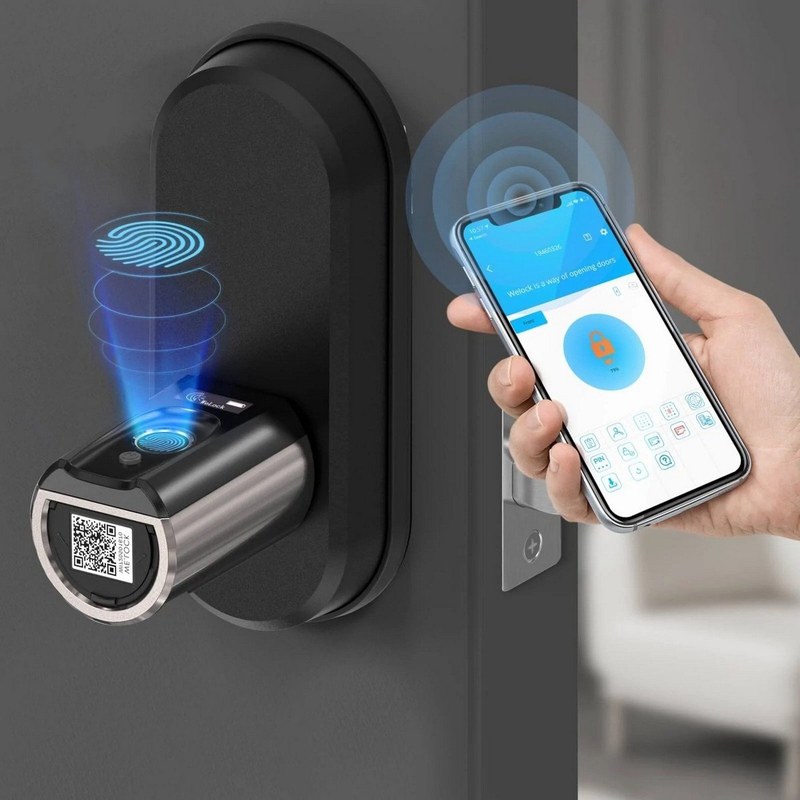
A fingerprint lock can fail at the door even when the electronics work well. Physical security depends on the lock grade, the deadbolt fit, and the door frame strength.
ANSI Grades and Deadbolt Fit
Most residential smart locks carry an ANSI/BHMA grade. Grade 1 is the strongest. It is common in commercial buildings. Grade 2 is heavy residential. Grade 3 is standard builder grade. Higher grades usually mean stronger materials and more cycle testing.
The deadbolt must extend fully into the strike plate. A loose or misaligned deadbolt can be forced open with a kick before the sensor matters. Check the strike plate screws and door frame before installing any lock.
Backup Entry Options: Physical Key, Keypad, and External Power
Every fingerprint lock should include a backup. A physical key is the most reliable. It works without power. A keypad is a strong second option for households that avoid keys.
Some locks include external power contacts. These are usually for a 9V battery or a USB-C cable. You can jump-start the lock when internal batteries fail. If the lock has no key and no keypad, a dead battery can mean a lockout.
Batteries and Lockout Scenarios: What Happens When Power Fails
Fingerprint locks run on batteries. When power fails, you need a plan. This is the most common operating risk. It is not a security attack.
Battery Life and Low-Battery Alerts
Battery life varies by model, usage, motor strength, and Wi-Fi activity. A lock used many times a day with Wi-Fi drains faster than one used twice a day over Bluetooth. Makers publish estimates. But results depend on your home.
Use fresh alkaline or lithium batteries from a known brand. Do not mix old and new cells. Most locks send low-battery alerts in the app before failure. Watch for them and keep spares on hand.
Emergency Power and Manual Override
If the batteries die, the physical key is the safest backup. A keypad with a keyway gives you a second path. Some models accept a temporary 9V battery or USB power pack at the front.
Keep backup items near the door but out of sight. Practice unlocking with the backup key each year. Learn what happens when a smart lock battery dies. Then a low battery never becomes a lockout.
Shared Access, Renters, and Managing Users Safely
Fingerprint locks make shared access easy. They also multiply the risk of forgotten access. You need a simple plan for adding and removing users.
Adding and Revoking Fingerprints and Codes
Set up each person as a separate user. Do not share one fingerprint or code. Separate users let you remove one person. You do not change access for everyone else.
Revoke access right away when a guest, cleaner, or former partner should no longer enter. Review the user list in the app every few months. Keep the master password and recovery options under your control.
Renter Constraints and Landlord Approval
Renters face extra rules. Many leases require landlord approval for door changes. This includes drilling or replacing a deadbolt. Some buildings require a physical key for staff entry.
Ask your landlord in writing before buying. A mount-over smart lock wraps around the existing deadbolt. It needs no new holes and may fit the lease. Our guide on whether renters can install smart locks explains approval, deposit, and restoration concerns.
Wi-Fi, Hubs, and Smart Home Compatibility
Fingerprint locks differ in connectivity. Some use Bluetooth only. Others connect directly to Wi-Fi or rely on a hub. Connection type affects setup, battery life, and security.
Wi-Fi Bands, Bluetooth, and Hub Requirements
Most smart locks connect over 2.4 GHz Wi-Fi. The signal travels well through walls. Some bridges use 5 GHz for backhaul. Bluetooth-only locks work when your phone is near the door. They rarely support remote control.
Platforms like Amazon Alexa, Google Home, Apple Home, and Samsung SmartThings may need a hub, bridge, or Matter controller. Check the exact model’s spec sheet before you buy. A lock marketed as “works with Alexa” may require a compatible hub rather than a direct connection.
Firmware Updates, MFA, and Account Security
A fingerprint lock is only as secure as its software. Makers release firmware to patch flaws over time. Install updates promptly on the lock, app, router, and phone.
Use a unique, strong password for the lock account. Enable two-factor authentication if the app supports it. Review which devices are logged in. Remove any you no longer use.
Installation: DIY vs. Professional
Installation quality affects safety. A crooked deadbolt or loose mounting plate can defeat the smartest electronics. Most fingerprint locks fit standard US doors. But you must verify first.
Checking Door Fit and Handing
Measure the door thickness, the backset, and the bore hole size. The backset is the distance from the door edge to the hole center. Most standard US doors are about 1.75 inches thick. They have a 2.375-inch bore and a 2.75-inch backset. Older doors vary widely. Confirm whether your door is left-hand or right-hand.
Many smart locks support multiple handings. Some need a reversible latch or a manual adjustment. Check the spec sheet before you open the box.
Tools and Common Installation Pitfalls
Most DIY installs need only a screwdriver and about 15 to 30 minutes. Common mistakes include installing the latch upside down, over-tightening screws, and skipping alignment. Always test the deadbolt before closing the door.
Metal doors, fiberglass doors, and narrow stiles may need an adapter plate or professional help. Follow the exact manual for drilling positions. If the strike plate needs to move, call a locksmith or door professional.
Before you buy, review our detailed smart lock installation requirements to confirm your door is compatible.
Maintenance and Long-Term Ownership Costs
Fingerprint locks need more care than a keyed deadbolt. A few simple habits keep them reliable for years.
Cleaning and Maintaining the Sensor
Dirt, oil, and lotion build up on the sensor. Wipe it gently with a soft, dry cloth a few times a month. Avoid abrasive cleaners. Avoid harsh alcohol wipes that can damage the surface.
Dry or worn fingers fail more often than clean, dry ones. Re-register a print when reads get spotty. Keep the deadbolt and strike plate lubricated. Use a product named in the manual.
Subscriptions, Cloud Storage, and Support Lifecycle
Some fingerprint locks are free to use. Others offer optional cloud features, activity logs, or integrations behind a subscription. Check the current plan page before buying. Then the lifetime cost is clear.
Also consider the maker’s support lifecycle. A discontinued lock may keep opening with a fingerprint. But remote features and security patches may stop. Between batteries, repairs, and subscriptions, a fingerprint lock costs more than a simple deadbolt over time.
Fingerprint smart locks are safe for most US households. The lock needs a quality sensor, a solid build, a backup entry method, and an account secured with MFA. The real risks are poor installation, weak account hygiene, dead batteries, and forgotten user revocations. Choose a model that fits your door. Read the manual. Test the backups. Keep your software current.
Frequently Asked Questions
Yes, for most households, when the lock uses a quality sensor, has a backup entry method, and receives firmware updates. No lock is completely immune, but the biggest practical risks are weak account security, poor installation, and dead batteries.
In controlled lab tests, some sensors have been fooled by molded or printed fake fingerprints. Capacitive sensors are harder to fool than optical sensors. The risk is lower than key loss in typical burglaries, but it still exists.
Most locks store a mathematical fingerprint template locally on the device instead of uploading an actual fingerprint image. Some Wi-Fi models upload activity logs to the cloud. Check the manual and privacy policy for the exact model.
The lock stops working electronically, so you need a backup like a physical key, keypad, or external power port. Keep the backup key accessible and test it regularly. If no backup exists, you may be locked out.
Yes. Many fingerprint locks work offline using Bluetooth or no connectivity at all. Wi-Fi is only needed for remote unlock, alerts, and some integrations. Your fingerprint unlocks the lock locally.
It depends on the lease and landlord approval. Many leases require written permission and may demand the original deadbolt stay intact or that the lock keeps a physical key. Ask in writing before installing.