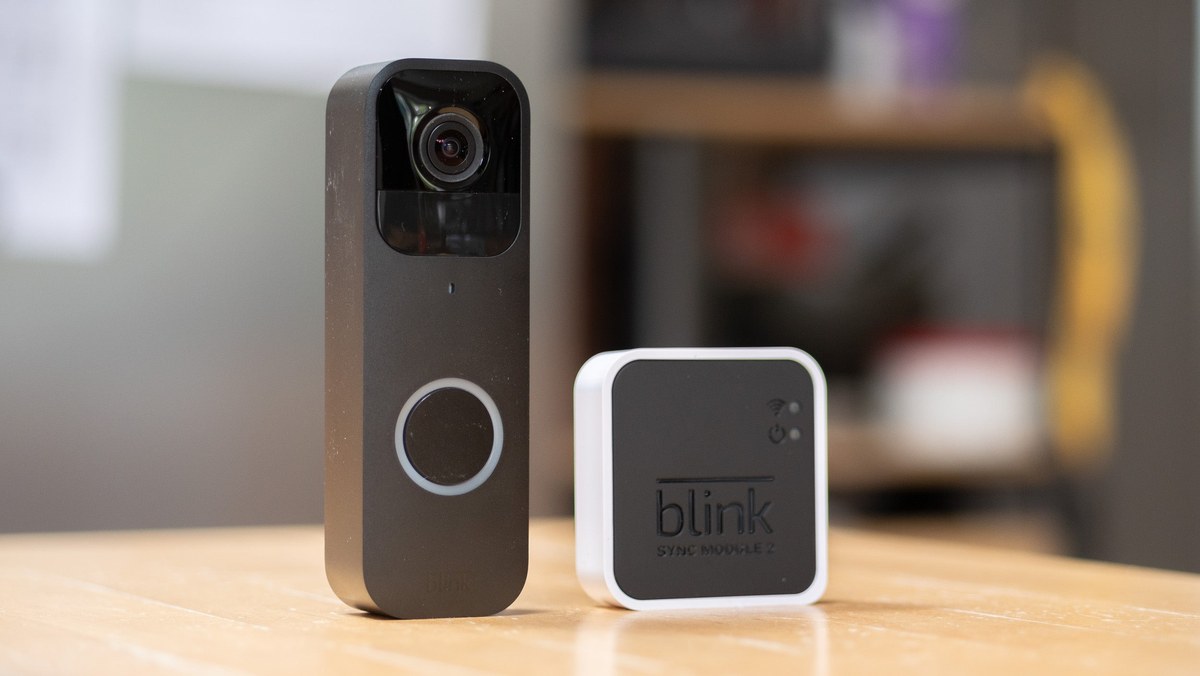
Yes, a Blink video doorbell can be used without a subscription for basic live viewing, motion alerts, and two-way talk. The main tradeoff is reduced video history and fewer convenience features, so storage and placement matter more.
The blink video doorbell without subscription question has a simple answer. You can use core doorbell features for free. But storage and some smart features are limited. That makes it practical for many renters and homeowners who want alerts and live viewing without a monthly bill.
Can You Use a Blink Video Doorbell Without a Subscription?
Yes, but the free setup is not the same as a full plan. You can still get live view, motion alerts, and two-way talk through the app. What you usually lose is cloud video history and some convenience features tied to a paid plan or linked storage.
What works for free: live view, motion alerts, and two-way talk
For many households, these are the main daily-use features. Live view lets you check the front door in real time. Motion alerts tell you when the doorbell detects activity.
Two-way talk lets you speak through the app if someone is at the door. This is enough for basic awareness. It helps with package drops, visitors, and quick checks.
It is also useful in apartments and shared entries. In those spaces, you may mainly want notification-based monitoring.
What changes without a plan: cloud video history, smart features, and sharing limits
Without a subscription, you may not get the same video retention or advanced app tools. That matters if you want to review an event later, share clips, or keep a longer record of activity.
Some smart features may also be tied to a plan, account setup, or storage method.
Free use can be practical, but the details depend on the exact device and storage setup.
How Blink Video Doorbell Storage Works in 2026
Diagram showing Blink Video Doorbell storage choices in 2026.
Storage is the key difference between free use and paid use. In a no-subscription setup, you need to know where clips go.
You also need to know how long they stay available. That is the part that affects evidence, convenience, and privacy most.
Cloud recording vs. local storage through a Sync Module
Cloud recording stores clips on the provider’s servers. Local storage saves clips on compatible hardware at home, such as a Sync Module with storage support.
The exact setup can vary by model, app version, and current Blink plan rules. Check the current support page for your device.
Local Storage
Clips stay in your home setup.
You keep more direct control over access.
Internet outages may affect live features, but not all local clips.
Cloud Storage
Clips can be reviewed from anywhere.
Retention depends on the plan.
Access depends on the account and internet service.
What video retention means for homeowners and renters
Video retention means how long a clip stays available before it is deleted or overwritten. For a homeowner, that can matter after a package issue or a visitor dispute.
For a renter, it can matter even more because hallway, porch, and shared-entry events may happen fast.
If you need more time to review clips, cloud history may feel easier. If you prefer lower ongoing cost and more local control, local storage can be a better fit.
How storage choices affect evidence, convenience, and privacy
Storage affects more than just cost. It changes how fast you can find a clip, who can access it, and whether a provider holds your footage.
That is why some users prefer local storage for privacy. Others prefer cloud access for convenience.
For a broader setup comparison, our video doorbell installation guide explains the practical steps that affect placement, power, and app setup.
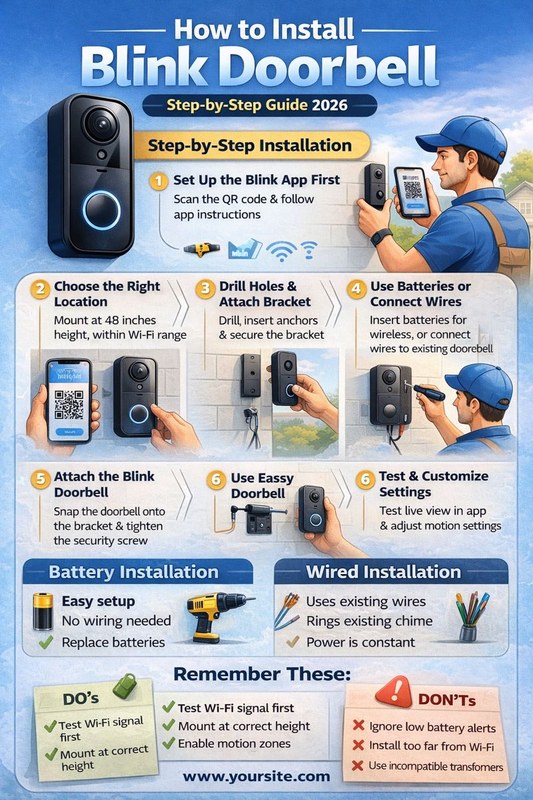
What You Need Before Installing a Blink Doorbell
Before you mount anything, check power, Wi-Fi, and the layout of the entry. Those three items decide whether the doorbell will be reliable or frustrating.
They also matter for renters, since some homes allow easier mounting choices than others.
Power options: wired connection, battery use, and charging expectations
Some Blink doorbells can run on battery power. Others may support wired power or a mix of both.
Battery use is simpler for many renters. But it means periodic charging or battery management.
Wired use can reduce charging needs. But it depends on your existing doorbell wiring.
Always check the exact model manual before assuming compatibility. Doorbell power is safety-sensitive.
Low-voltage wiring can still cause problems if the transformer is not right.
Wi-Fi requirements, router placement, and signal strength at the front door
A video doorbell needs a stable signal near the front door. If your router is far away, the app may still work, but alerts and live view can lag.
Mesh systems can help. Still, placement matters at the door itself.
If the front entry is behind brick, metal, or multiple walls, test the signal before final mounting. A weak connection often looks like a camera problem.
It is often really a network problem.
Home layout factors: apartment entry, porch depth, stairs, and shared hallways
Layout changes what the doorbell can see. A deep porch may hide faces. A narrow stair landing may create motion alerts from every passing person.
Shared hallways can also create more privacy concerns than a single-family porch.
If you live in an apartment or townhouse, check building rules first. Some properties limit drilling, visible devices, or shared-space recording.
Installation and Placement Tips for Better Coverage<
Doorbell placement near the entrance helps capture visitors and package activity.
Good placement matters as much as the device itself. A few inches can change whether you capture a face, a package, or only the top of someone’s head.
The goal is clear coverage without recording more public space than you need.
Mounting height, angle, and field of view for faces and packages
Mount the doorbell at a height that balances face capture and package visibility. If it sits too high, you may miss faces. If it sits too low, you may capture mostly the ground.
A slight angle can help, especially on sloped steps or deep porches.
If you want a more detailed placement reference, our doorbell installation height guide covers the same basic geometry that applies to most video doorbells.
Night performance, porch lighting, and motion detection range
Night video depends on both the camera and the light around it. A small porch light can improve face detail and reduce grainy footage.
Motion settings also matter. Too much sensitivity can create constant alerts from cars, trees, or passing pets.
Test the camera at dusk and after dark if possible. That is when many placement issues become obvious.
Neighbor privacy, sidewalks, and avoiding unnecessary capture zones
Try to aim the camera at your own entry first. Avoid pointing it deep into a neighbor’s doorway, window, or private yard.
Sidewalks and public areas may be visible. Still, keep the field of view as narrow as practical.
If your model supports privacy zones, use them. They can help block areas you do not need to record.
Setup, Account Access, and App Security
A secure app setup matters because the doorbell is only as private as the account behind it. Good passwords, careful sharing, and updated software reduce risk.
This is especially important when several people in the home need access.
Creating a secure Blink account and enabling multifactor authentication
Use a unique password that is not used anywhere else. If the app offers multifactor authentication, turn it on.
MFA adds a second check, such as a code sent to your phone or email. That extra step can slow down unauthorized access if someone learns your password.
Shared users, permissions, and account recovery basics
Many households share doorbell access. Before you invite anyone, check what they can see and do.
Some users may need alerts only. Others may need clip access or settings control.
Also save your recovery email and phone number. If you lose account access, recovery details can matter more than the password itself.
Firmware updates, app permissions, and keeping the device supported
Firmware is the device software that runs inside the doorbell. App updates and firmware updates can fix bugs and improve security.
Keep both current when the manufacturer supports them.
Review phone permissions, too. The app should only have the access it needs for alerts, camera use, and notifications.
Privacy and Cybersecurity Considerations Without a Subscription
No subscription can improve some privacy preferences, but it does not remove security risk. You still need to protect the account, the network, and the recordings.
The main question is who controls the footage and how long it stays available.
How local storage changes data exposure and user control
Local storage keeps footage closer to home. That can reduce dependence on a cloud account and may make some users more comfortable.
It also means you are responsible for protecting the storage device and deciding how to back it up.
If a local device is stolen or damaged, you may lose clips unless you have another copy or a backup method.
Network security: strong passwords, guest access, and router hygiene
Keep your Wi-Fi password strong and your router updated. If guests or tenants need internet access, use guest Wi-Fi when practical.
That keeps smart devices separate from phones and laptops.
Also remove old devices and unused app logins. Small cleanup steps can lower account clutter and reduce risk.
Video retention, deletion habits, and household privacy expectations
Decide how long your household wants to keep clips. Some families want short retention and quick deletion. Others want a longer record for package problems or visitor disputes.
Talk about audio recording, shared access, and who can export clips. A clear household rule is often better than a technical setting alone.
Ownership Cost Analysis for Renters and Homeowners
The real cost is more than the sticker price. You should count hardware, batteries or charging time, mounting supplies, and any plan you may later add.
For some users, the no-subscription path is the main reason to buy.
Upfront hardware, optional accessories, and long-term operating costs
Upfront cost usually includes the doorbell itself and any needed mounting parts. Optional items may include wedges, chimes, extra batteries, or a Sync Module if your setup uses one.
Over time, the main operating cost is usually power management and any optional plan you choose.
When a no-subscription setup makes more sense than cloud storage
A no-plan setup often makes sense if you mainly want alerts, live checks, and basic front-door visibility. It can also fit budget-focused buyers who do not need long video history.
Renters often like it because it can be simpler to remove later.
If your household needs frequent clip review, shared access across many users, or longer retention, cloud storage may be worth the added cost.
Lease-friendly installation and removable mounting considerations
Renters should check lease rules before drilling or hardwiring. Some homes allow adhesive mounts or no-drill solutions, while others do not.
A removable setup is often easier to take with you later.
For wiring and chime concerns, our existing chime guide can help you understand what to verify before you start.
Troubleshooting Common Problems and Maintenance
Most problems come from power, Wi-Fi, or placement. Start with the safest checks first.
That usually means signal strength, battery level, app settings, and basic mounting position before you assume the device is defective.
Missed motion events, weak Wi-Fi, and delayed notifications
If motion events are missed, first check sensitivity and activity zones. Then check whether the camera has a stable signal and whether notifications are allowed on your phone.
Delayed alerts often point to weak Wi-Fi or a busy network.
If the problem started after a router change, reconnect the device and test again. Network changes are a common cause of sudden app issues.
Battery, wiring, weather, and seasonal maintenance checks
Battery-powered doorbells need regular checks. Cold weather can reduce battery performance, and heat or moisture can also affect reliability.
Wired setups need occasional checks for loose connections and chime behavior.
Clean the lens and mounting area when needed. Dirt, spider webs, and rain spots can reduce image quality more than many users expect.
When to reset, re-pair, or rethink placement
If the app cannot find the device, or if alerts keep failing after basic checks, a reset and re-pair may help. Do that only after you confirm the power and network are stable.
If the camera still misses faces or packages, placement may be the real issue.
For a broader model comparison, our Blink Outdoor 4 vs. video doorbell guide can help if you are deciding whether a different Blink camera style better fits the entry.
Practical Next Steps for a No-Subscription Blink Setup
Start by matching the device to your home, not the other way around. If you need basic alerts, live view, and simple two-way talk, a no-subscription setup can be enough.
If you need longer clip history or more sharing tools, compare storage options before you buy.
Deciding whether your home layout and privacy needs fit the system
Look at your entry, your Wi-Fi, and your privacy needs together. Apartments and shared halls often need more careful placement.
Single-family homes may have more freedom, but they still need good signal and sensible coverage.
Choosing between local storage, cloud features, and future upgrade paths
If you want lower ongoing cost, local storage is often the better starting point. If you want easier remote access and longer retention, cloud features may be worth it.
The best choice is the one that fits your daily routine and your comfort level with account-based storage.
Final Takeaway
A Blink video doorbell can work without a subscription for basic front-door monitoring. Storage and advanced convenience features are more limited.
For many US renters and homeowners, the best next step is to verify power, Wi-Fi, and storage before installation. That helps the setup match the home.
Yes, core features like live view, motion alerts, and two-way talk can still work. Storage and some advanced features may be limited without a plan.
It depends on the exact model and current Blink setup. Some no-plan storage options use local hardware, so check the model manual and support page.
Recording depends on the storage method you set up. If cloud history is not included, you need a supported local storage option to keep clips.
Check power, Wi-Fi strength, mounting height, and any lease or HOA rules. Also confirm whether your chime and transformer match the exact model.
It can be, because local storage keeps footage closer to home. You still need strong passwords, MFA, and careful sharing to protect the account.
The biggest limitation is usually shorter or less convenient video access. If you need frequent clip review or easier sharing, a plan may be more practical.
Hi, I'm Marcus Sterling, a smart home security expert with over 5 years
of hands-on experience testing and reviewing hundreds of security cameras, smart locks, and alarm systems. My mission is to make smart home security accessible, affordable, and easy to understand—and every review I publish is 100% independent, unbiased, and honest. I don't accept payments for positive reviews, just practical advice to help you secure your home with confidence.
Quick Security Answer Ring Battery Doorbell Plus installation is usually a manageable DIY project if your Wi-Fi is strong and the mounting spot is clear. Renters should check lease rules first, and anyone with uncertain wiring should stop and follow the manual or hire help. ring battery doorbell plus installation is usually a straightforward DIY…
Quick Security Answer Ring video doorbell warranty coverage usually helps with factory defects, not setup mistakes or weather damage. Keep your receipt, check power and Wi-Fi first, and confirm the current model terms before filing a claim. The ring video doorbell warranty usually covers defects in materials or workmanship. It does not cover weather damage,…
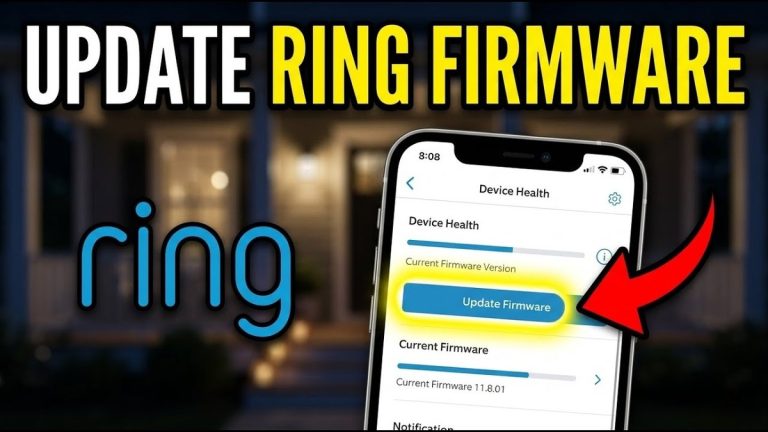
Quick Security Answer A Ring firmware update can improve security, fix bugs, and help your doorbell stay reliable. If it fails, check battery, Wi-Fi, and wiring before resetting anything. A ring video doorbell firmware update can improve security, fix bugs, and help your doorbell work more reliably. It can also change app behavior, alert timing,…
Quick Security Answer Yes, many Ring battery doorbells can be hardwired if the exact model and existing transformer are compatible. Hardwiring usually helps keep the battery charged, but it does not fix weak Wi-Fi or replace model-specific setup requirements. can you hardwire a ring battery doorbell? Yes, in many homes you can. But only if…
Quick Security Answer A Ring battery doorbell usually takes several hours to charge, but the exact time depends on the model, battery level, charger, and temperature. If charging seems slow, check the cable, power source, Wi-Fi, and battery age before assuming the device is faulty. how long does ring battery doorbell take to charge is…
Smart video doorbells let us see visitors, talk with them, and receive motion alerts from a phone. They can also record activity near an entrance, making them useful for homes that need more awareness than a basic doorbell provides. The eufy Video Doorbell E340 is a wired or battery-powered model with dual cameras, package monitoring,…