Do Smart Locks Work Without Wi-Fi The Answer Explained
Whether you own or rent, “do smart locks work without wifi” is one of the first questions to answer before buying a connected deadbolt — and for most models, the answer is yes, with important caveats. The lock itself operates locally, but the features you can use during an internet outage depend on how the lock connects, whether you use a hub, and what backup methods the manufacturer built in.
The Short Answer: Yes, Most Smart Locks Work Without Wi-Fi
Smart locks are designed to secure your door first and connect to the internet second. The core functions — turning the latch, reading a keypad code, recognizing a fingerprint, or accepting a physical key — happen locally on the device. Wi-Fi is primarily used for remote control, notifications, and cloud features, not for the basic act of locking and unlocking.
Think of it this way: a smart lock is still a lock. If your internet goes down, your door does not suddenly unlock or refuse to lock. What changes is your ability to check the lock status from work, let in a guest remotely, or receive an alert the moment someone enters.
How Smart Locks Connect: Local Protocols vs. Wi-Fi
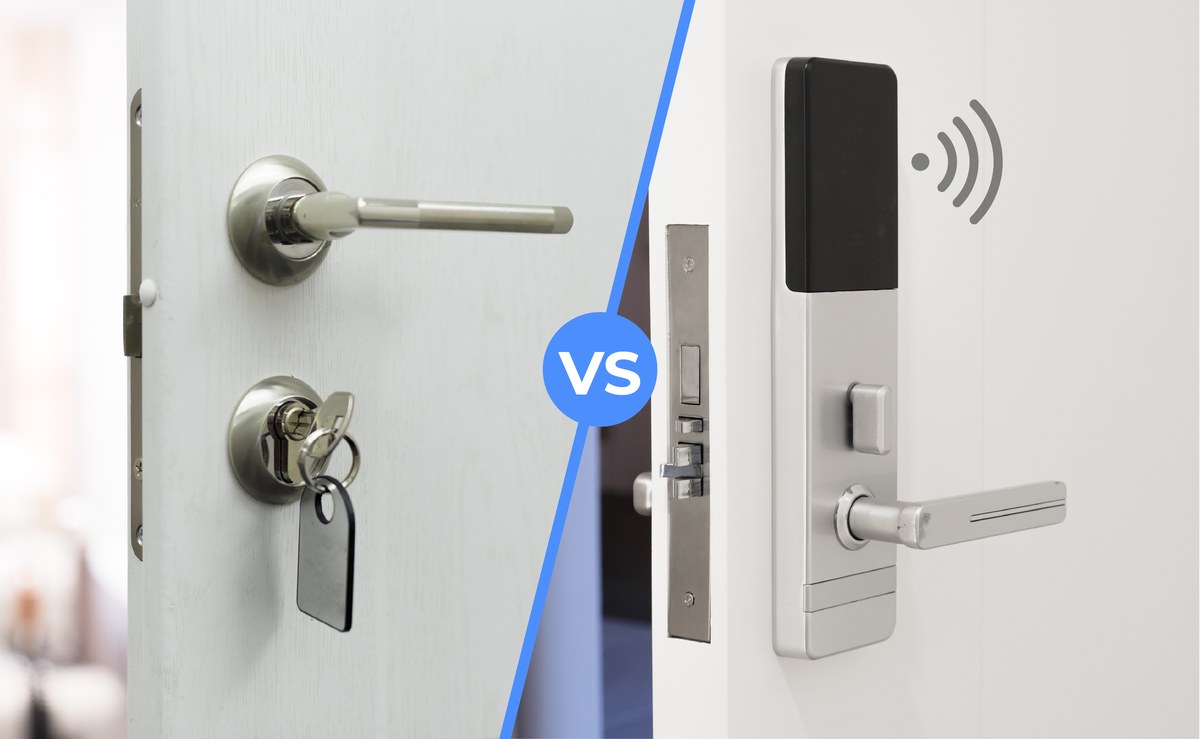
Smart locks use several wireless standards, and each one handles a Wi-Fi outage differently. Understanding the difference helps you pick a lock that matches your home network and your daily habits.
- Bluetooth: The phone connects directly to the lock over a short-range radio link, typically around 30 feet indoors. No internet is needed for nearby unlocking, and no hub is required.
- Wi-Fi: The lock connects directly to your router. This gives you remote access without a hub, but many Wi-Fi-only locks lose app control when the internet connection drops.
- Z-Wave: A low-power mesh protocol that operates on 908.42 MHz in the US. A hub is required, and the hub usually connects to Wi-Fi for remote access. Local locking and hub-based automations continue during an internet outage.
- Zigbee: A mesh protocol that operates on the 2.4 GHz band. Like Z-Wave, it requires a hub or coordinator, and local control continues without internet.
- Thread and Matter: Thread is an IP-based mesh protocol, and Matter is a smart home standard that can run over Thread, Wi-Fi, or Ethernet. A Thread border router is required, and local Matter control can continue without internet.
| Connectivity | Hub needed | Works without Wi-Fi? | Best suited to |
|---|---|---|---|
| Bluetooth | No | Yes, for nearby phone access | Simple, single-user households |
| Wi-Fi | No | Limited; app control usually requires internet | Remote access without extra hardware |
| Z-Wave | Yes | Yes, through the hub’s local control | Whole-home automation setups |
| Zigbee | Yes | Yes, through the hub or coordinator | Whole-home automation setups |
| Thread / Matter | Yes, a border router | Yes, for local Matter control | Newer platforms and cross-ecosystem homes |
Why Some Smart Locks Use Wi-Fi and Others Don’t
Battery life is one of the main reasons smart lock manufacturers do not put Wi-Fi radios in every model. A Wi-Fi radio needs more power to maintain a constant connection to your router, which drains batteries faster. Bluetooth, Z-Wave, and Zigbee are designed for low-power devices, which is why many battery-operated locks use those protocols.
That tradeoff explains the two common designs you will see:
- Wi-Fi locks: These connect directly to your router and offer remote access without a hub, but they may require more frequent battery changes or a wired power source.
- Bluetooth or hub-based locks: These use less power and work locally, but remote access requires a hub, a bridge, or an additional Wi-Fi adapter.
Some manufacturers solve this with a hybrid design: the lock uses Bluetooth or Z-Wave for low-power local operation, and a separate Wi-Fi bridge or hub provides internet connectivity. That gives you local control during an outage plus remote access when the network is up.
What Still Works When Your Wi-Fi Goes Down
Here is what you can count on during an internet outage:
- Keypad codes: Most keypad locks store codes on the device itself, so you can enter your PIN and unlock the door without any network connection.
- Physical keys: Many smart locks include a traditional key override. The answer to whether smart locks have physical keys varies by model, and it is one of the most useful features to look for. Read more about smart locks with physical keys.
- Bluetooth unlocking: If your phone is within range and the lock supports direct Bluetooth control, you can often unlock without internet. If you want to know how to unlock a smart lock without your phone, the options depend on the model’s backup features — keypads, physical keys, and emergency power terminals are the most common. See how to unlock a smart lock without your phone.
- Local auto-lock: Timed auto-lock settings are usually stored on the lock itself, so the door still locks itself after the set delay.
- Hub-based automations: If your lock connects through a Z-Wave, Zigbee, or Thread hub, many automations run locally and continue during an internet outage.
What You Lose Without Wi-Fi
The features that disappear during an outage are the ones that depend on the cloud:
- Remote app access: Checking lock status or unlocking from a different location requires internet.
- Push notifications: Activity alerts are typically routed through the manufacturer’s cloud service.
- Voice assistant control: Commands to Alexa, Google Assistant, or Siri usually require cloud processing.
- Guest access management: Creating temporary codes or revoking access while you are away needs a connection.
- Firmware updates: Security patches and feature updates download over the internet.
- Cloud activity logs: Some locks store recent events locally, but cloud-based history may be unavailable until the connection returns.
Once your Wi-Fi connection is stable, these features return automatically. The lock does not need to be reset.
Wi-Fi Outage vs. Dead Battery: Know the Difference
An internet outage and a dead battery are very different problems. When Wi-Fi goes down, the lock still operates — you can use the keypad, key, or a nearby Bluetooth phone. When the battery dies, the lock may stop responding entirely.
That is why most smart locks include a low-battery warning and a backup method. Some models have an external battery terminal where you can touch a 9V battery to power the lock long enough to enter your code. Others rely on a physical key. If you want to understand what happens when a smart lock loses power, the short version is that the backup method matters more than the Wi-Fi connection. See what happens if a smart lock battery dies.
Smart Locks for Renters and Apartment Residents
If you rent, your options depend on your lease and your landlord’s rules. Many apartment-friendly smart locks replace only the interior thumb turn or use the existing deadbolt, which means no drilling into the door. Others are full deadbolts that require swapping the entire lock, which usually needs landlord approval.
Keypad and physical key options are especially valuable in apartment buildings, where a lost phone or a shared entry situation can make phone-only access impractical. For more detail on what to look for in rental settings, see our guide to smart locks for apartment doors with keys.
Security and Privacy: Local Control vs. Cloud Dependence
One of the quieter benefits of a smart lock that works without Wi-Fi is privacy. When the lock operates over Bluetooth or through a local hub, your unlock events and codes do not have to pass through the manufacturer’s cloud. That reduces the number of systems that could be exposed in a data breach.
That does not mean a non-Wi-Fi lock is automatically more secure. Any connected device can have vulnerabilities, and the weakest link is often the account tied to it. If someone gains access to your smart lock account, they may be able to control the lock remotely regardless of the wireless protocol.
How to Choose the Right Smart Lock for Your Home
Start by asking yourself three questions:
- Do you need remote access? If you frequently let in guests, contractors, or family members while you are away, choose a lock with built-in Wi-Fi or a hub that provides remote control.
- Do you already use a smart home platform? If you have an Alexa, Google Home, Apple Home, or SmartThings setup, check which protocol your ecosystem supports. Matter and Thread are becoming common, but older hubs may use Z-Wave or Zigbee.
- What happens when the lock loses power? Look for a physical key override, a 9V emergency terminal, or both. The best backup is the one that works when the network and the battery both fail.
For homeowners who want the simplest setup, a Bluetooth lock with keypad access is often enough. For households that want remote notifications and integration with other security devices, a Wi-Fi lock or a hub-based Z-Wave or Zigbee lock is more practical.
How to Test Your Smart Lock During a Wi-Fi Outage
Before you rely on a smart lock during an outage, test it. Here is a simple way:
- Turn off your internet router (or unplug it) so the lock cannot reach the cloud.
- Wait a few minutes, then try the keypad, the physical key, and Bluetooth unlocking from your phone.
- Note which features work and which ones fail.
- Turn the router back on and confirm the lock reconnects to the app without a reset.
This test takes about 15 minutes and tells you exactly what to expect during a real outage.
Most smart locks work without Wi-Fi because the locking mechanism, keypad, and physical key operate locally. What you lose during an internet outage is remote access, notifications, voice control, and firmware updates. If you want a lock that stays useful when the internet fails, choose one with Bluetooth or hub-based connectivity, a keypad, and a physical key or emergency power backup. If you need remote access, make sure your lock or hub supports it — and keep the local backup in place for the moments when the network is down.
Frequently Asked Questions
Yes, most smart locks can operate without Wi-Fi using Bluetooth, Z-Wave, or Zigbee to communicate locally with your phone or hub. Without Wi-Fi, you lose remote access from outside your home, but day-to-day unlocking and locking still work normally.
Yes, because smart locks run on batteries and do not rely on your home’s electrical grid. However, if your Wi-Fi router is down, you may lose remote control and app notifications until the internet connection is restored.
It depends on the model. Bluetooth-only locks work directly with your phone without a hub, while Z-Wave and Zigbee locks typically require a compatible hub to function. Some Wi-Fi locks come with a proprietary bridge or built-in radio, so always check the manufacturer’s requirements before buying.
No, core offline functions like Bluetooth unlocking and keypad entry are usually free and do not require a subscription. Paid plans typically add cloud video storage, activity history, or advanced user management, which are optional extras rather than necessities.
They are generally more private because less data is sent to the cloud, but they are not immune to attacks. Look for models with encrypted local communication, tamper alerts, and regular firmware updates, and avoid cheap locks with known security flaws.
Check the exact model’s connectivity options, battery life, and whether it supports manual key override for emergencies. Also confirm installation requirements, physical dimensions, ongoing maintenance costs, and any limitations like door thickness or deadbolt alignment before purchasing.




3 Comments