Ring battery doorbells usually last from weeks to months per charge, depending on motion activity, settings, weather, and Wi-Fi. The best way to stretch runtime is to reduce unnecessary wakeups and keep the device well placed and well connected.
how long do ring battery doorbells last depends on how often they wake up, how you set alerts, and how busy your front door is. In many U.S. homes, the answer is best thought of as “weeks to months per charge,” not a fixed number.
The battery can also age over time. So a doorbell that once lasted longer may need charging more often later.
Below, Marcus Sterling breaks down the main factors that shape runtime. He also covers setup choices that help owners and renters get steadier performance.
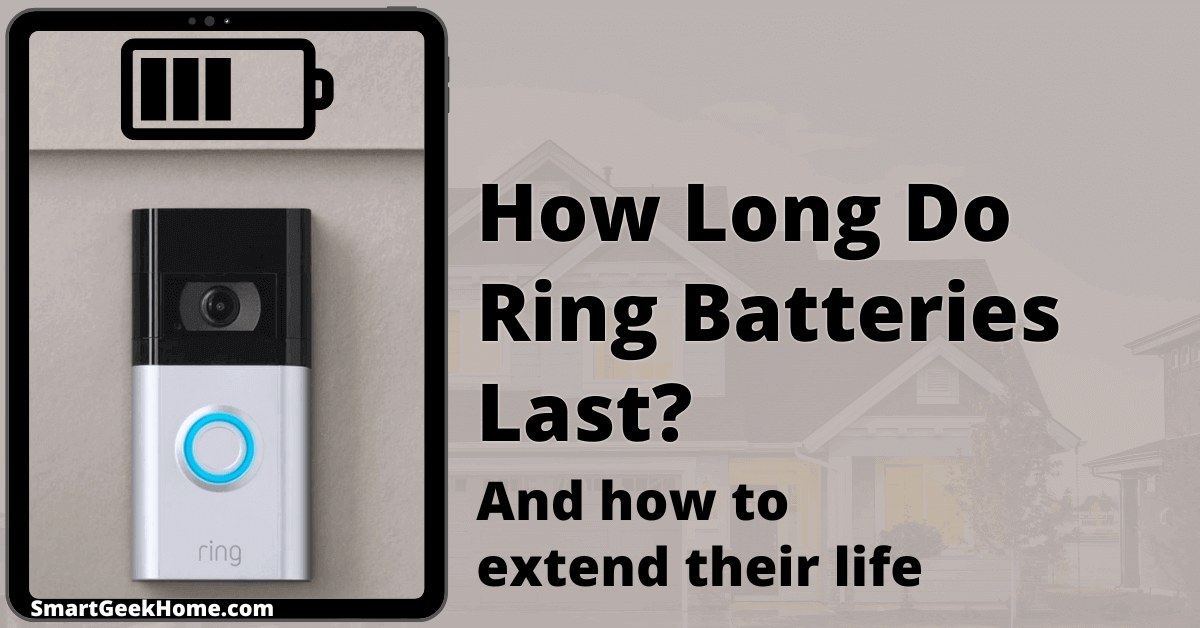
How Long Do Ring Battery Doorbells Last? The Short Answer for 2026
Most Ring battery doorbells last long enough for normal home use. But the exact runtime varies a lot.
A quiet porch may go much longer between charges than a busy front door on a street-facing home.
What “lasts” actually means: battery life per charge, battery lifespan, and device longevity
When people ask about battery life, they usually mean one of three things.
Battery life per charge is how long the doorbell runs before you recharge it. Battery lifespan is how well the battery holds up after many cycles. Device longevity is how long the whole doorbell stays useful before wear, support changes, or new needs make replacement more sensible.
Those are different. A doorbell can still work well even if the battery needs charging more often than it did in year one.
That may point to battery aging, heavier traffic, or a settings change.
Typical real-world expectations for U.S. homes and rentals
In everyday use, many owners should expect a battery doorbell to need recharging on a schedule that ranges from fairly frequent to only a few times a year.
The biggest reason for the spread is motion activity. A calm apartment entry and a busy suburban porch will not behave the same.
Renters often see different results too. Shared hallways, package deliveries, and frequent passersby can trigger more clips.
Single-family homes with deep porches may see fewer wakeups and a calmer battery pattern.
What Changes Battery Life the Most
Battery life changes with motion alerts, Wi-Fi strength, temperature, and usage frequency
The main drivers are simple. More motion, more live views, and more recording usually mean faster drain.
Cold weather can also reduce usable battery performance for a while.
Motion frequency, live view use, and notification settings
Motion alerts are one of the biggest battery drains.
If the camera wakes often for people, cars, pets, shadows, or tree movement, the battery works harder.
Live View uses more power too because it keeps the camera active while you watch in real time.
Alert settings matter as well. A very sensitive motion setup can catch more activity than you need.
That may be useful for some homes, but it can shorten runtime fast.
Higher-quality recording usually takes more work from the device.
Night vision can also add load because the camera must handle low-light scenes.
Two-way talk and audio use are not the biggest drains by themselves. Still, they add up when used often.
If your porch is active after dark, the battery may drop faster than you expect. That is normal.
It does not always mean the doorbell is faulty.
Temperature, weather, and seasonal swings
Cold weather can make batteries seem weaker. Heat can also stress battery performance over time.
Outdoor placement adds more strain than indoor electronics face. So seasonal changes are part of the picture.
Placement, Home Layout, and Doorbell Traffic
Where the doorbell sits has a major effect on runtime. A well-placed camera sees what matters without watching the sidewalk, street, or busy neighbor areas.
That lowers unnecessary wakeups and helps the battery last longer.
Front-door activity, street-facing exposure, and porch depth
A front door that faces a sidewalk or street usually gets more motion than a recessed porch.
Package delivery traffic, pedestrians, cars, and pets can all trigger recording.
Deep porches often reduce that activity and can improve battery life.
Homes near a busy road may need more tuning than homes on a quiet cul-de-sac.
The same doorbell can behave very differently from one property to the next.
Apartment, townhouse, and single-family home considerations
Apartments often have less outdoor exposure but more shared-space traffic.
Townhouses may sit close to neighbors and hallways.
Single-family homes may have more placement freedom, but they can also face more street activity.
If you rent, check building rules before drilling or mounting.
For a related installation example, this guide on how to mount a Ring indoor cam shows how placement and surface choice matter in smart home installs, even though the device type is different.
Mounting angle, field of view, and privacy zones
Angle affects what the camera sees.
A doorbell aimed too far out may watch the sidewalk and road.
That can increase alerts and create privacy concerns.
Privacy zones help block parts of the view. That can reduce extra motion and neighbor exposure.
Field of view means the area the camera can capture.
A wider view is not always better if it picks up too much activity.
The right angle is the one that covers your entry without overreaching.
Power, Charging, and Battery Maintenance Basics<
Battery charging and maintenance help keep a doorbell camera powered longer.
/h2>
Most owners do not need to think about the battery every day. But basic charging habits still matter.
Simple care can help a battery hold up better over time.
How often most owners need to recharge in practice
Recharge timing depends on traffic, settings, and weather.
Some homes may need charging every few weeks. Others may go much longer.
The app battery indicator is useful, but it is best treated as a guide, not a perfect timer.
If you start recharging much more often than before, compare current use with past use.
More motion, more live view sessions, or a new router issue may explain the change.
Signs the battery is aging rather than just draining faster
Aging battery signs usually include shorter runtime after a full charge, faster drops in the battery meter, and trouble holding charge in normal conditions.
If the battery seems fine in mild weather but weak in cold weather, temperature may be the main factor instead.
Battery aging is normal for rechargeable devices.
The key is to separate wear from a settings problem or a placement problem.
Charging habits that help preserve long-term battery health
Use the charger and power method the manual recommends.
Avoid leaving the battery in extreme heat or cold for long periods.
Recharge before it reaches a deep drain too often, if the model guidance supports that approach.
It also helps to keep the charging contacts clean and dry.
If you remove the battery, store it safely and insert it correctly.
Small mistakes can cause charging issues that look like battery failure.
Wi-Fi, App Settings, and Cloud Features That Affect Runtime
Battery life is not just about the battery itself. The Wi-Fi signal, app settings, and cloud features can all change how often the doorbell wakes and how much work it does.
Signal strength, router placement, and 2.4 GHz vs. 5 GHz realities
Weak Wi-Fi can make a battery doorbell work harder.
If the signal is poor, the device may retry connections or delay uploads.
That can hurt runtime and video reliability.
Many battery cameras rely on 2.4 GHz Wi-Fi for range, while 5 GHz offers faster speeds at shorter distances.
The exact support depends on the model.
Router placement, mesh coverage, and wall materials can matter more than the plan name on the box.
Motion sensitivity, snapshot frequency, and alert tuning
Higher sensitivity usually means more wakeups.
Snapshot frequency can also add background activity.
If your doorbell records too often, lower the sensitivity in small steps.
Then watch the change for a few days.
Good tuning is about balance. You want useful alerts, not constant clips.
Start with the safest reversible settings first, then adjust slowly.
Subscription features, cloud retention, and storage tradeoffs
Cloud features can improve access to clips and event history, but they do not always help battery life.
In some setups, more recording and more review can mean more device activity.
The real cost is not just the plan fee.
It is also the time spent managing alerts and storage.
If you want a broader storage comparison, see Ring indoor cam local storage for a plain-language look at local versus cloud storage tradeoffs.
The storage model may differ, but the privacy and access questions are similar.
Installation and Compatibility: What Renters and Homeowners Need to Know
Battery doorbells are easier to place than wired ones, but compatibility still matters.
You need to think about mounting, power options, permission rules, and the surface you plan to use.
Battery-only installation versus existing doorbell wiring
A battery-only install is usually simpler.
It can avoid transformer checks and wiring work.
But if you also connect to existing wiring, the exact voltage and chime setup must match the manual.
Rental rules, HOA limits, and permission issues
Renters should check lease terms before drilling or changing exterior hardware.
Some buildings limit visible cameras, shared-wall mounting, or wiring changes.
HOAs may also have rules about placement or appearance.
When in doubt, ask for written approval.
That can prevent later disputes and help you choose a removable mount if needed.
Weather exposure, mounting surfaces, and accessory compatibility
Outdoor placement means rain, sun, dust, and temperature swings.
The mounting surface must stay secure.
Brick, vinyl, wood, and stucco all create different installation challenges.
Not every accessory works on every surface.
Check the exact model’s weather guidance and accessory list.
If the mount, wedge, or corner kit is not designed for your surface, the install may not hold up well.
Privacy, Cybersecurity, and Neighbor-Friendly Setup
Battery life is only part of the story. A good setup should also protect privacy, reduce unwanted recording, and keep the account secure.
Privacy zones, camera angles, and sound considerations
Privacy zones let you block parts of the image.
That helps avoid recording public sidewalks or a neighbor’s door.
It can also reduce motion events that waste battery.
Audio matters too. If your device records sound, think about where conversations may be captured.
Keep the angle narrow enough to cover your entry, not the whole block.
Account security, MFA, shared users, and password hygiene
Use a unique password for the account.
Turn on multi-factor authentication, or MFA, if the service offers it.
MFA adds a second check during sign-in and can reduce account takeover risk.
Review shared users and connected apps from time to time.
Remove access you no longer need.
Keep the app, router, and device firmware updated.
Neighborhood expectations and reducing unnecessary recording
Neighbor-friendly setup matters.
A doorbell that records only your entry is less likely to create tension.
It also usually uses less battery than one that watches a busy sidewalk.
If your camera keeps catching people who have no reason to be recorded, adjust the angle or use privacy zones.
That is often better than turning every alert off.
When Battery Life Becomes a Cost Issue: Ownership, Upkeep, and Next Steps
At some point, battery runtime becomes a budget question.
If you recharge often, the time cost may matter as much as the device cost.
The best setup is the one that fits your home and routine.
Replacement battery costs versus recharge convenience
Some owners prefer a spare battery so one can charge while the other is in use.
That can reduce downtime.
Others prefer to recharge the same battery and wait.
The right choice depends on how busy the doorbell is and how much hassle you want to manage.
If the battery is aging, a replacement may restore convenience even if the doorbell itself still works well.
When to consider a wired doorbell, chime accessory, or different setup
If you are charging too often, a wired setup may fit better.
A chime accessory can also improve alerting inside the home.
For some properties, a different camera angle or a less busy placement will solve the problem without changing the whole system.
Battery doorbells are best when flexibility matters. Wired doorbells are often better when you want less maintenance.
Neither option is always right for every home.
Maintenance checklist for keeping performance steady over time
Use a simple routine.
Check battery status, clean the lens, review motion settings, and confirm Wi-Fi strength.
Test alerts after app updates or router changes.
Also review shared access, privacy zones, and mounting hardware every so often.
Small checks can prevent bigger problems later.
Final Takeaway
Ring battery doorbells usually last from weeks to months per charge, depending on traffic, settings, Wi-Fi, and weather.
If runtime suddenly drops, check motion settings, signal strength, battery age, and placement before assuming the device is failing.
It varies by motion activity, settings, weather, and Wi-Fi quality. In many homes, the battery lasts from weeks to months rather than a fixed number of days.
Frequent motion alerts, Live View use, and very sensitive settings are common battery drains. Street-facing placement and weak Wi-Fi can also shorten runtime.
Yes. Cold weather can reduce battery performance and make the doorbell seem to drain faster. Heat can also affect long-term battery health.
Often yes, but renters should check lease terms and building rules first. Removable mounts or battery-only installs may work better than drilling into exterior surfaces.
It can. Weak or unstable Wi-Fi may cause extra retries and more device activity, which can reduce battery life and hurt video reliability.
Lower motion sensitivity, improve Wi-Fi, adjust the camera angle, and use privacy zones where possible. Also keep the battery charged properly and review settings after app or router changes.
Hi, I'm Marcus Sterling, a smart home security expert with over 5 years
of hands-on experience testing and reviewing hundreds of security cameras, smart locks, and alarm systems. My mission is to make smart home security accessible, affordable, and easy to understand—and every review I publish is 100% independent, unbiased, and honest. I don't accept payments for positive reviews, just practical advice to help you secure your home with confidence.
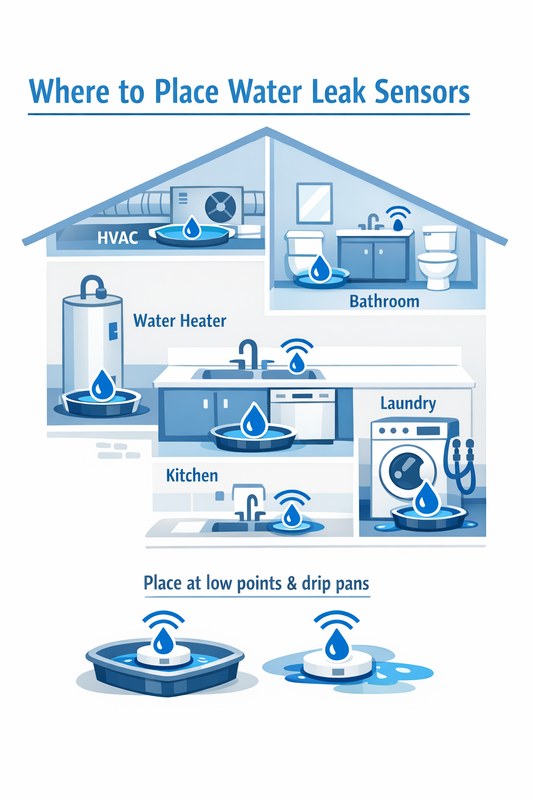
View on Amazon Quick Security Answer Place water leak sensors at the highest-risk spots: under sinks, behind toilets, near the washing machine, and around the water heater. Position them flat on the floor with clear access to water flow and test them monthly. Smart Home Security Guide Knowing where to place water leak sensors is…
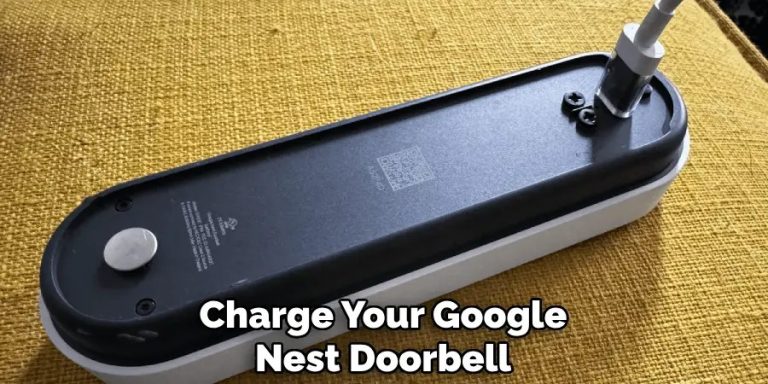
Quick Security Answer If you have the battery-powered Nest Doorbell, remove it carefully and charge it with the correct cable and power source. If you have the wired model, check wiring and transformer compatibility instead of trying to recharge it like a battery device. How to Charge Google Nest Doorbell depends on the exact model….
Quick Security Answer A Ring battery doorbell usually takes several hours to charge, but the exact time depends on the model, battery level, charger, and temperature. If charging seems slow, check the cable, power source, Wi-Fi, and battery age before assuming the device is faulty. how long does ring battery doorbell take to charge is…
Quick Security Answer Yes, Nest Doorbell can have a monthly fee if you want cloud video history and some advanced features. Basic live view and alerts may still work without paying, depending on the model and current Google Home plan. Does Nest Doorbell Have a Monthly Fee? The short answer is yes, but not always…
Quick Security Answer The best outside camera depends on where you need coverage and how you plan to power it. For most homes, choose the model that fits your entry point, Wi-Fi, privacy needs, and storage preference. Which Camera Is Best for Outside depends on where you want coverage, how you power the camera, and…
Quick Security Answer A wired Ring doorbell diagram helps you confirm the transformer, chime, and low-voltage wiring before installation. If the wiring, Wi-Fi, or property rules are unclear, verify the manual first and consider a qualified installer. The ring video doorbell wired installation diagram helps you see how power flows from the transformer to the…