Battery life depends mostly on motion activity, Wi-Fi strength, and how often you use Live View. For most homes, the best results come from careful placement, tuned motion zones, and a charging routine that fits your schedule.
ring battery doorbell battery life is usually best understood as a range, not a fixed number.
Most homeowners want to know how often they will charge it. They also want to know what shortens runtime.
They want to keep alerts useful without draining power too fast.
Ring Battery Doorbell Battery Life: What Homeowners Can Realistically Expect in 2026
Battery life depends on how often the doorbell wakes up, records, and sends alerts.
A calm front door with a strong Wi-Fi signal can last much longer.
A busy entry with constant motion can drain faster.
Ring’s own model pages and support materials are the best place to confirm the exact battery claims for your device. Runtime varies by model, settings, and home layout.
Why battery life varies more than the box estimate suggests
Battery estimates usually assume light activity.
Real homes are different.
A porch that catches cars, pets, walkers, or street noise can trigger more events than a quiet side door.
Settings matter too.
Live View checks, motion alerts, snapshot updates, and frequent two-way talk all use power.
Weak Wi-Fi can also make the doorbell work harder as it tries to stay connected.
The short answer for busy homeowners and renters
If you want the simplest answer, expect battery life to change with use.
Light activity may mean fewer charges.
Heavy motion and frequent app checks can mean much more frequent charging.
For many households, the real question is not “How long does it last?”
It is “How much upkeep fits our routine?”
What Actually Drains a Ring Battery Doorbell Faster
Common settings and usage patterns can shorten a Ring Battery Doorbell’s battery life.
The biggest battery drain usually comes from motion events and app use.
After that, Wi-Fi quality, weather, and nighttime activity can make a real difference.
The more often the doorbell wakes up, the faster it uses power.
Motion frequency, live view use, and notification volume
Every motion alert can trigger wake-up, processing, and recording.
If the camera sees a lot of passing traffic, it may activate many times a day.
Live View uses even more power because it keeps the camera active while you watch.
Too many alerts can also lead to more app checks.
That creates a cycle.
The more you check, the more the doorbell may stay active.
Wi-Fi signal strength, router distance, and upload stability
A weak signal can shorten battery life.
When the connection is poor, the doorbell may retry uploads or take longer to send clips.
Neighbor privacy, shared walkways, and motion-zone setup
Shared walkways need careful setup.
You should try to cover your own door while avoiding unnecessary recording of neighbors.
Motion zones and privacy zones can help reduce both legal and social problems.
If the camera catches sidewalks or nearby windows, adjust it before daily use.
That often improves battery life and reduces unwanted alerts at the same time.
How to Extend Ring Battery Doorbell Battery Life Without Losing Coverage<
Tips for extending Ring Battery Doorbell battery life while maintaining home coverage.
/h2>
The best way to extend runtime is to reduce unnecessary wake-ups.
You do not need to shut off security features to do that.
Small setting changes often help a lot.
Adjust motion sensitivity, motion zones, and snapshot settings
Start with motion sensitivity.
Lowering it a little can cut down on false triggers.
Then narrow the motion zone so the camera watches only the area you care about most.
Snapshot settings can also matter.
More frequent snapshots may give you more updates, but they can use more power.
Test changes one at a time so you can see what helps.
Reduce unnecessary alerts and live-view checks
Alerts should help you, not interrupt you all day.
Turn off categories you do not need.
If your household checks the app often, agree on when Live View is truly necessary.
Marcus Sterling’s Security Note: battery life often improves most when homeowners reduce repeated app checks, not just motion sensitivity.
That is a practical judgment based on how battery cameras usually behave in real homes.
Choose the right placement for fewer false triggers
Placement can do the same job as settings, sometimes better.
Aim the camera away from busy streets, reflective surfaces, and moving tree branches.
Those small changes can reduce wake-ups.
If your current spot is noisy, consider a slight angle change or a mount adjustment.
The goal is to watch the door, not the whole neighborhood.
Charging, Swapping, and Maintenance: What Owners Should Plan For
Battery doorbells are convenient, but they are not maintenance-free.
You still need a charging routine, seasonal checks, and occasional cleaning.
Planning for that work helps avoid surprise downtime.
Typical recharge habits and what “maintenance-free” really means
Most battery doorbells need periodic charging, but the schedule depends on use.
Some homes may charge only a few times a year.
Others may need it much more often.
“Maintenance-free” is not a good way to think about it.
A better phrase is “low-maintenance with regular checks.”
Seasonal upkeep for cold, heat, dust, and moisture
Check the device after big weather swings.
Dust, pollen, and spider webs can affect motion sensing.
Moisture and temperature swings can also change battery behavior.
If the camera is exposed to harsh weather, review the exact model’s weather guidance before mounting.
Do not assume all outdoor ratings are the same.
When battery wear signals a replacement issue
All rechargeable batteries wear down over time.
If runtime drops sharply even after settings changes, the battery may be aging.
Charging may also take longer than before.
If the device no longer holds charge well, check the warranty terms and support options.
Sometimes the issue is the battery.
Other times it is charging hardware, wiring, or Wi-Fi instability.
Power Options, Wiring, and Compatibility Considerations
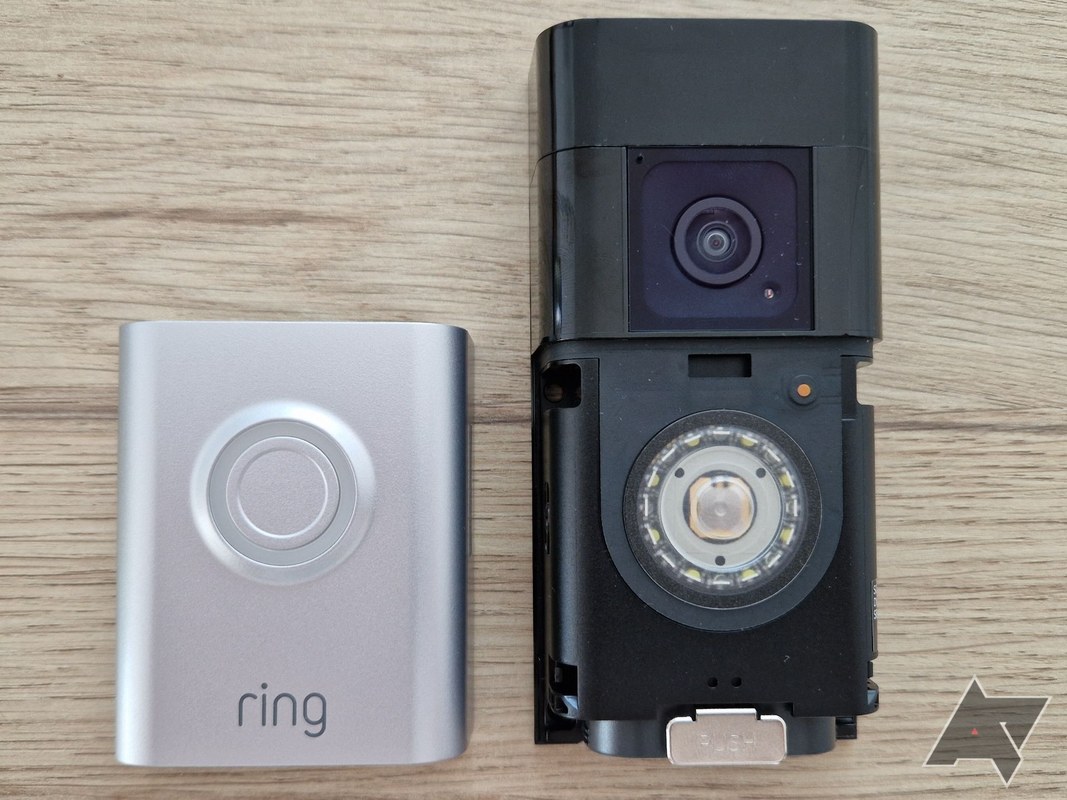
Some Ring battery doorbells can run on battery power alone.
Others may also support trickle charging through existing wiring.
The right choice depends on your home, your comfort with wiring, and the exact model manual.
Battery-only use versus hardwired support for trickle charging
Battery-only use is the simplest setup.
It avoids wiring work and works well for many renters.
Hardwired support can reduce charging frequency, but it does not always eliminate battery use.
Check the manual before assuming wiring will solve everything.
Some systems use power only to help maintain charge, not to run entirely off house power.
Transformer, chime, and existing doorbell wiring compatibility
If you plan to use existing wiring, verify the transformer and chime requirements first.
A mismatch can cause poor performance or no power at all.
Doorbell wiring is low voltage, but it still deserves careful handling.
For wiring context, compare your setup with the requirements in the product manual and any home wiring guide you trust.
USB charging access, mounting height, and removal convenience
Think about how easy it will be to remove the battery.
If the mount sits too high or too close to a wall, charging becomes annoying.
That makes upkeep harder and can lead to more missed doorbell time.
Choose a height and location that makes removal simple.
Convenience matters when a battery needs regular charging.
Wi-Fi, App Access, and Account Security for Video Doorbells
Battery life is only part of the story.
Your app, network, and account security shape the full experience.
A stable, secure setup helps the doorbell work better and reduces support problems later.
2.4 GHz network needs, signal boosters, and router placement
Many video doorbells use 2.4 GHz Wi-Fi because it reaches farther than 5 GHz.
That band can be slower, but it often works better through walls.
Router placement and mesh coverage still matter a lot.
If the signal is weak at the door, move the router or add a mesh node.
A stable connection usually helps both reliability and battery use.
Multi-factor authentication, shared users, and permission control
Use a unique password and turn on multi-factor authentication, or MFA.
MFA adds a second sign-in step.
That helps protect the account if a password leaks.
Review shared users often.
Family members, roommates, and caregivers may need different access levels.
Remove old users when they no longer need access.
Firmware updates, account recovery, and vendor support lifecycle
Firmware updates can fix bugs and improve stability.
Install them when available.
Also save your account recovery details so you can regain access if you change phones or lose a password.
Storage, Subscriptions, and Privacy Tradeoffs Homeowners Should Understand
Battery life is linked to storage choices too.
Cloud recording, local storage, and subscription plans can change how often the device uploads clips and how much history you keep.
That affects both convenience and long-term cost.
What changes with cloud recording versus no subscription
Without a plan, some features may be limited.
With cloud recording, you may get more event history and easier access from the app.
The exact features depend on the current plan and the exact Ring model.
It varies by model, settings, and how busy your entrance is. Light use can last much longer than a high-traffic porch with frequent alerts and Live View checks.
Yes, weak Wi-Fi can make the doorbell work harder and retry uploads. A stronger signal or mesh node may improve both reliability and battery use.
Yes. Narrow motion zones, lower sensitivity a bit, and reduce alerts you do not need. Placement also matters because street-facing angles often trigger more wake-ups.
Core operation may work without a plan, but storage and some features can depend on the current plan and exact model. Check the current Ring plan page before you buy.
Verify the exact voltage, transformer, and chime compatibility in the manual. If wiring is uncertain, turn off power and use a qualified installer.
Start with privacy zones, shared users, MFA, and audio settings. Also check how recordings are stored, retained, and deleted.
Hi, I'm Marcus Sterling, a smart home security expert with over 5 years
of hands-on experience testing and reviewing hundreds of security cameras, smart locks, and alarm systems. My mission is to make smart home security accessible, affordable, and easy to understand—and every review I publish is 100% independent, unbiased, and honest. I don't accept payments for positive reviews, just practical advice to help you secure your home with confidence.
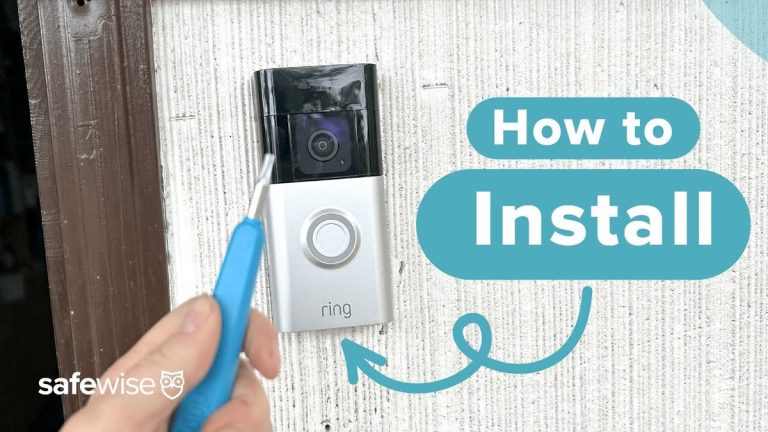
Quick Security Answer Install the doorbell by charging the battery, choosing a clear and private mounting spot, securing the bracket, and finishing setup in the Ring app. The most important checks are Wi-Fi strength, permission to drill, and any model-specific wiring or chime requirements. Learning how to install ring battery doorbell is mostly about safe…
View on Amazon Quick Security Answer Most security camera Wi-Fi failures come down to the 2.4GHz band, weak signal, or router settings. This guide walks through each fix in order, from quick pre-checks to advanced router adjustments. Smart Home Security Guide Dealing with a security camera not connecting to wifi can feel frustrating, but most…
Affiliate Disclosure DecatHome may earn a commission from qualifying purchases made through links on this page, at no additional cost to you. This does not affect our editorial analysis. Are outdoor cameras waterproof? Usually not in the literal sense. A camera made for outdoor use is weather-resistant only within its tested Ingress Protection (IP) rating….
Quick Security Answer Ring video doorbell warranty coverage usually helps with factory defects, not setup mistakes or weather damage. Keep your receipt, check power and Wi-Fi first, and confirm the current model terms before filing a claim. The ring video doorbell warranty usually covers defects in materials or workmanship. It does not cover weather damage,…
Compare best wired video doorbell without subscription for home coverage, privacy, power, storage, subscriptions, and value. Read the guide before choosing a.
Quick Security Answer Install a Blink video doorbell by checking power, Wi-Fi, and mounting location first, then pairing it in the app. The easiest setups are the ones that match your home wiring, signal strength, and privacy needs before you drill. Learning how to install a blink video doorbell starts with power, Wi-Fi, and placement….