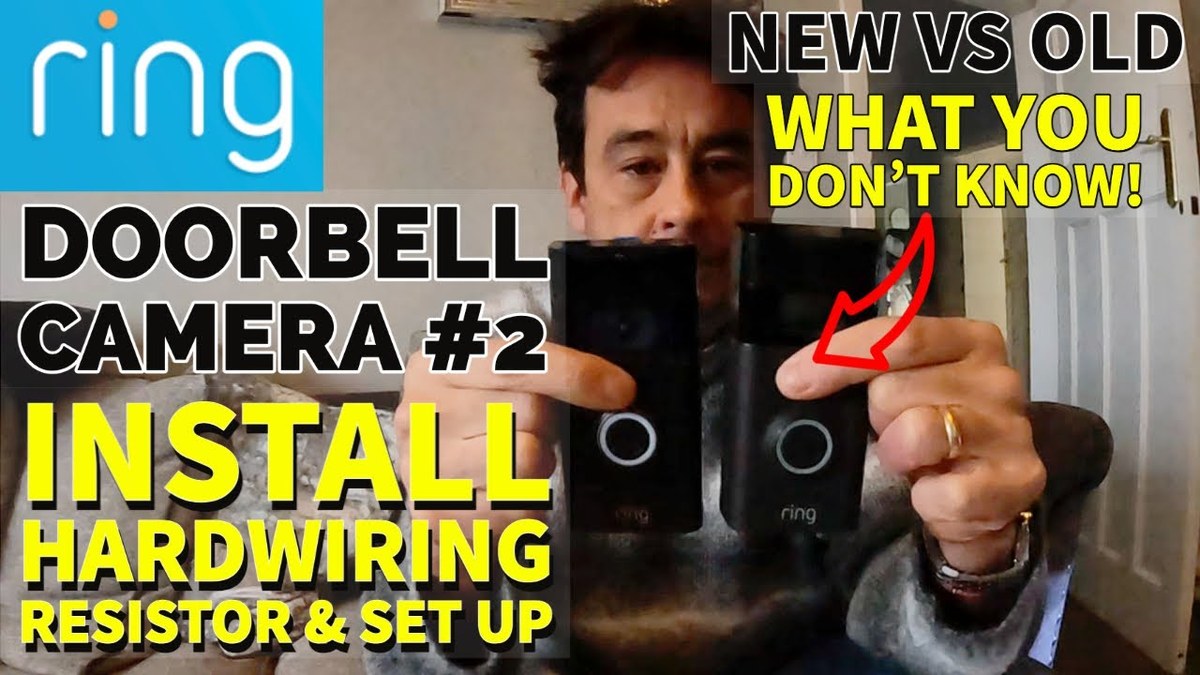
A ring video doorbell resistor can help a wired Ring setup work with the right chime, but only when the exact model calls for it. Check the transformer, chime type, and manual before you touch any wiring.
The ring video doorbell resistor helps some wired Ring setups work with an existing chime. It can keep power flowing and help the chime work as expected.
What a Ring Video Doorbell Resistor Does and Why It Matters
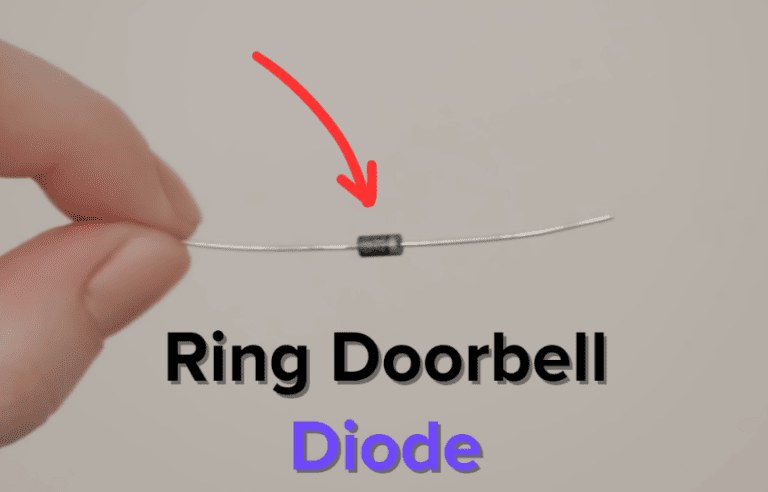
A resistor is a small electrical part that limits current in a circuit. In a wired doorbell setup, it can help the system read the doorbell correctly.
It can also reduce chime problems.
How the resistor helps complete the doorbell circuit
Many wired video doorbells need a steady low-voltage path from the transformer. The resistor can help create the right electrical load.
That keeps the chime or doorbell circuit from acting open or unstable.
That matters because a wired doorbell may not ring, may ring weakly, or may act unpredictably. The exact role depends on the Ring model and the home’s existing wiring.
When Ring requires a resistor versus a bypass kit
Some Ring setups use a resistor in the chime box. Others use a power kit, bypass kit, or another included accessory.
The correct part depends on the exact doorbell model and the type of chime already installed.
Always match the manual for your exact model. If the instructions call for a bypass kit, do not substitute a resistor unless the manual says that is allowed.
Check Your Existing Doorbell Setup Before You Install
Check the current doorbell wiring and resistor before starting installation.
Before you connect anything, identify the chime type, transformer rating, and wire condition. This step prevents many common install problems.
It also helps you avoid unnecessary troubleshooting later.
Mechanical chime, digital chime, or no chime at all
A mechanical chime has moving parts and usually makes a classic ding-dong sound. A digital chime plays an electronic tone.
Some homes have no indoor chime at all and rely only on the app.
Compatibility can change based on that detail. If you are unsure, check the chime cover, the transformer label, and the doorbell manual before you install.
Transformer voltage, wiring condition, and breaker safety
The transformer lowers household power to a safer low-voltage level for the doorbell. The exact voltage and VA rating must match the Ring model’s requirements.
Old, loose, or corroded wiring can also cause weak power or intermittent alerts.
Turn off the breaker before touching wires. If the wiring looks damaged, brittle, or crowded, stop and use a qualified electrician.
Homeowner versus renter constraints in U.S. homes
Homeowners can usually make more permanent changes, but they still need to follow the manual and local code. Renters may need landlord approval before opening a chime box, drilling, or changing exterior hardware.
If you rent, keep the original parts in a safe place. That makes it easier to restore the doorbell when you move out.
How to Install the Ring Video Doorbell Resistor Correctly
The safest approach is to follow the exact Ring manual for your model. In many wired installs, the resistor or related accessory connects at the chime box, not at the front door button.
Powering down at the breaker and confirming the circuit is off
Switch off the breaker that feeds the doorbell circuit. Then verify the power is off before touching any wire.
A non-contact tester can help, but it should not replace careful checking.
Never work on live low-voltage wiring if you are unsure which breaker controls it. If the circuit cannot be confirmed, stop and call a professional.
Where the resistor typically connects in the chime box
Many installations place the resistor across specific chime terminals or in line with the chime wiring, depending on the model instructions. The exact terminal points matter.
A small placement error can stop the chime from working.
Take a photo of the original wiring before you disconnect anything. That makes it easier to restore the setup if needed.
Common wiring mistakes that can prevent proper operation
One common mistake is mixing up the transformer wires and chime wires. Another is leaving a loose screw terminal that does not hold the wire firmly.
Using the wrong accessory is also a problem. A resistor, power kit, and bypass kit are not always interchangeable.
If the Ring manual calls for one specific part, use that part.
Compatibility Issues That Can Affect Performance<
A resistor can help address compatibility issues in doorbell wiring.
Even when the resistor is installed correctly, other home factors can affect how well the doorbell works. Chime hardware, Wi-Fi quality, and mounting position all matter.
Chime box models, transformer ratings, and older home wiring
Older homes may have transformers that do not match modern video doorbell needs. Some chime boxes also work only with certain accessory types.
That is why the exact model number matters.
If the transformer is too weak, the doorbell may reboot or miss events. If it is too strong for the device, that can also create problems.
Check the manual instead of guessing.
Wi-Fi signal strength, 2.4 GHz networks, and router placement
Most video doorbells rely on stable home Wi-Fi. Many models use 2.4 GHz Wi-Fi because it reaches farther than 5 GHz.
The exact support still varies by model.
Place the router or mesh node where it can reach the front door well. Thick walls, metal doors, and long porch distances can weaken the signal and delay alerts.
Doorbell placement, viewing angle, and porch layout
Mounting height changes what the camera sees. A doorbell placed too high may miss visitors’ faces.
A doorbell placed too low may capture too much ground.
Video doorbells can cover more than your front door. That makes placement, recording settings, and audio options important for privacy and neighbor trust.
Motion zones, privacy zones, and reducing sidewalk coverage
Motion zones help limit alerts to the areas you care about. Privacy zones can block parts of the image, such as a neighbor’s door or a shared walkway.
Use both tools to reduce sidewalk coverage when possible. That can lower false alerts and keep the camera focused on your entrance.
Two-way talk, audio capture, and state recording laws
Two-way talk is useful for visitors and deliveries, but it also means the device can capture audio. Audio recording rules can vary by state.
You should understand the laws that apply to your address.
Keep volume and notification settings reasonable. If household members or guests may be recorded, tell them the doorbell is active.
How to avoid recording shared entrances or neighboring property
Shared hallways, duplex porches, and close-set townhomes need careful placement. Aim the camera toward your own entry area, not a neighbor’s door or window.
If the camera still catches too much, adjust the angle or use privacy zones. In some homes, a different mounting position is the better fix.
Storage, Subscriptions, and Ownership Costs in 2026
The doorbell hardware is only part of the cost. You also need to think about storage, plan features, and long-term account access.
What works without a subscription and what does not
Some Ring features work without a paid plan, but others may not. The exact split can change by model and plan.
Check the current Ring plan page before you buy or install.
Without a Plan$0
Basic live view and alerts may be available on some models
Video history and certain smart alerts may be limited
Monthly PlanVerify current price
May add cloud storage and richer alert features
Retention and device limits vary by plan
Annual PlanVerify current price
May lower monthly cost compared with monthly billing
Cancellation terms should be checked first
Cloud video retention, alerts, and shared-user features
Cloud storage usually depends on an active plan and internet access. If the internet goes down, alerts and recordings may be delayed or unavailable.
Local Storage
May keep video on a device or hub you control
Can reduce recurring fees
Still needs safe backup and physical protection
Cloud Storage
Usually depends on a paid plan and internet access
Can simplify remote viewing and sharing
Provider rules affect retention and deletion
Long-term cost factors for homeowners and renters
Homeowners may care most about replacement parts, subscription renewals, and support life. Renters may care more about a no-drill mount, move-out flexibility, and whether the landlord allows wiring changes.
US Price & Subscription
Typical device priceVerify current USD price
Accessories or installationResistor, bypass kit, tools, or electrician fees may apply
Cloud planRequired for some video history features
Professional monitoringNot typically part of a doorbell-only setup
ContractVerify current terms
Cybersecurity and Account Protection for Connected Doorbells
A video doorbell is part of your home network, so account security matters. Good password habits and update habits reduce account risk.
Using multi-factor authentication and strong passwords
Use a unique password for the Ring account. Turn on multi-factor authentication, or MFA, if the app offers it.
MFA adds a second check during sign-in.
Shared access, app permissions, and account recovery
Households often share access with spouses, caregivers, or roommates. Review who can view live video, change settings, or delete clips.
Also confirm account recovery options before you need them. If you lose access to the email or phone number tied to the account, recovery can be harder.
Firmware updates and vendor support lifecycle
Firmware is the device software built into the doorbell. Updates can fix bugs, improve compatibility, and close security gaps.
Keep the app, router, and doorbell firmware current.
Before you buy, check support terms and replacement part availability. Long-term support matters for any connected device that stays on your front door for years.
Troubleshooting and Maintenance After Installation
If the doorbell does not work right after installation, start with simple checks. Most problems come from power, wiring, Wi-Fi, or settings.
Fixing chime issues, power problems, and offline alerts
If the chime does not ring, recheck the resistor or accessory placement first. Then confirm the transformer rating and wire tightness.
If the app says the device is offline, test the Wi-Fi signal at the door.
Power cycling the router can help, but do not keep resetting wiring blindly. If the circuit still fails, use the manual or contact support.
Cleaning the lens, checking weather exposure, and replacing parts
Clean the lens with a soft cloth. Dirt, pollen, and water spots can blur the image.
Also check for loose mounting screws after storms or temperature swings.
If a part cracks, corrodes, or stops fitting tightly, replace it with the exact compatible part. Do not improvise with hardware that was not designed for the model.
When to contact Ring support or an electrician
Contact Ring support when the app, firmware, or accessory setup is unclear. Contact an electrician when the transformer, chime wiring, or breaker issue is beyond basic troubleshooting.
Final Takeaway
A ring video doorbell resistor can help a wired setup work correctly, but only when the exact model and chime type call for it. The safest next step is to confirm your transformer, chime, and manual before touching any wiring.
It depends on the exact model and your existing chime setup. Some wired installs use a resistor, while others use a bypass kit or another accessory listed in the manual.
Many homeowners can handle basic low-voltage wiring if the breaker is off and the manual is clear. If the transformer rating is unknown or the wiring looks damaged, stop and use a qualified electrician.
Common causes include the wrong accessory, loose wiring, an incompatible chime, or a transformer that does not match the required rating. Recheck the manual, the chime box, and the Wi-Fi connection.
Yes, connected features such as alerts, live view, and cloud recording depend on Wi-Fi. If the signal is weak at the front door, performance can drop or alerts can lag.
The doorbell may stop recording or sending alerts until power and internet return, depending on the model and setup. Battery backup or local storage features vary, so check the exact product details.
Renters should confirm landlord approval, avoid permanent changes without permission, and check whether the property allows chime-box wiring or drilling. A removable mount may be a better fit for some homes.
Hi, I'm Marcus Sterling, a smart home security expert with over 5 years
of hands-on experience testing and reviewing hundreds of security cameras, smart locks, and alarm systems. My mission is to make smart home security accessible, affordable, and easy to understand—and every review I publish is 100% independent, unbiased, and honest. I don't accept payments for positive reviews, just practical advice to help you secure your home with confidence.
Quick Security Answer Ring video doorbell warranty coverage usually helps with factory defects, not setup mistakes or weather damage. Keep your receipt, check power and Wi-Fi first, and confirm the current model terms before filing a claim. The ring video doorbell warranty usually covers defects in materials or workmanship. It does not cover weather damage,…
Quick Security Answer A Ring battery doorbell can still work without a plan, but paid storage is what makes it useful for reviewing past events. If you want saved clips, compare monthly and annual pricing, then check setup, Wi-Fi, and privacy needs before you buy. The ring battery doorbell subscription is the paid plan that…
Video doorbells can help us see who is outside, answer visitors, and monitor activity near the front door. Most models connect to a phone and offer features such as motion alerts, two-way audio, night vision, and cloud or local video storage. The eufy Video Doorbell E340 is a battery-powered video doorbell with two cameras. One…
Quick Security Answer A good starting height for a Ring video doorbell is usually around 48 inches from the ground. Adjust it for your porch height, steps, Wi-Fi strength, and privacy needs before drilling. Ring video doorbell installation height is usually best when the camera sits about chest level for most visitors, which often means…
Quick Security Answer Most Ring battery doorbells can be installed by a careful beginner with basic tools and the app. The biggest success factors are the right mounting surface, strong Wi-Fi, and a placement that respects privacy. ring battery doorbell installation is usually a manageable DIY project for many homes. The best results come from…
View on Amazon Quick Security Answer Yes, a Wi-Fi camera can be hacked, but the weakness is usually a weak password, old firmware, or an exposed port, not the Wi-Fi signal itself. Secure the account, update the firmware, and isolate cameras on their own network to close most real-world attack paths. Smart Home Security Guide…