Understanding Smoke Alarm vs Smoke Detector Difference
A smoke alarm detects smoke and sounds the siren itself; a smoke detector only sends a signal to a control panel. Most households need standalone or smart smoke alarms, while panel-based detectors only make sense with an existing security system.
The smoke alarm vs smoke detector difference is simple. A smoke alarm detects smoke and sounds its own siren. A smoke detector reports to a control panel. Most people use the words the same way. The distinction still matters when you buy, install, or maintain a fire-safety device. This guide explains how each works. It also shows which one fits your home. It lists what to verify before you choose.
Smoke Alarm vs Smoke Detector: The One-Sentence Difference
Here is the one-sentence difference. A smoke alarm detects smoke and sounds the siren itself. A smoke detector detects smoke and reports to a control panel. Everything else flows from that single distinction.
Where the Confusion Comes From
Retailers label almost every smoke-sensing device an “alarm.” Building codes and landlords also mix the terms. An inspector may call a ceiling unit a “detector.” The unit may still be a complete alarm. Loose language makes it hard to know what you actually own.
Read the label on the device, not the box. Look for a test button, a self-contained siren, and any mention of a control panel. The safest rule: if it sounds on its own, it is an alarm. If it only sends a signal, it is a detector.
How Each Device Works: Sensing, Signaling, and Sounding
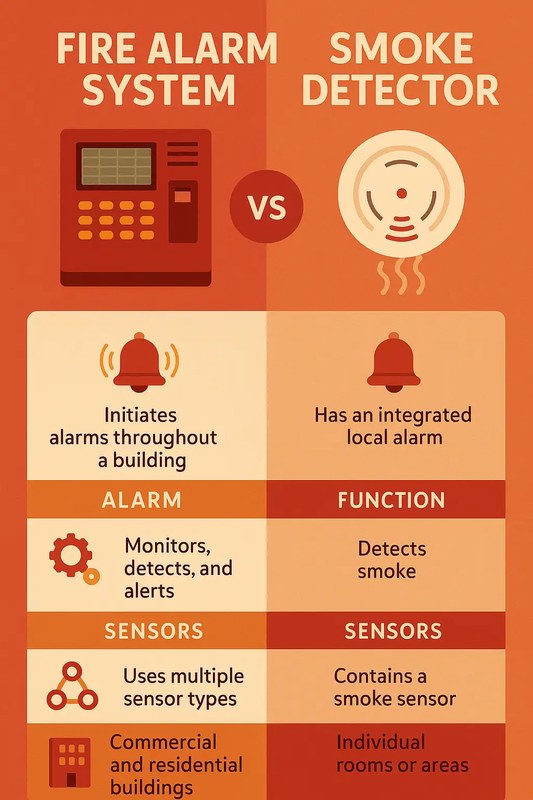
Both devices sense smoke the same way. But they react differently. A smoke alarm sounds on its own. A smoke detector sends a signal to a panel. The panel then sounds the alarm.
Standalone Smoke Alarms: All-in-One Detection and Siren
A standalone smoke alarm has a sensor, a siren, and a power source. All parts sit in one package. You mount it on the ceiling and test it with a button. When smoke reaches the sensor, the unit sounds a loud tone. Many current models link to other alarms wirelessly. Then every unit sounds together.
System Smoke Detectors: Reporting to a Central Control Panel
A system smoke detector is one part of a security or fire system. It uses low-voltage wiring or a wireless link to talk to a control panel. The panel triggers the siren and sends an app alert. It may also contact a monitoring center. The detector itself often has no siren.
This design suits homes with a security system. It usually needs an installer or an exact model match. It rarely makes sense as your only smoke-sensing device.
Which Setup Fits Your Living Situation: Renters, Landlords, and Owners
Your housing situation decides the right choice. Renters need portable, allowed devices. Landlords need code compliance. Owners can choose between simple alarms and full system integration.
Rental Units and Who Is Legally Responsible for Compliance
Most US states require landlords to provide working smoke alarms or detectors in rental units. The exact rule changes by state and city. Your lease should say who handles testing and batteries. In many places, tenants report problems. Landlords then replace failed units.
If you rent and want a smart smoke alarm, ask first. Some leases restrict drilling or hardwiring. A battery-powered smart alarm can often be removed when you move.
Homeowner Retrofits, New Construction, and System Integration
Owners have more freedom. New US construction usually requires hardwired, interconnected smoke alarms in specific rooms. Retrofits can use battery alarms or smart alarms that link wirelessly. If you have a security panel, ask if system detectors can be added without new wiring.
Placement Rules That Apply to Every Device
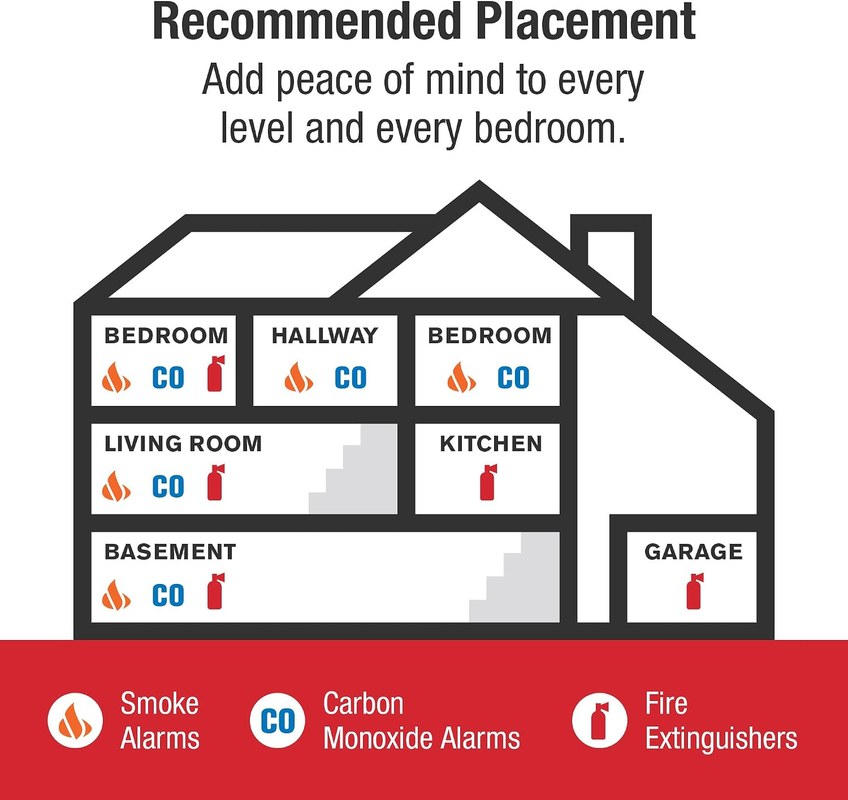
Placement rules come from fire-safety codes and the manufacturer manual. Cover every bedroom and the hallways outside them. Also cover every level of the home. Avoid kitchens, bathrooms, and drafty vents.
Bedrooms, Hallways, Ceilings, and Stairwell Requirements
Install a smoke alarm inside every bedroom. Place another in the hallway that serves the bedrooms. On peaked ceilings, keep the unit near the peak, not at the very top. Mount stairwell alarms at the top of the stairs. Rising smoke reaches them first.
Zones to Avoid: Kitchens, Bathrooms, and Drafty Vents
Keep units at least 10 feet from cooking appliances. That limits false alarms. Avoid bathrooms where steam collects. Do not mount near supply vents, ceiling fans, or open windows. Moving air delays detection. Keep units at least 3 feet from walls, corners, and light fixtures. Dead air gathers there.
Power Sources: Battery, Hardwired, and Wireless Interconnect
Power type shapes upkeep. Battery units are simple to install. Hardwired units need wiring work. Wireless interconnect adds whole-home alerts without extra cables.
Sealed 10-Year Batteries vs Replaceable Batteries
Sealed 10-year battery alarms are common today. You replace the whole unit when the battery dies. That removes the most common cause of dead alarms: missing batteries. Replaceable-battery alarms cost less up front. But they depend on your memory. Change those batteries at least once a year. Also change them when the unit chirps.
Hardwired AC Units With Battery Backup and Interconnected Alerts
Hardwired alarms run on 120-volt home wiring. They keep a backup battery. They are the standard in new construction. Wiring them together means one triggered alarm sounds every linked unit. That gives earlier warning to second-floor rooms. If your home has older hardwired units, ask a licensed electrician. They can swap them for interconnected models that meet local code.
Connected and Monitored Options
Connected smoke alarms add phone alerts and remote silencing. Some add professional monitoring. They come in two forms: Wi-Fi smart alarms and panel-based system detectors. Choose based on the system you already have.
Wi-Fi Smart Alarms vs Panel-Based System Detectors
A Wi-Fi smart alarm mounts like a normal alarm. But it connects to your home network. You get push alerts when it sounds. You can silence false alarms from your phone. Many work without a subscription. Some features require a plan. For a closer look at popular models, see our guide to the best smart smoke and carbon monoxide detectors. It covers what to verify before buying.
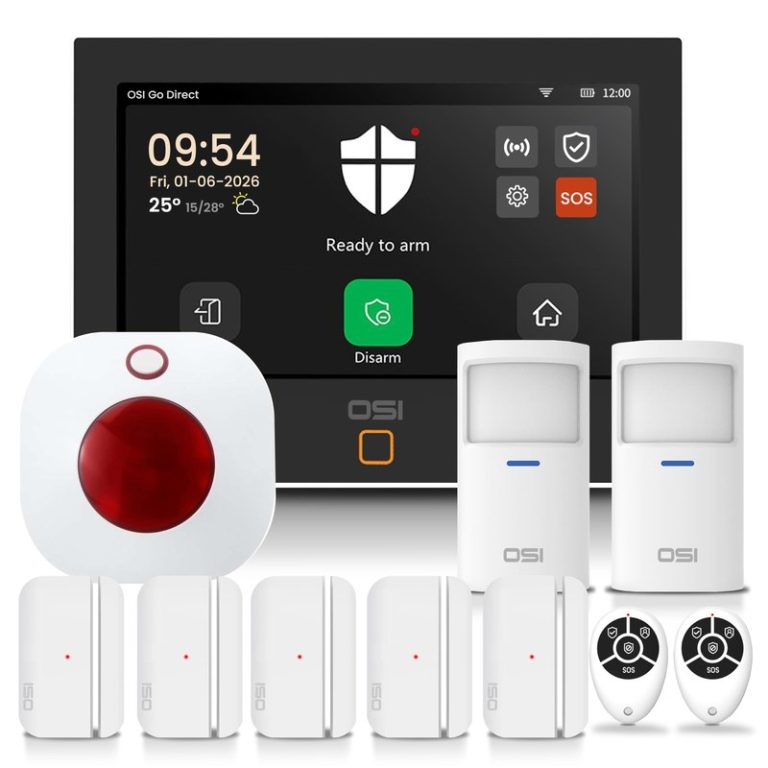
A panel-based detector reports to your security system instead. The panel handles alerts, sirens, and monitoring. This option makes sense only when you already own a compatible system.
Professional Monitoring, Cellular Backup, Permits, and Dispatch Limits
Professional monitoring means a call center may get an alert when your alarm triggers. The center can call your household. It can contact emergency services if needed. That link often depends on cellular backup. Our guide to what cellular backup in a home alarm system does explains how this works.
Not every event leads to dispatch. Centers follow your contact plan and local rules. Some cities require an alarm permit. False alarms can bring fines. Ask your provider for exact dispatch rules before you commit.
- Your phone receives the alert and you decide the next step.
- Usually has no monthly fee beyond optional cloud features.
- No one is watching when your phone is off or silent.
- A monitoring center may verify the alarm and contact help.
- Dispatch depends on the plan, the event, and local rules.
- Monthly fees, contracts, permits, and false-alarm fines may apply.
If you plan to watch alerts yourself, see our guide to DIY alarm system self-monitoring. It explains the limits of that approach.
Privacy and Cybersecurity for Connected Smoke Sensors
Connected smoke sensors use Wi-Fi, cloud accounts, and event history. That adds real privacy and security risks. Protect the account as well as you protect the alarm itself.
MFA, Firmware Updates, Shared-User Permissions, and App Access
Start with a unique password for the vendor account. Turn on multi-factor authentication (a second login step) when the app supports it. Turn on automatic updates for the device, app, and router. Review shared users when a guest, caregiver, or former roommate leaves. Remove devices you no longer own. Revoke app access you do not recognize.
Vendor Lifecycles: When Servers Shut Down or Support Ends
Smart devices can stop working when the maker ends support. The unit may keep sounding locally. But it can lose app alerts and monitoring. Check the support page before buying. Read the warranty and any end-of-life policy. A smoke alarm should feel dependable for a decade. It should not depend on a startup that may vanish.
Maintenance, False Alarms, and Ten-Year Cost of Ownership
Ten-year cost includes the device, batteries, monitoring, installation, and false-alarm time. Simple alarms cost the least. Monitored systems cost more. But they add a layer of response.
Cleaning, Monthly Testing, Expiration Dates, and Troubleshooting Chirps
Test every alarm once a month with the test button. Vacuum the vents gently to keep sensors clean. Write the replacement date on the back of the unit. A chirp often means a low battery, a dirty sensor, or an expired alarm. Replace the battery first. If the chirp continues, replace the unit.
Contract Costs, Monitoring Fees, and the Real Price Over a Decade
A battery alarm can cost about $15 to $30. It can last up to 10 years. A smart alarm costs more. But many brands work without a monthly fee. Professional monitoring adds a monthly plan on top. Panel-based detectors often need the security system’s monitoring contract. Some contracts run 12 to 36 months. They may charge early-cancellation fees.
Add up the device, batteries, monitoring, and replacement over a decade before you buy. For a closer look at avoiding monthly fees, see our guide to smart smoke detectors without a subscription. It covers the main choices.
| Option | Best suited to | Power and network | Storage or plan | Main limitation |
|---|---|---|---|---|
| Battery smoke alarm | Renters and simple upgrades | Battery only | None | No app alerts or interconnect on basic models |
| Hardwired smoke alarm | Owners and new construction | 120 V with battery backup | None. Electrician often needed. | Installation cost and local code rules |
| Wi-Fi smart alarm | Households that want phone alerts | Battery or hardwired plus Wi-Fi | Optional cloud plans | Depends on Wi-Fi and vendor support |
| System smoke detector | Homes with a security panel | Low-voltage or wireless to panel | Monitoring plan often required | Needs a compatible paid system |
Next Steps: Matching the Right Setup to Your Home
Start with the code requirements for your address and your lease. Then match the device to your power, network, and budget. Test it monthly. Replace it on schedule. Secure the vendor account the day you install it.
The difference is simple. A smoke alarm sounds on its own. A smoke detector reports to a control panel. Most households want smoke alarms. Smart models make sense when phone alerts justify the cost. Follow placement rules. Test monthly. Replace each unit before it expires.
Frequently Asked Questions
A smoke alarm senses smoke and sounds its own siren in one unit. A smoke detector only senses smoke and sends a signal to a control panel. The panel then sounds the sirens and may alert your phone or a monitoring center.
Most smart smoke alarms still detect smoke and sound locally without Wi-Fi. Wi-Fi is only required for phone alerts, remote silencing, and app history. Check the manual for exact outage behavior before you buy.
Many renters use battery-powered smart alarms that mount with screws and can be removed later. Ask your landlord or read the lease before drilling. Hardwiring and permanent changes usually require written permission.
Test every unit once a month with the test button. Replace the whole alarm every 10 years or when it reaches the expiration date on the back. Change replaceable batteries at least once a year.
Only if the detector uses the same protocol or appears on the panel’s compatibility list. Z-Wave and proprietary detectors usually need exact model matching. Contact your system installer to confirm before buying.
Yes, professional monitoring usually adds a monthly fee on top of the device price. Some smart alarms support self-monitoring with no monthly cost. Monitoring plans may also require local alarm permits and can include false-alarm fees.