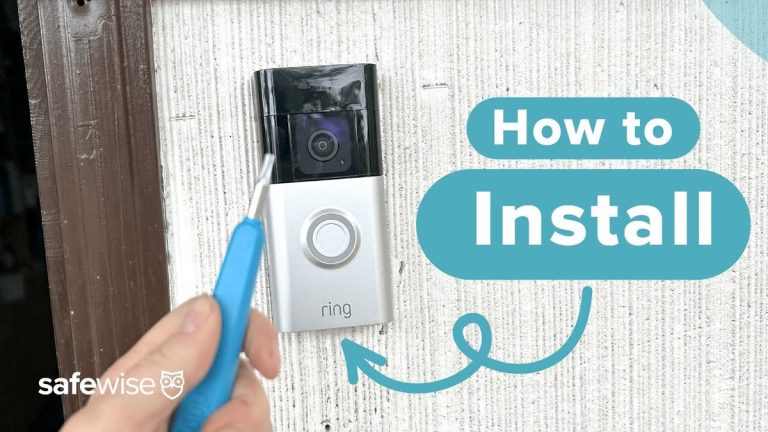
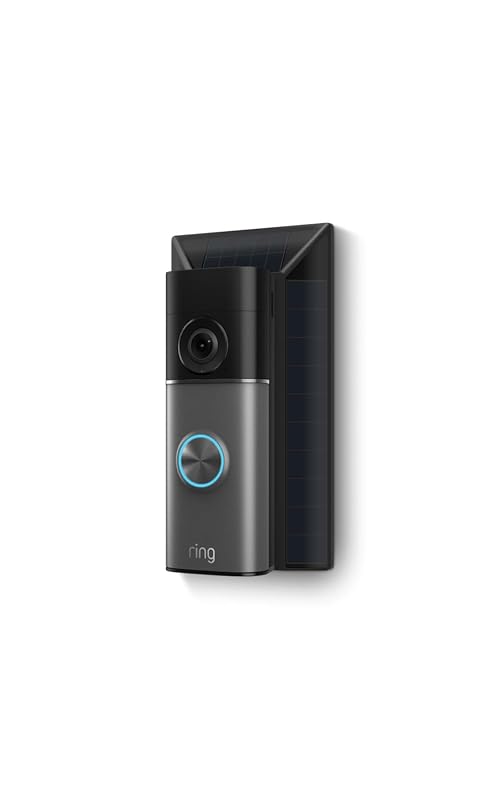
A Ring video doorbell can work well with battery, hardwired, or plug-in power, but the right choice depends on your wiring and Wi-Fi. Check compatibility, then choose the setup that fits your home and rules.
Ring video doorbell power is the first thing to check before you buy, mount, or troubleshoot a Ring doorbell. The right power setup affects charging, alerts, video quality, and whether the doorbell stays online when you need it.
What “Ring Video Doorbell Power” Means in 2026
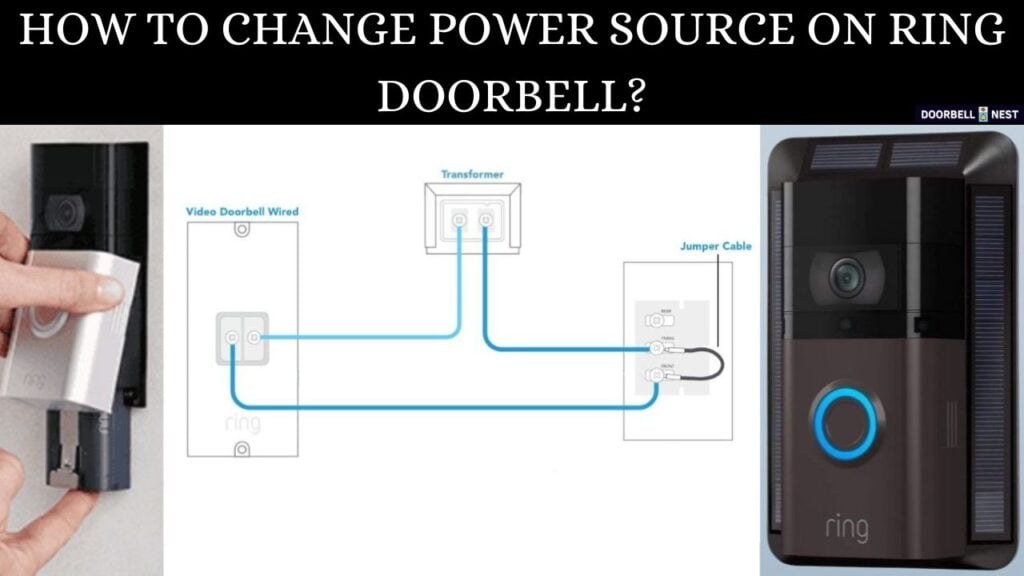
In simple terms, power means how the doorbell gets energy to run and stay connected. For Ring devices, that usually means battery power, hardwired low-voltage power, or a plug-in adapter. The best choice depends on your home’s wiring, your Wi-Fi, and how often you want to recharge.
Battery, hardwired, and plug-in power options explained
Battery models run on a rechargeable pack. They are flexible and easier for renters or older homes without doorbell wiring. The tradeoff is regular charging, which becomes more frequent in busy areas.
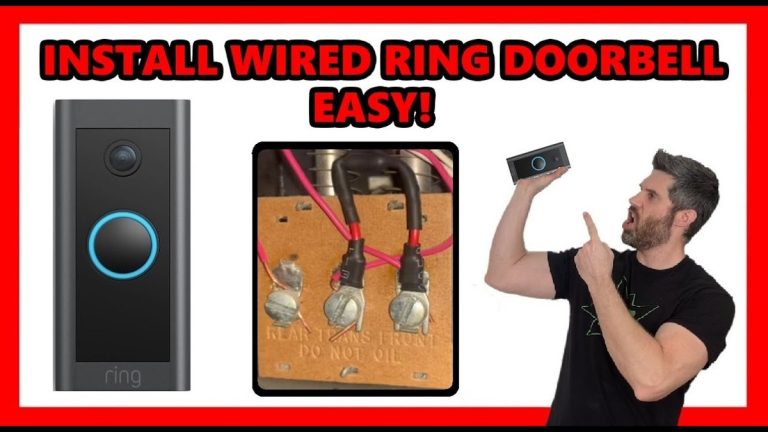
Hardwired models connect to existing low-voltage doorbell wiring. That can keep the battery topped off or power the device directly, depending on the exact model. This setup often works best when the home already has a compatible transformer and chime.
Plug-in power uses an adapter or accessory to supply power from a wall outlet. This can help in homes that lack usable doorbell wiring but still need steady power. It may work well near an outlet, but it can limit placement.
Why power stability affects alerts, video quality, and uptime
Stable power helps the doorbell wake fast, record events, and send alerts on time. Weak power can cause slow responses, dropped live view sessions, or missed motion clips. It can also lead to more charging and more downtime.
How to Check Whether Your Home Can Support a Ring Video Doorbell
Check wiring and Wi-Fi strength before installing a Ring Video Doorbell.
The fastest way to check compatibility is to look at your existing wiring, your Wi-Fi at the front door, and any rules that affect installation. If those three areas line up, setup is usually much easier. If one is weak, you may need a different power path or a professional installer.
Existing doorbell wiring, transformer voltage, and chime compatibility
Start by checking whether your home already has low-voltage doorbell wiring. Then confirm the transformer rating and the chime type. The exact voltage and VA requirement varies by model, so use the manual for your specific device.
If the chime is not compatible, the doorbell may not ring inside the house as expected. Some setups need a power kit, bypass, or another accessory. That is why exact-model instructions matter more than general advice.
Rental vs. homeowner constraints, HOA rules, and permission issues
Renters should check lease terms before drilling, rewiring, or changing exterior fixtures. Some apartments allow a battery model with a no-drill mount, while others limit any exterior hardware. Homeowners should still check HOA rules and local property rules.
Wi-Fi strength at the front door and how it impacts performance
Good Wi-Fi matters as much as power. A doorbell can have full battery and still perform poorly if the signal is weak. Front-door walls, brick, metal, and distance from the router can all reduce signal strength.
Many video doorbells rely on 2.4 GHz Wi-Fi for longer range. That band often reaches farther than 5 GHz, but it can be slower and more crowded. If the signal is weak at the porch, consider router placement, a mesh node, or a wired network upgrade where practical.
Choosing the Right Installation Path for Your Layout
The right installation path depends on your wiring, your home type, and how permanent you want the setup to be. A hardwired install is best when compatible wiring already exists. Battery and plug-in options fit more homes, but they may need more maintenance or creative placement.
Hardwired installation for homes with existing low-voltage wiring
Hardwired installation works best when the home already has a compatible transformer and chime. It can reduce charging chores and support a more permanent setup. It also keeps the doorbell ready for daily use with less user effort.
Still, wiring work can be risky if you are unsure about the transformer or breaker. If the wiring is old, damaged, or confusing, stop and use the exact manual or a qualified professional.
Battery-powered installation for renters, older homes, and wire-free setups
Battery-powered installation is often the simplest path. It avoids most wiring concerns and gives renters more flexibility. It can also help in older homes where the doorbell system is missing or unreliable.
The downside is that batteries need recharging. Usage, motion activity, weather, and Wi-Fi conditions can all affect how often that happens. If you want to understand charging habits and replacement needs, see the Ring battery doorbell battery life guide.
Using a plug-in adapter or external power accessory when needed
A plug-in adapter can be a practical middle ground. It may suit homes with no working doorbell circuit but an outlet nearby. It can also help if you want steady power without touching the breaker panel.
Placement still matters. The cord path must be safe, neat, and protected from weather. If the outlet is far from the front door, a different power option may be a better fit.
Placement, Field of View, and Weather Considerations<
Placement affects viewing angle and exposure to outdoor weather.
Placement affects both power use and video quality. A doorbell mounted too high, too low, or at the wrong angle may miss faces or trigger too many motion alerts. Weather and sunlight can also change how well the camera works.
Mounting height, angle, and porch layout for better motion detection
Most doorbells work best when mounted at a height that captures faces, not just packages or hats. Porch steps, railings, columns, and side walls can all block the view. A small angle change can make a large difference.
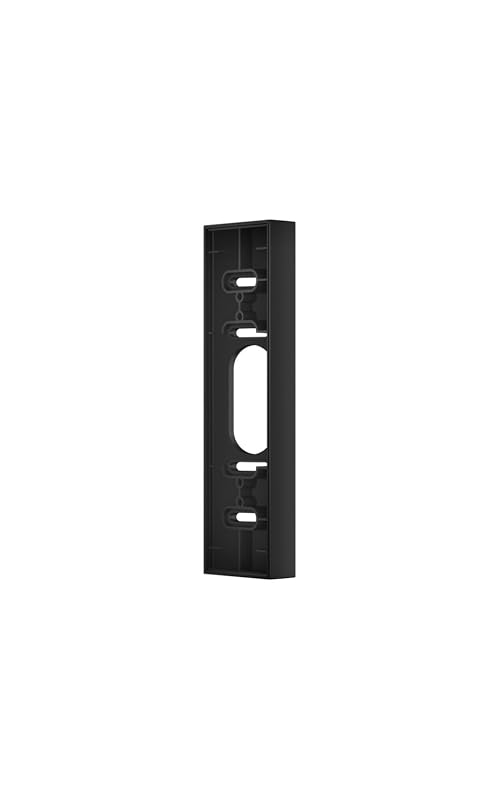
If your porch layout is awkward, a wedge or corner kit may help. These accessories can improve motion detection and reduce blind spots. They can also help the wiring line up more cleanly with the wall.
Night performance, glare, shade, and exposure to rain, heat, or snow
Night performance depends on the camera, porch lighting, and reflective surfaces. Bright porch lights can cause glare. Deep shade can make faces harder to see.
Outdoor exposure matters too. Rain, heat, snow, and direct sun can affect seals, batteries, and mounting hardware. Check the exact model’s weather rating and operating range before you install it outside.
Neighbor privacy, sidewalks, and privacy zone setup
Doorbell cameras often capture public areas, sidewalks, or a neighbor’s entry path. That is normal in many homes, but it should still be managed carefully. Use privacy zones when the app supports them, and aim the camera as narrowly as possible.
Good setup starts before the doorbell is mounted. Charge the battery, confirm wiring, and finish app setup first. That reduces do-overs and makes troubleshooting much easier later.
Charging, wiring, and app setup before final mounting
1
Confirm requirements
Verify the exact model, power, network, storage, placement, household, rental, and platform requirements.
2
Plan safe placement
Consider privacy, field of view, weather, height, doors and windows, wiring, and emergency access.
3
Install and secure
Follow the exact manual, update firmware, use a unique password, and enable MFA.
4
Test and maintain
Test alerts, recording, outage behavior, batteries, users, permissions, and backup procedures.
Do not mount the device first and hope the app will sort it out later. A quick bench setup can reveal power or Wi-Fi problems before you drill holes or tighten screws.
Transformer, chime, and breaker issues that can prevent proper power
Common mistakes include using the wrong transformer, skipping a chime accessory, or leaving power on during wiring. Another issue is assuming any low-voltage wire is compatible. It may not be.
If the doorbell keeps rebooting or never charges, power delivery may be too weak. In that case, the issue may be the transformer, the wiring length, or the accessory setup, not the battery itself.
When to use a wedge or corner kit for better motion and wiring results
Use a wedge or corner kit when the doorbell faces a wall, railing, or narrow path. These kits can improve the view and reduce false alerts from passing traffic or nearby movement. They can also help the wiring sit more naturally against the mount.
That said, accessories should solve a real layout problem. They are not a fix for bad Wi-Fi, weak power, or an incompatible transformer.
Troubleshooting Power, Wi-Fi, and Performance Problems
When a Ring doorbell acts up, start with the safest and simplest checks first. Charge the battery, confirm Wi-Fi, and review app settings before opening wiring boxes or changing hardware. Many problems come from power or signal, not the camera itself.
Low battery warnings, slow charging, and unexpected shutdowns
Low battery warnings can mean the device is working hard, not just that the charger failed. Frequent motion, cold weather, and weak power can all drain the battery faster. Slow charging may point to the cable, adapter, or power source.
If the battery still drains fast after a full charge, compare your use pattern with the model’s guidance. Some households simply create more motion events than others.
Weak Wi-Fi, 2.4 GHz limitations, and router placement at the front of the home
Weak Wi-Fi can cause slow live view, delayed alerts, and missed recordings. Many doorbells work better on 2.4 GHz because it reaches farther. But that band can still fail if the router is too far away or blocked by walls.
Try safer network fixes first. Move the router, add a mesh node, or reduce interference if possible. If the front door is far from the main router, a stronger network may matter more than a stronger battery.
Audio delay, missed motion events, and intermittent live view failures
Audio delay often points to network lag. Missed motion events can come from placement, sensitivity settings, or power interruptions. Live view failures may happen when the app cannot maintain a stable connection.
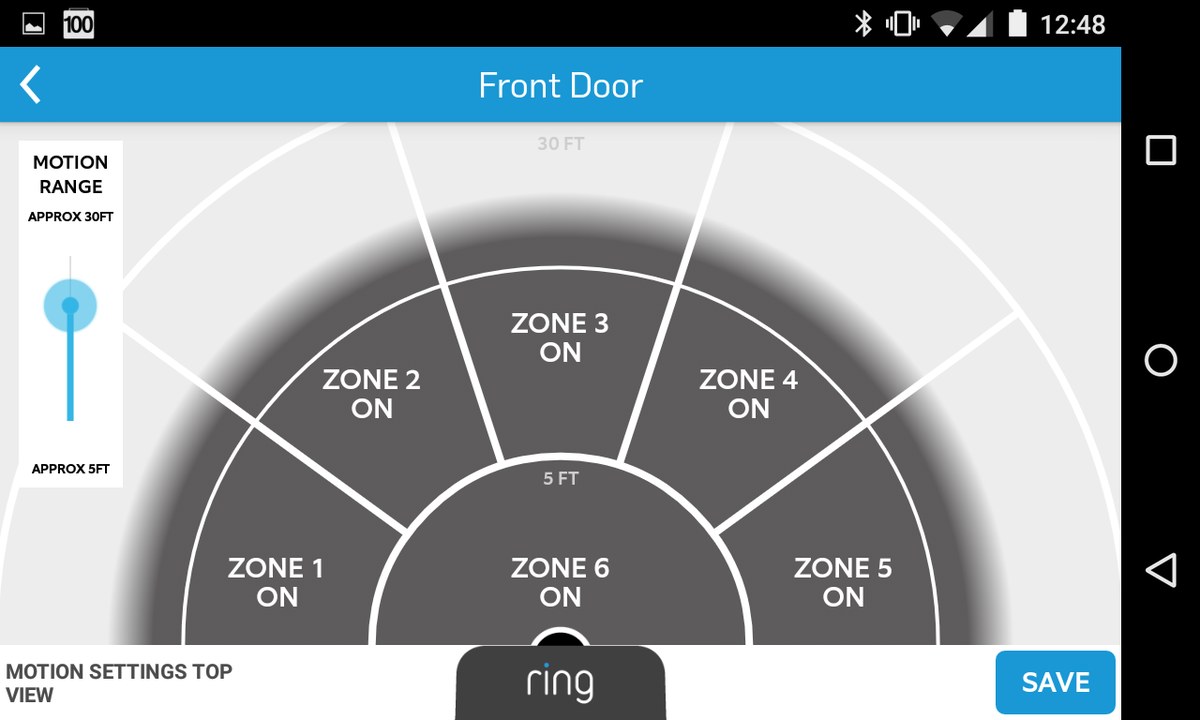
Before replacing hardware, check router placement, app permissions, and device firmware. Also review motion zones and activity settings. Small changes often solve the issue faster than a full reinstall.
Storage, Subscription, and Monitoring Choices That Affect Daily Use
Power is only part of ownership. Storage, alerts, and monitoring choices shape how useful the doorbell feels each day. You should understand what works with and without a subscription before you commit.
Cloud recording, event history, and what a subscription typically changes
Cloud recording usually adds event history and remote access features. The exact plan details vary by model and region. Without a plan, some devices may still send alerts and show live view, but recording features can be limited.
Without a Plan$0
May still allow live alerts and live view, depending on model
Usually has limited or no cloud recording history
Monthly PlanVerify current price
May add cloud event history and richer alert features
Plan terms and retention vary by model
Annual PlanVerify current price
May lower monthly cost when billed yearly
Cancellation terms still need review
Local limitations, shared access, and how alerts work without a plan
Without cloud storage, you may still get live alerts, but you may have less history to review later. Shared access also matters. Household members need the right permissions, and older shared accounts can create confusion.
If you are comparing storage styles, a local-versus-cloud explanation like the Ring battery doorbell guide can help frame the tradeoffs without guessing at features.
Ownership-cost factors: installation, accessories, battery replacements, and ongoing fees
The full cost of ownership includes the device, mounts, adapters, possible installer labor, and any subscription fees. Battery replacements or extra chargers can also add cost over time. A cheaper device can become more expensive if the setup needs more accessories.
Privacy, Cybersecurity, and Maintenance for Long-Term Ownership
A doorbell camera should stay secure after setup, not just on day one. Good passwords, app control, and basic cleaning help keep it reliable. Maintenance also protects privacy and reduces surprise problems later.
Account security, MFA, password hygiene, and shared-user permissions
Use a unique password and turn on multi-factor authentication, or MFA, if the service offers it. Review shared users often. Remove old household members, guests, or installers who no longer need access.
Also check app permissions on your phone. Camera apps may request location, notifications, microphone, or photo access. Give only the permissions you need.
Firmware updates, device support lifecycle, and app permission management
Firmware is the software built into the doorbell. Updates can improve reliability, fix bugs, and close security gaps. Keep the app, router, and device updated when possible.
Support lifecycle matters too. Older devices may lose features or updates over time. If you buy an older model, check whether the manufacturer still supports it before you count on long-term use.
Cleaning the lens, checking seals, and seasonal maintenance for reliable operation
Clean the lens gently so dirt does not blur the image. Check the mount, seals, and screws a few times a year. Seasonal weather can loosen hardware or affect battery performance.
Cold weather may reduce battery life. Heat and direct sun can also stress outdoor electronics. A quick seasonal check can prevent many small issues.
Final Takeaway
A Ring video doorbell is a good fit when your power setup, Wi-Fi, and installation rules all line up. It is less ideal if wiring is uncertain, the front-door signal is weak, or privacy limits are strict. Check the exact model manual, then choose the safest power path for your home.
Not always. Some Ring models use a rechargeable battery, while others can use existing low-voltage wiring or a plug-in adapter. Check the exact model manual before you buy or install.
Frequent motion, cold weather, weak Wi-Fi, and repeated live view use can all drain the battery faster. If the drain seems extreme, check the charger, power source, and placement first.
Often yes, but you should review your lease, HOA rules, and building policies first. Battery models and no-drill mounts are usually easier for renters than hardwired installs.
Yes. Weak Wi-Fi can cause delayed alerts, poor live view, and missed motion events even if the device has power. Front-door signal strength matters a lot.
It depends on the model and the features you want. Some basic functions may work without a plan, but cloud recording and event history are often more limited without one.
Use privacy zones, aim the camera carefully, and review shared users and app permissions. Also check local rules if your camera captures sidewalks or neighboring property.
Hi, I'm Marcus Sterling, a smart home security expert with over 5 years
of hands-on experience testing and reviewing hundreds of security cameras, smart locks, and alarm systems. My mission is to make smart home security accessible, affordable, and easy to understand—and every review I publish is 100% independent, unbiased, and honest. I don't accept payments for positive reviews, just practical advice to help you secure your home with confidence.
Compare ring battery doorbell kit by security features, privacy, smart home fit, setup, fees, and value. Read the guide to find the right option for your home.
How to install ring wired doorbell 4k pro is a practical question for homeowners and renters who want a hardwired video doorbell that fits their entryway, Wi-Fi setup, and privacy needs. This guide walks through the installation process in plain English, with safety checks, compatibility notes, and the everyday setup steps that matter after the…
Quick Security Answer The Ring Battery Doorbell Plus is usually manageable for renters and homeowners if you check mounting rules, Wi-Fi strength, and app setup first. The biggest long-term factors are battery upkeep, privacy settings, and whether you need a paid cloud plan. ring battery doorbell plus install is usually a straightforward project for renters…
Compare best outdoor camera for security, privacy, compatibility, setup, subscriptions, and value. Read the guide to choose the right option for your home.
Quick Security Answer Install the doorbell by charging the battery, choosing a clear and private mounting spot, securing the bracket, and finishing setup in the Ring app. The most important checks are Wi-Fi strength, permission to drill, and any model-specific wiring or chime requirements. Learning how to install ring battery doorbell is mostly about safe…
Compare ring battery doorbell plus solar charger for home coverage, privacy, power, storage, subscriptions, and value. Read the guide before choosing a system.