A Ring video doorbell PoE setup can be a good fit if you want steady power and a wired network connection at the front door. It works best when the model, cable route, and property rules all line up.
Ring video doorbell poe is a practical setup for homes that want steady power and a wired network link at the front door. It can simplify charging concerns, but it still needs careful planning for power, placement, privacy, and app setup.
What a Ring Video Doorbell PoE Setup Is and Why It Matters
A PoE setup uses one Ethernet cable to deliver power and network data. PoE stands for Power over Ethernet. That means the doorbell may not need a separate power adapter or a nearby Wi-Fi signal to work well.
This matters because front-door devices sit in tough spots. They face weather, long cable runs, and weak wireless signals. A PoE setup can reduce one common problem: battery upkeep. It can also help keep video and alerts more stable if the network is designed well.
For many homeowners, the main value is convenience. For renters, the main question is whether the building rules allow cable routing and exterior mounting. For both groups, the important point is simple: PoE can improve reliability, but only if the home can support the cable path and the exact model supports PoE use.
Can Your Home Support a Ring Video Doorbell PoE Installation?
Diagram showing a home network setup for a Ring Video Doorbell PoE installation.
Most homes can support a PoE doorbell only if the route from the router, switch, or injector to the front door is realistic. You need a safe cable path, a compatible device, and enough control over the mounting area. If any of those are missing, the project may become harder than it first looks.
Homeowner vs. renter constraints, wiring access, and HOA rules
Homeowners usually have more freedom to drill, route cable, and change trim. Renters may need written approval before adding visible wiring or making holes. HOAs can also limit exterior changes, cable color, and where equipment can be seen from the street.
If the property is shared, check who owns the wall, trim, and network gear. Also confirm whether the cable can pass through a garage, attic, basement, or crawl space. If the answer is no, a PoE install may not be the right fit.
Doorframe layout, mounting surface, and camera sightline basics
The doorframe should give the camera a clear view of the visitor’s face and the package area you care about. The mounting surface should be solid enough to hold the device without wobble. Brick, vinyl, wood, and stucco each create different drilling and sealing needs.
Look at the angle before you drill. A narrow porch, a side wall, or a deep entry can block the view. If the camera points too far down, you may miss faces. If it points too far out, you may waste space on the street or sidewalk.
How Ring Video Doorbell PoE Works With Power, Network, and App Control
A PoE doorbell depends on three parts: power, data, and app control. Power comes through the Ethernet cable. Data also comes through that cable, or through Wi-Fi fallback on some setups, depending on the model and configuration. The app then handles alerts, live view, settings, and shared access.
PoE power delivery versus battery or transformer wiring
PoE is different from battery power and different from old doorbell transformer wiring. Battery models need charging. Transformer-fed models use low-voltage doorbell wiring. PoE uses an Ethernet link and a PoE source such as a switch or injector.
That can reduce maintenance, but it does not remove all setup work. You still need the exact voltage and power method the model requires. If the device manual calls for a different input or an adapter, follow that guidance instead of guessing.
Ethernet, Wi-Fi fallback, and what your network needs to handle
A wired network can help with steadier video, but your internet upload speed still matters. Doorbells send video out to the app or cloud service, so weak upload speeds can cause delays. A strong router and a stable home network matter just as much as the cable itself.
Some Ring devices may still use Wi-Fi for parts of setup or backup behavior. Check the exact model page and manual before you buy cable or cut holes. If your router sits far from the entry, a mesh system may help, but only if the model supports that setup cleanly.
Where to Mount the Doorbell for the Best View, Audio, and Night Performance<
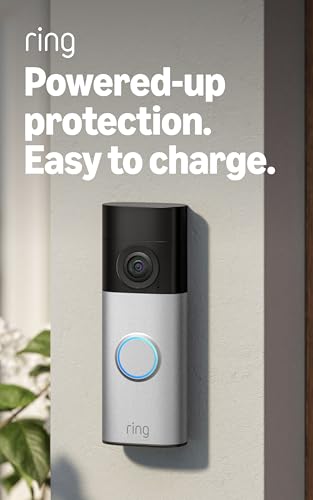
Mounted near the entrance, it helps capture visitors, sound, and nighttime activity.
Good placement matters as much as power. The right height, angle, and exposure can improve face capture, audio pickup, and motion alerts. Poor placement can cause glare, missed motion, or recordings that show too much sidewalk and too little door area.
Height, angle, porch depth, and motion detection coverage
A common mounting target is around chest height for many visitors, but the exact height should match the manual and your porch layout. Deep porches often need a wedge or angle mount. Flat walls may work better with direct mounting.
Motion detection should cover the approach path, not just the doormat. If the camera is too high, it may miss shorter visitors or packages. If it is too low, it may pick up pets, cars, or foot traffic more often than you want.
Weather exposure, glare, and neighbor privacy considerations
Front doors face rain, heat, cold, and bright sun. Try to avoid direct glare from afternoon light or porch lights that wash out the image. A small change in angle can help night video more than a settings change can.
Also think about what the camera sees beyond your property line. Neighbor doors, shared hallways, sidewalks, and windows can create privacy concerns. Use privacy zones or a tighter angle when possible, and follow local rules where they apply.
Step-by-Step Installation Plan for a Clean PoE Setup
A clean PoE install starts with planning, not drilling. Map the cable route first, confirm the power source, and check the mounting surface. Then install the hardware in a way that protects the cable, seals the entry point, and keeps the device easy to service later.
Tools, cable routing, and safe drilling through walls or trim
Common tools may include a drill, bit set, level, tape, cable clips, and weather-safe sealant. You may also need fish tape or another cable-pulling tool if the wire must pass through a wall cavity. Use only tools that fit the wall material and the exact route.
Keep cable bends gentle. Avoid crushing the Ethernet line in a door or window frame. If you must drill through an exterior wall, check for hidden electrical lines, plumbing, insulation, and structural parts first. When in doubt, stop and ask a professional.
Connecting the PoE line, mounting the device, and testing the feed
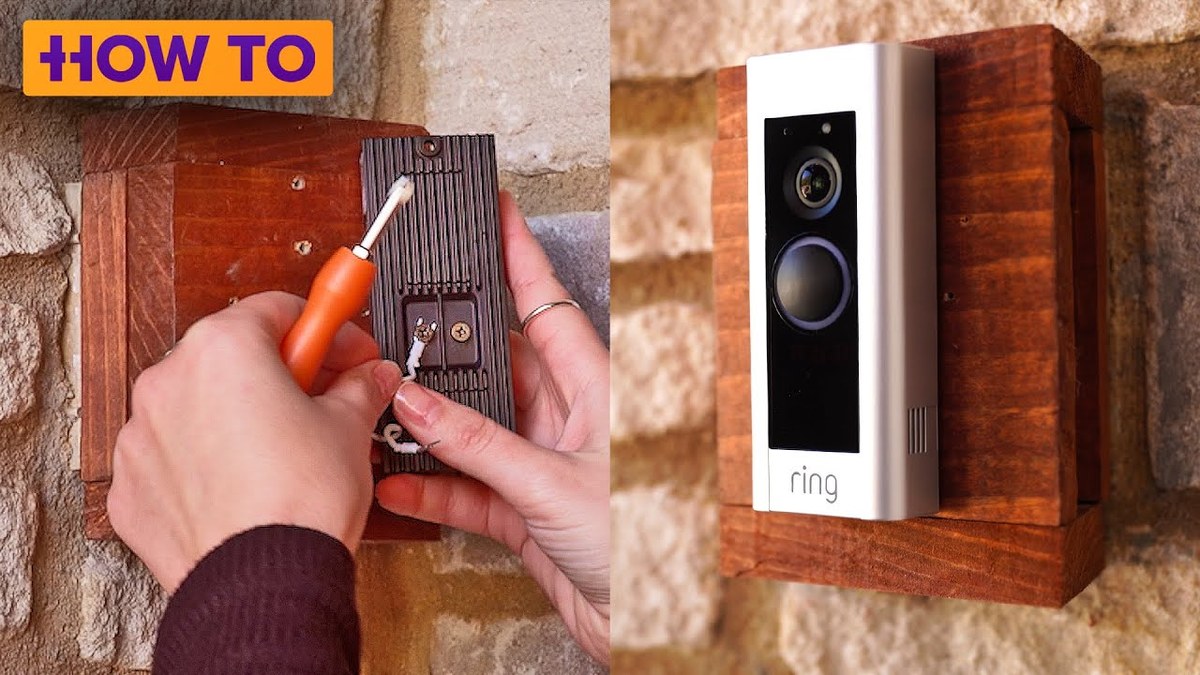
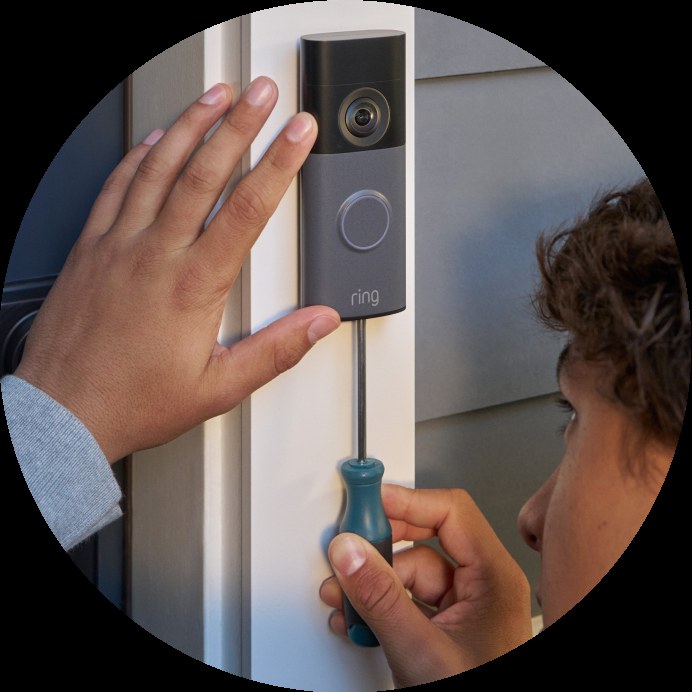
Run the Ethernet line to the PoE source, then connect the doorbell using the exact steps in the manual. Mount the device securely and confirm that the cable is protected from rain and tugging. Do not leave a loose wire where it can snag or collect water.
After mounting, test power, live view, motion alerts, and speaker audio. Check the image in daylight and at night. If the feed drops or the device keeps rebooting, the cable run or power source may need attention.
Setup, Pairing, and Account Security in the Ring App
App setup is where many installs succeed or fail. Even a well-mounted doorbell can be frustrating if the account, permissions, or alerts are not set correctly. Take a few minutes to register the device, review alerts, and secure the account before daily use.
Device registration, alerts, shared users, and app permissions
Register the doorbell in the Ring app using the exact setup flow for the model. Then test notifications on each phone that should receive them. Shared users should only get the access they need.
Review app permissions too. Location access, microphone access, and notification settings can affect how well the doorbell works. If alerts are too noisy, tune motion zones and notification timing instead of turning everything off.
MFA, password hygiene, and account recovery best practices
Use a unique password for the account and turn on multi-factor authentication, or MFA, if it is offered. MFA adds a second check during sign-in. That helps protect the account if the password is stolen.
Keep recovery email and phone details current. Remove old shared users and review connected services from time to time. A secure account matters because it controls live view, recordings, and device settings.
Video Storage, Subscriptions, and Ownership Cost in 2026
Ownership cost is more than the device price. You may also need cable, a PoE switch or injector, mounts, sealant, and possibly professional installation. On top of that, cloud storage or subscription features can change how useful the doorbell is day to day.
What local access can and cannot do without a plan
Without a plan, some devices may still show live view or basic alerts, but recording and clip history may be limited. The exact features depend on the model and current plan terms. If you want to review past events after the fact, check what is included before you buy.
Local access can help in some setups, but it does not always replace cloud features. If the device stores video locally, you still need a backup plan for power loss, theft, or device failure. A local card or recorder can also be harder to check when you are away from home.
Cloud retention, subscription tiers, and long-term cost tradeoffs
Cloud plans can add event history, richer alerts, and easier sharing. They also add monthly or annual cost. The right choice depends on how often you expect to review clips and how many devices you want covered.
For a simple front-door setup, compare the device price with the ongoing plan cost. If you already use other Ring devices, a plan may be easier to justify. If you only need live alerts, a no-plan setup may be enough.
Local Storage
Can reduce monthly cost if the model supports it.
May keep clips available without a cloud plan.
Still needs safe hardware placement and backup planning.
Cloud Storage
Usually easier to access from anywhere.
Depends on account access and internet service.
Can add ongoing fees and retention limits.
Troubleshooting Common PoE and Doorbell Issues
Start with safe checks first. Look at power, cable seating, app status, and router health before you reset anything. Many problems come from a loose connector, a weak cable, or a network issue rather than the doorbell itself.
No power, weak signal, delayed notifications, and choppy video
No power usually points to the PoE source, cable, or connector. Weak signal can still happen if the device relies on Wi-Fi for some functions or if the network is overloaded. Delayed notifications often come from internet slowdowns or app settings.
Choppy video can mean poor upload speed, a cable fault, or a router issue. Try a different Ethernet port if you have one. Also check whether other devices on the network are using too much bandwidth.
Firmware updates, cable faults, and when to reset or remount
Firmware updates can fix bugs and improve reliability. Check for updates in the app after setup and after any major network change. If the device keeps dropping offline, inspect the cable for damage or a loose termination.
Resetting or remounting should be a later step, not the first one. If the device is mounted high, exposed to rain, or hard to reach, make sure the power is safe before touching it. If the issue looks like a wiring fault, stop and use a qualified installer.
Maintenance, Privacy, and Cybersecurity for Long-Term Use
Long-term use is about small habits. Clean the lens, check the seals, review users, and keep the network updated. Those steps help the device stay useful without creating avoidable privacy or security problems.
Cleaning the lens, checking seals, and seasonal inspection
Dust, pollen, spider webs, and rain spots can blur the image. Wipe the lens gently with a soft cloth. Check the mount and cable entry after storms or temperature swings.
Seasonal checks are smart for any outdoor device. Look for cracked sealant, loose screws, or cable wear. If the mount shifts, the camera angle can change enough to hurt motion detection and face capture.
Privacy zones, neighbor-facing views, and ongoing security habits
Use privacy zones if the app offers them. That can hide areas you do not want recorded, such as a neighbor’s window or a shared walkway. Also keep household members informed about where the camera points.
Review account access every few months. Remove people who no longer need access. Keep the router updated, use modern Wi-Fi security, and avoid reusing passwords across accounts.
Warranty, Returns & US Support
Limited warrantyVerify on the exact Ring model page
Retailer return windowVerify with the seller
US supportVerify current support channels and hours
Replacement partsVerify availability by model
Final Takeaway
A Ring video doorbell PoE setup makes the most sense for homes that can safely run Ethernet to the entry and want a steadier wired connection. The main limits are cable routing, model compatibility, and ongoing app or subscription choices, so check the exact manual and your property rules before you start.
Some setups use Ethernet for power and data, while others may still rely on Wi-Fi for parts of setup or fallback behavior. Check the exact model manual before you plan the cable route.
Sometimes, but only if the lease, landlord, and building rules allow drilling and exterior wiring. Many renters need written approval before making changes to walls or trim.
Check wall material, hidden wiring, cable path, weather exposure, and the mounting height. If any part is unclear, use the exact manual or a qualified installer.
It may still receive power, but app alerts and remote viewing usually depend on internet service. Local recording, if supported, can help, but behavior varies by model and plan.
Not always, but a plan may unlock recording history and other cloud features. Check the current plan page for the exact model you want to use.
Use privacy zones when available, limit shared users, and review where the camera points. Also keep strong account security, including a unique password and MFA.
Hi, I'm Marcus Sterling, a smart home security expert with over 5 years
of hands-on experience testing and reviewing hundreds of security cameras, smart locks, and alarm systems. My mission is to make smart home security accessible, affordable, and easy to understand—and every review I publish is 100% independent, unbiased, and honest. I don't accept payments for positive reviews, just practical advice to help you secure your home with confidence.
View on Amazon Quick Security Answer A no-monthly-fee alarm system uses a local hub, sensors, and your phone instead of a paid monitoring plan. You take on alerts and dispatch decisions, but you avoid recurring fees. Smart Home Security Guide An alarm system without monthly fee gives you security hardware without a recurring contract. You…
Quick Security Answer A Ring battery doorbell is usually a practical DIY install for many homes and rentals. The key is to check Wi-Fi strength, mounting rules, and privacy settings before drilling. installing ring battery doorbell is usually a straightforward DIY task for many US homes and rentals. The best result depends on placement, Wi-Fi,…
Ring Battery Doorbell 2K Ring Battery Doorbell 4K Choosing between the Ring Battery Doorbell 2K and the Ring Battery Doorbell 4K comes down to a simple question: how much detail do you really need at your front door? Both are battery-powered Ring doorbells with smart alerts, live video, two-way talk, and easy installation. But the…
View on Amazon Quick Security Answer Random alarm triggers almost always come from sensor misalignment, low batteries, pets, or network glitches, not from an intruder. Check the app’s event log first, inspect the zone, and test each sensor before calling for service. Smart Home Security Guide If you are wondering what causes a home alarm…
Quick Security Answer If your home already has compatible wiring and solid 2.4 GHz Wi-Fi, setup is usually manageable for a beginner. The main checks are power, chime compatibility, placement, and account security. Wyze video doorbell v2 installation is usually straightforward for homes that already have doorbell wiring and a stable 2.4 GHz Wi-Fi signal….
Quick Security Answer Yes, Nest Doorbell can have a monthly fee if you want cloud video history and some advanced features. Basic live view and alerts may still work without paying, depending on the model and current Google Home plan. Does Nest Doorbell Have a Monthly Fee? The short answer is yes, but not always…