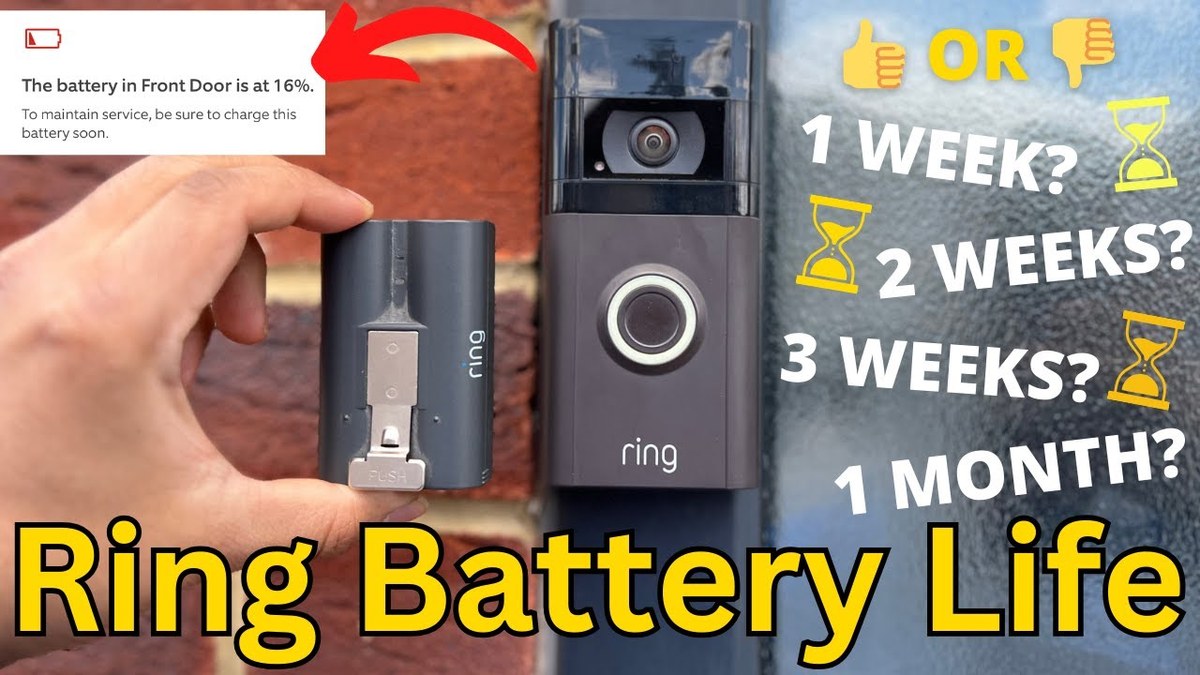
A Ring battery doorbell charge can last from weeks to months, depending on motion, live view use, Wi-Fi strength, and weather. The best way to extend it is to tune alerts, improve placement, and keep the battery charged before it runs low.
how long does ring battery doorbell charge last is one of the first questions people ask before choosing a battery video doorbell. The short answer is that Ring battery life can range from weeks to months, but real-world use depends heavily on motion, settings, Wi-Fi, weather, and how often you check live video.
How Long Does a Ring Battery Doorbell Charge Last? The Short Answer
There is no single battery timeline that fits every home. A Ring battery doorbell may last much longer in a quiet entryway than on a busy porch with frequent alerts. The best way to think about it is this: battery life is a usage pattern, not a fixed number.
In practical terms, light use can stretch a charge for a while, while heavy motion, lots of live view sessions, and poor signal can shorten it fast. If you want a broader setup view, DecatHome’s guide to the downsides of Ring cameras helps explain the tradeoffs that affect daily use.
What Actually Determines Ring Battery Life in Real Homes
Battery life changes with motion alerts, video length, weather, and Wi-Fi strength.
Battery life depends on how often the doorbell wakes up, records, uploads, and sends alerts. The more work the camera does, the faster the battery drains. Home layout and app settings matter just as much as the battery itself.
Motion frequency, live view use, and notification settings
Frequent motion events are the biggest battery drain for most homes. Every alert can trigger wake-up activity, video capture, and cloud upload. Live view use also matters because watching the camera in real time keeps the device active longer.
Notification settings play a role too. If the doorbell is set to detect a wide area with high sensitivity, it may record more often than needed. That can lead to extra power use and more app alerts.
Wi-Fi strength, signal stability, and upload activity
A weak Wi-Fi signal often shortens battery life because the device may work harder to stay connected. Upload retries can also use more power. A stable router connection usually helps the doorbell run more efficiently.
If the signal is weak near the front door, the battery may seem to drain faster than expected. In that case, the issue may be network placement, not just the battery. DecatHome’s Wi-Fi-focused video doorbell guide covers the same kind of network concerns that apply to battery doorbells in general.
Temperature, weather exposure, and seasonal wear
Cold weather can reduce battery performance. Heat and direct sun can also affect long-term battery health. Outdoor exposure adds stress that indoor devices do not face.
Seasonal swings matter in many US homes. A battery that seems fine in spring may drain faster in winter. Over time, all rechargeable batteries lose some capacity.
How Placement Affects Battery Drain and Video Performance
Where you mount the doorbell can change both battery life and video quality. The camera needs a useful view, but it should not watch more space than necessary. Better placement often means fewer false alerts and less power waste.
Door height, viewing angle, and motion zones
Mounting height affects what the camera sees first. If the angle is too wide, it may catch sidewalks, traffic, or passing cars. That can trigger more motion events than a narrow, focused view.
Motion zones help limit what the camera monitors. A well-set zone can reduce unnecessary wake-ups and improve battery life. It also helps the camera focus on the area that matters most, like the doorstep.
Porches, sidewalks, driveways, and high-traffic layouts
Homes with long sidewalks or active front yards often see more alerts. Driveways, street-facing porches, and shared entry paths can all increase motion. That usually means more battery use than a quiet front door.
If your entry gets heavy foot traffic, expect more charging. A battery doorbell can still work well, but it may need more frequent maintenance. In some homes, that is the tradeoff for flexible installation.
Night vision, lighting, and audio pickup considerations
Poor lighting can make the camera work harder to identify motion and faces. Night vision itself does not usually cause major battery drain, but frequent low-light recording can add up. Better porch lighting can improve both video clarity and efficiency.
Audio pickup matters too. A busy street or echo-prone entry can cause more activity and more review time in the app. That does not always drain the battery directly, but it often leads to more feature use.
Charging the Ring Battery Doorbell: What Owners Need to Know<
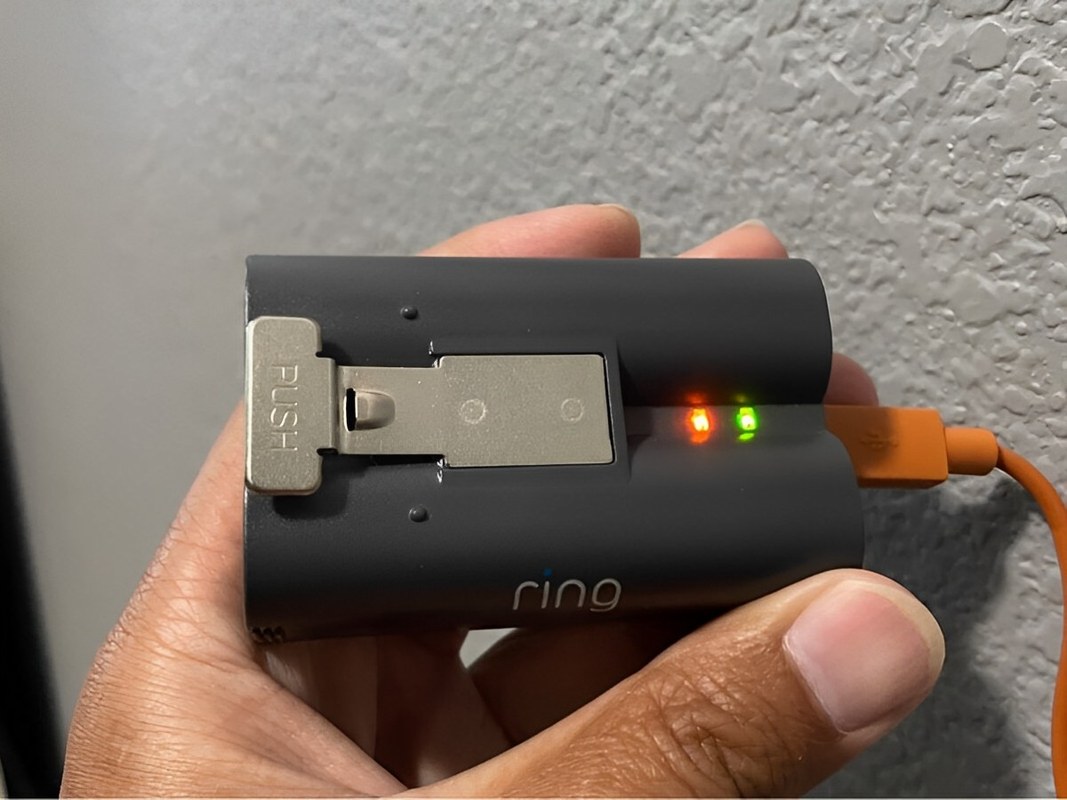
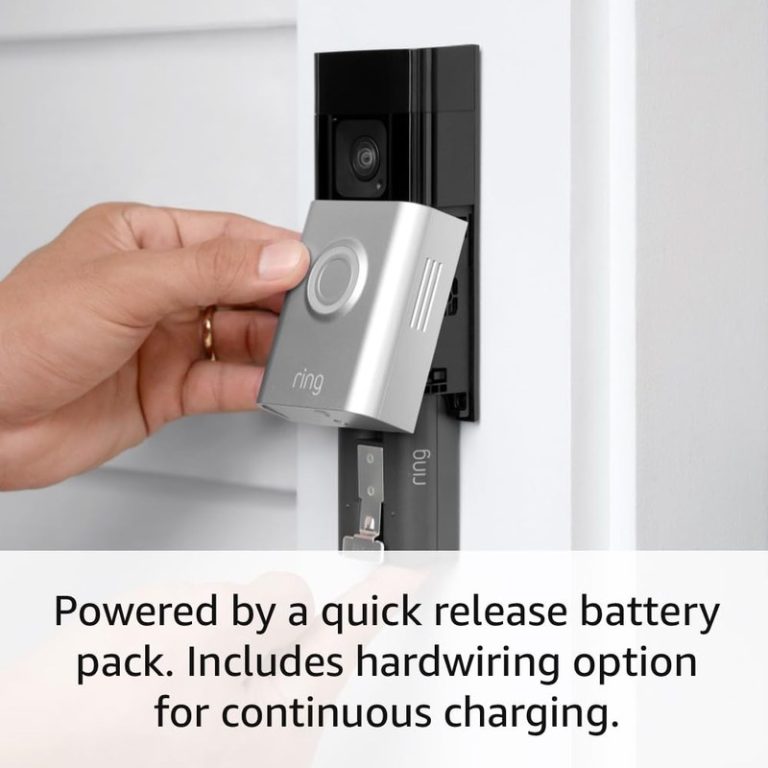
Charging a Ring Battery Doorbell helps restore battery power for continued use
/h2>
Charging is usually simple, but it does create downtime. Most owners need to remove or detach the battery doorbell, connect it to power, and wait for a full recharge. The exact process depends on the model.
Typical charging process and downtime expectations
Battery doorbells usually need to come off the mount or be removed from the bracket for charging. During that time, the front-door camera is offline. That means no live view and no motion recording until it is back in place.
Charging time varies by model and charger type, so the manual is the best source. Owners should plan ahead and recharge before the battery gets too low. That helps avoid gaps in coverage.
How often recharging may be needed in different households
A quiet household may recharge less often than a busy one. A home with many deliveries, visitors, or package checks may need charging more often. Apartment residents with shared hallways may also see more motion than expected.
There is no universal schedule. Some users recharge only occasionally, while others may need to do it more regularly. If the battery seems to drop quickly, the home’s activity level is usually the first thing to review.
Signs the battery is aging or not holding charge well
An aging battery often shows up as shorter runtime, faster drops after a full charge, or more frequent low-battery notices. If the doorbell used to last much longer under similar conditions, battery wear may be part of the issue.
Age is not the only cause. Cold weather, weak Wi-Fi, and heavy motion can look like battery failure. If the problem continues after settings changes, check the model’s support guidance or battery replacement options.
Power-Saving Settings and Maintenance That Extend Battery Life
Smart settings can make a real difference. The goal is to reduce unnecessary wake-ups without missing important visitors. Small adjustments often help more than people expect.
Motion sensitivity, motion frequency, and activity zones
Lowering motion sensitivity can reduce false alerts. Activity zones can also help by limiting detection to the area near the door. Together, these settings can cut down on wasted battery use.
It helps to review the front entry during busy times. If the camera keeps reacting to the street or a tree, tighten the zone. If it misses visitors, widen it carefully.
Video quality, snapshot settings, and alert tuning
Higher video quality can use more data and may increase power use. Snapshot or frequent preview features can also add activity. If battery life matters most, use only the settings you truly need.
Alert tuning matters as well. Too many notifications can lead to more app opens and more live views. That adds indirect battery drain because the camera is used more often.
Regular cleaning, firmware updates, and weather protection
Dust, spider webs, and grime can affect motion sensing and image quality. A clean lens and sensor area help the device work normally. That can reduce false triggers and wasted power.
Firmware updates can also improve performance. They may fix bugs, strengthen stability, or adjust power behavior. A small weather hood or covered porch can help reduce direct sun and rain exposure when the manual allows it.
Storage, Subscriptions, and Features That Affect Battery Doorbell Use
Battery life is only part of the ownership picture. Storage plans, app access, and recording features also shape how often you interact with the doorbell. That can change how often you notice battery drain.
Ring Protect plans, cloud recording, and video retention
Cloud recording usually depends on the service plan and model. If recordings are stored online, the doorbell may upload more often than a no-recording setup. That extra activity can affect battery use.
Plan details change over time, so verify current terms before you buy or renew. If you want to compare storage styles in general, DecatHome’s local storage vs cloud storage guide explains the tradeoffs clearly.
Shared users, app permissions, and account security
Shared users can help families and caregivers manage doorbell alerts. But each extra user should only have the access they need. Too many permissions can create confusion and security risk.
Use strong passwords and multi-factor authentication if the account supports it. That helps protect recordings, alerts, and device settings. The guide to account and camera privacy concerns is useful if you want a deeper security check.
Local vs cloud expectations for video access and history
Local storage keeps video on hardware in or near the home. Cloud storage keeps video on the provider’s servers. Each option has tradeoffs in access, cost, and privacy.
Cloud access is convenient, especially when you are away from home. Local storage can reduce monthly fees, but it may depend on a hub or separate device. Either way, you should know where clips are stored and how long they remain available.
Installation, Compatibility, and Home Layout Considerations
Battery doorbells are often chosen for easier setup, but compatibility still matters. Doorframe material, Wi-Fi reach, and home layout can all affect performance. Renters and homeowners may face different limits too.
Renter-friendly mounting versus homeowner hardwired alternatives
Battery models are often appealing to renters because they avoid permanent wiring. That can make them easier to remove later. Still, renters should check lease rules before drilling or mounting anything outside.
Homeowners may prefer a hardwired option if they want less charging downtime. Hardwired models can still need the right transformer and chime setup. For wiring questions, the exact manual and a qualified installer are the safest references.
Doorframe materials, Wi-Fi routers, and hub placement
Metal doors, thick walls, and brick can weaken signal quality. Router placement matters too. If the front door is far from the router, the camera may struggle more than expected.
A mesh network can help in larger homes, but placement still matters. The closer the doorbell is to a stable signal, the better it usually performs. For a model-specific wiring and setup example, see DecatHome’s doorbell wiring guide.
Compatibility with smart locks, chimes, and Alexa devices
Some households want the doorbell to work with smart locks, chimes, or voice assistants. Compatibility depends on the exact model and app support. Do not assume every feature works with every ecosystem.
If you use a smart lock, think about shared access and backup entry too. Battery doorbells and smart locks solve different problems, but they both depend on power and app access. DecatHome’s smart lock battery guide is a useful comparison point for backup planning.
Privacy, Cybersecurity, and Neighbor Considerations
Video doorbells can improve awareness, but they also raise privacy questions. The camera may capture guests, delivery workers, neighbors, or public space. Good setup keeps the focus on your entryway.
Privacy zones, camera angles, and avoiding public overreach
Privacy zones can block parts of the image you do not want recorded. That may include a neighbor’s window, a shared walkway, or a public sidewalk. Camera angle matters just as much as software settings.
Aim the lens toward your own doorway when possible. If the camera points too far outward, it may create more alerts and more privacy concerns. Better framing often improves both.
Multi-factor authentication, password hygiene, and recovery access
Use a unique password for the doorbell account. If the app supports multi-factor authentication, turn it on. That adds a second check when someone signs in.
Also review account recovery options. A lost phone or shared family login can create access problems. Keep recovery email and phone details current so you can regain control if needed.
Neighborhood etiquette, recording laws, and shared-entry concerns
Be considerate in shared spaces. In apartments, condos, and townhomes, the camera should not point where it records areas you do not control. That helps reduce disputes and privacy complaints.
Recording laws can vary by state and situation, especially for audio. If you are unsure, check local rules before installation. A smart doorbell is not a substitute for legal guidance.
When a Battery Doorbell Is the Right Fit—and When It Is Not
A battery doorbell fits many homes well, but not all of them. It works best when you want flexible placement and can accept periodic charging. It is less ideal when you need constant uptime or have very heavy motion at the door.
Best use cases for renters, busy households, and low-traffic homes
Battery models are a strong fit for renters who want a less permanent setup. They also work well for low-traffic homes where the battery can last longer between charges. Busy families can still use them if they are comfortable with regular maintenance.
They are especially useful when wiring is difficult or unavailable. That makes them practical for apartments, older homes, and entryways without a usable doorbell wire.
Limitations for heavy traffic, poor Wi-Fi, or frequent package activity
Heavy foot traffic can shorten battery life and increase alerts. Poor Wi-Fi can make the doorbell less responsive. Frequent delivery activity may also create more wake-ups than a battery model handles comfortably.
If your front door sees constant motion, a wired model may be easier to live with. That is not because battery doorbells are bad. It is because some homes demand more uptime than a rechargeable device can comfortably provide.
Practical next steps for choosing, installing, and maintaining the device
Start by checking your entryway, Wi-Fi strength, and how much motion the door sees each day. Then review the exact model’s manual for charging, mounting, and compatibility details. If wiring is involved, treat it as a safety step, not a guess.
For a clearer setup path, use the manufacturer’s instructions, confirm your privacy settings, and plan a charging routine. That keeps the doorbell useful without turning battery life into a surprise.
It varies widely by home, settings, and motion activity. Light-use homes may go much longer than busy entrances, so the real answer depends on how often the camera wakes up.
Frequent motion alerts, lots of live view use, weak Wi-Fi, and cold weather are common causes. High-traffic porches and wide motion zones can also shorten battery life.
Yes. A weak or unstable signal can make the doorbell work harder and retry uploads, which may drain the battery faster. A stable connection usually helps performance.
That depends on your household and the amount of front-door activity. Some homes need charging only occasionally, while busier homes may need it more often.
Some features may still work without a plan, but storage and recording options can be limited. Check the current plan details for the exact model before you rely on any specific feature.
Check your Wi-Fi signal, mounting location, privacy zones, and whether your doorframe or lease allows the installation. If wiring is involved, follow the exact manual or use a qualified professional.
Hi, I'm Marcus Sterling, a smart home security expert with over 5 years
of hands-on experience testing and reviewing hundreds of security cameras, smart locks, and alarm systems. My mission is to make smart home security accessible, affordable, and easy to understand—and every review I publish is 100% independent, unbiased, and honest. I don't accept payments for positive reviews, just practical advice to help you secure your home with confidence.
Blink Outdoor 4 and Ring outdoor cameras take different approaches to home security. Blink focuses on low cost, long battery life, and simple operation, while Ring offers more camera choices, stronger detection tools, and a broader smart home system. Choose Blink Outdoor 4 if you want an affordable camera with long battery life and optional…
Choosing between the eufy Video Doorbell E340 and S330 depends on how you plan to power, install, and use your doorbell. Both models offer dual-camera coverage, but their storage, hub requirements, and daily features differ. We recommend the E340 for most homes because it works as a standalone doorbell, supports local storage expansion, and offers…
Compare 9 smart home security picks, including ring battery doorbell solar charger options, with compatibility notes, value tips, and a quick buyer guide.
Quick Security Answer Most Ring battery doorbells can be installed by a careful beginner with basic tools and the app. The biggest success factors are the right mounting surface, strong Wi-Fi, and a placement that respects privacy. ring battery doorbell installation is usually a manageable DIY project for many homes. The best results come from…
Compare ring battery doorbell plus solar charger for home coverage, privacy, power, storage, subscriptions, and value. Read the guide before choosing a system.
Video doorbells let us see visitors, speak with them, and monitor activity near the entrance without opening the door. Models with wireless cameras and app controls can also send alerts when they detect motion, while a local hub can store recordings and connect other security devices. The eufy Video Doorbell E340 + HomeBase 3 bundle…