Do Water Leak Sensors Work During Power Outage Find Out
Battery-powered water leak sensors keep detecting water during a blackout, but most alerts depend on Wi-Fi. If your router, modem, or hub loses power, you may not get a phone notification unless the system has a local alarm or backup connection.
The short answer to “do water leak sensors work during power outage” is yes. The detector itself keeps working. But you may not get the alert. Most leak sensors run on batteries. They do not need house power to sense water. The alert usually travels over Wi-Fi. When the power goes out, your router and modem often go down with it. This guide explains what still works, what fails, and how to keep your leak alert useful during an outage.
Do Water Leak Sensors Work During a Power Outage?
Most water leak sensors detect water without any help from your home’s electrical system. They use batteries. The real problem is sending the alert. If the Wi-Fi network is down, the warning may not reach you.
The Battery-Powered Sensor: It Keeps Detecting Water
Most leak sensors on the market today use batteries. When water touches the sensing contacts, it completes a small electrical circuit. The sensor does not need 120-volt house power for this step. That is why detection still works during a blackout.
Some models need a wall outlet. They may stop detecting if they have no battery backup. Check the power source before you buy. A battery-powered model is the safer choice for outage protection.
The Real Weak Link: Your Wi-Fi Router and Hub
A Wi-Fi leak sensor sends alerts through your router. The router needs power. The modem needs power. A smart home hub also needs power. When those devices go dark, the sensor has no route to the cloud.
Some sensors make a sound when they detect water. That siren can work during an outage if the sensor has battery power. Without a local siren, you may not know about the leak until you return home.
How Water Leak Sensors Work (And Where Alerts Fall Short)
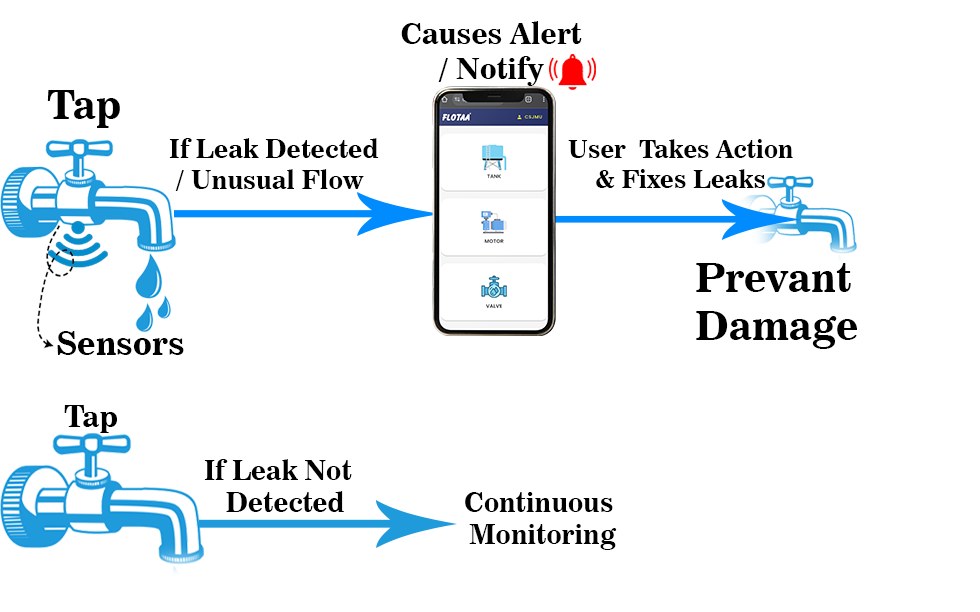
A leak sensor detects water in one of a few simple ways. Then it sends a warning through one of several paths. The detection method affects what it can catch. The alert path affects whether you actually learn about the leak.
Detection Methods: Probes, Float Sensors, and Cable Zones
Probe sensors are the most common. They have two metal contacts. Water bridges the contacts and completes a circuit. Float sensors work in sump pits and drain pans. A rising float trips the sensor. Cable sensors detect water anywhere along a long strip. They work well in basements and crawl spaces.
The detection method does not change how the device behaves in a power outage. It only changes where you can place it and what it can catch.
Alert Paths: Local Siren, Mobile App, or Monitoring Center
A local siren makes sound where the water is. This path works without Wi-Fi if the sensor has battery power. A mobile app needs the sensor, the router, the internet, and your phone all working. A monitoring center receives alerts from a security system. It often uses cellular backup, which can survive a home power outage.
Know which alert paths your sensor uses. Of these paths, only a battery-powered siren keeps working without backup power or internet.
What a Blackout Does to Wi-Fi-Dependent Sensor Alerts
A blackout cuts power to your modem and router. A Wi-Fi sensor can still detect water. But it cannot push an alert to the cloud. The alert fails silently unless the sensor has a siren or backup connection.
If Your Router Has Battery Backup or a UPS
A UPS is a battery backup that keeps devices running during a short outage. If your modem and router are plugged into a UPS, your home network stays up. The leak sensor can keep sending app alerts during that time.
This only works if the internet connection from the street stays up. Fiber and cable networks often keep running at the street level. The weak points are the power at your modem and router. A UPS fixes those weak points.
A UPS cannot help if the internet provider has an outage. It also will not power the sensor, but most sensors already have batteries.
If the Outage Takes Down Internet and Cellular Signal
The internet can fail during a blackout even when your router is fine. Cell towers can lose power too, although many have backup batteries. Your phone battery can also run down. If any link in that chain fails, you will not get an app alert.
This is why a sensor with a loud local alarm is valuable. It gives you an early warning inside the home. You still need to be close enough to hear it.
The same weakness affects other connected devices. Read about how security cameras work during an internet outage.
Which Sensor Setup Actually Survives a Power Outage?
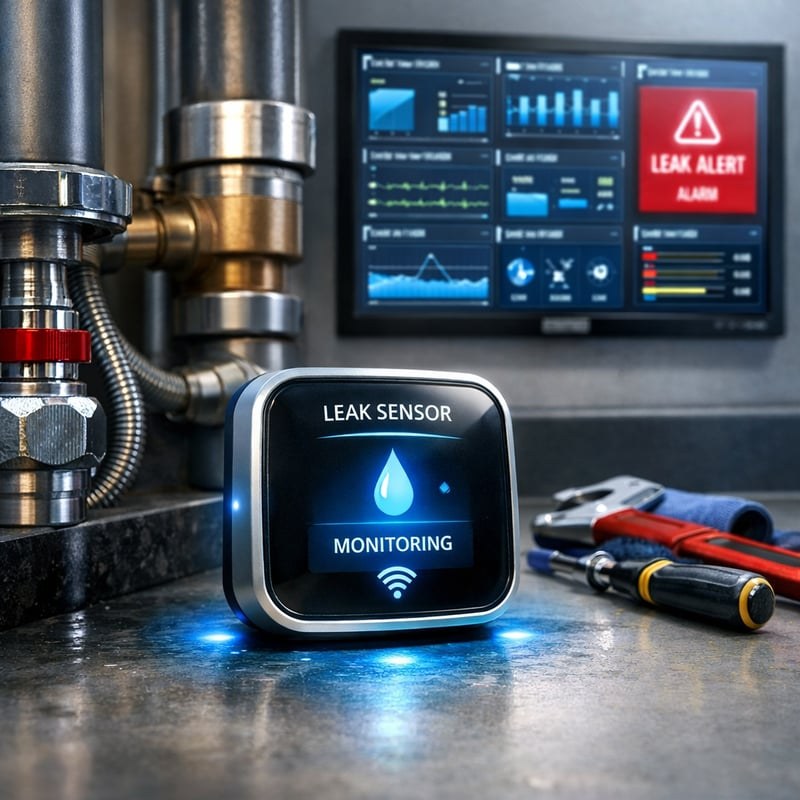
The most outage-resistant setup is a battery-powered sensor with a loud local alarm. The second best is a hub-based system with battery backup and cellular or professional monitoring. The weakest is a simple Wi-Fi sensor with no siren and no backup.
Wi-Fi Sensors with Built-In Local Alarms
A Wi-Fi sensor with a built-in siren gives you two alert paths in one device. The siren works on battery power. The Wi-Fi alert works only when the network is up. This is a good, simple choice for many homes.
Place it where you can hear the siren from the bedroom and main living areas. Test the siren volume during setup.
Hub-Based Sensors (Zigbee, Z-Wave, Matter, Thread) and Battery Backup
Hub-based sensors do not connect directly to Wi-Fi. They talk to a hub using a low-power radio. The hub then connects to the internet. The hub stays on only if it has a battery or a UPS.
Zigbee, Z-Wave, Matter, and Thread are different radio protocols. They matter less than the hub power situation. This is the same issue behind whether alarm sensors need Wi-Fi.
If the hub is part of a monitored security system, it may include cellular backup. That can keep alerts flowing during a home power outage.
Sensors with Cellular or Professional Monitoring Fallback
A sensor or hub with cellular backup sends alerts through a mobile network. It does not need your home Wi-Fi. This works only where cellular coverage exists and the tower has power.
Professional monitoring adds a service that receives the alert. Some monitored systems include cellular backup on the communications module. Exact options depend on the brand, the plan, and the sensors you connect. Not every monitored plan supports water leak sensors.
Placement, Installation, and Home Constraints That Matter
Placement matters more when the alert may never leave the home. A local alarm only helps if someone can hear it. Put sensors where leaks start. Keep them within earshot of daily activity.
Where to Place Sensors in a Typical Home Layout
Start with the most common leak spots. Check under the kitchen sink and bathroom vanities. Add sensors behind the washing machine, next to the water heater, and behind the dishwasher. Also think about the sump pump, basement floor, and crawl spaces.
The sensor needs to sit where water will collect. Carpet can hide a leak. Hard flooring lets water reach the sensor faster. For a room-by-room plan, see our water leak sensor placement guide.
Renter-Friendly Installation: No Drilling, No Permanent Mounting
Most leak sensors sit flat on the floor. Some use double-sided tape. That means no drilling and no permanent changes. Renters should still check the lease and ask for written permission when needed.
Avoid blocking doorways or creating trip hazards. In an apartment, focus on the areas where pipes are most likely to fail.
Keeping Your Sensor System Online When the Power Fails
You can keep remote alerts alive during a short outage with a UPS on your network gear. For a longer outage, a cellular-capable hub or a local siren is more practical. Choose the approach that matches your home and budget.
Adding a UPS to Your Router, Modem, and Smart Home Hub
A UPS is a battery built into a power strip. It keeps plugged-in devices running when wall power stops. Plug the modem, router, and hub into the UPS. Then the network can keep working through brief outages.
Match the UPS size to the equipment you want to power. A larger UPS lasts longer. Every minute depends on battery capacity. Have a plan for what to do after the UPS battery drains.
Using a Mobile Hotspot as Emergency Internet for Alerts
A phone hotspot can act as a temporary internet source when home internet is down. This works best if your router can pull internet from a tethered phone or a dedicated hotspot. That setup takes planning and some network knowledge.
For most people, a simpler route is a sensor with a loud local siren. Without a siren or cellular backup, a hotspot is a technical workaround. It can also fail under stress. Test the entire path before you rely on it.
Testing, Maintenance, and Ongoing Costs After Installation
A leak sensor only protects you if it works when needed. Test it once a month. Replace batteries on schedule. Review app security. Compare plan costs. Then you can rely on the system without guesswork.
Battery Life, Testing Routines, and Sensor Maintenance
Test every sensor once a month. Use the test button or the steps in the manual.
Touch the sensing area with a damp paper towel. Confirm the local alarm and phone alert both fire.
Replace batteries on the schedule in the manual. Look for low-battery warnings in the app.
Wipe the contacts with a dry cloth when needed. Never submerge the sensor.
Waterproof and water-resistant mean different things. Check the exact rating in the manual for your model.
Firmware Updates, App Permissions, and Account Security
Many leak sensors collect only water events and battery status. That data is less sensitive than camera footage. Still, the account is tied to your home. Treat it with basic security habits.
Subscription Costs vs. Self-Monitoring During Outages
- The household receives alerts and decides what to do.
- No monthly fee beyond the sensor and batteries.
- During an outage, a local siren may be the only alert.
- A monitoring center may receive qualifying alerts.
- Some monitored systems include cellular backup.
- Fees, contracts, and plan limits vary by provider.
Check plan details on the provider’s current pricing page. Water leak sensors may be included, optional, or unsupported. Compare the exact terms before you sign up.
The Bottom Line: What to Know Before Buying a Water Leak Sensor
Start with a battery-powered sensor that has a loud local alarm. Confirm how alerts reach your phone. Decide whether you need a UPS, a hub, or a cellular plan. Test the entire system after setup.
During an outage, detection usually keeps working. Alert delivery is the part that fails. A local siren, a powered network, or cellular backup fixes that weak link. Every home has different needs. A simple model works for people who are usually home. A monitored system makes more sense for frequent travelers.
Before buying, compare how each model handles power and internet loss. Start with our guide to the best water leak sensors for smart homes.
The sensor itself usually survives a power outage, but the phone alert may not. A battery-powered local alarm is the most reliable warning without backup power. Add a UPS or cellular backup if you need remote alerts when the lights go out. Test the system and keep batteries fresh.
Frequently Asked Questions
Yes, if the sensor runs on batteries. Most leak sensors use batteries to sense water and sound an alarm. The bigger problem is whether the alert can reach your phone without Wi-Fi. Check the manual to see if your model has a local siren.
Not through a normal Wi-Fi connection. If your router and modem lose power, the sensor cannot send data to the cloud. You may still hear a local alarm. You can add a UPS to keep the network online during a short outage.
It depends on the model. Wi-Fi sensors connect directly to your router. Hub-based sensors use a hub that needs its own power. If the hub has battery backup or a UPS, the sensors can keep working locally. If not, the hub goes offline with the power.
Choose a sensor with a loud built-in siren and place it where you will hear it. A battery-powered siren works without house power or internet. Test it after you install it and again after any power outage.
No, most basic leak sensors detect water and sound an alarm without a subscription. Subscriptions usually add cloud recording, app history, or professional monitoring. Check the plan terms to see what is included with your model.
Test it once a month and after any major power or network outage. Use the test button or follow the manual. Replace batteries on schedule and confirm the phone alert and siren both still work.