Eufy vs Ring vs Arlo vs Nest: Which Security Camera Is Best?
Choosing between eufy, Ring, Arlo, and Nest depends on your budget, privacy needs, and smart home setup. Each brand offers useful cameras and doorbells, but they differ in video quality, storage, subscriptions, and security features.
We recommend eufy for lower long-term costs, Ring for broad home security options, Arlo for strong video quality, and Nest for Google Home users. We’ll compare their cameras, doorbells, storage plans, privacy practices, and best uses so you can choose with confidence.
Key Takeaways
- Eufy can reduce ongoing costs with local storage options.
- Ring offers a wide range of cameras, doorbells, and sensors.
- Arlo and Nest suit buyers who value video quality or smart home integration.
Platform Overview And Best-Fit Buyers
We should match each brand’s storage model, subscription terms, smart-home support, and installation options to our needs. Eufy favors local recording, Ring fits Amazon households, Arlo offers broad device support, and Nest works best with Google Home.
Eufy At A Glance
Eufy suits buyers who want local video storage and fewer recurring costs. Many Eufy cameras and doorbells can save footage to internal storage, a HomeBase hub, or a compatible local setup. Some features still require a paid plan, so we should check the exact model before buying.
Eufy offers battery-powered, wired, indoor, outdoor, and dual-camera doorbell models. Its dual-camera designs can show both a visitor and the area near the doorstep, which helps monitor packages. Local storage also reduces dependence on an active cloud subscription, but we must secure the hub and manage storage ourselves.
The brand fits homeowners, privacy-focused buyers, and people who want to avoid monthly fees. It also works well for renters when we choose peel-and-stick sensors or easily removable cameras. We should confirm app support, smart-home compatibility, and the camera’s recording limits before purchase.
Ring At A Glance
Ring fits households that already use Amazon Alexa. Its doorbells, cameras, alarms, and sensors work through the Ring app and connect well with Echo devices. Ring offers many models, including battery-powered products for renters and wired options for permanent installations.
Cloud recording forms a major part of the Ring experience. Live video and alerts may work without a subscription, but saved recordings, extended video history, and some detection features often depend on a Ring plan. We should review the current plan terms because prices and included features can change.
Ring suits users who value simple setup, broad product choice, and Alexa integration. Its alarm equipment also makes it useful for buyers building a wider home security system. Buyers who want local recording or no monthly service should compare Ring carefully with Eufy and other brands.
Arlo At A Glance
Arlo targets buyers who want polished cameras, flexible placement, and strong compatibility with common smart-home platforms. The lineup includes indoor, outdoor, battery-powered, wired, and video doorbell models. Battery cameras can simplify installation, while wired models avoid regular charging.
Arlo’s cloud plan adds features such as longer video history, advanced object detection, and richer alerts. Without a plan, available recording and detection features vary by model. We should check whether a specific camera supports local storage, because Arlo’s storage options differ across product lines and hubs.
Arlo works well for homeowners who want a mixed camera system and do not mind paying for advanced cloud features. It can also suit renters who need movable hardware, especially battery models. We should compare the total cost of cameras, batteries, accessories, and subscriptions rather than judging the hardware price alone.
Nest At A Glance
Nest is the strongest fit for households built around Google Home. Nest cameras and doorbells connect through the Google Home app and work with compatible Google Assistant devices. This setup can make alerts, live views, and smart-home routines easier to manage in one place.
Nest relies heavily on cloud services. A Google Home Premium plan may provide longer video history, familiar-face features, and more advanced event detection, depending on the product and current plan terms. We should verify compatibility before buying because older Nest products and newer Google Home devices may use different apps or features.
Nest suits users who already own Google speakers or displays and want centralized control. It can work for renters when we choose battery-powered devices, but some models need wired installation. Buyers seeking local recording, broad non-Google compatibility, or minimal subscription costs should compare other platforms first.
Security Cameras And Video Quality
We should compare more than megapixels. Resolution, viewing angle, night performance, motion alerts, device design, and subscription limits all affect how useful each camera will be.
Resolution And Field Of View
Arlo generally offers the sharpest video in this group, with models such as the Pro 5S providing 2K resolution and some cameras supporting 4K. Higher resolution helps us identify faces, packages, and license plates, but it also uses more storage and bandwidth.
Ring focuses mainly on 1080p video, which works well for doorways and small yards. Its wide-angle cameras cover useful areas, though image detail can drop when we digitally zoom. Ring also offers a broad range of doorbells and outdoor cameras.
Eufy sells many 2K and 4K cameras. Its local-storage models can save detailed footage without requiring a cloud plan, depending on the camera and HomeBase setup. Nest mainly uses 1080p and 2K-class cameras, with image processing that can improve clarity in changing light.
Night Vision And Motion Detection
All four brands offer infrared night vision, but performance varies by model. Arlo often provides strong low-light detail and color night vision on selected cameras. Eufy also offers color night vision on some devices, usually with a built-in spotlight.
Ring provides reliable nighttime monitoring, especially near entrances, but many advanced detection features require a subscription. Nest uses familiar-person detection and activity zones on compatible plans, which can reduce alerts from routine movement.
We should check detection type before buying. Person, vehicle, animal, and package detection can limit unwanted alerts, while basic motion detection may notify us about trees, shadows, or passing cars. Arlo, Ring, and Nest place more advanced detection behind paid plans on many products. Eufy includes more processing on some cameras, but features differ by model.
Outdoor And Indoor Device Selection
Ring offers one of the widest selections for doors, porches, floodlights, indoor rooms, and alarm systems. Its wired and battery options make installation easier, but most cloud video features require a Ring subscription.
Arlo provides indoor cameras, wire-free outdoor cameras, floodlight cameras, and video doorbells. Its higher-end models suit buyers who want sharper video, while its best detection tools often depend on a paid plan.
Eufy stands out for battery cameras, pan-and-tilt models, and systems that use local HomeBase storage. We should confirm whether each device needs HomeBase and whether local recording supports every feature we want.
Nest offers indoor, outdoor, and doorbell cameras with strong Google Home integration. Its lineup is smaller, and recorded video history and advanced alerts commonly require a Google Home subscription.
Doorbells, Sensors, And Home Security
We compare video quality, recording methods, alarm features, monitoring costs, and smart home support. Ring offers the broadest alarm lineup, while Eufy focuses on local storage; Arlo emphasizes camera quality, and Nest works closely with Google Home.
Video Doorbell Options
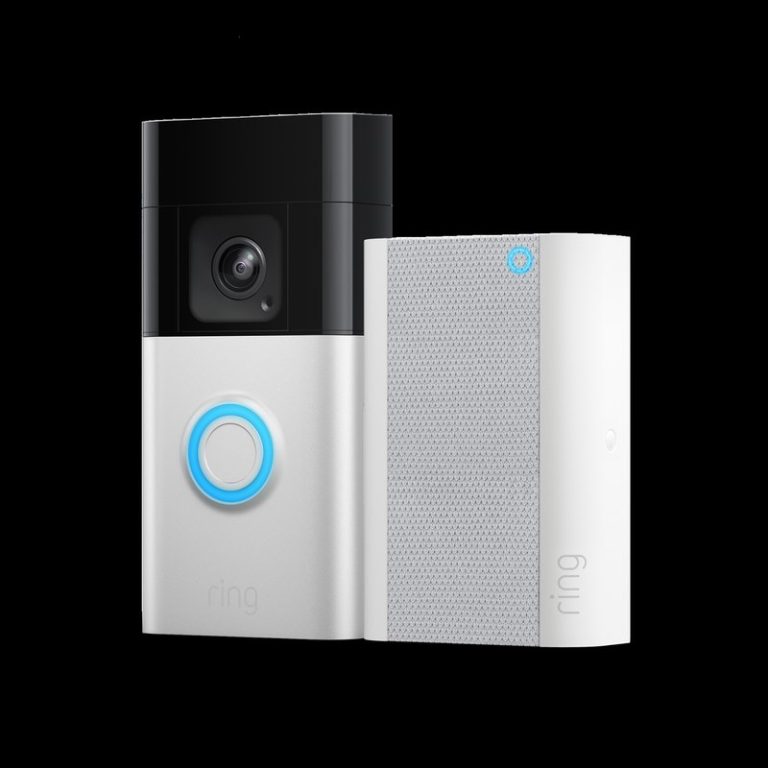
Ring offers the widest range of doorbells, including battery and wired models. Its devices connect well with Ring Chime, Echo speakers, and Ring cameras, but cloud recording and many advanced features require a Ring subscription.
Eufy stands out for local recording on supported models, which can reduce subscription costs. Some models add a second camera to show faces and packages, but users should check storage capacity, model-specific features, and compatibility before buying.
Arlo doorbells provide sharp video, useful motion alerts, and wired or wireless choices. Many detection and recording features depend on an Arlo Secure plan. Nest doorbells integrate closely with Google Home and can identify familiar faces on supported plans, but they work best inside Google’s ecosystem.
Alarm Systems And Professional Monitoring
Ring provides the most complete alarm system among these brands. Its Alarm kit supports contact sensors, motion sensors, keypads, smoke and flood listeners, panic buttons, and optional professional monitoring. Ring Protect plans may also connect alarm events with cameras and emergency response services.
Eufy sells entry sensors, motion sensors, indoor cameras, and other security devices, with local storage available on select products. Its alarm features vary more by product and region, so we should confirm whether a chosen setup supports central monitoring or only app alerts.
Arlo focuses mainly on cameras, doorbells, and a smaller selection of security sensors. Its Secure plans can add professional monitoring in supported locations. Nest Secure has been discontinued, so Google Nest users who want a full alarm system must consider third-party systems that work with Google Home.
Smart Home Ecosystem Compatibility
Ring works especially well with Amazon Alexa. We can use Echo speakers for announcements, view compatible cameras on Echo Show devices, and create Alexa routines. Ring also supports integrations through selected third-party platforms, but it remains closely tied to Amazon.
Nest offers the strongest fit for Google Home. Nest cameras and doorbells can appear in the Google Home app, trigger compatible routines, and show video on Nest Hub displays. We should check device support because older Nest products and newer Google Home features do not always match.
Arlo supports Alexa, Google Home, and Apple HomeKit on selected models, but features can vary by device and subscription. Eufy supports Alexa and Google Assistant, while HomeKit support applies only to certain products. Local storage can improve privacy, but it may limit advanced cloud-based detection features.
Storage, Subscriptions, And Long-Term Costs
Storage choices affect privacy, internet use, features, and the total cost of ownership. Eufy emphasizes local storage, while Ring, Arlo, and Nest rely more heavily on paid cloud plans for recorded video and advanced tools.
Local Recording Capabilities
Eufy offers the strongest local-storage options of these four brands. Compatible cameras can save recordings to a HomeBase device, microSD card, or both, depending on the model. This can reduce monthly fees, but we should check whether a specific camera requires HomeBase or supports direct microSD recording.
Ring provides limited local storage through select setups, such as Ring Alarm Pro with a compatible microSD card. Most Ring cameras normally store recorded video in the cloud. Arlo supports local recording with certain SmartHubs or base stations, but compatibility varies by camera and feature.
Nest cameras primarily use cloud storage through Google Home. Some models can keep limited event history during an internet outage, but they do not offer the same broad local-recording options as Eufy.
Cloud Plan Pricing And Features
Cloud plans unlock important features, but prices and terms can change. Ring Protect plans generally cover video history, person detection, package alerts, and sharing tools. Ring’s ecosystem also connects closely with Ring Alarm and other Amazon devices.
Arlo Secure plans typically add cloud video history, person, vehicle, animal, and package detection, along with higher-resolution storage on eligible cameras. Arlo’s top plans support advanced video quality, so owners of 2K or 4K models should check the required tier.
Google Nest Aware adds event history, familiar-face detection in supported regions, and useful audio alerts. Eufy often provides core recording without a subscription, while optional cloud plans can add backup storage and extra features.
Value Over Time
We should compare the full cost across at least three years, not just the camera’s purchase price. A system with several cameras can make monthly fees more noticeable, especially when each brand requires a higher plan for advanced detection or longer video history.
Eufy can offer lower long-term costs when we use local storage and accept the work of managing storage devices and backups. Ring and Nest may cost less to start, but their cloud plans become a larger expense as we add cameras. Arlo can provide strong image quality and detection features, though its subscription costs may be harder to justify for larger installations.
| Priority | Best fit |
|---|---|
| Minimize recurring fees | Eufy |
| Amazon smart-home integration | Ring |
| Advanced cloud video features | Arlo or Nest |
| Simple Google Home management | Nest |
Privacy, Data Handling, And Account Security
We should compare where each brand stores video, how much control we have over recordings, and which features require cloud access. Strong account controls also matter because a stolen password can expose live feeds, saved clips, and home activity.
Encryption And Privacy Controls
Ring, Arlo, and Nest rely heavily on cloud services for video storage, alerts, and advanced detection. Eufy offers local-storage options on some cameras and HomeBase products, which can reduce cloud use, but we should check the exact model because features and storage rules vary.
Ring provides end-to-end encryption as an optional setting for compatible devices. Enabling it can limit features and supported devices, so we should review the trade-offs first. Arlo and Nest also encrypt data during transfer and storage, but their cloud-based features depend on account and service settings.
We should place cameras carefully, disable audio when it is not needed, and set short recording-retention periods. We should also review app permissions and delete old clips regularly. Local storage does not remove every risk: the camera, base station, phone, and account still need strong security.
Third-Party Integrations And Data Sharing
All four brands connect with wider smart-home systems. Ring works closely with Amazon Alexa, Nest integrates with Google Home, and Arlo and Eufy support selected voice assistants and platforms. These links can let another service access camera status, live views, or controls.
Before connecting an account, we should check the permissions requested and avoid granting access to unrelated devices. We should remove integrations we no longer use and review connected apps after changing phones or household members.
Cloud services may process video, audio, device data, and diagnostic information. Policies differ by product, region, and plan. We should read the current privacy policy and disable optional features, such as voice recordings or personalized data sharing, when the app allows it.
Two-Factor Authentication And User Management
We should enable two-factor authentication on every camera account. Ring, Arlo, Nest, and Eufy support account security features, but available methods can differ by region and app version. An authenticator app or security key generally provides stronger protection than text messages, though any second factor improves security.
Each person should use an individual account instead of sharing the owner’s password. We can then give household members limited access, remove former users, and see which accounts still have permission to view or control devices.
We should use a unique, long password and store backup codes in a secure place. Account alerts, login history, and active-device lists can reveal unauthorized access. If we suspect a breach, we should change the password, revoke sessions, remove unknown users, and review connected services.
Buying Recommendations By Household Need
We should match the doorbell to our storage preferences, smart-home platform, and need for advanced detection. Eufy favors local recording, Ring works especially well with Alexa, Arlo offers strong camera features, and Nest fits households that use Google Home.
Best For Subscription-Free Recording
We should choose Eufy when avoiding monthly fees matters most. Many Eufy doorbells support local storage through built-in memory or a compatible HomeBase, depending on the model. This lets us save recordings without paying for a cloud plan, though we should check storage capacity and whether the model supports continuous recording.
Eufy also provides useful detection features, such as person recognition on supported devices. Local storage can improve privacy and keep recordings available if a cloud service or internet connection fails. However, installation and app features vary by model, so we should confirm whether the doorbell needs wired power, a HomeBase, or a separate storage device.
Best For Alexa-Centered Homes
Ring remains the simplest choice for homes built around Amazon Alexa. We can view the doorbell on Echo Show devices, use Alexa announcements, and connect Ring with other compatible smart-home products. Ring also offers a broad range of wired and battery-powered models.
We should account for subscription costs before buying. Ring’s most useful recording, playback, and extended alert features often require a paid plan, while basic live viewing and notifications may work without one. Ring makes the most sense when we already use Alexa regularly and value easy device integration more than local recording.
Best For Advanced Camera Features
We should consider Arlo when video quality and advanced camera tools rank above price. Arlo models commonly emphasize sharp video, wide viewing angles, HDR support, package detection, and person or vehicle alerts, although exact features depend on the model and subscription plan.
Arlo suits households that want detailed alerts and a polished camera system. We should check the doorbell’s power requirements, because some models use wired power while others support batteries. We also need to review the subscription terms: advanced detection and cloud recording may require a paid plan, which raises the long-term cost.
Best For Google Home Users
Nest fits households that already use Google Home, Google Assistant, or Nest displays. A Nest doorbell can send alerts to compatible Google devices and place the camera feed within Google’s smart-home controls. This reduces the need to manage several unrelated apps.
We should review the recording plan before purchase. Nest’s cloud features, including saved event history and some familiar-face tools, may require a Google Home subscription. Nest works best when we value Google integration and simple account management. We should also confirm compatibility with our existing Google Home setup, since features can vary between wired, battery, and older models.
Frequently asked questions
Which brand offers the best video quality?
We usually choose Arlo when sharp video and detailed image quality matter most. Its cameras often include higher resolutions and useful zoom features, though some advanced tools require a subscription.
Which brand costs less over time?
Eufy can cost less because many devices support local storage and do not require a monthly plan for basic recording. We should check whether a specific model needs a hub or charges for optional cloud features.
Does Ring require a subscription?
Ring devices work without a plan for live viewing, two-way talk, and alerts. We need a Ring Protect plan for features such as recorded video storage, video review, and some advanced alerts.
How does Nest compare with the others?
Nest fits well in homes that already use Google Home. We can view compatible cameras through the Google Home app, but recorded video and some intelligent alerts typically require a Google Home subscription.
Which brand offers local storage?
Eufy focuses more on local storage, while Ring and Nest rely mainly on cloud storage. Arlo supports cloud plans and some local-storage options through compatible hubs or devices, so we should check each model before buying.
Which system is easiest to install?
All four brands offer products designed for self-installation. We should compare power options, Wi-Fi requirements, hub needs, and subscription features before choosing a system.
Conclusion
We should choose based on our priorities, not just camera resolution or brand name.
| Brand | Best fit |
|---|---|
| Eufy | We want local storage and fewer subscription costs |
| Ring | We use Alexa and want a broad security system |
| Arlo | We value strong video quality and flexible camera options |
| Nest | We use Google Home and prefer simple smart alerts |
Eufy can reduce long-term costs because some models store recordings locally. We should check privacy settings and confirm that the model we choose supports the features we need without a paid plan.
Ring offers a large product range and works well with Alexa, but many advanced alerts and recording tools require a subscription. Arlo also provides useful features across its camera lineup, though paid plans may unlock its best detection and storage options.
Nest makes sense for households built around Google Home. Its alerts and app experience can feel simple, but we should include the ongoing Nest Aware cost in our budget.
Before buying, we should check wiring, Wi-Fi strength, storage options, smart-home compatibility, and local laws for recording audio or video. The best choice is the one that fits our home, budget, and preferred platform.