Door Sensor vs Motion Sensor What Should You Choose
Choose a door sensor first for simple, reliable entry-point alerts. Add a motion sensor when you need to detect movement inside a room.
When you compare a door sensor vs motion sensor, you are comparing two jobs: knowing when a door opens and knowing when someone moves. Both alert you to activity, but they work differently and fit different homes. This guide explains how each works, where to place it, what it costs, and which to choose first.
Door Sensor vs Motion Sensor: What’s the Real Difference?
The short answer: which one you should choose first
Choose a door sensor first if you rent, want a simple setup, or need to know when a specific entry point opens. Choose a motion sensor first if you own your home, want room-level coverage, or need to detect movement inside a space. Most security setups benefit from both.
A door sensor answers one question: Did this door or window open? A motion sensor answers a broader one: Is someone moving in this room? For most US households, the door sensor is the easier start. It is small, battery powered, and usually installs without tools.
Why the distinction matters for your overall security setup
The two sensors cover different gaps. A door sensor only fires when the contact separates. If someone enters another way, it stays silent. A motion sensor catches movement a door sensor misses, but it can trigger on pets, curtains, or vents.
Your locks decide who can enter, but sensors tell you when a door actually opens. If you are still choosing between smart locks and traditional key locks, that decision affects your whole entry setup.
How Each Sensor Detects Activity: Contact vs Passive Infrared

Door sensors: magnetic contact detection and how it works
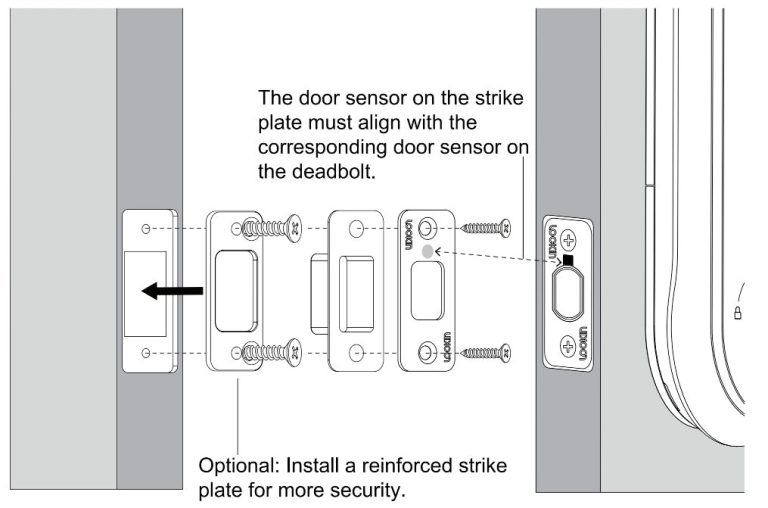
A door sensor has two parts: a magnet and a sensor body. You mount one on the door and one on the frame. When the door opens, the parts separate and the sensor sends an alert. When it closes, the parts line up and the sensor resets.
The sensor does not detect motion, heat, or sound. It only detects whether the magnetic circuit is broken. That makes it reliable and very hard to fool accidentally. It also means it cannot tell you who opened the door or whether someone is still inside.
Motion sensors: PIR, dual-technology, and pet-immune options
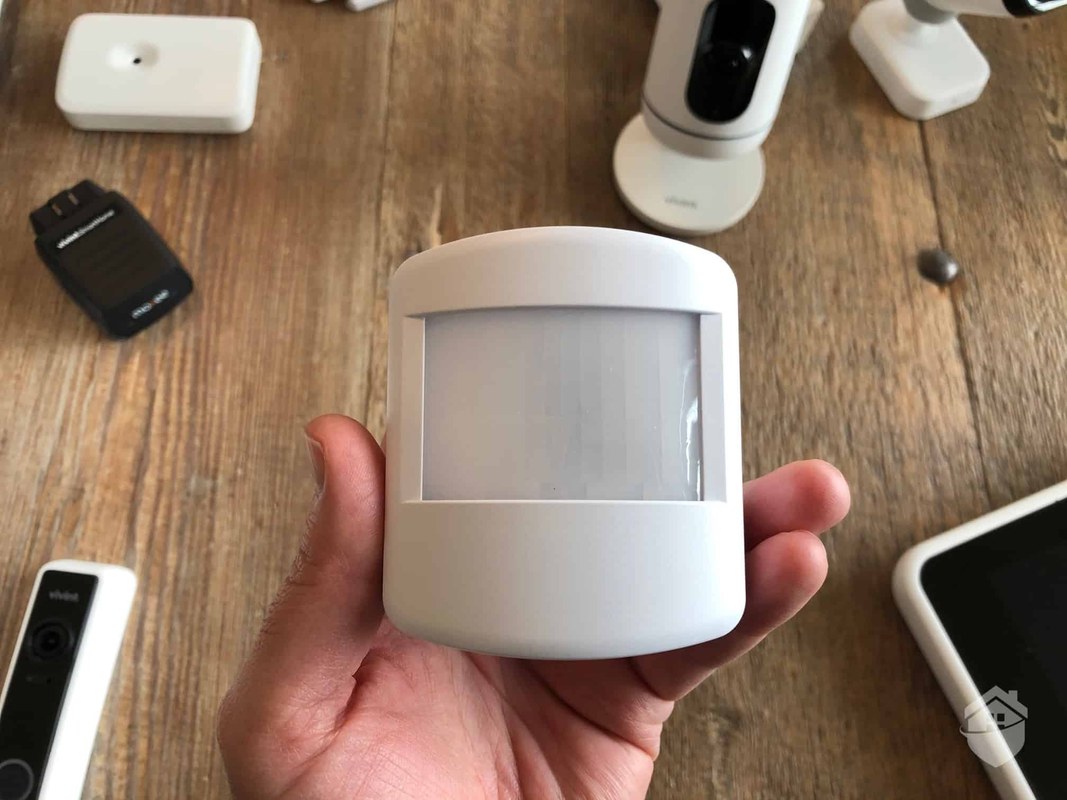
A motion sensor detects movement inside a room. The most common type uses passive infrared, or PIR. PIR senses changes in heat. When a warm body moves across its field of view, the sensor triggers.
Some motion sensors use dual technology, combining PIR with microwave or another method. This reduces false alarms but can also reduce sensitivity. Pet-immune models ignore animals under a set weight. That limit varies by model, so check the exact specification.
Placement and Home Layout: Where Each Sensor Works Best
Door sensor placement: perimeter, entry points, and sightlines
Place door sensors on every door and window you want to monitor. Common spots are front doors, back doors, sliding glass doors, and ground-floor windows. The sensor works best when the two parts line up and the gap stays small.
Mounting height matters less for a door sensor than for a motion sensor. The main requirement is a flat surface and a clean line between the magnet and the sensor body. Avoid placing the sensor where the door can hit it or where weather can reach it.
Motion sensor placement: room geometry, mounting height, and pet considerations
Motion sensors need a clear view of the room. Mount them in a corner or on a wall about six to eight feet up. That height gives a wide field of view and keeps the sensor out of reach.
Try to aim the sensor across the main walking path, not at a window, a heating vent, or a busy street. Curtains moving in a draft can trigger a PIR sensor. So can a pet that jumps on furniture. For rooms with pets, look for a pet-immune sensor and confirm the weight threshold.
Renter vs Homeowner: Which Sensor Can You Actually Install?
DIY, no-drill, and peel-and-stick options for renters
Renters often cannot drill into walls or doors. Many door sensors use peel-and-stick adhesive instead of screws. That makes them easy to install and easy to remove at the end of a lease.
Check your lease before installing anything. Some landlords allow small adhesive sensors. Others require written permission. If adhesive leaves marks, use a removable mounting strip and test it on a small area first.
Hardwired and panel-based systems for homeowners
Homeowners have more options. You can choose a wireless system, a hardwired panel, or a hybrid. Hardwired sensors connect to a central alarm panel and often have more reliable power. They also require careful placement of wires and, in many cases, a professional installer.
Wireless sensors are simpler to add later. You can start with one door sensor and expand over time. Just confirm that the sensors you buy work with the same hub or app.
Power, Connectivity, and Hub Requirements
Battery power, Wi-Fi bands, and range considerations
Most wireless door and motion sensors run on small batteries. A door sensor may last a year or more. A motion sensor may need replacement more often because it checks for movement constantly. Actual battery life varies by model, usage, and temperature.
Most sensors connect over the 2.4 GHz Wi-Fi band. That band travels farther through walls than 5 GHz. If your router is far from the sensor, you may need a hub or a range extender. The same range trade-off applies to cameras, so check how 2.4 GHz and 5 GHz bands compare.
Hub-based vs standalone sensors: what you need to know
Some sensors connect directly to Wi-Fi. Others connect to a hub, a bridge, or an alarm panel. A hub can improve range and reliability, but it adds one more device to power and manage.
Before you buy, check what the sensor needs. Some door sensors work with Amazon Alexa, Google Home, or Apple Home. Others only work with the brand’s own app. Confirm the protocol, such as Z-Wave, Zigbee, or Thread, and whether a separate hub is required.
Monitoring, Alerts, and Ownership Costs Explained
Self-monitoring vs professional monitoring: what each actually costs
Self-monitoring means you receive the alert and decide what to do. It usually has no monthly fee, but it depends on you checking your phone. Professional monitoring means a monitoring center may review eligible alarms and contact emergency services. That service usually costs a monthly fee and may need a contract.
- The household receives alerts and decides what action to take.
- Usually has lower ongoing cost.
- Does not guarantee emergency dispatch.
- A monitoring center may review eligible alarms.
- Dispatch availability depends on the plan and event.
- Fees, contracts, permits, and false-alarm rules may apply.
Subscription fees, cloud storage, and cellular backup breakdown
Basic door and motion sensors often work without a subscription. You get app alerts and local history. Cloud video storage, advanced alerts, and cellular backup usually require a paid plan.
Prices vary by brand and plan. Some cost a few dollars a month. Others include cameras and professional monitoring. Check the current plan page for exact price, retention, and contract terms.
Some US jurisdictions require alarm permits and may charge fees for repeated false alarms. Verify the rules for your address before you rely on professional monitoring.
Privacy and Cybersecurity: What to Check Before Buying
Privacy zones, neighbor awareness, and indoor placement etiquette
Door and motion sensors do not record video or audio. That makes them less privacy-sensitive than cameras. Still, a motion sensor in a bedroom or bathroom can feel invasive to family members and guests. Talk to your household about where sensors go and why.
Cameras change the rules. They can record neighbors, sidewalks, and other private spaces. Many US states restrict audio recording. Point cameras away from a neighbor’s windows or yard, and use privacy zones when available.
Firmware updates, MFA, account recovery, and vendor support lifecycle
Any connected device becomes a risk if it is not maintained. Enable automatic firmware updates when possible. Use a unique password and turn on multi-factor authentication, or MFA.
Check how the vendor handles account recovery. Some brands let you reset a password with just an email. Others require a phone number or a recovery code. Check how long the vendor supports the product. A sensor that stops receiving updates may become a weak point.
Maintenance, Battery Life, and False Alarms
Extending battery life and knowing when to replace sensors
Battery life depends on how often the sensor triggers and how strong the signal is. A sensor far from the hub may use more power to stay connected. Keep the sensor within the recommended range and test the signal during setup.
Most apps show battery level. Replace batteries when the app warns you, not after the sensor goes silent. If a sensor stops working, check the battery first.
Reducing false alarms and troubleshooting common sensor issues
False alarms usually come from placement, not a broken sensor. A door sensor may false-alarm if the magnet and sensor body drift out of line. A motion sensor may false-alarm if it faces a window, a vent, or a pet’s favorite spot.
To troubleshoot, start with the simplest fix. Re-align the magnet. Clean the sensor. Move the sensor away from heat sources. If the problem continues, check the app for sensitivity settings. Some sensors let you lower sensitivity or set a schedule.
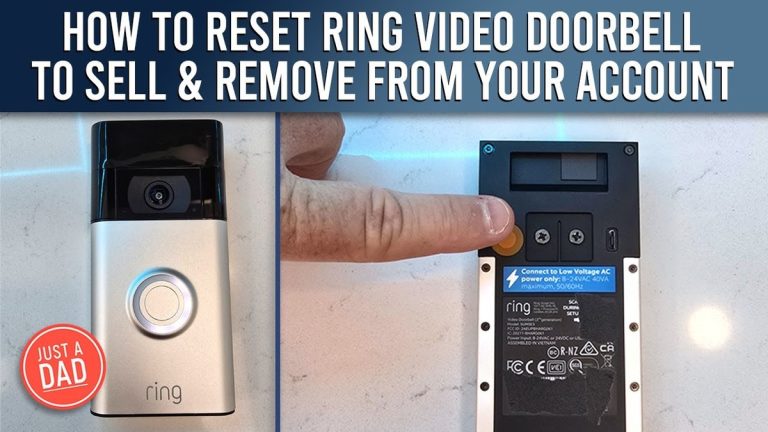
Video doorbells have the same placement issues. A camera facing a busy street may send constant alerts. The fix is usually adjusting the motion zone. The same logic applies when a video doorbell does not sense motion.
Limitations and How to Combine Both Sensors
When a door sensor alone is not enough
A door sensor cannot tell you if someone is already inside. It cannot detect a broken window at the back of the house. It cannot tell you if someone left a door open. Those gaps matter in a real break-in.
A motion sensor fills part of that gap. It can detect movement inside a room, even if no door or window was opened. That makes it useful for covering hallways, living rooms, and other interior spaces.
Building a layered security approach with both sensor types
The strongest setup uses both. Place door sensors on all entry points. Place motion sensors in main living areas and hallways. Link both to the same app or hub so you get one clear view of activity.
Start small. Buy one door sensor, install it, and test it for a week. Then add a motion sensor in the room that matters most. Expand as your budget allows. A simple layered system beats a complicated one you stop using.
Your locks are the first layer. A sensor tells you when that lock is used or bypassed. If you are choosing between keyed and keyless entry locks, that choice shapes your entry setup.
Choose a door sensor first for a simple, reliable entry-point alert. Add a motion sensor when you need to know about movement inside a room. Both are affordable, battery powered, and easy to start with. Verify placement, power, network, and subscription details for the exact model you choose.
Frequently Asked Questions
A door sensor detects when a specific door or window opens. A motion sensor detects movement inside a room. They cover different gaps and work well together.
Start with a door sensor if you rent, want a simple setup, or need to know when a specific entry point opens. Add a motion sensor later if you need room-level coverage.
Yes. Place door sensors on entry points and motion sensors in main living areas. Link both to the same app or hub for one clear view of activity.
Basic alerts and local history usually work without a subscription. Cloud storage, advanced alerts, and professional monitoring typically require a paid plan.
Some models are pet-immune and ignore animals under a set weight. That weight limit varies by model, so check the exact specification before relying on it.
Most wireless sensors run on batteries, so they keep working when the power is out. If your system depends on Wi-Fi or a hub, an internet or hub outage can still stop alerts.



One Comment