Ring video doorbell specs matter most when they match your entryway, Wi-Fi, and power setup. Check the exact model’s resolution, storage, and privacy settings before you buy.
Ring video doorbell specs matter most when you want the right fit for your entryway, Wi-Fi, power source, and privacy needs. This guide explains the core numbers and features buyers and users should check before they install or live with a Ring doorbell.
Ring Video Doorbell Specs: What Buyers and Users Need to Know
The most useful Ring specs are the ones that affect daily use. Focus on video quality, power, Wi-Fi, motion coverage, storage, and privacy settings. If those match your home, the rest is usually easier to manage.
Quick answer: the specs that matter most for placement, power, Wi-Fi, and privacy
Start with four checks. Look at where the camera can see. Check how it gets power. Test how strong your Wi-Fi is. Then review the recording controls you need.
Those factors shape alert quality, video clarity, and setup success more than any single marketing feature.
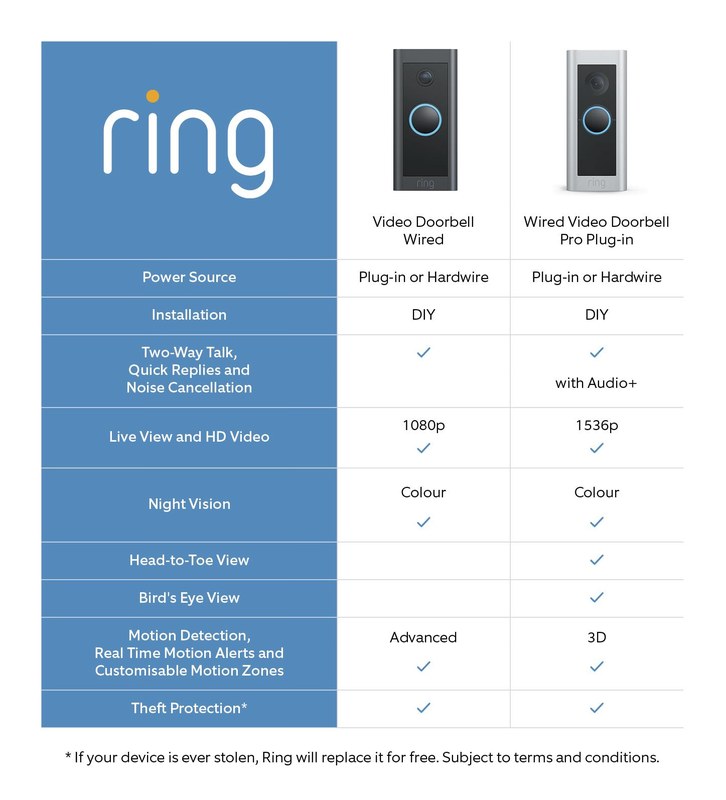
Core specs of the Ring Video Doorbell shown in one view.
Core specs tell you what the camera can capture and how well it can work in real homes. The most important ones are resolution, field of view, audio quality, night vision, and weather resistance. Exact values vary by model, so check the product page or manual for the specific device.
Video resolution, field of view, and motion coverage
Resolution affects how clear faces, packages, and movement look on screen. Higher resolution can help. It does not fix a poor mounting angle or weak Wi-Fi.
Field of view matters just as much. It decides how much of the porch, walkway, and street appear in frame.
Motion coverage depends on the camera angle, motion zones, and how far people pass from the door. A wider view can help with package monitoring. It may also capture more public space. That makes careful placement important.
Audio quality, two-way talk, and noise handling
Two-way talk lets you hear visitors and speak through the app. Clear audio depends on microphone quality, speaker volume, and background noise near the door. Busy streets, wind, and echo from porches can make conversations harder.
For households that expect frequent delivery drops, audio quality matters because it helps with quick instructions. Still, a doorbell is not a substitute for direct contact when a situation feels unsafe or urgent.
Night vision, low-light performance, and weather durability
Night vision helps the camera work after dark, but performance still depends on porch lighting and where the camera points. Low-light scenes may look grainy, especially if the area is dark or backlit.
Weather durability is another practical spec. Look for the exact model’s outdoor rating and operating range in the manual. Do not assume every Ring doorbell has the same protection level.
Power Options and Home Setup Constraints
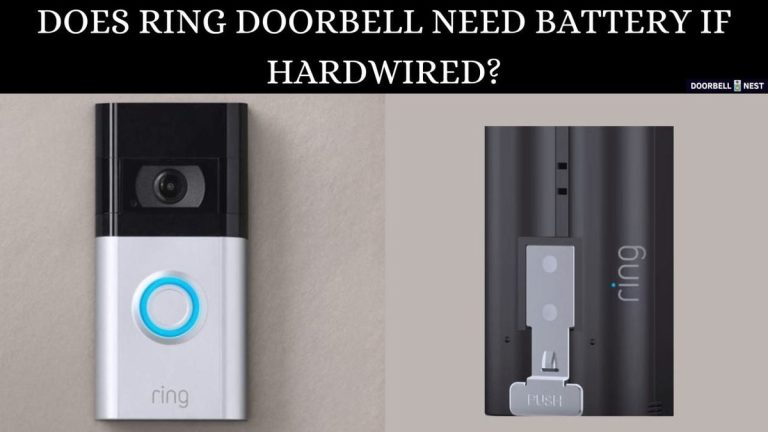
Power is one of the biggest setup differences between Ring models. Some use removable batteries, while others can be hardwired to existing doorbell wiring. Your home’s wiring, transformer, and chime setup can limit which model fits best.
Battery-powered vs. hardwired installation
Battery-powered models are usually easier for renters and homes without doorbell wiring. They can be placed with fewer electrical concerns. They still need charging or battery changes.
Hardwired models can offer continuous power, but they depend on compatible wiring and a proper transformer. If your wiring is old or unclear, stop and check the exact manual before continuing.
Transformer, chime, and voltage considerations for homeowners
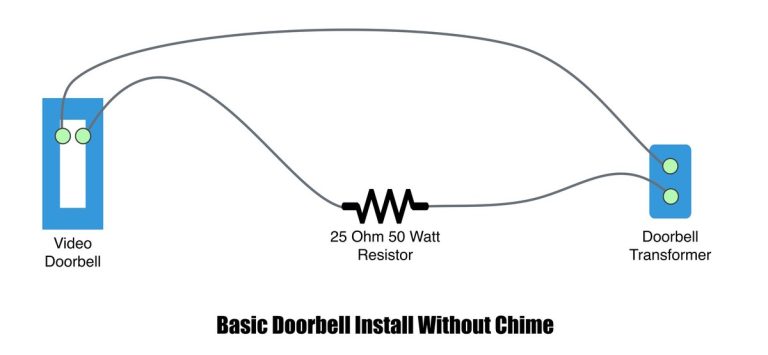
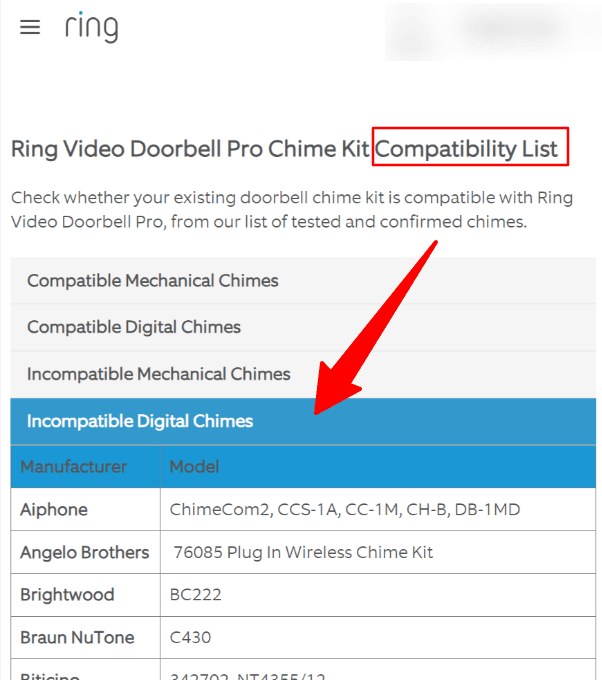
Doorbell wiring is low voltage, but it still needs the right transformer output. A mismatch can cause poor performance, chime issues, or setup failure. Mechanical and digital chimes may also need different accessories or settings.
Renter-friendly placement and no-drill limitations
Renters often need no-drill mounts, adhesive options, or approved mounting points. That can limit angle, height, and weather protection. It can also affect motion detection and how well the camera sees visitors.
Always check lease terms before drilling or rewiring. If the landlord or HOA has rules, follow them before buying accessories.
Wi-Fi, App Access, and Smart Home Compatibility<
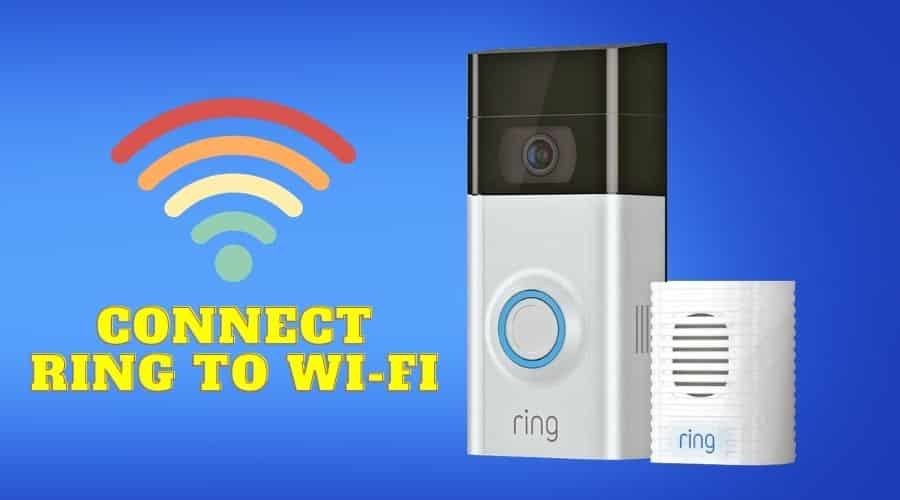
Wi-Fi and app access connect the doorbell to smart home systems.
Ring doorbells rely on steady home internet and the Ring app for alerts, live view, and recorded events. A strong connection matters more than raw internet speed in many homes. Placement and signal quality often decide how reliable the doorbell feels day to day.
2.4 GHz Wi-Fi requirements and signal strength basics
Many video doorbells work best on 2.4 GHz Wi-Fi because that band reaches farther through walls. It is slower than 5 GHz, but range usually matters more at the front door. Check the exact model’s network support before purchase.
A weak signal can cause delayed alerts, frozen video, or failed uploads. If the doorbell sits far from the router, test signal strength before final mounting.
Router placement, mesh systems, and connection drop troubleshooting
Router placement can make a big difference. If the router sits in a basement or far corner, the front door may get a weak signal. Mesh systems can help by extending coverage closer to the entryway.
When alerts lag, start with safe checks. Reboot the router. Confirm the app and firmware are current. Look for interference from thick walls or metal doors. If problems continue, move the router or add a mesh node.
Alexa, smart displays, and connected-home integration limits
Ring often works with Alexa and some smart displays, but the exact features depend on the model and account setup. Some functions may require a compatible device, a subscription, or enabled permissions. Do not assume every voice command or display feature is included.
Good placement improves nearly every part of a doorbell camera. It helps with face capture, motion alerts, package viewing, and privacy control. The best spot is not always the most obvious one.
Entryway height, angle, and motion-zone coverage
Mounting height affects who appears on camera. Too high, and faces may be hard to see. Too low, and the camera may miss taller visitors or capture too much ground.
Angle matters too. A slight tilt can improve face capture and reduce blind spots. Use the app’s motion zones, if available, to focus on the porch and walkway.
Door swing, porch layout, and blind-spot reduction
A door that swings outward can block part of the camera view. Railings, columns, awnings, and package shelves can also create blind spots. Walk the path a visitor would take and check what the camera would see.
If the porch is narrow, you may need a wedge mount or a different angle. Small changes often improve visibility more than changing video settings alone.
Neighbor privacy, sidewalk views, and privacy zone setup
Doorbell cameras can capture sidewalks, shared hallways, or neighboring doors. That can create privacy concerns even when the camera is legally installed. Privacy zones, if the model supports them, can help block areas you do not need to record.
Ownership cost is more than the device price. You may also need a subscription, accessories, replacement batteries, or installation help. The right plan depends on how often you want to review recordings and how many devices you have.
What free use covers and what requires a paid plan
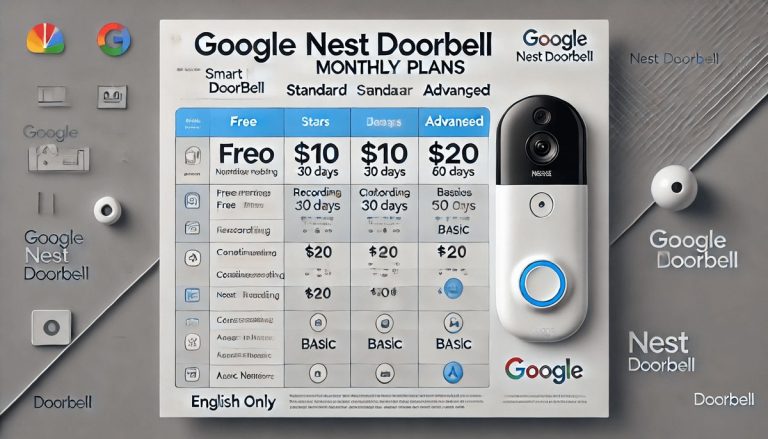
Ring’s free features and paid features can differ by product and region, so verify the current plan page. In many cases, live view and alerts are not the same as full video history. Cloud recording often depends on a paid plan.
Before you buy, compare the device cost with the ongoing plan cost. A lower upfront price can still become more expensive over time.
Cloud video history, event saving, and retention length
Cloud storage is useful because it keeps clips off the device. That helps if the doorbell is damaged or removed. But cloud access depends on your account, internet connection, and the provider’s retention rules.
Local storage, when offered, avoids some subscription costs but can be easier to lose if the device is stolen. Each option has tradeoffs.
Local Storage
Uses hardware you control.
May reduce monthly costs.
Can be lost if the device is stolen or damaged.
Cloud Storage
Stores clips off-device.
Usually depends on a plan and internet access.
Retention and access rules vary by provider.
Total cost of ownership: device, accessories, and subscription over time
Think about the full setup. Add the doorbell, mount, chime accessories, batteries, and any installation help. Then add the monthly or yearly plan if you want event history.
DecatHome’s Ring battery doorbell subscription guide can help you understand the ongoing cost side. That is especially useful for households comparing several cameras or doorbells.
Privacy and Cybersecurity Considerations
Connected doorbells bring security benefits, but they also create account and data risks. Good password habits, update habits, and user permissions matter. These basics protect access to live video and stored clips.
Account security, MFA, and password hygiene
Use a unique password for the Ring account. Turn on multi-factor authentication, often called MFA, when available. MFA adds a second check beyond the password.
Shared users, permissions, and recovery access
Households often share one doorbell. That means each person may need the right app access and notification settings. Review who can view live video, delete clips, or manage devices.
Also check account recovery options. If the main account holder loses access, you do not want the whole system locked out.
Data handling, notifications, and protecting footage from misuse
Alerts can be helpful, but too many notifications can cause people to ignore them. Tune motion zones and notification settings so the system stays useful. That also lowers the chance of unnecessary viewing.
Protect footage from misuse by limiting access, reviewing integrations, and deleting old clips when you no longer need them. For more setup context, DecatHome’s Ring battery doorbell guide covers practical day-to-day use concerns.
Maintenance, Troubleshooting, and Long-Term Use
Doorbells work best when you keep them charged, clean, and updated. Most long-term problems come from power, Wi-Fi, dirt, or settings drift. Small maintenance steps can prevent many of them.
Battery charging, cleaning, and weather-related upkeep
If your model uses a battery, set a reminder to charge it before it runs too low. Cold weather can shorten battery life. Dust, pollen, and spider webs can also affect the camera view or motion sensing.
Wipe the lens gently with a soft cloth. Avoid harsh cleaners that could damage the housing or coating.
Common issues: delayed alerts, weak Wi-Fi, and missed motion events
Delayed alerts often point to weak Wi-Fi, busy network traffic, or app notification settings. Missed motion events may come from poor placement, the wrong motion zone, or a low battery. Start with the simplest fixes first.
Check whether the app is allowed to send notifications. Then test live view, motion settings, and signal strength. If the doorbell still misses events, rethink placement before replacing the device.
When firmware updates, resets, or support escalation are appropriate
Firmware updates can improve stability and fix bugs. Install them when available and follow the app prompts. A reset may help after setup failures, but use the exact manual so you do not erase settings by mistake.
If a device still fails after basic checks, contact support or a qualified installer. That is especially important for wiring or power problems.
Choosing the Right Ring Setup for Your Home
The best Ring setup depends on your home type, your internet, and how much privacy control you want. A renter, a single-family homeowner, and a busy household may all need different specs. The right choice is the one that fits your entryway and your daily routine.
Best fit for apartments, rentals, single-family homes, and busy porches
Apartments and rentals often do best with battery power and no-drill mounts. Single-family homes with existing wiring may prefer a hardwired setup for less charging. Busy porches may need stronger motion control and better angle planning.
When to prioritize power, storage, or privacy over extra features
Choose power stability if you want fewer charging tasks. Choose storage and retention if you want easier clip review. Choose privacy controls if your camera faces shared space or nearby homes.
Next steps: measuring your entryway and checking compatibility before purchase
Measure the mounting spot. Note the door swing. Check Wi-Fi strength at the front door.
Then verify power needs, chime compatibility, and plan requirements. If you want a model-by-model comparison, DecatHome’s Ring battery doorbell 2K vs 4K article can help you compare image detail and value.
Final Takeaway
Ring video doorbell specs matter most when they match your home’s power, Wi-Fi, and placement limits. Check the exact model manual, plan costs, and privacy settings before you buy, then set it up with the entryway in mind.
Hi, I'm Marcus Sterling, a smart home security expert with over 5 years
of hands-on experience testing and reviewing hundreds of security cameras, smart locks, and alarm systems. My mission is to make smart home security accessible, affordable, and easy to understand—and every review I publish is 100% independent, unbiased, and honest. I don't accept payments for positive reviews, just practical advice to help you secure your home with confidence.
Quick Security Answer If your home already has compatible wiring and solid 2.4 GHz Wi-Fi, setup is usually manageable for a beginner. The main checks are power, chime compatibility, placement, and account security. Wyze video doorbell v2 installation is usually straightforward for homes that already have doorbell wiring and a stable 2.4 GHz Wi-Fi signal….
Quick Security Answer A wired video doorbell can be a practical upgrade if your transformer, chime, and Wi-Fi all match the model’s requirements. Renters and shared buildings should check rules first, because wiring access and mounting limits can change the best option. Wiring video doorbell usually means connecting a new smart doorbell to the low-voltage…
Quick Security Answer Ring video doorbell compatibility depends on power, Wi-Fi, and mounting fit first. Homeowners and renters should also check chime support, privacy settings, and ongoing subscription costs. Ring video doorbell compatibility starts with three basics: power, Wi-Fi, and fit at the door. If those line up, most homeowners can move forward with setup….
Quick Security Answer Yes, Nest Doorbell can have a monthly fee if you want cloud video history and some advanced features. Basic live view and alerts may still work without paying, depending on the model and current Google Home plan. Does Nest Doorbell Have a Monthly Fee? The short answer is yes, but not always…
Quick Security Answer Most Ring Wi-Fi connection problems come from weak signal, band mismatch, or power trouble. Start with the router, password, and battery or wiring before you reset anything. When a ring video doorbell not connecting to wifi problem shows up, the cause is usually simple. It is often weak signal, a setup mismatch,…
Quick Security Answer Yes, many Ring battery doorbells can be hardwired to existing low-voltage doorbell wiring. In most homes, that wiring helps charge the battery rather than replace it. can ring battery doorbell be hardwired is a common question. Many Ring battery models can connect to existing low-voltage doorbell wiring. But that wiring usually helps…