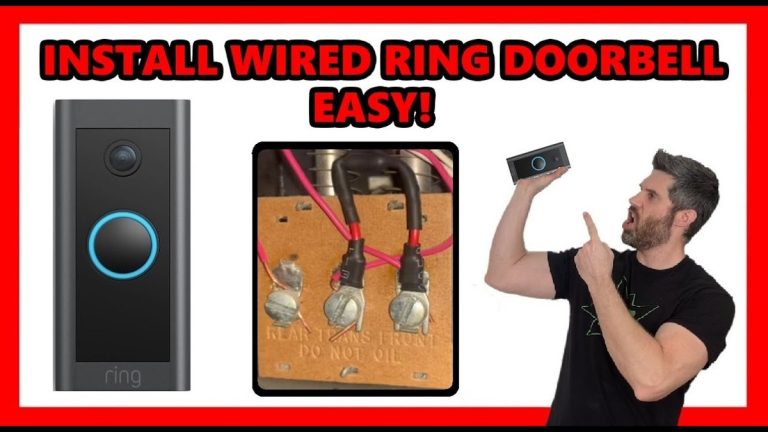
A wired video doorbell can work with an existing chime if the transformer, wiring, and chime type match the model’s requirements. Check those details first, because compatibility, Wi-Fi strength, and storage costs often decide whether the setup is simple or frustrating.
A wired video doorbell that works with existing chime is often the easiest choice for homes with low-voltage wiring. It can use your current transformer and indoor chime. But the voltage, chime type, and wiring must match the model’s needs.
That makes compatibility the main question, not just “wired or wireless.” In many homes, the doorbell can ring the old chime and send app alerts at the same time. In others, you need a power kit, chime adapter, or transformer upgrade first.
What a Wired Video Doorbell That Works With Existing Chime Actually Means
A wired video doorbell that works with existing chime uses your home’s low-voltage doorbell circuit for power and ringing. The button sends a signal to the indoor chime. The camera and app use the same wiring for steady power. The exact setup depends on whether the chime is mechanical or electronic.
How wired power and mechanical or electronic chimes work together
Most wired doorbells run on a transformer. A transformer steps household voltage down to low voltage. That low-voltage circuit powers the doorbell and the chime.
Mechanical chimes use moving parts. Electronic chimes use a speaker and circuit board. Some video doorbells work with both. Others need a special adapter or bypass. That helps stop buzzing, humming, or failed ringing.
Marcus Sterling’s Security Note: the safest assumption is that “wired” does not mean “universal.” The manual for the exact model should name the supported transformer range, chime type, and any required power accessory.
Why compatibility matters before you buy or install anything
Compatibility affects more than convenience. A mismatch can cause weak power, missed alerts, a chime that does not ring, or repeated restarts.
It can also lead to extra costs if you need a new transformer or pro installation.
If you want a deeper look at the power tradeoff, see DecatHome’s guide to Ring battery doorbell wired vs battery. For homes using a specific Ring setup, the chime setup guide can also help you understand how indoor ringing works. If you are comparing a hardwired install path, the hardwire Ring battery doorbell article explains that category in plain terms.
How to Tell Whether Your Home Is Compatible
Diagram shows the wiring needed for a compatible wired video doorbell setup.
Start with the transformer, the chime, and the age of the wiring. Those three items usually tell you whether the install is simple or needs extra parts.
If any part is unknown, check the manual or ask a qualified electrician or installer.
Checking transformer voltage, chime type, and wiring age
Look for the transformer rating on the unit, on the chime label, or in the electrical panel area. Many doorbells need a specific low-voltage range, but the exact number varies by model.
Older wiring can also be brittle or undersized. That can make the circuit less reliable.
Mechanical chimes often work with more doorbells than digital ones, but not always. Digital chimes may need a power kit or bypass module so the video doorbell gets enough power.
If the wiring is hidden or the labels are gone, do not guess.
Homeowner, condo, and renter constraints that can change the setup
Homeowners usually have the most flexibility. Condos and rentals may limit drilling, exterior wiring changes, or camera placement.
HOA rules can also affect where you mount the device and what areas it can record.
Renters often do best with a reversible setup. That may mean using existing wiring only if allowed, or choosing a no-drill option instead.
If your building already has a shared chime system, confirm whether your unit can support a private video doorbell at all.
When existing wiring is enough and when it is not
Existing wiring is enough when the transformer output, chime type, and wiring condition match the doorbell’s requirements. It is not enough when the voltage is too low, the chime is incompatible, or the circuit cannot supply steady power.
Where to Place the Doorbell for the Best View and Least Trouble
Good placement improves video quality, motion detection, and privacy. The best spot usually captures faces at the door, not just the top of a head or the sidewalk.
It should also avoid pointing too far into a neighbor’s space.
Height, angle, porch depth, and field of view
Most doorbells work best at a height that faces visitors directly. If the porch is deep, a wedge mount or angled bracket may help.
That can reduce blind spots and make faces easier to see.
Field of view matters because wide angles can catch more of the porch, but they can also stretch faces or include more public space. If the door is next to a wall or screen door, check whether the camera can still see the person clearly.
Night vision, motion zones, and avoiding false alerts
Night vision helps after dark, but porch lights and reflections can still affect clarity. Motion zones let you limit alerts to the area that matters.
That can reduce false alerts from cars, trees, or passing pedestrians.
When possible, set zones to ignore sidewalks and streets. That helps keep the app useful instead of noisy.
It also lowers the chance of recording more of a neighbor’s property than you need.
Neighbor privacy and local sightline considerations
Pointing a doorbell camera at your own entry is usually the goal. Avoid aiming it toward windows, shared hallways, or private outdoor areas that do not belong to you.
In apartments and townhomes, even a small angle can matter.
Installation Basics and What the Process Usually Involves<
Basic wiring setup for a video doorbell using an existing chime.
Installation is often simple on paper, but it still involves electricity, mounting, and app setup. The safest approach is to follow the exact manual and stop if the wiring is unclear.
A careful install is better than a rushed one.
Tools, power shutoff, and safety checks
Typical tools include a screwdriver, drill, level, and sometimes a voltage tester. Before touching wires, shut off power at the breaker and confirm the circuit is dead.
If you are not sure which breaker controls the chime transformer, get help.
Check the wall surface and mounting location too. Brick, stucco, and older wood trim may need different anchors or bits.
Outdoor work also means weather exposure and ladder use, which can raise the risk level.
Connecting the doorbell to the chime and transformer
The basic wire connection usually goes to the existing doorbell wires at the front door. The indoor chime may need a connector, bypass, or power kit.
The transformer must supply enough power for both the camera and the chime circuit.
Do not assume every “existing chime” setup is the same. A mechanical chime can still need an accessory. A digital chime may need a different module or may not be supported at all.
Exact-model manuals matter here more than general advice.
When a pro install is worth considering
A professional is worth considering when the wiring is old, the transformer is hard to find, or the chime box is not labeled.
It is also a good idea if the installation needs new drilling, a transformer upgrade, or work in a rental or condo with rules.
Wi-Fi, App Setup, and Smart Home Integration
Even a wired doorbell still depends on Wi-Fi for video, alerts, and remote access. If your front door has weak signal, the app may be slow or video may fail to load.
Setup also includes account security, shared access, and any smart home links.
2.4 GHz versus 5 GHz support and signal strength at the front door
Many doorbells use 2.4 GHz Wi-Fi because it travels farther through walls. Some support 5 GHz too, but range at the front door may still be the deciding factor.
A strong signal matters more than a fast plan in many homes.
If your router is far from the entry, a mesh node or access point may help. Thick walls, metal doors, and exterior masonry can weaken the signal.
Test the app at the door before you finish the install.
Account setup, shared users, and mobile alerts
Set up the account with a unique password and turn on multi-factor authentication if offered. Then add shared users only when needed.
Family members, caregivers, and property managers may need access, but each extra user is another permission to manage.
Alerts should be clear and useful. If too many motion alerts come through, adjust zones and sensitivity before you turn notifications off.
The goal is to catch real activity without training everyone to ignore the app.
Compatibility with hubs, voice assistants, and other connected devices
Some doorbells work with voice assistants or smart hubs, but the feature set varies by model and plan. If you want announcements on a speaker or display, verify that feature before buying.
Do not assume every integration is available in every region or firmware version.
For a related setup example, DecatHome’s Ring battery doorbell chime vs Alexa article shows how the indoor chime and voice announcements can differ.
That can help you decide whether you want a traditional ring, a smart speaker alert, or both.
Storage, Subscriptions, and Ownership Costs Over Time
The sticker price is only part of the cost. You may also pay for cloud storage, extra accessories, or a professional install.
Over time, those recurring costs can matter more than the device itself.
Cloud recording versus local storage and what each means
Cloud storage saves clips on the vendor’s servers. Local storage saves clips on an SD card, hub, or base station at home.
Cloud access is convenient, but it depends on an account and internet service. Local storage can reduce monthly fees, but it may need separate hardware and backup planning.
Local Storage
Explain hardware, capacity, access, backup, and theft risks.
Cloud Storage
Explain plan cost, retention, internet dependence, account access, and provider controls.
Subscription features, retention limits, and what may be locked behind a plan
Many doorbells offer basic live view without a plan, but recording history, person alerts, or longer retention may require a subscription. Plan details change often, so check the current page before you buy.
If you are comparing models, the Nest doorbell monthly fee guide is a useful example of how plan questions affect ownership.
Without a Plan$0
Live view may still be available
Recording history may be limited or unavailable
Monthly PlanVerify current price
May add cloud recording and richer alerts
Retention and device limits vary by vendor
Annual PlanVerify current price
May lower monthly equivalent cost
Check cancellation terms first
Long-term cost comparison: upfront price, monthly fees, and replacement parts
Think in three buckets. First is the device and mount. Second is recurring storage or service fees. Third is replacement parts, such as a transformer, adapter, chime kit, or mounting hardware.
If you want a model-specific cost example, DecatHome’s Eufy Video Doorbell E340 price article is a helpful reference point.
Even then, the right choice depends on whether your home needs cloud recording, local storage, or no subscription at all.
Privacy and Cybersecurity Considerations for 2026
Smart doorbells collect video, audio, and account data. That makes privacy and account security part of the purchase decision.
The safest setup is simple: use strong account protection, limit access, and keep software current.
Two-factor authentication, password hygiene, and account recovery
Use a unique password for the doorbell account. Do not reuse a password from email or banking.
If the vendor offers multi-factor authentication, turn it on. Also save recovery codes or backup methods in a secure place.
Privacy zones, audio controls, and managing shared access
Privacy zones can block parts of the image, such as a neighbor’s window or a sidewalk. Audio controls matter too, especially in shared living spaces.
Review who can view live video, who can delete clips, and who can change settings.
Shared access is useful, but it should be deliberate. Remove old users when a roommate moves out or a contractor no longer needs access.
If the app offers temporary access, use it instead of sharing the main account.
Firmware updates, vendor support lifecycle, and data retention practices
Firmware updates can fix bugs and security issues. Check whether the device still receives updates and how long the vendor supports it.
Also review how long recordings are kept, how to delete them, and what happens if you cancel a plan.
For security-minded readers, the same rules that apply to cameras apply here too. Keep the router updated, use modern Wi-Fi encryption, and avoid unnecessary third-party integrations.
A simple setup is usually easier to secure.
Troubleshooting Common Problems With Existing Chime Setups
Most problems fall into three groups: power, Wi-Fi, or chime compatibility. Start with the simplest checks first.
Many issues can be fixed without replacing the whole system.
Chime not ringing, delayed alerts, or weak power symptoms
If the chime does not ring, check the connector, bypass, or power kit first. Then confirm that the transformer meets the doorbell’s needs.
Weak power can show up as rebooting, black screens, or a device that works only part of the time.
Delayed alerts can point to weak Wi-Fi or cloud lag. If the device rings locally but not in the app, the problem may be network-related instead of wiring-related.
If the doorbell feels warm, behaves erratically, or makes a buzzing sound, stop and check the manual.
Wi-Fi drops, app glitches, and notification failures
Wi-Fi drops often come from distance, interference, or router settings. Move the router or add a mesh node if the front door signal is weak.
Reboot the router and app if notifications stop working after a software update.
Also check phone settings. Notification permissions, battery optimization, and focus modes can block alerts.
If multiple users miss alerts, the issue may be at the account or router level, not just one phone.
Weather exposure, maintenance, and signs the system needs service
Outdoor devices face heat, cold, rain, and sun. Inspect the mount, wires, and sealant after storms or seasonal changes.
Dust and spider webs can also affect motion sensing and image quality.
If the doorbell shows repeated outages, random disconnects, or visible corrosion, service may be needed. At that point, the transformer, wiring, or mounting point may be part of the problem.
How to Decide if a Wired Video Doorbell Is the Right Fit for Your Home
A wired model is a strong fit when your home already has usable doorbell wiring and you want steady power. It is less appealing when the wiring is unknown, the building rules are strict, or you want a fully reversible setup.
The right answer depends on the home, not just the product.
Best-fit scenarios for homeowners, renters, and multi-unit living
Homeowners with an existing chime and a known transformer are usually the best fit. Renters may need landlord approval or a no-drill alternative.
Condo and apartment residents should check building rules, shared-wall limits, and whether common-area recording is allowed.
When to choose a wired model versus battery or hybrid alternatives
Choose wired if you want continuous power and already have compatible wiring. Choose battery or hybrid if the front door lacks proper wiring, if you cannot drill, or if you need easier removal later.
Hybrid models can help when you want flexibility, but they still need the right setup.
Next steps before purchase or installation
Before you buy, confirm the transformer rating, chime type, Wi-Fi strength, and storage plan. Then read the exact manual, check local rules, and decide whether you want cloud recording or local storage.
If the wiring is uncertain, stop and call a qualified professional.
Final Takeaway
A wired video doorbell that works with existing chime is a practical choice when your home already has compatible low-voltage wiring and the right chime support. The main limitation is that “existing chime” is not universal, so verify transformer, chime type, Wi-Fi, and privacy needs before you install.
No. Compatibility depends on transformer voltage, chime type, and whether the model needs a power kit or bypass. Check the exact manual before you buy or install.
Look for the transformer rating on the unit or in the chime area. The required voltage and VA vary by model, so compare the label to the manufacturer’s instructions.
Yes. The wiring usually provides power, but Wi-Fi handles video, alerts, and app access. Weak signal at the front door can cause delays or disconnects.
It depends on the model and plan. Some doorbells offer live view without a plan, while recording history or longer retention may require a subscription.
Review privacy zones, audio settings, shared users, and account security. Turn on multi-factor authentication if available and remove users who no longer need access.
Hire a pro if the wiring is old, the transformer is unclear, the chime is incompatible, or your building rules limit DIY work. A professional can also help when drilling or electrical work feels uncertain.
Hi, I'm Marcus Sterling, a smart home security expert with over 5 years
of hands-on experience testing and reviewing hundreds of security cameras, smart locks, and alarm systems. My mission is to make smart home security accessible, affordable, and easy to understand—and every review I publish is 100% independent, unbiased, and honest. I don't accept payments for positive reviews, just practical advice to help you secure your home with confidence.
Quick Security Answer A good starting height for a Ring video doorbell is usually around 48 inches from the ground. Adjust it for your porch height, steps, Wi-Fi strength, and privacy needs before drilling. Ring video doorbell installation height is usually best when the camera sits about chest level for most visitors, which often means…
The Eufy Video Doorbell E340 can work without a HomeBase, which gives us a simpler setup option. We can connect it directly to our Wi-Fi network and use the Eufy Security app to view live video, receive alerts, and respond to visitors. We can use the E340 without a HomeBase, but standalone use may limit…
Quick Security Answer Most Ring battery doorbells charge by removing the battery pack, plugging it into a USB power source, and reinstalling it after the light shows full. The exact steps can vary by model, so check your manual or the Ring app first. If you need how to charge ring battery doorbell help, the…
Blink Outdoor 4 and Ring outdoor cameras take different approaches to home security. Blink focuses on low cost, long battery life, and simple operation, while Ring offers more camera choices, stronger detection tools, and a broader smart home system. Choose Blink Outdoor 4 if you want an affordable camera with long battery life and optional…
How to install ring wired doorbell 4k pro is a practical question for homeowners and renters who want a hardwired video doorbell that fits their entryway, Wi-Fi setup, and privacy needs. This guide walks through the installation process in plain English, with safety checks, compatibility notes, and the everyday setup steps that matter after the…
Quick Security Answer Night vision can make a battery video doorbell far more useful after dark, but only if the porch angle, lighting, and Wi-Fi are solid. For homeowners and renters, the best setup is the one that fits the entryway and the house rules. ring battery doorbell pro night vision helps people get clearer…