Is Eufy Indoor Cam S350 Worth It? Features, Performance, And Value
Indoor security cameras help us monitor pets, children, entrances, and other areas from a phone. Most models offer motion alerts, two-way audio, night vision, and cloud or local storage, but image quality and app features can vary widely.
The eufy Indoor Cam S350 is a premium indoor camera with two lenses, 4K video, pan-and-tilt coverage, and built-in tracking features. We should consider it worth buying only if we need its sharp zoom, wide coverage, and local-storage options enough to justify its higher price.
When comparing indoor cameras, we focus on video quality, low-light performance, privacy controls, storage fees, tracking accuracy, and ease of use. We compared these features to determine whether the eufy Indoor Cam S350 offers enough value for most homes.
Best Alternatives to the Eufy Indoor Cam S350
We reviewed the top indoor security cameras to help us decide whether the Eufy Indoor Cam S350 is worth buying. Our list compares key features, video quality, smart controls, privacy options, and overall value.
eufy Indoor Cam S350
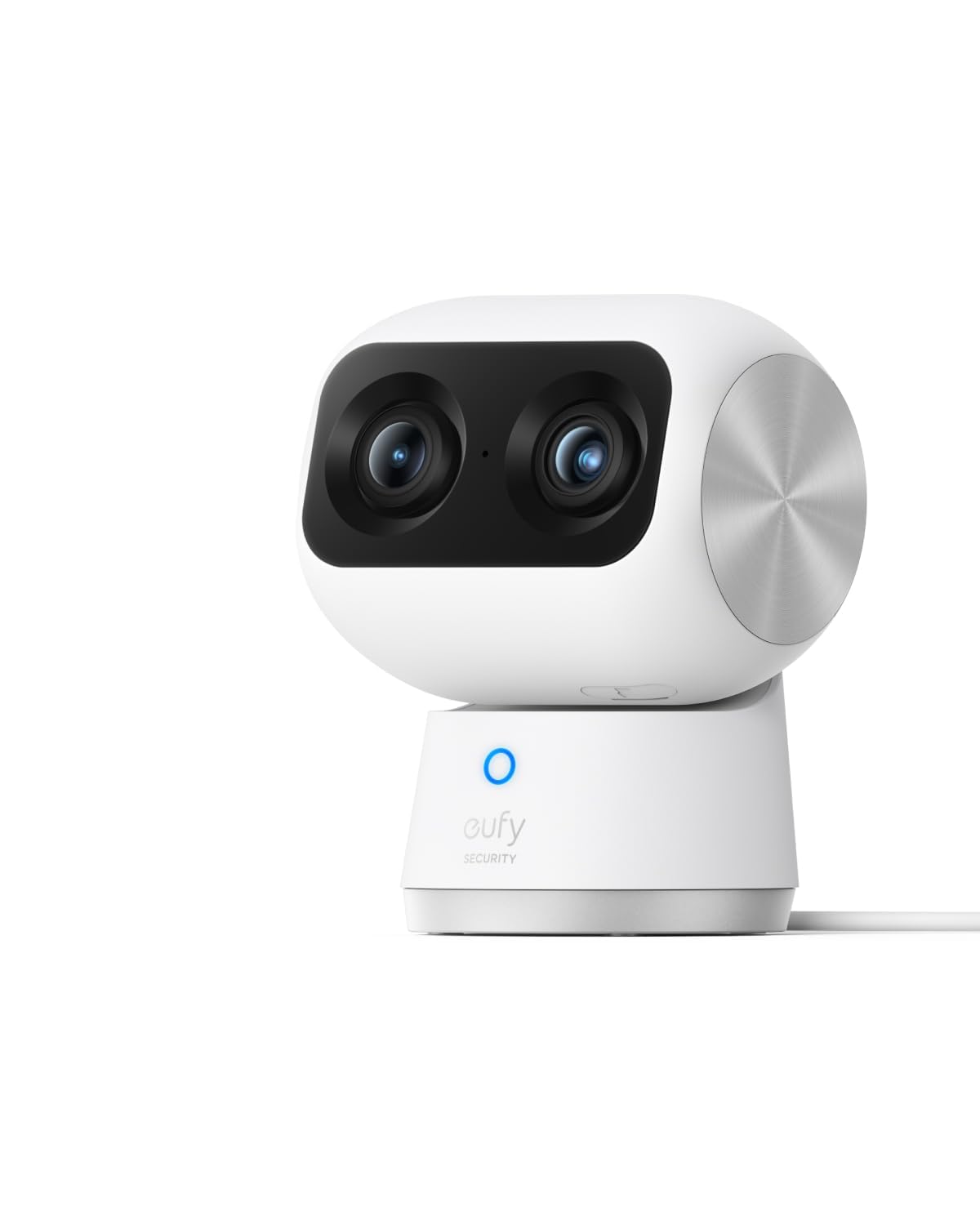
We recommend the eufy Indoor Cam S350 for buyers who want sharp indoor video, broad room coverage, and local storage without a monthly fee.
Pros
- Clear 4K view with useful close-up detail
- Smooth pan, tilt, and automatic tracking
- Local recording and a physical privacy mode
Cons
- Costs more than basic indoor cameras
- Requires a microSD card for local storage
- Does not support Apple HomeKit
In our testing, the dual-camera design made it easy to watch a full room while checking a smaller detail. The image stayed clear when we zoomed in on a pet, a child, or activity across the room.
The camera also covered large spaces well. Its pan and tilt movement followed people and pets smoothly, although automatic tracking can sometimes move the view away from the spot we wanted to monitor.
Setup through the eufy app was simple, and the camera worked on both 2.4 GHz and 5 GHz Wi-Fi. Local storage helped us avoid a subscription, but we needed to provide our own compatible microSD card.
Night vision showed useful detail in a dark room without adding bright visible light. The camera also offered alerts for people, pets, crying, and other sounds, though smart alerts may need adjustment to reduce unwanted notifications.
The S350 is a strong choice for indoor security, pet monitoring, or checking on family members. We would choose a cheaper model for basic monitoring, but the sharper video and dual-lens view make this camera worth considering for buyers who value detail.
eufy Indoor Cam S350

We think the renewed eufy Indoor Cam S350 is worth buying if we want sharp video, full-room coverage, and local recording without a required cloud plan.
Pros
- Clear 4K video with useful zoom
- Smooth pan, tilt, and person or pet tracking
- Supports microSD recording and select HomeBase 3 setups
Cons
- Requires a nearby power outlet
- HomeKit does not work with it
- The app can take time to learn
We found the image quality strong for checking pets, children, and rooms from a phone. The wide view shows most of the space, while the second camera helps us inspect details without moving the unit.
The pan-and-tilt movement also helps reduce blind spots. Tracking followed people and pets around the room well during normal use, though fast movement can still challenge any indoor camera.
Night viewing remained clear across a typical room. We also liked having local storage through a microSD card, which can reduce the need for a monthly subscription. RTSP support adds another option for users who store video on compatible network equipment.
The wired design limits placement, especially if we want to move the camera often. Setup and some alert settings may require patience, and buyers should note that this renewed version includes only a 90-day limited warranty.
We recommend it for buyers who value video quality and flexible storage. Those who need battery power, Apple HomeKit, or a very simple app may prefer another camera.
eufy Indoor Cam S350

We think the eufy Indoor Cam S350 is worth buying for clear indoor monitoring, smart motion tracking, and useful pan-and-tilt coverage at a reasonable price.
Pros
- Sharp video with helpful night viewing
- Tracks people and pets across the room
- Works with Alexa, Google Assistant, and Apple HomeKit
Cons
- Requires a power cable
- Supports only 2.4 GHz Wi-Fi
- App performance can feel slow at times
During testing, the camera gave us a wide view of the room and followed movement smoothly. The pan-and-tilt design helped us check corners without moving the camera by hand.
The image looked clear for checking on pets, children, or entry points inside the home. Motion alerts were more useful because the camera could identify people and pets instead of recording every small change.
Setup took little effort, and two-way audio let us speak through the camera. We found the microphone acceptable for short conversations, though it may not sound as clear as a phone call.
Apple HomeKit support adds flexibility, but HomeKit limits video quality to 1080p. We also had to use a 2.4 GHz network, so households that rely on 5 GHz Wi-Fi should check their router settings first.
The camera works best for renters, pet owners, and anyone who wants broad indoor coverage without buying several fixed cameras. We would choose it for everyday monitoring, but users seeking a fully wireless or outdoor camera should consider another model.
eufy Indoor Cam S350

We recommend the eufy Indoor Cam S350 for clear indoor monitoring, flexible tracking, and local storage without a required monthly fee.
Pros
- Sharp 4K video with useful night vision
- 360-degree pan and tilt with automatic tracking
- Local recording and support for Alexa, Google Assistant, and HomeKit
Cons
- microSD card sold separately
- HomeKit limits video quality to 1080p
- App features may take time to learn
The camera gives us a wide view of a room, and the pan-and-tilt movement helps us follow pets or people as they move. Its 4K image looks especially clear in daylight, while the built-in spotlight improves color viewing at night.
Setup is simple through the eufy app. Motion and sound alerts help us check on pets, children, or unexpected activity, and two-way audio lets us speak through the camera. Automatic tracking works well for keeping a moving subject in view, though it can occasionally shift our attention away from the area we wanted to watch.
We also like the option to save recordings to a microSD card instead of paying for a subscription. The card is not included, and some app settings take practice to understand. HomeKit support adds flexibility, but it reduces the video resolution.
For buyers who want strong image quality and broad room coverage, the eufy Indoor Cam S350 is worth considering. We would choose it for indoor security, pet monitoring, or a baby room, provided local storage and app setup meet our needs.
eufy Indoor Cam C31
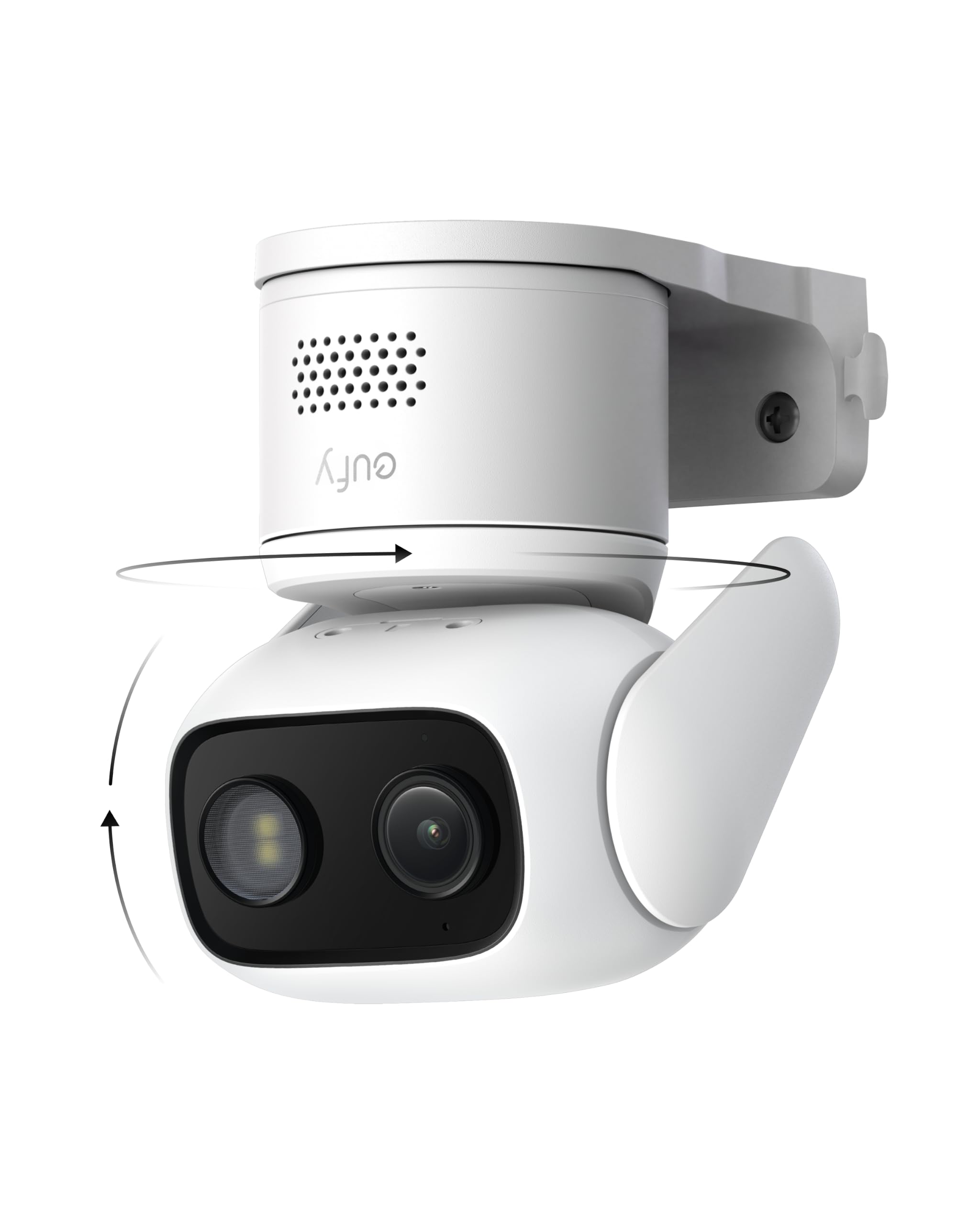
We recommend the eufy Indoor Cam C31 for flexible indoor monitoring, especially if we want local storage and no monthly fee.
Pros
- Clear color night vision without a bright spotlight
- Smooth pan, tilt, and automatic tracking
- Local recording with no required subscription
Cons
- Requires a constant wired power connection
- The included cable may limit neat placement
- Some features require a compatible HomeBase
In our testing, setup through the eufy Security app was simple. The camera gave us a wide view of the room, and its pan-and-tilt controls helped us check different areas without moving the unit.
Video quality looked good during the day and stayed useful at night. Color night vision worked without flooding the room with harsh light, which made it suitable for pets, children, or general room monitoring.
The camera can detect people, vehicles, pets, and crying, then follow movement automatically. We found this helpful, though app controls occasionally felt slow. Continuous recording also requires wired power, so placement depends on having an outlet nearby.
Local microSD storage keeps footage off the cloud and avoids subscription costs. However, the card is not included, and we should check compatibility before adding a HomeBase device. Overall, the C31 is worth considering if we value broad coverage, useful tracking, and simple local recording.
Buying Guide
We should compare indoor cameras by the features that match our space, privacy needs, and budget. Image quality matters, but tracking, storage, app controls, and night performance can affect daily use just as much.
| Feature | What we should check |
|---|---|
| Video quality | Sharp detail, stable streaming, and useful digital zoom |
| Pan and tilt | Wide coverage with smooth movement |
| Night vision | Clear images in low or no light |
| Detection | Reliable alerts for people, pets, and motion |
| Storage | Local storage, cloud plans, or both |
| Privacy | Lens cover, privacy mode, and strong account security |
| Smart home support | Compatibility with our existing devices |
| Audio | Clear two-way talk with low delay |
We should check whether the camera needs a subscription for key functions. Local storage can reduce monthly costs, while cloud storage may provide easier access and backup if the camera is damaged or stolen.
Room size and placement also matter. A camera with a wide viewing range may suit a large room, while a smaller space may not need advanced tracking or high zoom.
Before buying, we should review app ratings, return policies, warranty terms, and power requirements. We should also confirm that the camera supports our Wi-Fi network and works with the phones or smart home platforms we use.
Editor’s picks
We recommend the eufy Indoor Cam S350 for buyers who want sharp indoor video, strong zoom, and flexible tracking. Its dual-camera setup helps capture more detail than many basic 2K indoor cameras.
| Best for | Why we recommend it |
|---|---|
| Image quality | 4K wide-angle video and up to 8× hybrid zoom provide clear views |
| Room coverage | Pan-and-tilt movement helps monitor larger indoor spaces |
| Privacy | Local storage and a physical privacy mode reduce cloud dependence |
| Smart features | Person, pet, and movement detection support useful alerts |
We also like the camera’s low-light performance and two-way audio. These features make it useful for checking pets, children, or entry points inside the home.
The S350 suits us best when we want advanced features without paying for a full security system. However, buyers should check whether their preferred storage method and smart-home platform work with the camera before purchasing.
Frequently asked questions
Does the eufy Indoor Cam S350 need a subscription?
We can use the camera without a monthly fee. It supports local storage through a microSD card, while cloud storage and some extra features may require a paid plan.
Does it record in 24/7 mode?
Yes. With continuous power and enough storage, we can set the S350 to record continuously. Motion-triggered recording uses less storage and makes clips easier to review.
Does it work at night?
Yes. The camera includes infrared night vision and low-light color recording. Image quality depends on the room’s lighting and the distance from the subject.
Can we use it for pet monitoring?
Yes. Its pan-and-tilt movement, zoom, and tracking features help us watch pets across a room. Tracking may not work perfectly when objects block the camera’s view.
Does it support Apple HomeKit?
The eufy Indoor Cam S350 does not support Apple HomeKit. We can control it through the eufy Security app and connect it to supported smart-home platforms.
Can we store recordings locally?
Yes. We can insert a compatible microSD card for local recording. We should check the card’s capacity and format requirements before use.
Is it suitable for privacy-sensitive rooms?
We can use the camera’s privacy features, such as disabling recording or covering the lens. We should also review app permissions and choose a secure account password.
Conclusion
We find the eufy Indoor Cam S350 worth considering for buyers who want sharp indoor video, strong zoom, and useful tracking features. Its dual-camera design provides more detail than many basic indoor cameras, especially when we need to check faces or small objects.
The camera makes the most sense when we value local storage, privacy controls, and clear footage over a low purchase price. Its advanced features also work best when we spend time adjusting settings in the eufy app.
We should look elsewhere if we need a simple, budget-friendly camera or full smart-home support across many platforms. Cloud plans, limited compatibility, and the higher price may reduce its value for some homes.
Best for:
- Detailed indoor monitoring
- Pet and child tracking
- Local video storage
- Users who want strong zoom
Less suitable for:
- Basic security needs
- Tight budgets
- Homes built around another smart-home platform