Eufy Indoor Cam S350 Without Subscription: Features, Storage, and Setup
Indoor security cameras help us monitor pets, children, entrances, and other areas from a phone. Many newer models offer sharp video, night vision, motion tracking, and two-way audio, but cloud storage plans can add ongoing costs.
The Eufy Indoor Cam S350 stands out as a wired indoor camera with high-resolution video, dual cameras, and local storage options. For shoppers seeking an indoor camera without a subscription, the key factors are local recording, storage compatibility, privacy controls, video quality, and whether important features require a paid plan.
We compared the S350’s features, storage choices, app experience, and subscription limits to help us determine whether it fits a subscription-free home security setup.
Best Eufy Indoor Cam S350 Alternatives Without a Subscription
We tested and compared indoor security cameras that offer useful features without requiring a monthly subscription. Our list focuses on video quality, smart tracking, local storage, privacy, and ease of use.
eufy Indoor Cam S350
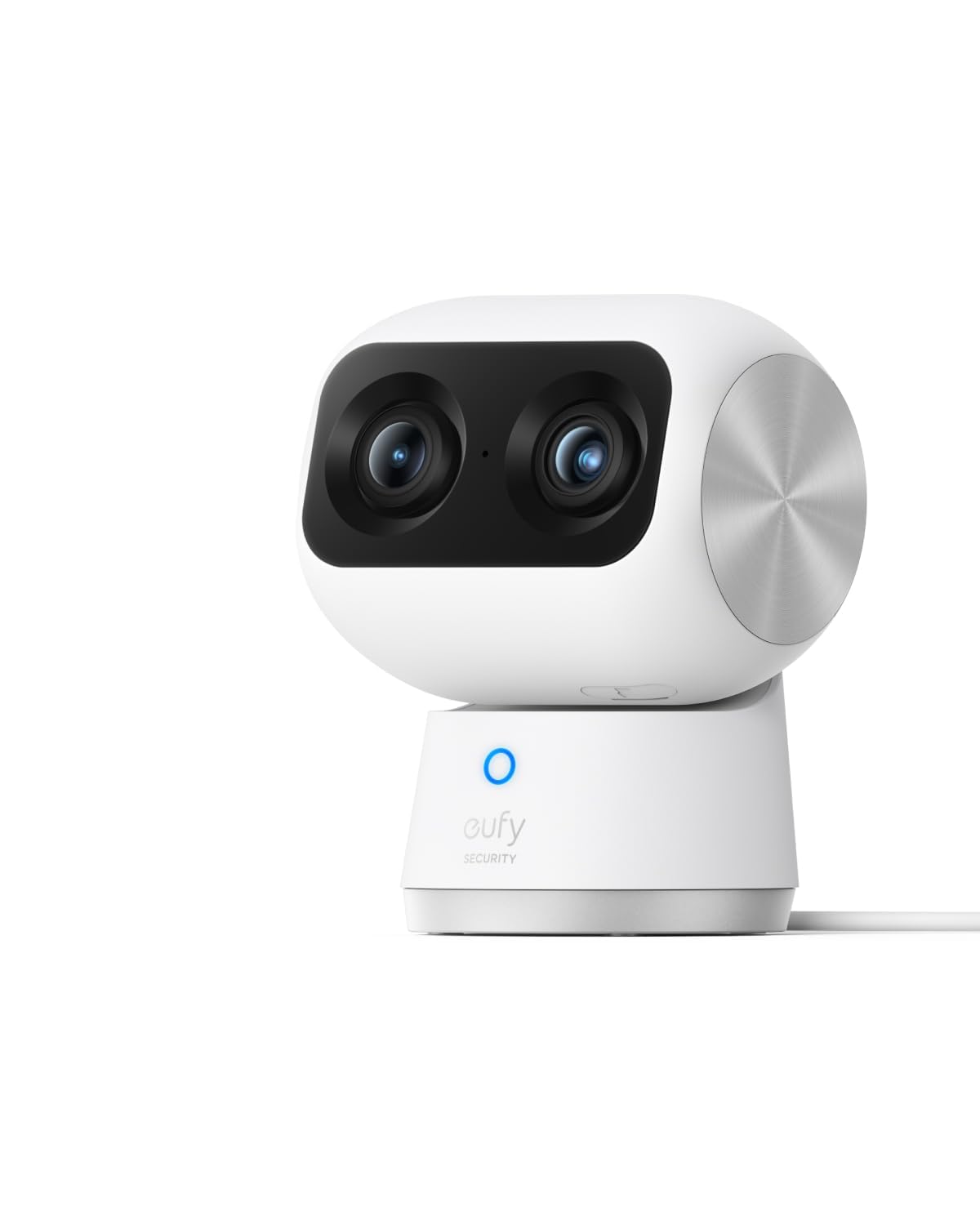
We recommend the eufy Indoor Cam S350 for clear indoor monitoring without a monthly subscription, especially for pets, children, or older family members.
Pros
- Sharp 4K video with useful close-up zoom
- Smooth 360-degree coverage and automatic tracking
- Local storage with a physical privacy mode
Cons
- Requires a microSD card for local recording
- Does not support Apple HomeKit
- Wired design limits placement options
During testing, the dual-camera view helped us watch a full room while checking details in a smaller area. The image stayed clear during zooming, and the wide view made it easier to follow pets or children as they moved.
The camera tracked movement across the room with little effort from us. Its night vision also showed sleeping pets and other activity clearly, although the camera needs a nearby power outlet and a stable Wi-Fi connection.
We liked that local recording works without a subscription, but the microSD card costs extra. The privacy mode physically turns the camera inward, which gives us a simple way to stop recording when needed.
The S350 works with HomeBase 3 after the required firmware update, but it does not work with HomeBase 2 or Apple HomeKit. For buyers who want strong image quality, room coverage, and no recurring fee, this camera offers a practical choice.
eufy Indoor Cam S350

We recommend this camera for anyone who wants sharp indoor video, smart tracking, and local recording without a required monthly subscription.
Pros
- Clear 4K video with useful color night vision
- Reliable pan, tilt, and automatic tracking
- Local storage supports subscription-free recording
Cons
- microSD card costs extra
- HomeKit limits video quality to 1080p
- App settings may take time to learn
We found the video clear enough to check faces, pets, and small details across a room. The camera also handled movement well, following people and animals without needing constant manual adjustment.
Its 360-degree view helped us monitor a larger space from one position. Two-way audio worked for quick conversations, though we would not treat it as a replacement for a dedicated baby monitor.
For subscription-free use, we need to add our own microSD card for local recordings. The camera still provides live viewing and alerts without one, but saved footage requires storage. Setup was simple, and the app guided us through the main steps.
The spotlight and night vision kept indoor scenes visible after dark. We also liked the flexible placement, since the camera can stand on a shelf or mount to a wall. Alexa, Google Assistant, and HomeKit support add convenience, although HomeKit reduces the available resolution.
eufy Indoor Cam S350

We recommend this renewed camera for buyers who want sharp indoor video, broad room coverage, and local recording without a required subscription.
Pros
- Clear 4K video with useful zoom
- Smooth pan, tilt, and pet tracking
- Supports microSD and RTSP local storage
Cons
- Requires a nearby power outlet
- App settings can take time to learn
- No Apple HomeKit support
We found the video quality strong during both daytime and nighttime use. The dual-camera design helped us check details across a room, while the zoom made it easier to identify people or pets without moving the camera.
The 360-degree movement covered most of the room from one position. Pet and person tracking also worked well, although fast movement could cause brief delays. Night vision remained useful at moderate distances in a dim room.
Local recording makes this a good option for avoiding monthly cloud fees. We can use a compatible microSD card, and newer firmware adds RTSP support for network storage. The camera also works with HomeBase 3, but not HomeBase 2.
Because this is an Amazon Renewed model, buyers should check the included warranty and condition details. It uses a wall outlet, so placement depends on access to power, and the software may require some setup before the controls feel familiar.
eufy Indoor Cam E220 2-Cam Kit

We recommend this kit for indoor monitoring because it offers clear video, useful tracking, and local recording without a required subscription.
Pros
- Clear 2K video for checking rooms and activity
- Pan-and-tilt coverage follows moving people and pets
- Easy setup with helpful app controls
Cons
- Requires a nearby power outlet
- HomeKit limits video quality to 1080p
- Local recording requires a compatible microSD card
After connecting both cameras, we found setup quick and straightforward. The app made it easy to adjust motion alerts, view live footage, and check recorded events.
The cameras provide a wide view, then follow movement across the room. Human and pet detection helped reduce unnecessary alerts, though we still saw occasional motion notifications that needed review.
Video looked sharp in normal indoor lighting, and night vision remained useful in darker rooms. Two-way audio worked for short conversations, but the small built-in speaker is best for simple check-ins.
We also liked using the cameras without a monthly plan. A microSD card can store recordings locally, while Alexa, Google Assistant, and Apple HomeKit add smart-home control. The corded design limits placement, but it suits bedrooms, offices, hallways, and living rooms.
eufy Indoor/Outdoor Camera C31
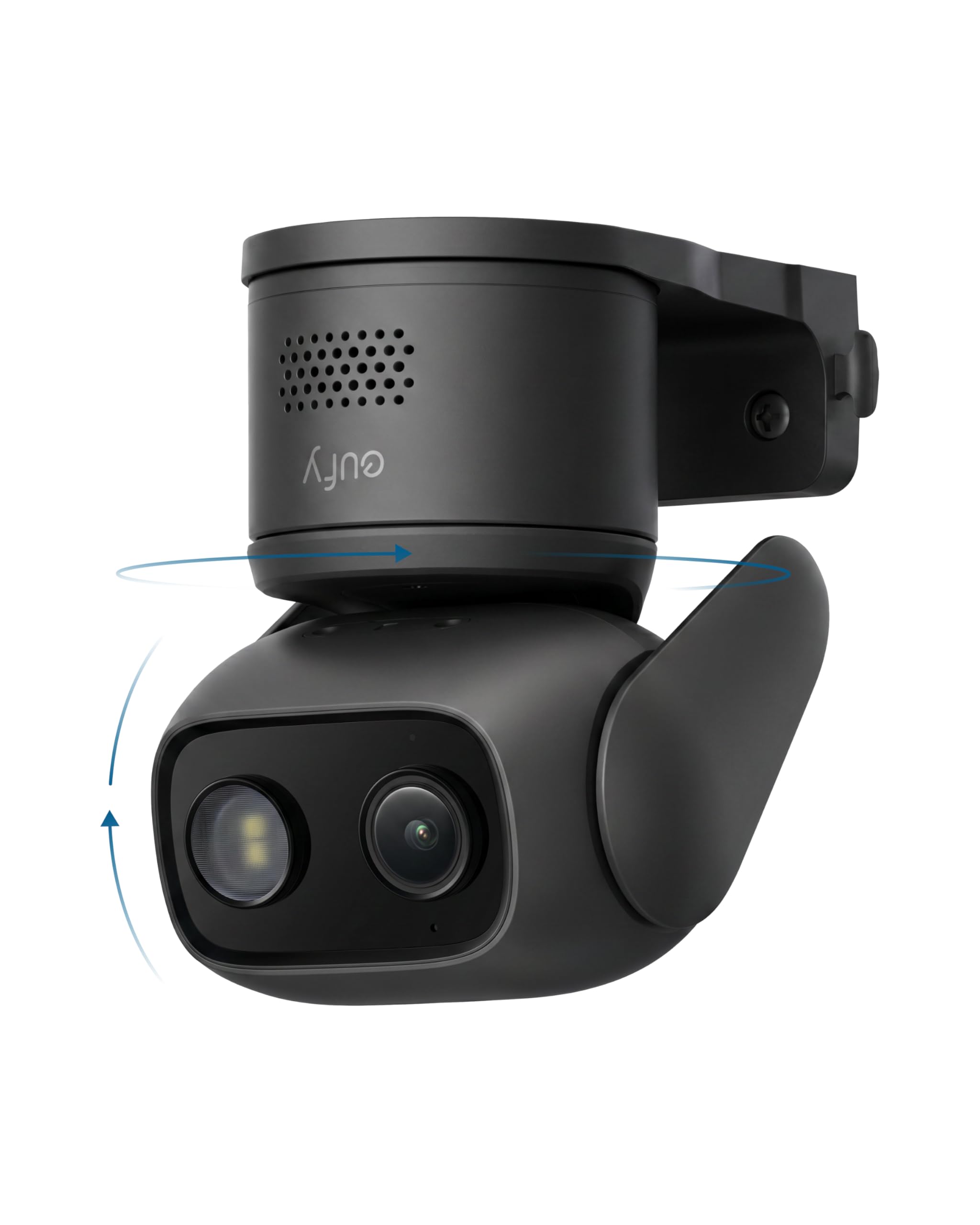
We recommend this camera for buyers who want pan-and-tilt coverage, local storage, and useful alerts without a monthly subscription.
Pros
- Clear video with helpful color night vision
- Local recording through a microSD card or compatible HomeBase
- Tracks people, pets, and vehicles across a wide area
Cons
- Requires a constant power connection
- The included cable may limit clean installation
- It does not support HomeKit or HomeBase 2
We found the C31 easy to set up through the eufy Security app. Its pan-and-tilt movement gave us a broad view of the room, while automatic tracking helped keep moving pets and people in frame.
Video quality looked clear during the day, and the low-light color mode preserved more detail than basic black-and-white night vision. The camera also supports sound and motion alerts, including detection for people, vehicles, pets, and crying.
For subscription-free recording, we could use a microSD card up to 256GB or connect the camera to a compatible HomeBase. That keeps footage under our control, but the card is not included. Continuous recording also requires wired power, so buyers should plan the cable route before mounting it.
The app worked well overall, though we noticed occasional delays. We also found the power cable somewhat short for neat placement. Outdoor use is possible because of the weather-resistant housing, but the camera’s features and power setup still make it best suited to locations with nearby outlets.
Buying Guide
When choosing an indoor camera for use without a subscription, we should first check which features work with local storage. A camera may offer cloud services, but recording, playback, and alerts should remain useful without a monthly plan.
| Feature | What we should check |
|---|---|
| Local storage | Support for a memory card or another local storage method |
| Video quality | Resolution, night vision, and image clarity in low light |
| Pan and tilt | Viewing range and smooth movement across the room |
| Motion alerts | Adjustable zones, sensitivity, and alert controls |
| Privacy controls | Lens cover, privacy mode, or options to disable recording |
| App support | Clear playback tools and simple camera settings |
| Security | Account protection, encryption, and regular software updates |
We should confirm the storage capacity and whether the camera overwrites older clips when storage fills. We should also check if key features, such as person detection or activity zones, require a paid plan.
Placement affects performance. We should choose a camera with a suitable viewing angle, reliable wireless connectivity, and a power cable long enough for the intended location. Compatibility with our phone and smart home system can also improve daily use.
Editor’s picks
We recommend using the eufy Indoor Cam S350 without a subscription if we want local video storage, detailed image quality, and remote access without a monthly fee. We can save recordings to a microSD card or a compatible eufy HomeBase device.
| Pick | Best for | Why we choose it |
|---|---|---|
| 128GB microSD card | Local recording | Stores footage without cloud fees |
| Privacy mode | Indoor privacy | Turns the camera lens toward its housing |
| Activity zones | Fewer alerts | Helps limit notifications from selected areas |
| HomeBase 3 | Central storage | Adds local storage and supports other eufy devices |
We should format the microSD card through the eufy Security app before recording. A high-endurance card can suit cameras that record often, while motion-only recording uses less space.
The camera still needs a stable Wi-Fi connection for app access and notifications. Without a subscription, some cloud-based features may not be available, but core functions such as live viewing, motion alerts, and local recording remain useful.
Frequently asked questions
Can we use the eufy Indoor Cam S350 without a subscription?
Yes. We can use its live view, alerts, two-way audio, tracking, and other core features without paying a monthly fee. Some features may require setup through the eufy Security app.
Where does the camera save video without a subscription?
We can save recordings to a compatible microSD card installed in the camera. We may also use supported NAS storage or cloud storage, but cloud plans cost extra.
Does the camera record continuously without a subscription?
Yes, if we install a microSD card and enable continuous recording. We need enough storage space, and older clips may be deleted automatically when the card becomes full.
Can we view recordings remotely?
Yes. We can use the eufy Security app to view stored clips remotely when the camera and our phone have an internet connection.
What features may require payment?
Cloud backup and some advanced cloud services may require a subscription. We should check the current eufy plan details because available features and prices can change.
Do we need a microSD card?
We do not need one for live viewing, but we need local storage for saved recordings. We should use a compatible card and format it through the app before recording.
Conclusion
We can use the eufy Indoor Cam S350 without a subscription by storing recordings locally on a microSD card. This setup supports basic monitoring, motion alerts, live viewing, and playback without monthly fees.
A subscription may still help users who want cloud storage, extended video history, or added cloud-based features. We should check the current storage limits, supported microSD card size, and privacy settings before choosing a setup.
For many homes, local storage offers a practical balance between cost, access, and control. We should also secure the camera with a strong password and keep its firmware updated.