Wired doorbell video quality is usually shaped by placement, lighting, Wi-Fi, and power stability as much as resolution. For most US homes, the best result comes from checking transformer support, mount angle, and network strength before judging the camera.
Ring wired doorbell 4k pro video quality is best understood as the mix of sharpness, motion handling, low-light detail, and network stability at the front door. For most homes, the real question is not just “4K or not.” It is whether the camera can clearly show faces, packages, and porch activity in your layout.
What “Ring Wired Doorbell 4K Pro Video Quality” Actually Means in 2026
In plain terms, this phrase points to how well a wired Ring doorbell captures usable video at the entryway. The important pieces are resolution, HDR, frame rate, and compression. Resolution affects detail. HDR helps balance bright and dark areas. Frame rate affects motion smoothness. Compression can make fine details look softer when the network is busy.
Why the answer depends on resolution, HDR, frame rate, and compression
Higher resolution can make faces and labels easier to read. HDR can help when the porch is bright behind a visitor. A smoother frame rate can make walking motion easier to follow. But strong compression, weak Wi-Fi, or poor placement can still reduce clarity.
That is why video quality should be judged by the whole chain, not one number. A camera with strong processing may outperform a higher-spec model in a difficult doorway.
What homeowners should expect from a wired doorbell camera versus a battery model
A wired model usually has steadier power. That can support more consistent recording and fewer charging breaks. That can help with reliability over time. A battery model is often easier to place, but it may trade away some convenience and continuous readiness.
How the Camera Sees Your Entryway: Field of View, Perspective, and Placement
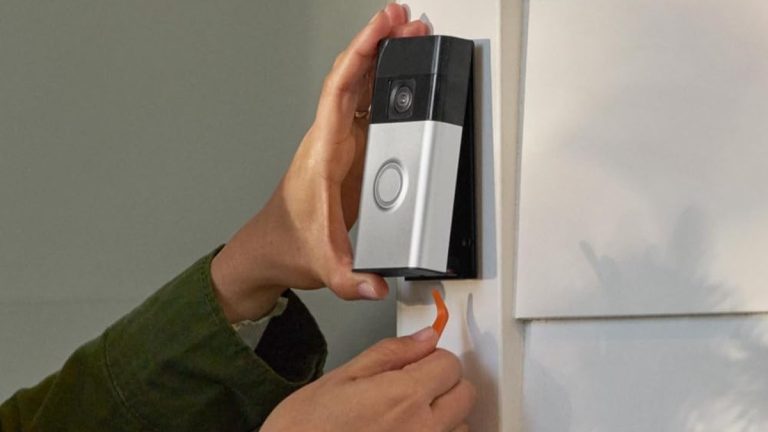
Entryway camera view illustrates field of view and mounting angle.
Placement can change video quality more than many shoppers expect. A good camera can still miss faces if it is mounted too high, too far from the threshold, or aimed at the wrong angle. The goal is to capture the visitor’s face, hands, and any package area with as little distortion as possible.
Door height, mounting angle, and distance from the threshold
Most front doors place the camera close to eye level for a visitor, but many homes mount doorbells higher than that. When the camera sits too high, it may capture the top of a head instead of a face. When it sits too far back, it may miss package placement near the step.
A short, direct view toward the landing is usually better than a wide view from the side. If the threshold is deep or the porch is narrow, small changes in angle can make a big difference.
When a wedge or corner mount improves face capture and package visibility
A wedge or corner mount can help when the door faces a wall, railing, or column. It can also help when the camera needs to look down a porch instead of straight ahead. This often improves face capture and reduces dead space.
That said, over-tilting can create new blind spots. The safest approach is to check the live view before tightening the mount.
Common layout issues for porches, steps, columns, and storm doors
Steps can hide packages. Columns can block part of the frame. Storm doors can reflect light and add glare. Side-load porches can also make motion alerts less useful if the camera points at a walkway instead of the visitor path.
If you are planning a new install, a step-by-step setup guide like Installing Ring Battery Doorbell Guide can help you think through placement before drilling. The same planning logic applies to wired models.
Night Performance, Motion Clarity, and Audio Quality
Night performance is where many doorbell cameras separate marketing from reality. Good low-light video can still lose detail if the porch is too dark, too bright, or lit from the wrong angle. Motion alerts and audio also matter because a clear clip is not useful if you cannot hear or identify what happened.
Low-light detail, color night vision, and porch lighting tradeoffs
Color night vision can improve scene recognition when there is enough light. But too much porch light can wash out faces or create shiny spots on wet surfaces. Too little light can push the camera into grainy black-and-white footage.
For night-specific setup ideas, the related Ring Battery Doorbell Pro Night Vision Review Guide explains the same lighting tradeoffs in more detail. The best result often comes from a modest porch light placed away from direct glare.
Motion zones, person detection, and reducing blurred clips
Motion zones help the camera focus on the area that matters most. That can reduce alerts from cars, trees, or sidewalk traffic. Person detection can also help sort useful clips from background movement, though it is not perfect.
Blur often comes from fast movement, weak light, or a camera that is reacting to too much activity. Tightening motion zones and reducing unnecessary triggers can improve clip usefulness.
Two-way audio, echo, and noise handling near busy streets
Two-way audio should be clear enough for a quick conversation, but outdoor noise can interfere. Echo is common near brick walls, covered porches, and open entryways. Busy streets can also make speech harder to understand.
Speak briefly and avoid standing too close to the microphone. If audio is still poor, check for wind, traffic, or a loose mounting point that may add vibration.
Power, Wi-Fi, and Home Network Requirements<
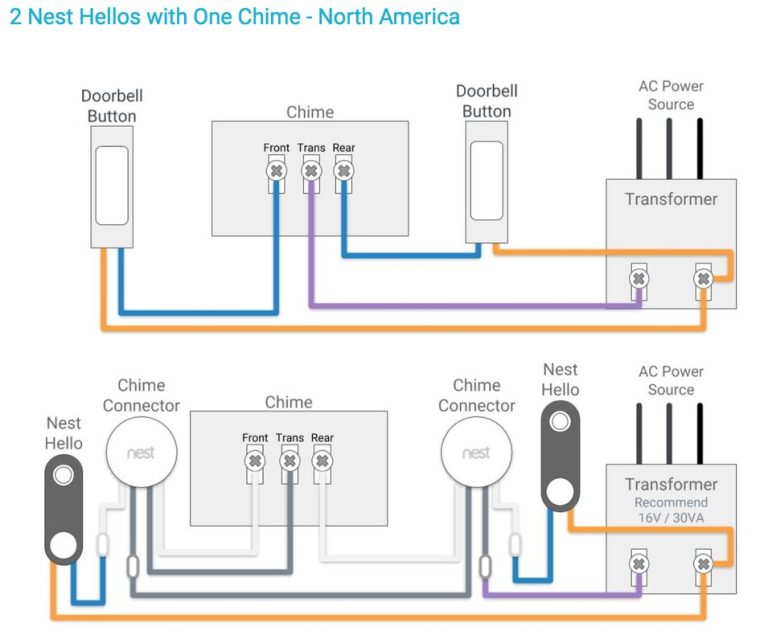
Shows the power and network setup needed for installation.
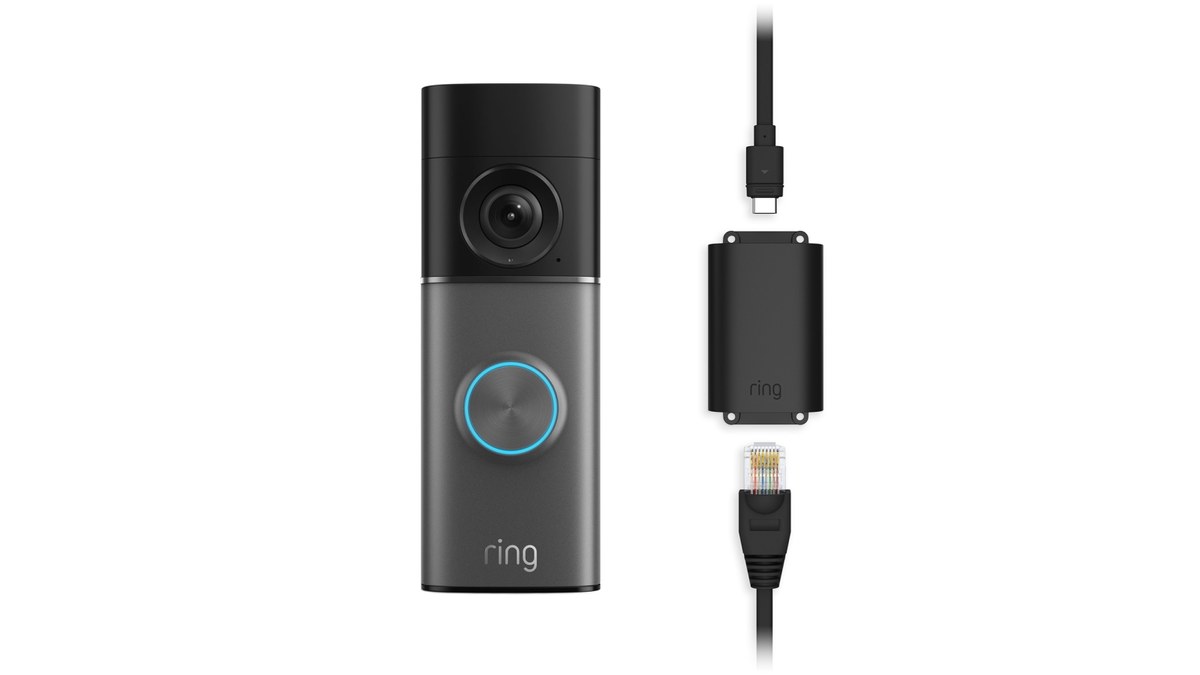
Wired power can improve consistency, but it does not remove all setup needs. A doorbell camera still depends on the right transformer, compatible chime support, and a stable home network. If any one of those pieces is weak, video quality can suffer.
Wired power basics, transformer limits, and chime compatibility
Many wired doorbells use low-voltage power from an existing doorbell circuit. The exact voltage and VA rating must match the model’s manual. Some homes also need a power kit, bypass, or adapter for the chime to work correctly.
2.4 GHz versus 5 GHz considerations for doorbell connectivity
Many doorbells rely on 2.4 GHz Wi-Fi because it travels farther through walls and exterior surfaces. Some models or hubs may support other bands, but the exact support depends on the device. A stronger signal at the door often matters more than the fastest speed in the house.
Upload speed also matters. A camera must send video out to the app or cloud, so weak upstream bandwidth can cause lag, buffering, or soft clips.
Mesh Wi-Fi, signal strength, and when a hub or extender helps
Mesh Wi-Fi can help if the front door is far from the main router. A well-placed node may improve stability more than a simple range extender. In some homes, moving the router or adding a hub near the entryway is the better fix.
If alerts arrive late or clips fail to load, check signal strength at the door first. Network distance is one of the most common reasons a camera looks worse than expected.
Installation Realities for Homeowners and Renters
Installation is often simple in theory and messy in practice. Homeowners may need to deal with old wiring, uneven trim, or weathered siding. Renters may need approval before drilling or replacing an existing doorbell.
What a typical wired replacement involves
A typical replacement means removing the old doorbell, checking the wiring, attaching the new mount, and connecting the low-voltage leads. Then you set up the app, join Wi-Fi, and test the chime and live video. The exact steps depend on the model.
If you want a general setup reference, the How To Setup Ring Battery Doorbell guide shows the type of account and app steps many smart doorbells share, even when the power method differs.
Lease-friendly concerns, removable hardware, and landlord approval
Renters should ask about drilling, wiring changes, and paint damage before starting. Some homes allow a replacement doorbell, while others require a no-drill mount or a fully removable option. Keep original parts in case you need to restore the unit later.
Written approval is best when the landlord or property manager controls exterior changes. That helps avoid disputes when you move out.
Weather exposure, sealing, and placement near siding or masonry
Outdoor gear faces rain, dust, heat, and freeze-thaw cycles. A doorbell mounted on rough masonry or warped trim may need better sealing or a different bracket. Even small gaps can let water reach the wiring opening.
Check the exact weather rating for the specific US model before you rely on it outdoors. FCC approval, a safety listing, and a weather rating are not the same thing.
Storage, Subscriptions, and Ownership Cost Over Time
Ownership cost is more than the device price. You may also need a subscription, accessories, better Wi-Fi coverage, or professional help for installation. Over time, those costs can matter more than the sticker price.
What local recording can and cannot do without a plan
Some systems offer local recording, but the exact feature set varies by model. Local storage can reduce ongoing fees, yet it may still need special hardware and may not support all alerts or remote features. It can also be lost if the device is stolen or damaged.
Local Storage
Uses on-device or nearby hardware for clips.
May reduce monthly costs.
Can be lost if the device is removed or damaged.
Cloud Storage
Stores clips on the provider’s servers.
Depends on internet access and account status.
May include retention limits and plan rules.
Cloud retention, event history, and shared access differences
Cloud plans often control how long clips stay available, how many devices are covered, and which alert features are included. Shared access can also vary. A household member may be able to view clips, but not change billing or privacy settings.
If you are comparing plan value, start with what you need most: clip history, person alerts, and easy sharing. Then check whether the plan matches that use case.
Total cost of ownership: device price, subscription, accessories, and power use
The full cost usually includes the device, a possible plan, a wedge or corner mount, and sometimes a chime accessory or power kit. If the signal is weak, you may also spend on mesh Wi-Fi or an extender. Power use is usually modest, but it still counts as part of long-term ownership.
US Price & Subscription
Typical device priceVerify current USD price
Accessories or installationWedge, chime kit, or installer fees may apply
Cloud planVerify current plan requirement
Professional monitoringNot typical for a doorbell camera
ContractVerify current terms
Privacy, Cybersecurity, and Neighbor Considerations
Doorbell cameras can record public walkways, visitors, and delivery areas. That makes privacy planning important, especially in dense neighborhoods. Good setup can reduce overcapture and lower the chance of account problems.
Privacy zones, motion masking, and avoiding public-street overcapture
Privacy zones can block areas you do not want to record, such as a neighbor’s window or part of the sidewalk. Motion masking can help limit alerts from street traffic. These tools are useful, but they work best when the camera is mounted with the right angle first.
Do not aim the camera farther into the street than you need. That can create more privacy concerns and more useless motion clips.
Account security, MFA, password hygiene, and shared-user permissions
Use a unique password and turn on multi-factor authentication if the app offers it. Review shared users often, especially after guests, contractors, or roommates move out. Keep app permissions tight and remove access you no longer need.
Cybersecurity Checklist
Use a unique password and enable MFA.
Update device, hub, router, and app software.
Review shared users, sessions, permissions, and integrations.
Use modern Wi-Fi security and isolate unsupported devices when practical.
Confirm how recordings and account data can be exported or deleted.
Data retention, app access, and vendor support lifecycle concerns
Check how long recordings stay available, how to delete them, and what happens if you cancel a plan. Also check whether the app still supports your phone’s operating system. Older devices can lose useful features over time if support ends.
For privacy and storage tradeoffs, see the related discussion in Ring Battery Doorbell Subscription Guide. Subscription terms can shape both privacy and long-term cost.
Troubleshooting Common Video Quality Problems
When video looks bad, start with the least risky fixes. Check power, Wi-Fi, placement, and app settings before assuming the hardware is defective. Many quality problems come from setup, not the camera itself.
Blurry faces, buffering, delayed alerts, and dropped connections
Blurry faces often point to poor placement, motion blur, or a dirty lens. Buffering and delayed alerts usually point to weak Wi-Fi or slow upload speed. Dropped connections may happen when the router is too far away or the signal is blocked by walls or metal surfaces.
Clean the lens, restart the app, and check signal strength at the door. If the issue continues, move the camera angle or improve the network path.
Overexposed daylight, glare, and reflective porch surfaces
Strong sun can wash out a doorway and make faces hard to see. White siding, glass storm doors, and glossy paint can reflect light into the lens. Wet concrete and snow can do the same thing.
Shade, a small angle change, or a different porch light can help. Sometimes the best fix is simply moving the camera a few inches.
When the issue is the network, the mounting angle, or the camera settings
Use a simple rule. If the image is sharp but delayed, suspect the network. If the image is clear but misses faces, suspect the angle. If the image is noisy or washed out, check the lighting and camera settings.
That order saves time and prevents unnecessary resets. It also helps you avoid changing too many things at once.
Maintenance, Seasonal Checks, and When a Wired Doorbell Makes Sense
A wired doorbell can be a strong fit when you want steady power and less charging upkeep. It makes the most sense for homeowners with compatible wiring and for renters who can get approval for a replacement. The main tradeoff is that installation and troubleshooting can be more involved.
Cleaning the lens, checking firmware, and verifying motion settings
Wipe the lens with a soft cloth and check for spider webs, dust, or rain spots. Review firmware updates and app permissions from time to time. Motion zones can drift out of usefulness if porch furniture or seasonal decorations change the view.
Cold, heat, rain, and long-term durability expectations
Outdoor cameras face temperature swings and moisture. Very hot or very cold weather can affect batteries, seals, and Wi-Fi reliability. Heavy rain can also expose weak mounting points or poor sealing around the wiring opening.
Use the exact operating range in the manual, not a guess from a product page. If the weather is outside the listed range, wait or ask a professional.
Who benefits most from a wired 4K-style doorbell setup and who should look elsewhere
This setup is a good fit for people who want steady power, frequent front-door activity, and a clearer view of faces and packages. It is less ideal for renters who cannot drill, homes with weak Wi-Fi, or porches with difficult angles and heavy glare.
For some households, a simpler doorbell or a battery model is the better match. For others, the wired setup is worth it because it reduces charging chores and can support more consistent performance.
Final Takeaway
ring wired doorbell 4k pro video quality depends as much on placement, lighting, wiring, and Wi-Fi as it does on resolution. If you want the clearest result, verify power and network basics first. Then fine-tune the mount and privacy settings for your front door.
A wired doorbell often has steadier power, which can help with consistent recording and fewer interruptions. But video quality still depends on placement, lighting, Wi-Fi, and the exact model.
Check the transformer voltage, chime compatibility, and whether the model needs a power kit or adapter. Also confirm that your front door has strong Wi-Fi and a safe mounting spot.
Blurry or delayed video often points to weak Wi-Fi, poor mounting angle, glare, or motion blur. Clean the lens, check the signal, and review the camera settings before replacing the device.
That depends on the exact model and plan terms. Some features may work without a plan, but cloud history, retention, and advanced alerts often depend on a subscription.
Use privacy zones, narrow the camera angle, and avoid recording more of the street than you need. Also review shared users, passwords, and multi-factor authentication in the app.
Clean the lens, check firmware updates, and review motion zones after seasonal changes. It is also smart to test chime behavior, alerts, and Wi-Fi strength a few times a year.
Hi, I'm Marcus Sterling, a smart home security expert with over 5 years
of hands-on experience testing and reviewing hundreds of security cameras, smart locks, and alarm systems. My mission is to make smart home security accessible, affordable, and easy to understand—and every review I publish is 100% independent, unbiased, and honest. I don't accept payments for positive reviews, just practical advice to help you secure your home with confidence.
Quick Security Answer A wired video doorbell can work with an existing chime if the transformer, wiring, and chime type match the model’s requirements. Check those details first, because compatibility, Wi-Fi strength, and storage costs often decide whether the setup is simple or frustrating. A wired video doorbell that works with existing chime is often…
Quick Security Answer Ring Battery Doorbell Plus installation is usually a manageable DIY project if your Wi-Fi is strong and the mounting spot is clear. Renters should check lease rules first, and anyone with uncertain wiring should stop and follow the manual or hire help. ring battery doorbell plus installation is usually a straightforward DIY…
Quick Security Answer Installing Ring Battery Doorbell Plus is usually a simple DIY project if the Wi-Fi, mounting surface, and app setup are ready. The biggest mistakes are poor placement, weak signal, and skipping privacy or subscription checks. Installing ring battery doorbell plus is usually a simple DIY job. Still, the details matter. Good placement,…
Choosing between the Ring Indoor Cam 2nd Gen and Blink Mini 2 depends on how much coverage, control, and ongoing cost you want. Both offer 1080p video, motion detection, two-way audio, and simple plug-in setup. I recommend the Ring Indoor Cam 2nd Gen for wider coverage and stronger monitoring, while the Blink Mini 2 makes…
Quick Security Answer Most people can install a video doorbell with basic tools, but the key is checking wiring, Wi-Fi, and placement first. Renters and HOA homes should also confirm the rules before drilling or mounting. Installing a video doorbell can be a simple weekend project. Start by checking power, Wi-Fi, and placement. The right…
Quick Security Answer A Ring battery doorbell usually takes several hours to charge, but the exact time depends on the model, battery level, charger, and temperature. If charging seems slow, check the cable, power source, Wi-Fi, and battery age before assuming the device is faulty. how long does ring battery doorbell take to charge is…