SimpliSafe video doorbell installation is usually simple if your wiring, Wi-Fi, and mounting spot are ready first. Renters should check permission rules before drilling, and every user should review app security and recording settings after setup.
Simplisafe video doorbell installation is usually simple for a homeowner with wired doorbell power. But the details still matter. Check power, Wi-Fi strength, mounting height, and app setup before you drill or wire anything.
This guide explains the installation steps, the checks to make first, and common problem spots. It also covers privacy, storage, and long-term ownership so you can set up the doorbell with fewer surprises.
What SimpliSafe Video Doorbell Installation Involves for Homeowners
Most SimpliSafe video doorbell installs follow the same basic path. Confirm compatibility, mount the bracket, connect low-voltage wires if required, then finish setup in the app.
The process looks simple on paper. In real life, the main task is matching the doorbell to your home’s power and network setup.
For many homes, the first choice is wiring or another supported power method. That choice affects install time, chime behavior, and whether you need extra parts. If you are comparing brands, the steps are similar to a Google Nest Doorbell installation guide or a Ring Battery Doorbell installation guide, but the wiring and app screens differ by model.
Before You Start: Compatibility, Tools, and Home Setup Checks
Check compatibility, tools, and home setup before starting installation.
Before installation, check power, Wi-Fi, and property rules. Those three items cause most delays, and they are easier to solve before the doorbell is on the wall.
Wired vs. Existing Doorbell Power Requirements
First, confirm whether your SimpliSafe model needs existing doorbell wiring or another power source. Many video doorbells use low-voltage doorbell circuits, but the exact voltage, transformer needs, and chime support can vary by model.
If you are replacing an older doorbell, inspect the transformer rating and the chime type before mounting anything. If you are unsure, pause and verify the exact manual or ask an electrician. A wrong power match can cause poor performance or damage.
Wi-Fi Strength, Router Placement, and Hub Considerations
A video doorbell needs a stable connection to send alerts and upload video. If the signal is weak at the front door, the app may lag, recordings may fail, or motion alerts may arrive late.
Before setup, test your Wi-Fi at the door with your phone. If the signal is poor, move the router, add a mesh node, or adjust placement if possible. For a broader look at doorbell network behavior, see this Wi-Fi requirement guide for a video doorbell.
Rental Rules, HOA Limits, and Property Permission
Renters should check the lease before drilling or rewiring anything. Some landlords allow doorbell swaps, while others require written approval. In condos or HOA communities, exterior changes may also have placement rules.
Choosing the Best Mounting Location for Coverage and Privacy
The best mounting spot balances visibility, weather protection, and privacy. A good location helps you see visitors clearly without capturing more of a neighbor’s property than necessary.
Door Height, Angle, and Field of View
Mount the doorbell at a height that captures a person’s face, not only the top of a hat or package on the ground. The ideal angle depends on porch depth, step height, and whether the door sits beside a wall or screen door.
If your entry is narrow, a wedge or angle mount may help. If the door is far from the sidewalk, a slightly lower placement can improve face capture. The goal is clear identification, not the widest possible scene.
Lighting, Weather Exposure, and Night Performance
Front-door lighting matters as much as camera quality. Strong backlight can wash out faces during the day, while a dark porch can reduce night detail. If possible, place the doorbell where a porch light or motion light helps the camera.
Weather also matters. Avoid spots that take direct sprinkler spray or heavy runoff. If the entry faces wind, rain, or snow, check the model’s weather rating in the exact product documentation before installing.
Neighbor Privacy, Shared Walkways, and Privacy Zones
Try to frame the camera toward your entry area, not a neighbor’s porch, window, or shared yard. In apartments and townhomes, shared walkways can make this harder, so placement and privacy settings matter.
If the app offers activity or privacy zones, use them to trim unnecessary areas. That helps reduce complaints and keeps the camera focused on your doorway.
Step-by-Step SimpliSafe Video Doorbell Installation Process<
A homeowner installs a SimpliSafe video doorbell using basic tools and wiring steps
The safest install is slow and methodical. Turn off power, mount the bracket, connect wiring only if the manual calls for it, and finish setup in the app before daily use.
1
Confirm requirements
Verify the exact model, power, network, storage, placement, household, rental, and platform requirements.
2
Plan safe placement
Consider privacy, field of view, weather, height, doors and windows, wiring, and emergency access.
3
Install and secure
Follow the exact manual, update firmware, use a unique password, and enable MFA.
4
Test and maintain
Test alerts, recording, outage behavior, batteries, users, permissions, and backup procedures.
Turning Off Power and Removing the Old Doorbell
Before removing an old wired doorbell, switch off the breaker that controls the circuit. Then press the doorbell once to confirm power is off, if the manual or a qualified professional says that is safe to do.
Remove the old button carefully and label the wires if needed. Keep the screws and any existing chime parts until you know whether the new doorbell needs them.
Mounting the Bracket and Connecting Wires
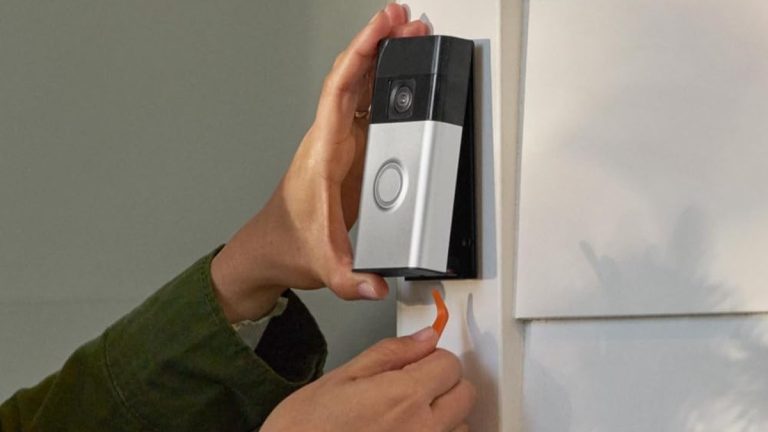
Hold the bracket level and mark the screw holes. If the surface is brick, stucco, or another hard material, use the correct anchors and drill bit for that surface.
Connect the wires only as the manual directs. Tighten the terminals firmly, but do not force them. If the wires are brittle, too short, or corroded, stop and get help. For homeowners comparing hardwired installs across brands, a hardwire video doorbell guide can help explain the same low-voltage concepts.
Connecting the Doorbell in the App and Completing Setup
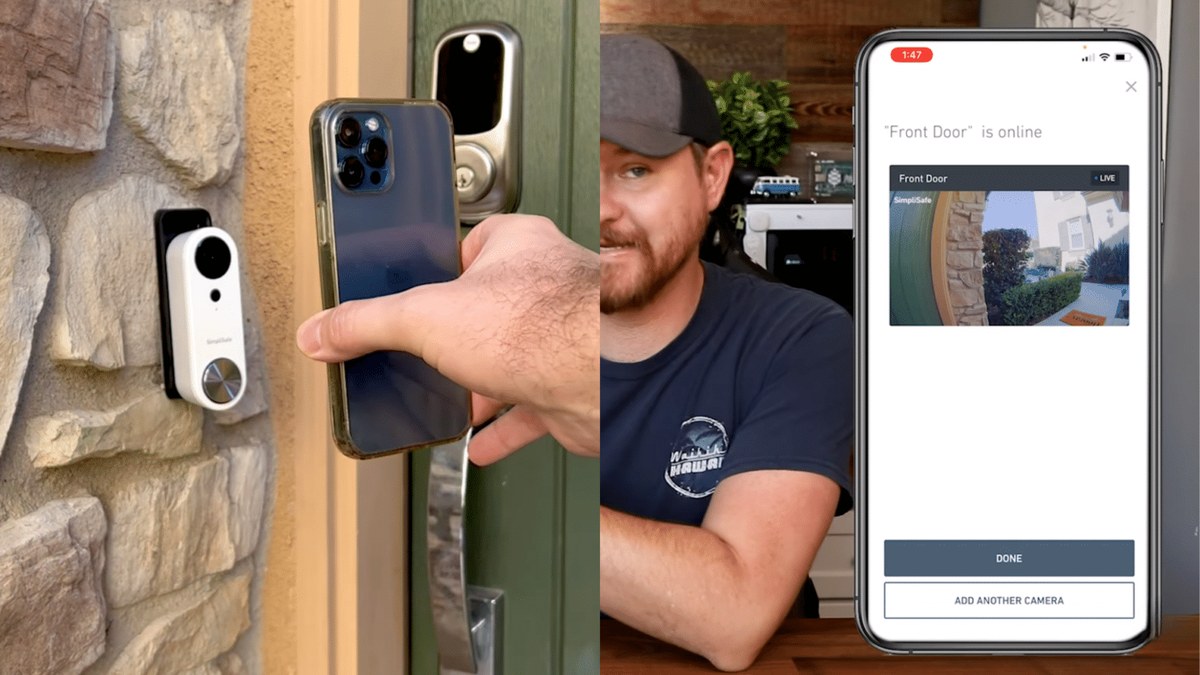
After mounting, follow the app prompts to add the doorbell, connect it to Wi-Fi, and name the device clearly. Use a room or location name that makes sense to everyone in the home.
Once the device is online, test the button, motion alerts, and live view. If the app includes firmware updates, install them before regular use. If you need a comparison of setup flow and storage behavior, the video doorbell subscription guide explains how app features often depend on plan level.
App Setup, Alerts, and Video Storage Settings
App settings decide how useful the doorbell feels day to day. The main choices are motion sensitivity, notification timing, storage, and who can view recordings.
Motion Detection, Notification Preferences, and Activity Zones
Motion settings should match your entryway, not the default factory setup. If alerts are too sensitive, you will get constant pings. If they are too quiet, you may miss visitors or deliveries.
Use activity zones when the app supports them. These zones help ignore sidewalks, streets, or neighboring porches. Start with moderate settings, then adjust after a few days of normal use.
Cloud Storage, Retention, and Subscription Differences
Some video doorbells save clips only with a paid plan, while others may offer limited free features. The exact storage model, retention period, and clip access rules vary by product and plan.
Local Storage
Explain hardware, capacity, access, backup, and theft risks.
Cloud Storage
Explain plan cost, retention, internet dependence, account access, and provider controls.
If you are comparing ownership costs, check whether the doorbell needs a subscription for video history or smart alerts. A related example is the Nest Doorbell monthly fee guide, which shows how plan requirements can change the total cost of ownership.
Shared Users, Permissions, and Account Security
Family members often need access to the same doorbell. Add only the people who need it, and review who can view live video, change settings, or delete clips.
Troubleshooting Common Installation and Connection Problems
Most problems come from power, Wi-Fi, or setup order. Start with the safest checks first, then move to wiring or support if the issue stays unresolved.
Power Issues, Transformer Limits, and Chime Problems
If the doorbell does not power on, check the breaker, wire connections, and transformer rating. A weak or incompatible transformer can cause buzzing, random resets, or an unresponsive chime.
Chime problems are common after installation. Make sure the mechanical or digital chime is supported, and confirm whether a power kit, bypass, or connector is required. If the manual is unclear, stop and verify before trying more wiring changes.
Wi-Fi Dropouts, Pairing Failures, and Firmware Updates
If pairing fails, move the phone closer to the router and doorbell during setup. Temporary network issues, weak signal, or an outdated app can block the process.
After setup, check for firmware updates and restart the router if the connection is unstable. If your signal is still weak, a mesh node near the front door may help more than repeated re-pairing. For a related comparison of camera and doorbell connectivity, see Blink Outdoor 4 vs. video doorbell.
Weak Video Quality, Lag, or Missed Notifications
Blurry video often comes from poor light, dirty lenses, or weak Wi-Fi. Lag usually points to network congestion or a slow upload connection.
Clean the lens gently, check porch lighting, and reduce unnecessary network traffic if possible. If notifications are delayed, review motion settings, app permissions, and battery or power status.
Privacy and Cybersecurity Best Practices for 2026
Security is not just about the camera. It also depends on account protection, network habits, and clear control over who can see recordings.
Two-Factor Authentication, Password Hygiene, and Recovery Access
Use a unique password for the account and turn on two-factor authentication if the app offers it. That extra step helps protect the account if a password is exposed elsewhere.
Also check account recovery options. Make sure the recovery email and phone number are current, especially if multiple adults manage the home.
Video Retention, Data Sharing, and Neighbor Privacy
Know how long clips are stored and how they can be deleted. If the system shares data with third-party services, review those permissions before enabling them.
Be careful with audio recording near shared walkways or apartment entries. Local rules can vary, so it is smart to check the exact rules for your area if the camera captures common spaces.
Secure Network Habits and Guest Access Controls
Keep the router updated and use modern Wi-Fi security. If your router supports guest or device isolation, that can help separate the doorbell from older devices that need extra caution.
Remove guest access when it is no longer needed. A shared account that stays open too long becomes a simple security risk.
Maintenance, Limitations, and Ownership-Cost Considerations
Doorbells need light maintenance to stay reliable. They also come with ongoing costs, especially if cloud storage or monitoring is part of the setup.
Cleaning, Weather Checks, and Seasonal Repositioning
Wipe the lens with a soft cloth when it gets dusty or wet. Check the mount after storms, temperature swings, or exterior painting.
If winter glare, summer sun, or porch shade changes the view, adjust the angle if the mount allows it. Small changes can improve face capture and reduce false motion alerts.
Subscription Costs, Monitoring Value, and Long-Term Ownership
Before you buy, separate the device price from the subscription cost and any installation help. That gives you a better view of the real long-term cost.
Without a Plan$0
Add verified included features
Add verified limitations
Monthly PlanAdd verified price
Add verified cloud and alert features
Add retention and device limits
Annual PlanAdd verified price
Add verified savings
Add cancellation terms
Some households only need self-monitoring. Others want professional monitoring for a broader security setup. If you are comparing those models, the Ring battery doorbell guide and related plan pages can help you see how features and fees often differ by ecosystem.
When to Call an Electrician or Support Agent
Call a qualified electrician if the transformer is unknown, the wiring looks damaged, or the chime does not match the manual. Contact support if the app will not pair, the device will not update, or the camera keeps losing power after a correct install.
Final Takeaway
Simplisafe video doorbell installation is manageable for many homes, but only after you confirm wiring, Wi-Fi, and property rules. The safest next step is to verify the exact model manual, then install slowly and test every alert before relying on it.
It depends on the exact model and the installation guide. Check whether your doorbell uses existing low-voltage wiring, a connector, or another supported power method before you start.
Test the signal with your phone at the mounting spot. If the connection is weak, move the router, add a mesh node, or choose a better placement.
Often yes, but only if the lease and landlord allow it. Some renters need written approval or a no-drill mount instead of permanent wiring changes.
Check power, restart the router, move the phone closer during setup, and confirm the app is updated. If pairing still fails, follow the exact support steps for your model.
That depends on the plan and model. Review the current storage and retention terms so you know whether clips, alerts, or history require a paid plan.
Use a unique password, enable two-factor authentication if available, and review shared users and permissions. Also check privacy zones, retention settings, and any third-party access.
Hi, I'm Marcus Sterling, a smart home security expert with over 5 years
of hands-on experience testing and reviewing hundreds of security cameras, smart locks, and alarm systems. My mission is to make smart home security accessible, affordable, and easy to understand—and every review I publish is 100% independent, unbiased, and honest. I don't accept payments for positive reviews, just practical advice to help you secure your home with confidence.
Quick Security Answer The Ring Battery Doorbell Plus is usually manageable for renters and homeowners if you check mounting rules, Wi-Fi strength, and app setup first. The biggest long-term factors are battery upkeep, privacy settings, and whether you need a paid cloud plan. ring battery doorbell plus install is usually a straightforward project for renters…
Quick Security Answer A Ring battery doorbell is a practical choice if you want front-door alerts without existing wiring. The best results come from careful placement, solid Wi‑Fi, and the right privacy and storage settings. The ring battery doorbell guide below explains what to expect before you buy, mount, or set up a battery-powered video…
Quick Security Answer Most people can install a video doorbell with basic tools, but the key is checking wiring, Wi-Fi, and placement first. Renters and HOA homes should also confirm the rules before drilling or mounting. Installing a video doorbell can be a simple weekend project. Start by checking power, Wi-Fi, and placement. The right…
Compare 9 smart home security picks, including ring battery doorbell solar charger options, with compatibility notes, value tips, and a quick buyer guide.
Wiring the eufy Video Doorbell E340 can give us steady power without relying on battery charging. Before we begin, we need to confirm that our existing doorbell transformer meets eufy’s required voltage and that the power is switched off at the breaker. We can connect the E340 to compatible existing doorbell wires, secure it to…
Quick Security Answer Yes, many Ring battery doorbells can be hardwired to existing low-voltage doorbell wiring. In most homes, that wiring helps charge the battery rather than replace it. can ring battery doorbell be hardwired is a common question. Many Ring battery models can connect to existing low-voltage doorbell wiring. But that wiring usually helps…