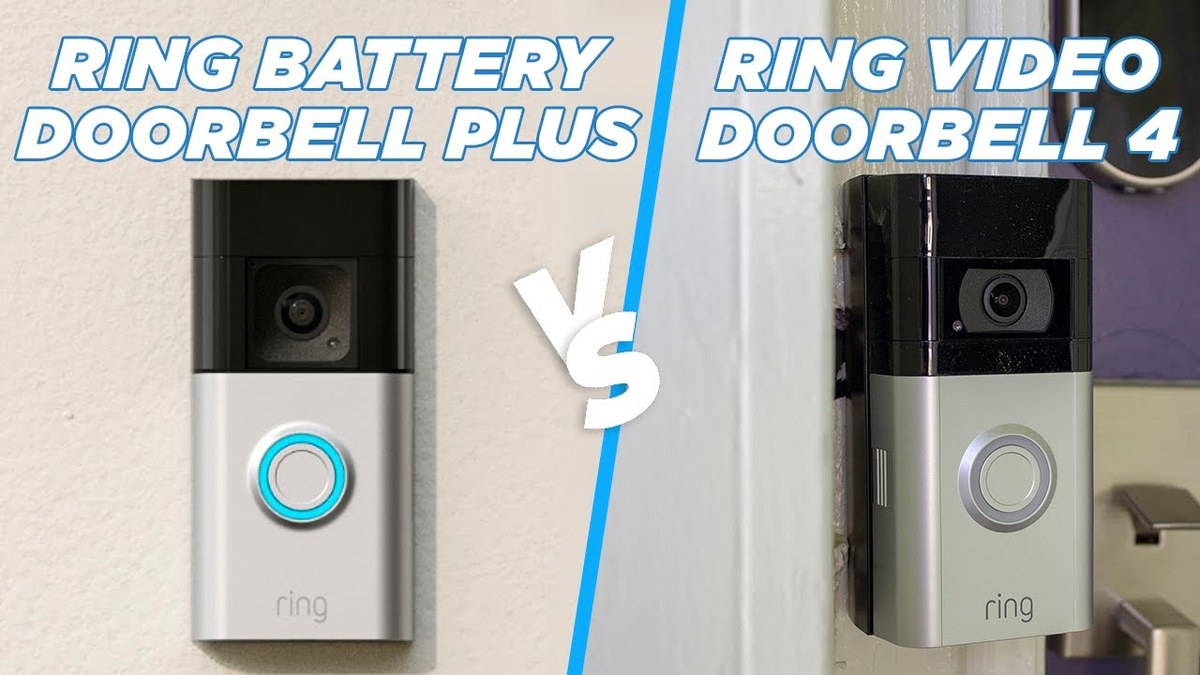
Wired is usually the better fit if you already have compatible doorbell wiring and want less upkeep. Battery is usually better if you rent, need easier installation, or want a more flexible mount.
When people search for ring battery doorbell wired vs battery, they usually want one clear answer. Should the doorbell stay powered all the time, or should it run on a rechargeable battery? In most homes, the better choice depends on whether you want less maintenance or easier installation.
Ring Battery Doorbell Wired vs Battery: The Short Answer for Most Homes
The wired option is usually better for homeowners who already have doorbell wiring. It also means fewer charging chores.
The battery option is usually better for renters, temporary installs, or homes where wiring is missing, old, or hard to use.
That simple split covers most situations. The real choice also depends on layout, Wi-Fi, privacy, and power needs. If you are comparing Ring models more broadly, DecatHome also has a helpful guide on Ring Battery Doorbell 2K vs 4K. It can help once you narrow down the power type.
How Each Power Option Works: Hardwired, Plug-In, and Rechargeable Battery
The image compares three power options for a smart home security doorbell.
Ring uses a few different power setups, and the label can be confusing. “Wired” usually means the doorbell connects to existing low-voltage doorbell wiring or a compatible adapter. Battery models use a rechargeable pack and need periodic charging.
What “wired” means on Ring models
On Ring video doorbells, wired usually means the device draws power from your home’s doorbell circuit or a listed adapter. In many cases, that setup can keep the battery topped off. It may also avoid battery charging altogether, depending on the exact model.
Wired models often suit homes that already have a working chime, transformer, and doorbell wire at the front door. But “wired” does not mean every home is automatically compatible. The exact voltage, transformer capacity, and chime support still matter.
If you are unsure about the wiring, check the manual before touching anything. For install-specific details, this related guide on Ring Battery Doorbell Plus installation can help you understand the kinds of steps involved, even though the exact model may differ.
What a battery-powered setup requires
A battery-powered Ring doorbell needs a charged battery and a secure mount. It does not depend on existing doorbell wiring. That makes it easier to place in more locations.
The tradeoff is routine charging. How often that happens depends on motion activity, temperature, Wi-Fi strength, live-view use, and alert settings. A battery doorbell can be very convenient, but it is never truly maintenance-free.
Which Option Fits Your Home Layout, Lease, or Ownership Situation?
The best choice depends on how stable your living situation is and how much work you want to do up front. If you can use existing wiring, wired is usually the lower-maintenance path. If you need flexibility, battery is usually simpler.
Renters and temporary installs
Battery models are often the easiest fit for renters. They reduce the need to alter wiring, and they are usually easier to remove when you move.
That said, renters should still check lease rules, property manager approval, and any HOA limits before mounting hardware outside. A removable setup is not the same as a rule-free setup.
Homeowners with existing doorbell wiring
If your home already has working doorbell wiring, a wired model is often the cleaner long-term choice. It can reduce battery charging and may better fit a front door that gets heavy daily use.
Before buying, verify the transformer and chime compatibility. A doorbell can still have wiring in the wall and yet fail to work well with a specific Ring model if the power supply is not right.
Front-door placement, porch depth, and weather exposure
Porch shape matters more than many buyers expect. A deep porch can change motion detection and face framing. A narrow entry can make a battery model easier to place, while a wired model may better suit a fixed, high-traffic doorway.
Weather exposure also matters. If the doorbell sits in direct sun, wind, rain, or freezing cold, battery life and charging behavior can change. Always check the exact model’s operating range and weather rating before installation.
Installation, Setup, and Ongoing Maintenance Compared<
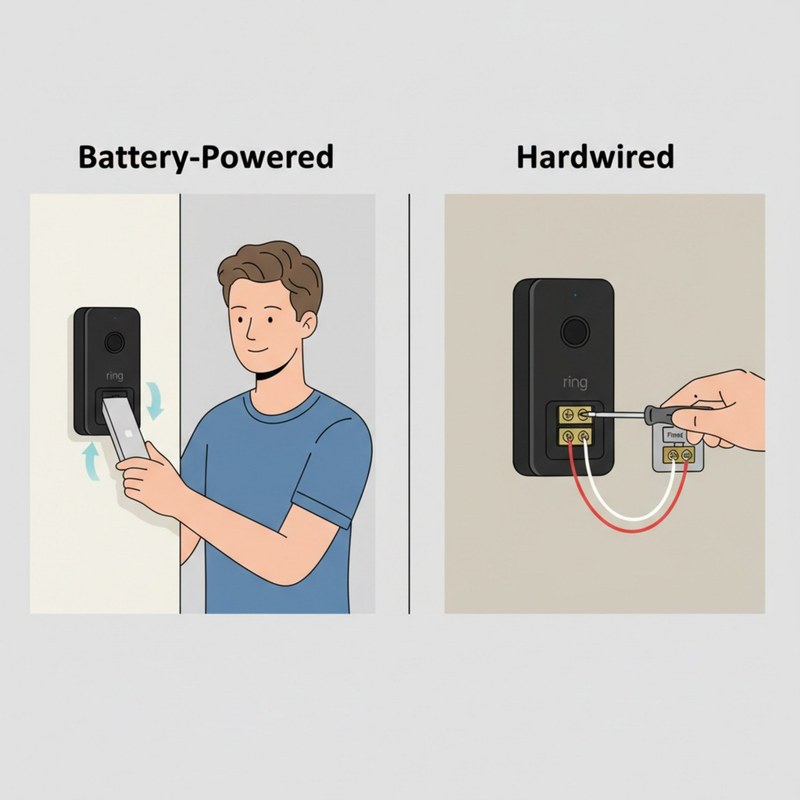
Installation, setup, and maintenance steps are compared for two doorbell options.
Wired installation usually takes more planning. Battery installation usually takes less wiring work. But battery ownership adds charging tasks that wired owners do not have.
Tools, wiring checks, and transformer compatibility
Wired installs may require a screwdriver, drill, wall anchors, and a voltage check. In some homes, the old doorbell transformer is the real issue, not the doorbell itself.
That is why the exact manual matters. Low-voltage doorbell circuits are safer than main electrical wiring, but they still deserve care. If you are unsure about the transformer, chime, or bypass kit, stop and use a qualified installer.
Battery charging routine and downtime tradeoffs
Battery models need regular charging, and that can create short downtime. Some owners remove the battery and charge it indoors. Others keep a spare battery if the exact model supports one.
This routine is manageable, but it is still a routine. If you dislike maintenance, wired is usually the more convenient path over time. If you want easy placement and can accept charging, battery is often the simpler start.
Common installation mistakes that affect performance
The most common mistakes are simple. People mount the doorbell too high or too low, skip the chime check, place it where Wi-Fi is weak, or ignore app setup steps.
Another frequent issue is poor angle. If the camera points at a wall, railing, or mailbox, motion alerts can become less useful. Good placement matters as much as power type.
1
Confirm requirements
Verify the exact model, power, network, storage, placement, household, rental, and platform requirements.
2
Plan safe placement
Consider privacy, field of view, weather, height, doors and windows, wiring, and emergency access.
3
Install and secure
Follow the exact manual, update firmware, use a unique password, and enable MFA.
4
Test and maintain
Test alerts, recording, outage behavior, batteries, users, permissions, and backup procedures.
Video Performance, Motion Detection, and Audio Differences That Matter
Power type does not change every camera feature, but it can affect how the doorbell behaves day to day. Wired models are often easier to keep active. Battery models may use power-saving behavior more aggressively.
Field of view, head-to-toe coverage, and door-step visibility
What matters most is whether the camera sees faces, packages, and the full doorway. A wider view can help with head-to-toe coverage. A tighter view may miss items near the ground.
For package visibility and front-step coverage, placement often matters more than the power choice. A well-placed battery model can outperform a poorly placed wired one in real use.
If you want to compare video quality changes across Ring models, see DecatHome’s guide to Ring Battery Doorbell 2K vs 4K for the resolution side of the decision.
Night vision, motion zones, and false alerts
Night vision helps after dark, but it is not magic. Porch lights, streetlights, and reflective surfaces can all affect what the camera sees. Motion zones help reduce alerts from sidewalks, roads, and passing cars.
Battery models can be more sensitive to power saving, while wired models may stay more ready for frequent detection. Still, false alerts usually come from placement and settings, not from power alone.
Two-way talk, wind noise, and neighborhood-facing privacy concerns
Two-way talk is useful for guests and deliveries, but outdoor audio can pick up wind and traffic noise. That can make conversations less clear on busy streets.
It also raises privacy concerns. If the doorbell faces a shared walkway, neighboring property, or public sidewalk, use privacy zones and angle the camera carefully.
Wi-Fi, App Reliability, and Smart Home Compatibility
Wi-Fi matters as much as power. A doorbell with weak signal can miss events, delay alerts, or struggle to load live view. The app and account setup also affect daily reliability.
2.4 GHz network requirements and signal strength
Many video doorbells rely on 2.4 GHz Wi-Fi because it reaches farther than 5 GHz. That helps at the front door, but it also means a crowded neighborhood network can sometimes cause interference.
If the signal is weak, check router distance, mesh placement, and wall materials. A battery doorbell can be easier to mount, but it still needs a stable network to work well.
Alexa, Ring ecosystem, and shared-user access
Ring works best when the household uses the same app and account structure. Shared users can help families, caregivers, and roommates get alerts without sharing one password.
If you use Alexa or other smart home tools, check the exact support for your model and plan. Compatibility can vary by feature, region, and firmware.
Firmware updates, account security, and MFA
Firmware updates can improve stability and security. They can also change small app behaviors, so it is wise to keep the device updated and review settings after major updates.
Use a unique password and turn on multi-factor authentication, or MFA. That helps protect the account if someone learns your password elsewhere.
Storage, Subscriptions, and Total Ownership Cost in 2026
The real cost of a video doorbell is more than the sticker price. You may also pay for cloud storage, extra accessories, replacement batteries, or installation help. The better choice depends on how you plan to use the device over time.
What works without a subscription
Some basic features may work without a plan, but the exact limits depend on the current Ring plan and model. In many cases, you can still get live view and live notifications, while video history and advanced features may require a subscription.
Because plan details change, verify the current Ring plan page before you buy. Do not assume every feature is included just because the device powers on and sends alerts.
Cloud video history, event review, and retention limits
Cloud storage is convenient because it lets you review clips from the app. The tradeoff is ongoing dependence on the vendor’s account system and internet access.
Local storage, when available on some products, can reduce subscription dependence. But it also brings theft, backup, and access concerns. For a broader look at alternatives, DecatHome’s Ring Battery Doorbell alternatives guide can help you compare other storage and power choices.
Local Storage
Explain hardware, capacity, access, backup, and theft risks.
Cloud Storage
Explain plan cost, retention, internet dependence, account access, and provider controls.
Upfront cost vs long-term cost over time
A battery model may cost less to install, but it can take more maintenance. A wired model may cost more up front if wiring work is needed, but it can reduce charging chores later.
So the cheapest doorbell is not always the cheapest over a few years. Think about charging time, plan fees, accessories, and whether you may need professional wiring help.
Privacy, Cybersecurity, and Neighbor Considerations
Video doorbells can help you watch your entryway, but they also record audio and video near shared spaces. Good placement and good account security matter just as much as the hardware.
Privacy zones, camera placement, and shared spaces
Privacy zones can block parts of the image, such as a neighbor’s window or a sidewalk. Use them when the camera sees more than your own entry.
Also think about who passes the camera every day. Delivery workers, neighbors, guests, and children may all appear in clips. A careful angle reduces unnecessary recording.
Account recovery, permissions, and device hardening
Make sure at least one trusted adult can recover the account if needed. If one person controls the login, the whole household can lose access during a password reset or phone change.
Review permissions, shared users, and app access regularly. Remove old users when roommates move out or family roles change.
How to reduce unwanted recording and notification fatigue
Too many alerts can cause people to ignore real ones. That is a common problem in busy neighborhoods, especially when the camera faces the street.
Trim motion zones, lower alert noise, and adjust activity settings until the device only alerts on useful events. The goal is fewer distractions and better awareness.
Which Ring Battery Doorbell Type Is Better for Your Situation?
There is no universal winner. The better choice depends on whether you want easier installation or less upkeep. In general, battery favors flexibility, while wired favors consistency.
Best fit for convenience-first users
If you rent, move often, or do not want to deal with wiring, battery is often the better fit. It is usually easier to install and easier to remove later.
Just remember that convenience comes with charging. If you are fine with that tradeoff, battery is a practical choice for many homes.
Best fit for low-maintenance, always-on monitoring
If you own your home and already have compatible wiring, wired is usually the better long-term setup. It can reduce battery charging and fit better for busy front doors.
It is often the right answer for people who want the least routine maintenance. But you should still verify transformer and chime compatibility before buying.
When neither option is the right choice
Neither Ring option is ideal if your Wi-Fi is weak, your porch layout blocks the view, or your building rules limit cameras. In those cases, a different model, a different mounting spot, or a non-doorbell camera may be the better answer.
If you are still comparing brands, DecatHome’s Eufy E340 vs Ring Doorbell comparison can help you think through power, storage, and setup differences without starting over.
Final Takeaway
For most homes, wired is better for low-maintenance use, while battery is better for flexible installation. The right choice depends on wiring, Wi-Fi, privacy, and how much upkeep you want to handle over time.
Yes, it needs Wi-Fi for alerts, live view, and app access. If the signal is weak, performance can drop even if the battery is charged.
Some Ring models can use existing doorbell wiring to keep power flowing or charge the battery. The exact behavior depends on the model, transformer, and setup.
Battery is usually easier because it does not need existing doorbell wiring. Wired can take more time because you may need to check voltage, chime compatibility, and transformer support.
Battery models can keep running if the battery is charged and Wi-Fi is still available through your internet equipment. Wired models lose power if the home circuit or transformer loses power.
Often yes, but plan details can change. Check the current Ring plan page to see which features work without a subscription and which need cloud storage.
Use privacy zones, aim the camera carefully, and review shared users and permissions. Also enable MFA and keep the app and firmware updated.
Hi, I'm Marcus Sterling, a smart home security expert with over 5 years
of hands-on experience testing and reviewing hundreds of security cameras, smart locks, and alarm systems. My mission is to make smart home security accessible, affordable, and easy to understand—and every review I publish is 100% independent, unbiased, and honest. I don't accept payments for positive reviews, just practical advice to help you secure your home with confidence.
Compare best outdoor camera for security, privacy, compatibility, setup, subscriptions, and value. Read the guide to choose the right option for your home.
Quick Security Answer A Ring battery doorbell is usually a practical DIY install for many homes and rentals. The key is to check Wi-Fi strength, mounting rules, and privacy settings before drilling. installing ring battery doorbell is usually a straightforward DIY task for many US homes and rentals. The best result depends on placement, Wi-Fi,…
Outdoor security cameras help us monitor entrances, yards, and other areas around a home. Solar panels can make these cameras easier to place because they use sunlight to help maintain the battery, reducing the need for frequent charging. The Blink Outdoor 4 Solar Panel is designed for the fourth-generation Blink Outdoor camera. It can support…
Quick Security Answer The best outside camera depends on where you need coverage and how you plan to power it. For most homes, choose the model that fits your entry point, Wi-Fi, privacy needs, and storage preference. Which Camera Is Best for Outside depends on where you want coverage, how you power the camera, and…
The eufy Video Doorbell E340 works with HomeBase 3, also called the S380 HomeBase. This setup lets us connect the doorbell to eufy’s local storage system and manage compatible security devices in one place. Yes, the E340 is compatible with HomeBase 3/S380, but we need compatible firmware and proper setup for a reliable connection. We’ll…
Setting up the eufy Video Doorbell E340 gives us a clear view of our entryway and phone alerts when someone arrives. We can install it with battery power or connect it to compatible existing doorbell wiring. We can complete the setup by charging the battery, choosing a suitable mounting spot, installing the hardware, and connecting…